6999 comments found.

Found a bug, when trying to insert media (youtube) using TinyMCE Advanced it fails, no media displays except in comments for some strange reason…
Hello,
How do you need to insert YouTube by TinyMCE?
step 1: https://i.imgur.com/Ihi3cd7.png step 2: https://i.imgur.com/72oKwCE.png Post question and the video is not there… question is just blank.
but like i said it works properly in the question comments but not the question itself.
Not work how? Give me more details after added it.
Download TinyMCE Advanced plugin and create a question, in the details box Insert > Media and then post a Youtube link or any other media, hit publish question and the video will suddenly be gone from the question.
Not show or deleted from the form?
I don’t know but its gone, also if i edit the question from wordpress dashboard and insert the media from there it shows up properly.
When edit the question from the admin and add the video, show without any problem?
When doing it from Dashboard > Question > Edit Question, TinyMCE Advanced Insert Media works and the media displays but when trying to insert from Ask A Question it disappears once published.
TinyMCE Advanced compatibility is essential.
I’ve just made it.
do you have a eta on the next update release?
Hi @Mattomattt!
Thanks for using Discy.
In the next 10 days, at this range.
Thank you, we look forward to serving you!
Best Regards.
one more suggestion, can you allow us to remove the border around the user avatars? i think it looks better without.
I can remove it for you with custom CSS code.
oh what is the code?
Use this code
.author-image img,.author-image-span {border: none;}
perfect, thank you very much.
You are welcome any time 
Hello, few presale questions.
1) is it possible to restrict forum so that people have to login first? i.e. all they see is homepage and about page until the signin?
2) can we let users draft posts in before publishing
Hello,
1. Yes, there are option to must register first to can addd question or post.
2. Yes it’s available.
Thanks for fast response.
1) we dont want anyone to see the questions/answers until the signin
2) so users can draft questions in their account to post later?
1. Yes you can make your site available for the logged users only.
2. No, I think you mean add the questions and the admin review they first.
2. I see, yes we would like users to draft their questions to post them when ready
Sorry it’s not available, the questions published auto or you can make it reviewed by admin first.
also, if we purchase does it come with the demo data, or do we need to request it?
You need to request it as a custom work.
so we have to pay more to get the demo data?
No, I think you need the draft feature.
When buy the theme i’ll send it for you
Purchased, could you kindly email it?
Please send me in my profile your email or type it here and I’ll send it for you.
Hello,
In the demo you have a sidemenu linking to the Questions section, this is a menu item containing multiple sub-menus from what I understand, it is ‘open’ and displaying all submenus per default giving a really nice easy overlook.
When I try to replicate it I am unable to find a way to have the menu ‘open’, now users have to press to toggle rest of menu items in the list.
Please advise on how to have it permanent open.
Best Regards, Patrik
Hi @pali87!
Thanks for using Discy.
So, do you need to make the item have sub menus open by default, right?
Thank you, we look forward to serving you!
Best Regards.
Yes, exactly just like the https://2code.info/demo/?theme=Discy > Questions (left menu)
And if you can explain how to display icon for different menus in this section.
/Patrik
We have used this class nav_menu_open like this https://ahmed.d.pr/G8F3ER
Is it possible to only show the question title similar to how reddit displays posts?
Like this https://i.imgur.com/0jgl8Tx.jpg
Hello,
Do you need to hide the details for the questions?
sorry, i figured it out already
Great
Hi, is there a way to add meta description to the theme for seo purpose? And how can i make it that all questions are H5-Tags and not H2-Tags?
Hi @Phiman!
Thanks for using Discy.
The description from here https://ahmed.d.pr/hC8Una >> https://ahmed.d.pr/VyUX5e
Why do you need to change the titles to H5?
Thank you, we look forward to serving you!
Best Regards.
Hi Team 2code,
Thanks for the fast reply! The questions are all H2-tags and that’s not good or recommmended for good seo. You can see it by checking them with a seo checker such as https://seorch.eu . Here is their recommendation for the Heading hierarchy and structure: https://seorch.eu/seo-check/costa-com-pk-2018-07-09-12-42-28.html#htag-headings
What do you guys think about it? Thanks in advance
No, the H1 not but from 2 to 6 no problem
Hy
While sharing the questions on social networks the networks use featured image option. However can’t add featured image on questions. Please add feature to upload the featured image on questions as well, as we can do it in posts.
Hello,
Do you need to include the images at the question or what, please explain more.
I want to add the featured image should be displayed on Facebook when I share the link from my page. At present you are providing the option to choose a single photo and that photo appears on all posts & links. There should be a method to separately assign featured image to each questions. Just like the Wordpress offers featured image with single post.
Do you mean something like this https://ahmed.d.pr/OVIDcv
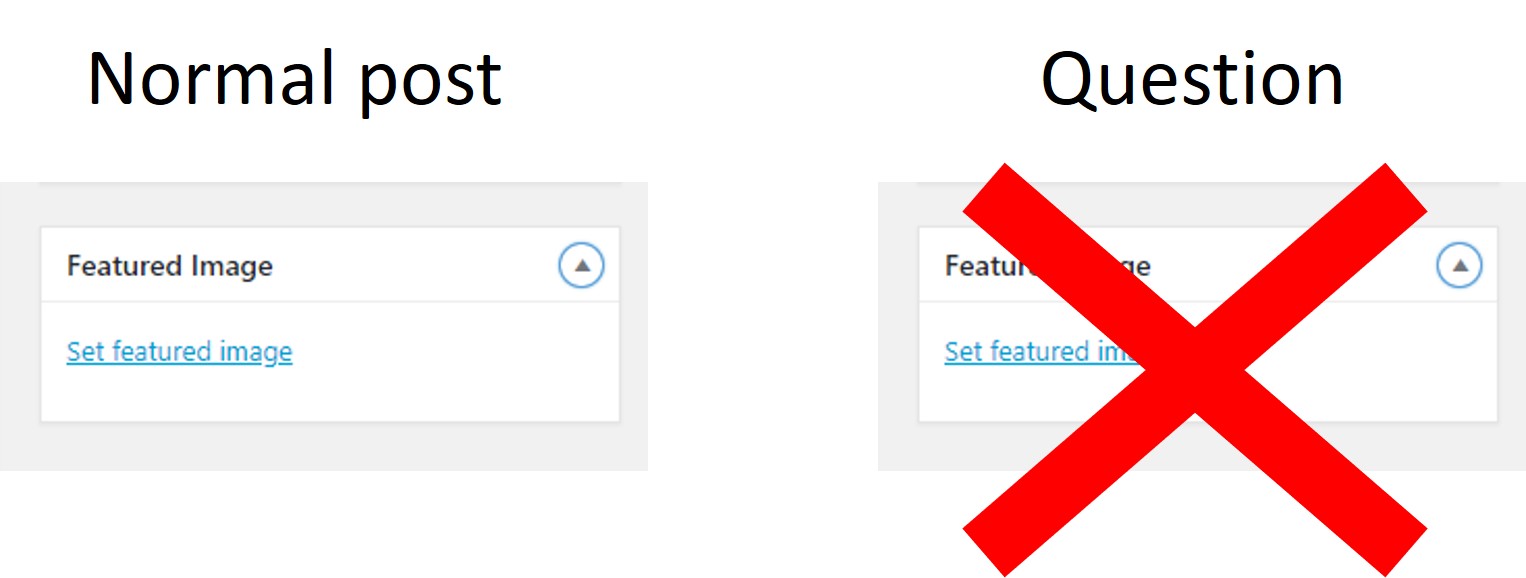
I mean this: https://2.bp.blogspot.com/-PvhJcEr1VwI/W0NTkVMmSGI/AAAAAAAAD9U/nXP6XAyK4mAOLW6Fd9mGUhVewIXTze6qgCLcBGAs/s1600/Picture1.jpg The normal post allows us to assign a featured image, but questions don;t allow this. Please enable this feature for individual questions .
Yes, i know and i plan to make it and it will show like this https://ahmed.d.pr/OVIDcv
Hey got another suggestion for you. Display a green light next to the users avatar to show they are online.
Hello,
Ok I’ll add it in my plan.
Can you add a “show more” to WPQA-Users?
Hello,
Show more button to go to the users page?
No, I show my users by score but a show more button to show even more users.
Like load more?
Well im just thinking there should be a leaderboard to show who has the most points right?
it would be a really nice feature and would make users more active trying to climb the leaderboard to increase their points.
Sorry but I don’t understand what do you mean.
Add a Leaderboard for users showing their points https://www.karmalb.com/
Sorry this is not available, only you can set the number of users to show at the widget.
I know. just a suggestion for you.
I’ll see if i can add it
Dear Ahmed When editing the FAQ page, I see that the contents are properly formatted, like this – https://snag.gy/up0CzZ.jpg but when the output is viewed in the page, it appears without any formatting, like this – https://snag.gy/aIxAUs.jpg – why is this? And how do I make certain phrases bold or italics within FAQ page please?
Hi @Tamilkb!
Thanks for using Discy.
I’ve just sent the file again for you at your email.
Thank you, we look forward to serving you!
Best Regards.
Can you send the demo file to me? My email: 777trollnation@gmail.com Thanks!
Hello,
I’ve just sent it.
Thanks!
You are welcome any time
oh yeah… you were going to tell me how to change the icon for points, how do i do it again?
Hi @Mattomattt!
Thanks for using Discy.
What icon do you mean? Give me screenshot for the icon you mean and what icon you need to change?
Thank you, we look forward to serving you!
Best Regards.
First active this option https://ahmed.d.pr/YI569T
Second use this custom CSS code
.point-div i.icon-bucket:before {font-family: Font Awesome\ 5 Brands; content: "\f379";}
thank you, how do i also change the black bucket? i need it all changed.
From orange to black?
i need every bucket icon (orange and black) changed to the black bitcoin.
can you change all bucket to black bitcoin?
trying to do it myself but many fontawsome icons don’t work
i can confirm the problem, many fontawsome icons don’t work.
This code was worded with me, https://ahmed.d.pr/uXQhL1
And to make it black use this code
.point-div i.icon-bucket {color: #000;}
Hello,
Happy to buy your theme. But I’m not good skill with Wordpress. How could I do. One more thing please send me Demo.
Thank you,
Hello,
Please send me in my profile your email or type it here and I’ll send it for you
Hi, please send the demo content to contact@begindot.com
Hello,
I’ve just sent it.
Hey brother, A feature request, cool one that is. Can you please think of letting the moderation be done via emails? Questions, Answers, Polls or Comments should be notified to the admin with a simple button ‘Approve’ & ‘Reject’ and even ‘Under review’ buttons so it becomes very easy to do it via email, smartphone than having to login to the site?
Hello,
Ok I’ll add it in my TODO list.
Awesome! You are the best
You are welcome any time
Dear Ahmed Can the sign in pop up bar be made a little thin please? From a regular computer monitor, it spans all the way with the ‘Sign up’ hiding beneath. The width of the ‘Sign In’ bar seems a little big too. I am pretty sure you must have considered a lot of design aspects, but can you please check this? – https://snag.gy/N6DJFS.jpg – this is the maximum it can show.
Hello,
But it big at desktop only at the mobile it will be small.
Hi Team,
Can I get the discount coupon for the theme and definitely will buy the theme!
Thanks!
Hello,
Sorry no discount here
I installed the new version of the theme. but all the settings got zig zag and mobile speed went downwards from 30 to 9, please check the website immediately and do the necessary required edits. id & password already with you, now this time please help . it’s very critical situation. awaiting for your earliest response
Hello,
Please send the admin username and password again at my profile.
Feature suggestion: make it so users with a certain amount of points are auto approved.
Hi @Mattomattt!
Thanks for using Discy.
So you need the user has x points his post or question approved auto?
Thank you, we look forward to serving you!
Best Regards.
sounds great
I asked you, do you need it like i explained?
yes that is exactly correct.
Ok I’ll try to do it.
Hi, can you update my theme to the latest version, login and password already with you. As per the above comments the user got Google Page Speed of around 90/100 on PC and 55/100 on mobile phone
Hi @reiveram!
Thanks for using Discy.
You can update it easy, deactivate the theme, active the default theme, delete my theme, upload the new version, activate it and then update the plugin.
Thank you, we look forward to serving you!
Best Regards.
Bro, if you do so, It would be very helpful of you, as I have customized the theme little bit and fear that due to mishandling my data could be erased.
If you make it like my steps will not lost any things
how to change the section No Answer to Unanswered and add it next to Recent Questions as that portion gets hidden.
Do you need to change the text? and add it after recent questions tab?
yes
About the text by this plugin https://wordpress.org/plugins/loco-translate/ or poedit program and you can see here the explain how to do that https://2code.info/demo/themes/Discy/Docs/ >> Translation.
About the tabs when edit the home page will see this https://ahmed.d.pr/wIdNoy you can drag and drop them to change the place.
I am need able to find any such settings in the Discy setting options
This options not at Discy Setting, like i told you at pages >> edit home page and will find it.
Ok got it, but how to rename it from no answer to Unanswered
About the text by this plugin https://wordpress.org/plugins/loco-translate/ or poedit program and you can see here the explain how to do that https://2code.info/demo/themes/Discy/Docs/ >> Translation.
Ok i will check, thanks anyways
You are welcome any time