3847 comments found.

Dear
I installed the city tour theme Demo to my web, but I would like to see 100% same to the demo this with the propose to change just the information another small things, some sections in the home is not working like the Trending Activities, popular places and more, for anther hand I am not looking these pages on my demo page:
https://demo.goodlayers.com/traveltour/citytour/tour-side-thumbnail-with-frame-right-sidebar/ https://demo.goodlayers.com/traveltour/citytour/tour/london-paris-high-speed-train-ticket/this is my web www.mountaintoursperu.com
I would like to receive your solution, because I am not expert in this, I would like to see like the demo working to 100%, this just to make some small modifications.
Thank you very much,
King regards
Can you please submit ticket in our support website? Our dev and supporters only provide support in there, not here 
Please note that, Right now, all support will be conducted through http://support.goodlayers.com/(Purchase code can be found here : http://support.goodlayers.com/purchasecode.png )
Thank you very much! 
I send the message about the problem to the support but until now I don’t have reply.
Hi,
Sorry for the delay. Our team doesn’t work on weekend. Your ticket will be responded within today
Hi There, I want to change text “address” in contact detail become “pickup location” with custom placeholder… I’ve been read the discussion about this and many of your user also asking for this, How to code this? since there is no custom CSS
Can you please submit ticket in our support website? Our dev and supporters only provide support in there, not here
Please note that, Right now, all support will be conducted through http://support.goodlayers.com/(Purchase code can be found here : http://support.goodlayers.com/purchasecode.png )
Thank you very much!
Hi, we have the theme install and using in our website. Some time we start to working with PayPal payments but PayPal charge us an extra fee for Mexico that is the I.V.A.
My question is if when select Stripe as a payment gateway, how can include a fee or tax when the client try to make the payment like the same way of PayPal in the Tourmaster settings or we need add the fee manual with a local developer or how we can add the fee in the tour?
The tax will be the same field as Paypal.
You can add the % charge fee of credit card here : http://take.ms/UCAOy
If you can’t find this field, make sure that you update the theme and Tour Master plugin to latest version : https://goodlayers.ticksy.com/article/1893/
If you have further questions, please submit ticket in our support website. Our dev and supporters are only provide support in there, not here.
However, unfortunately, we notice that your support has been expired. In this case, you won’t be able to create new tickets anymore. You can purchase support extension in item page. It will be on the right side : http://take.ms/8Q2Ly ( more info: https://help.market.envato.com/hc/en-us/articles/208191263-What-is-Item-Support- , https://help.market.envato.com/hc/en-us/articles/207886473-Extending-and-Renewing-Item-Support )
Please note that we no longer provide support via this channel anymore(Except bugs report.). It’s all will be conducted via support site only. Please also note that many old customers already renewed their support and we have to be fair with everyone by providing support via support site only.
Hope you understand this.
how can I install the theme like looks in the demo..?
Hi,
You can follow this instruction : https://www.youtube.com/watch?v=licSuqJVcto&list=PLNIFTA4Bjp3stwYxIB6Aokpr9bfRQYO73&index=4&t=14s
If you have any further questions, feel free to submit a ticket in our support site 
Please note that, Right now, all support will be conducted through http://support.goodlayers.com/(Purchase code can be found here : http://support.goodlayers.com/purchasecode.png )
Thank you very much!
Why for future releases add woocommerce to tours payments? this limits your theme only for counries with paypal, your theme is best features i seen but we are south america based and paypal is not fully accepeted.
Hi,
Unfortunately, this theme is not Woocommerce based so it won’t work with Woocommerce payment gateway. We create this theme and its system from scratch by our code.
To integrate other payment options, you have to hire a coder to do this.
fields disappears during booking and this error appear ” Please select all required fields to proceed to the next step.” please help ..
Can you please send wp access + ftp access through the form in this page > http://themeforest.net/user/GoodLayers ?
Please also copy the message into the form as well so we can recognise your case. We will help inspecting directly.
Saw your email now.
pre-sale questions. 1) is it possible to insert a video (youtube or vimeo) in the single package detail? Together with photos. 2) is it possible , after a user has booked a package, before paying (or after…) to select a list of services to add to the order?
Hi,
First of all, Thanks for interest
1. yes
2. Actually, this feature is available in the demo site as well. You can try process booking and you will see where to select additional service.
Cheers!
Thank you are the additional services “general” or customizable for each tour?
Hi,
You can assign each service to each tour manually
Thank you and last question: I need an option that requires customer fo till name and last name of each traveller. But your documentation bring to an external URL, does it mean you don’t have this native function and I have to create something by myself? And how does this would work?
Hi,
This feature is available. You can let customer to fill the detail of each traveller. Like this > http://take.ms/Ez4R6
having error, when i share a post ( citytour) Object Missing a Required Value Object at URL ‘https://domain-name-removed/' of type ‘website’ is invalid because a required property ‘og:title’ of type ‘string’ was not provided.
Hi,
Could you try this plugin for this.
https://wordpress.org/plugins/wonderm00ns-simple-facebook-open-graph-tags/I would like to offer different options for different numbers of travellers. By this I mean a different price for 1 traveller, 2-3 travellers, 4-7 travellers AND I would also like to offer different style accommodation. By this I mean 3, 4, 5* accommodation. So these would be at a different price as well. AND I would like to give the option of choosing the accommodation or NOT. AND I would like to offer the option of an additional night accommodation. So there would be… ONE price depending on the number of people for the tour. + ONE price for the style of accommodation for the tour (if chosen) + ONE price for additional night accommodation, which would be chosen from the different style accommodation available.
The final price
Im hoping this can be done with your theme, Im trying to with demo, but not able. If it is not available, can it be coded?
I can not see the rest of my comment, but I have actually worked it out now. BUT now I have a new question… Can the text “tax” and “tax rate” and others be changed? thanks
Yes, you can change them
Hello, I have 3 questions for you…. #1 Can we add videos as well as photos to descriptions? #2 Can we add a video to homepage slider? #3 Can we create affiliate links, that provides a commission to other tour agencies/ agents that sell my tours, or at least notifies them of a sale through their link? thanks
Hi,
First of all, Thanks for interest
1. Yes
2. Yes
3. Nope, sorry we do not have this. What it can do is only to link the booking to external url. Like in this one : https://demo.goodlayers.com/traveltour/tour/america-2-days-in-lake-tahoe/
Thanks for interest by the way
is it possible to make the admin reservations more print friendly? It doesn’t print well. Just curious.
Hi,
Thanks for suggestion. We will be looking into this
Hi,
I see customers can pay deposit when booking a tour. Is there an option for admin to set how many days before tour begins customers must pay the rest? If customer fails to pay it, the booking will be cancelled. Is it possible to do so? Thanks very much!
Hi,
At this version, the rest has to be paid at arrival, we do not have option to pay the rest in the system yet but this is what we are working on right now We will add this ability in next big update.
And yep, user can specify how many days before travel date to require the rest payment.
Wow, excellent! May I know when this big update will be released?
Currently, we do not have an ETA yet. But expected within November.
Hello guys, Thank you for your great work. We are building our website with your template now but we can’t find how to CENTER the footer content (4 columns). Any custom CSS suggestion? Thanks again :))
If you have any further questions, feel free to submit a ticket in our support site
Please note that, Right now, all support will be conducted through http://support.goodlayers.com/(Purchase code can be found here : http://support.goodlayers.com/purchasecode.png )
Thank you very much!
I have tried to submit a ticket on your portal without success. it keeps telling me that my licence key isn’t for the correct product, despite being verified here as you can see. Maybe a glitch in your system?
1. Try to logout first then, make sure that you login with your Envato account that purchased this theme. http://take.ms/zAT3G
2. Click on the ‘Submit ticket’ button and make sure that you select the correct theme here: http://take.ms/sCdO2 (Travel Tour), if still didn’t work, click on (Verify purchase with Envato) button, the green one below.
If still didn’t work, please send me the purchase code ( http://support.goodlayers.com/purchasecode.png ) via the form in our profile page. I’ll try checking on that for you.
Hi there,
Before we buy:
Can you work on the website and build it, while you can show the countdown for the visitor on the website? So you will be able to work on the current site while the visitors see an countdown?
hm, not really sure what ‘count down’? Do you have example please?
Hi team,
I have some pre-purchase questions:
1. Can I set the price of the tour by season? For example: it’s US$100/pax in high season from Jan. 1st to May 30th, and it’s US$50/pax in low season from Jun. 1st to Dec. 31st.
2. How to setup package options (Standard package, VIP package, etc) of a tour? It’s not mentioned in the document (as well as in your Youtube videos).
3. Why does it take a lot of time to show the “Number of rooms” textbox (and room detail textboxes) after choosing a package option on a room-based tour?
4. Is it easy or hard for me to move the “additional services” to the page right after selecting main tour (and before entering contact details)?
5. Is it easy or hard for me to make the tour page style like https://must2go.com/en/products/1343-Abu-Dhabi-Hummer-Desert-Safari-With-BBQ-Dinner-for-5-people (no banner image, photo gallery is before tour description)
Thanks.
Hi,
First of all, Thanks for interest
1. Yes you can do that.
2. You can actually test it directly here: http://goodlayers.theme-demo.net/traveltourtraveltourbookingmanagementsystemwordpresstheme
doc : https://demo.goodlayers.com/document/traveltour
3. This actually depends on the server to process. Our server might be high traffic at that time. However, if your server is good and it’s located near the target of customer, it should work faster
4. Nope, that can’t be done.
5. Currently, we don’t have this style but we will surely add this style in future update
Thanks for your answers. One more question: can I change the color of a single tour page title? (It’s the text “Switzerland – 7 Days in Zurich, Zermatt” at https://demo.goodlayers.com/traveltour/tour/switzerland-7-days-in-zurich-zermatt/).
Hi,
Yes, you can change that from the admin panel ( Page title ) directly.
Cheers!
I meant change the COLOR of the singe tour page title, not change the title. Can you show me how to do it?
Oh sorry, for not being cleared. The single tour title can’t be change via theme option but we can guide help changing via css easily after purchasing
Making some changes on tourmaster.css, is that right?
I’m a web developer, can you give me some instructions to make the tour page style like https://must2go.com/en/products/1343-Abu-Dhabi-Hummer-Desert-Safari-With-BBQ-Dinner-for-5-people (no banner image, photo gallery is before tour description)? It’s a must for me. Thanks.
Hi,
Yes, correct.
Currently, we do not have the style like that.(However, we will add this kind of design in the future update.) What we can provide with is something like this : http://take.ms/fyE0B
.tourmaster-single-header-overlay { opacity: 1; background: #ffffff; } .tourmaster-single-header-title-wrap { padding-top: 180px; } .tourmaster-single-header-title-wrap .tourmaster-single-header-title, .tourmaster-single-header-title-wrap .tourmaster-tour-rating-text { color: #222; }
Hi, this style is acceptable. The last question before making purchase: I’m a coder, please give me some instructions to move the “additional services” to the page right after selecting main tour (and before entering traveler details)? You can also contact me at toanphung.vn@gmail.com. Thanks.
Hi,
Nope this one can’t be move to other sections. It has to be at that point.
Sorry about that.
Hi, I purchased your theme.
I see the breadcrumb color setting, but don’t know how to active breadcrumb function. Can you help?
If I need to install a plugin, what’s that?
Thanks.
Can you please post this on the support website? Our dev and supporters are only provide support in the support site, not here
If you got any further questions, please head to our support website ============================================== Please note that, Right now, all support will be conducted through our support website http://goodlayers.ticksy.com Thanks so much!
Hello sir, I want to give advice. Ready Flow Check out easy for site visitors. Long checkout lines make site visitors just leave, because they don’t want to be complicated. Make the checkout process very easy and very friendly for smartphone users.
Many of my customers choose orders manually. Please repair it sir. Thank you
Unfortunately, we planned for the checking out process like this since the first place. And comparing to other sites, we do not think this is a long line. Mainly, it’s only two parts, http://take.ms/XuYpv
Hello, Before purchasing, I want to know if booking let you choose the days we want. EG: I want to book 3 of 10 days avaiable. Also I want to know if WPML is ready to go. Thanks. Best regards.
Hi,
1. hm, I do not quite understand on this. Normally the tour has to specify the number of days since the first place.
2. The theme support WPML but we do not have pre translated files. (We do have POT file for you for easily translation.)
Thanks for interest by the way
So for example like this : http://take.ms/56MQy
Hi, thanks for answering. I was mean, I want the client can choose specific days. Eg: I wan to setup activity booking, so, If I create some like “rafting every day” and I want to choose “Monday, tuesday and wednesday” from “avaiable days” I can’t. Your multiple days sample doesn’t let me do it… So what would be the point if I can’t decide when it starts and when ends the activities, tours, or other facts. In the sample I can’t pick the days I want. That way force me to choose all days (e.g 1 week, 7 days), so If I want choose only 3 days, I have to do one by one, so the only way is booking 3 orders… instead 1 order of 3 days. Is not friendly way.
Hi,
I understood now, unfortunately, the theme can’t do like that :/
Thanks for answering. Beautiful theme by the way. King regards.
Hi there,
I am currently looking to buy your theme, I love everything about it
but… I have two questions
1) Can I disable the search tool in homepage? 2) I am working with affiliate links, so when you go to the tour page, can I add a button: BOOK NOW and behind that, place the affiliate link, so they will be escorted to the sales page of my affiliate partner?
Thank you so much
Hi,
First of all, Thanks for interest
1. Yes
2. You can check this out for example : https://demo.goodlayers.com/traveltour/tour/america-2-days-in-lake-tahoe/ You can put the link to specific url in this case.
Pre-sale question. I deeply tested your demo version, but there is one thing that i don’t understand: Tour Service. I think the logic is “if a tour have some more-option i can assign to it a “tour service”, for example the product is a boat tour that cost 100, this tour could have an option like “something to drink” that cost 5, i should be able to add the “something to drink” service to that tour so the client can choose if he wants to add “something to drink” spending 100+5” am i correct? if i’m correct, testing your demo, i can’t see any differences when i add a service to a tour, no otpion to choose or anything. i tried to take a look even at http://demo.goodlayers.com/document/traveltour/ but no explanation on how services work. Could you explain me please? Because this is a feature i really need a lot! thank you for your excellent work!
REV: ok, found it at the end of the booking process when the client have to pay.. It would be perfect to add it at the single tour page, where the client choose the date and the number of people before booking..
First of all, Thanks for interest
Yep, it’s in the process page. Really sorry, I need to be placed in separate page.
Glad you found it anyway
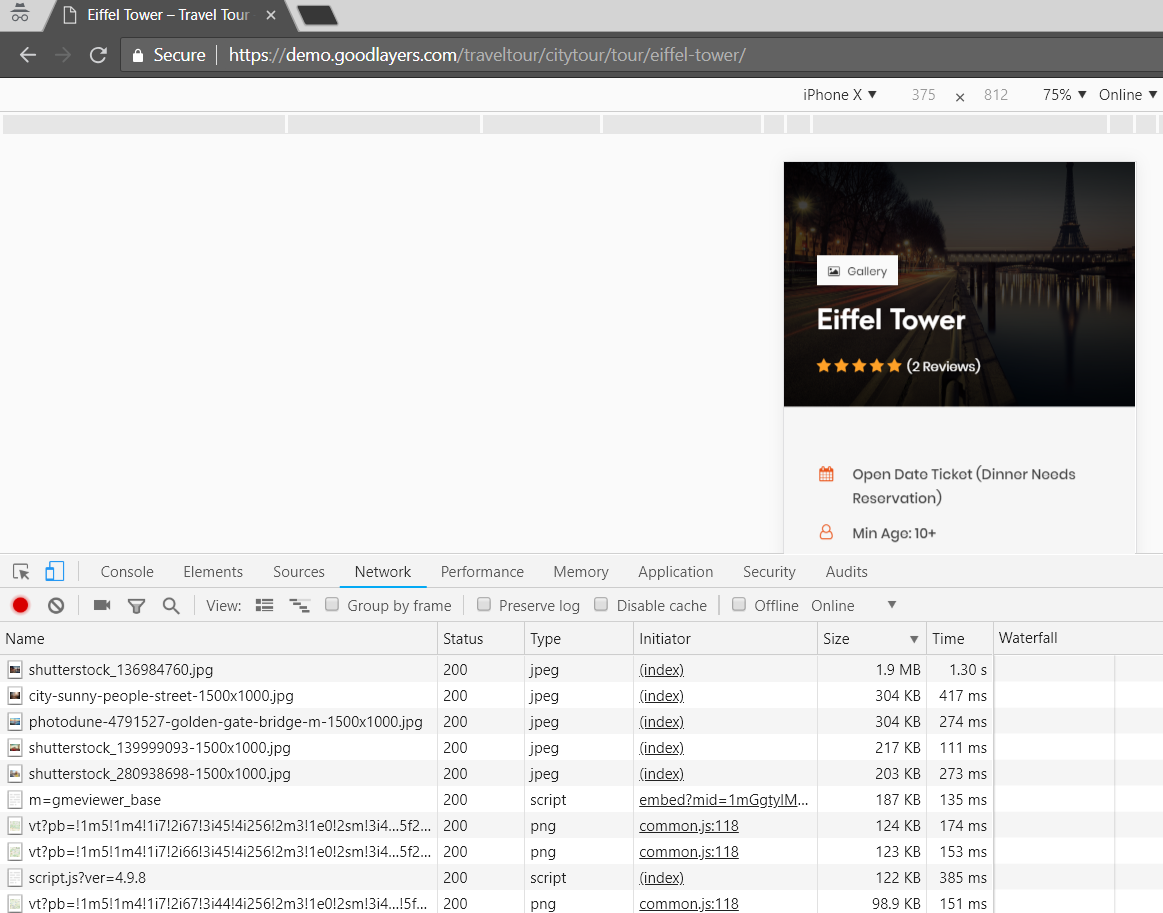
As I see in the sourcecode that on mobile ver. your theme use full size main images. That is not correct way to do it without the scrset. Google SEO does not like when customer download on mobile image 1920x….
Just take a look on the file sizes and forget about SEO for 1 year in advance. screenshot https://i.gyazo.com/793e05225a62ed94747a8f77dfd0d220.png
Hi,
You can enable the srcset at the “theme option > miscalleneous” area
No. Srcset does not work in the top slider at all.
Sorry for late reply, unfortunately, the top slider we are using is Revolution slider and they do not have this feature.
You mean that your great theme has a fault in Google’s mobile-first index because of using low-quality third party pligin instead of your own slider?!
Unfortunately, it’s nothing we can do here Almost every themes in the market also using third party slider as well and from my experience, Revolution slider is not a low quality slider at all. It’s the best slider plugin right now.
I will report this to Revolution slider team. Hope they will consider for this in future update.
In the mean time, you may seek for other third party slider plugin that support this if you need it.
That’s funny that your team unable to make just a slider… If you want I can share with you my slider code. I solve this problem a year ago. Check it here https://www.eurosegway.es
Also I use different picture ratio: for mobile 1:1 is the best solution. And my web is in mobile-first index already.
Hi,
We could do that and we used to do that but as the slider was just a simple slider, we decide to use the Revolution slider instead because it’s much much more powerful and many users love it.
However, I just got a good feedback from the Revolution slider team. This is something they are working on and pending for their dev team: http://take.ms/XjMWK
As soon as they launched the update, we will push the update into the theme
Hi, thank you for the reply. Nevertheless seems that in will not happened in half-a-year… They reply about “pending”. I know what does it mean in a dev team))))