1458 comments found.

Hi,
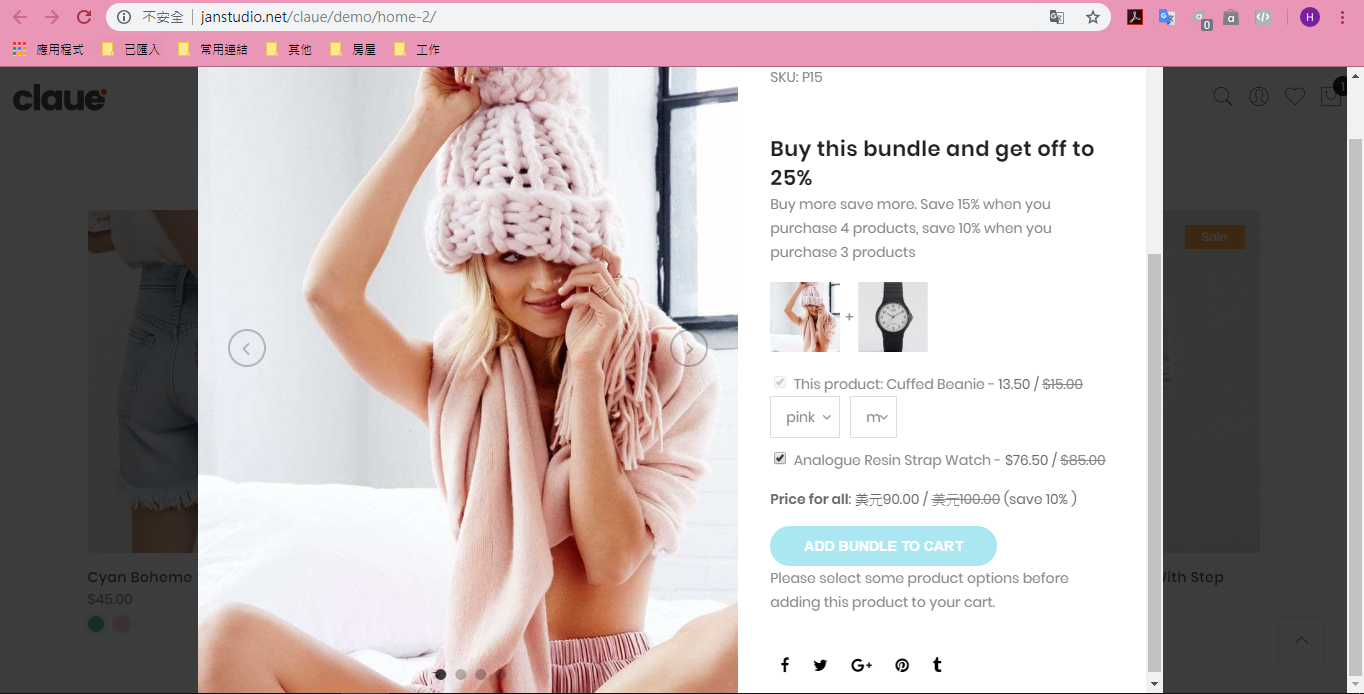
I have a product bundle button problem on quick shop, the button does not work, only a line of words:”Please select some product options before adding this product to your cart.” is displayed, cause the product cannot be added to the shopping cart.
The same problem is also on your demo site. https://upload.cc/i1/2018/10/09/sh92fn.pngThank you.
Thank you for report. I see the issue, i will report this bug to plugin author.
Thanks
Hi,
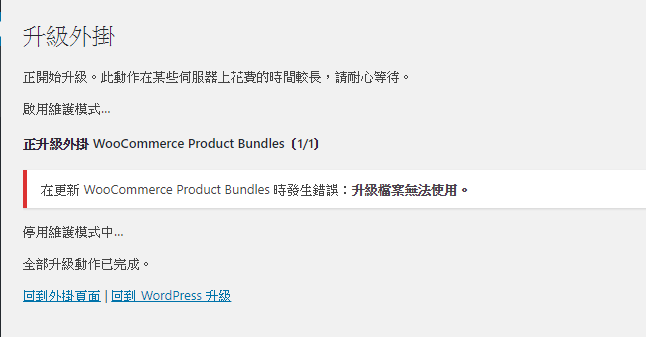
I can’t update WooCommerce Product Bundles. https://upload.cc/i1/2018/10/12/8da3ot.pngThank you.
Could you tell me which version of WPA WooCommerce Product Bundles running on your site?
Thanks
Hi,
This plugin from WooCommerce. Where you bought this plugin? You need have license of this plugin to update https://woocommerce.com/products/product-bundles/
Regards
Hi,
That plugin is not used, I am waiting for your update, I am wrong, thank you.
hi, i need to show review stars on the category product layout..is this possible to add in the next release?
Hi,
Please create new topic at our support forum at http://support.janstudio.net/forums/forum/themes-support/claue/ Our team will check and help you solve the issue.
Regards
hello, this is a presale question..i havent purchase your theme..if you have this features, i would like to buy your theme
Hi,
Yes, this feature easy to add. If you purchase we will help you do it free.
Thanks
Hi, website is up and running. I now want to add options to my product page.
For example in the description to select items. I did a test with the back end editor by using the Add To Cart widget.
I am missing three things there. 1. The title of the product 2. The short description of the product 3. The image of the product
How can I get this done?
Test link: http://www.hdsecure.co.uk/cctv-cable-test-page/Hi,
I still don’t understand what you do to create the test page. To create new product please go to Dashboard > Products > Add New.
Kind regards
If you go into any EDIT of a normal page or post, you can go into BACKEND editor.
There you can add a ELEMENT. You have a WOOCOMMERCE element called ADD TO CART. If you use that, the output is as seen on the link I provided.
And as mentioned I need a few additions to that (mentioned earlier).
Hi,
This element only support show “Add to cart” button. If you want show all info of product please use “Products” element or “product”
Kind regards
Hi Jan, is this theme compatible with WooCommerce Currency Switcher? I installed it, but looks like you plugin over writes it
Hi,
Could you tell me which plugin WooCommerce Currency Switcher you’re using on your site? Please try deactivate default currency integrated in our theme in Claue > Theme Option > Header > Currency Switcher > Off.
Regards
Hi,
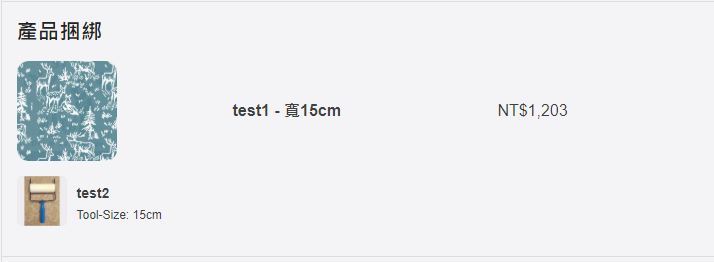
The Bundle Product’s attributes should display Name, currently showing Slug. https://upload.cc/i1/2018/09/29/zZcItL.png https://upload.cc/i1/2018/09/29/4BAiPv.pngThank you.
Hi,
And “ADD BUNDLE TO CART” can’t translate. ( use LOCO Translate) https://upload.cc/i1/2018/09/30/DSM2Cs.pngThank you.
Can product bundle increase or decrease the Quantity in the shopping cart page ?
I found the place to set the “ADD BUNDLE TO CART” translation and it has been resolved.
I found the place to set the “ADD BUNDLE TO CART” translation and it has been resolved.
I found the place to set the “ADD BUNDLE TO CART” translation and it has been resolved.
Hi,
1. I see the issue with variation in Product Bundle, i will report this bug to plugin author
2. I’m sorry Product Bundle doesn’t support increase quantity on cart.
Kind regards
Pre-sale question :
can i disable AJAX on add to cart button, slide mini cart (is there any options at the theme setting) ?
Hi,
Thank you for interested in our theme.
1. Yes, we have option to disable Ajax on Add to cart button http://take.ms/xSSUK5
2. Our theme have 2 options for cart (Slide mini cart & Popup include up-sells product ) http://take.ms/CyCPI
Kind regards
great! i buy it now!
Thanks
Hi,
I want to translate Top Center Promo in head at 2 languages. I´m using WPML. How I can do it…?
Thanks in advance.
Hi,
Thank you for choosing our theme.
Please follow this screenshot to translate the texts in Theme Option (Header Left Content, Top Center Promo, Header Right Content, etc…) http://take.ms/s8XIS
Kind regards
Where is this?
Please go to WPML > Strings > Translate.
Regards
Sorry!! Perfect… Many thanks!!
Hi,
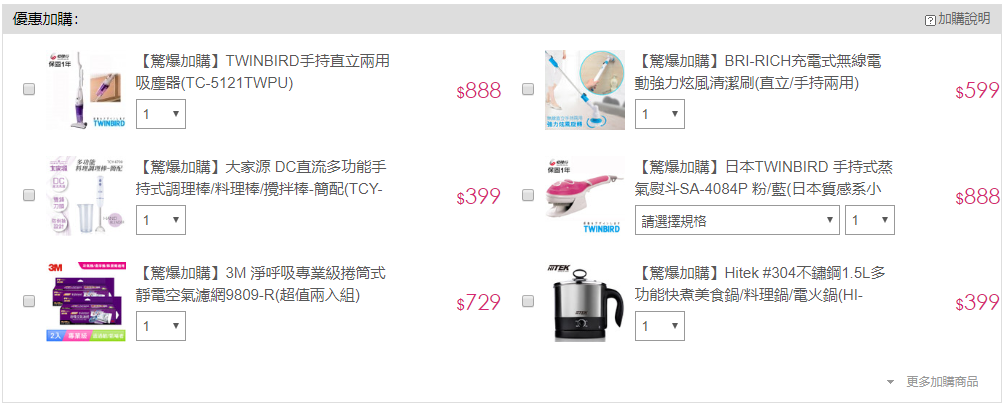
Can the bundle product increase the quantity and Grid layou t? Thank you. Similar like this: https://upload.cc/i1/2018/09/27/xhQzjA.pngHi,
Sorry the product bundle doesn’t increase quantity and grid layout.
Kind regards
hello. i can’t register to your helpdesk site. i add the purchase licence, it pulls the info successfully, and at the next step, when i fill in the username and email i get a license error message. please help
Hi,
Thank you for choosing our theme.
Sorry because inconvenience.
Could you please send an email to janstudio.net@gmail.com with your purchase code and your issue. Our team will check and help you solve problem.
Thanks
i just did thank you
Unpacking the package…
Installing the theme…
The package could not be installed. The theme is missing the style.css stylesheet.
Theme installation failed.
way i have this problem
Hi,
Thank you for choose our theme.
Please extract the package you download from ThemeForest just install claue.zip
Kind regards!
Hi, great theme but there is an issue when I use ajax filter and sorting. For example, I want to select size S and sort products by price but the following result is not correct. Filtering and sorting work separately but not together. When I use standard WooCommerce filter with sorting it works fine. Is it possible to use ajax filter and sorting together in your theme?
Hi,
Could you please create new topic at our support forum http://support.janstudio.net/forums/forum/themes-support/gecko/ with details of your issue, your site url and temporary admin account. Our team will check and help you solve the issue.
Thanks
The theme is really good, I wanted to know if we can have extended description for products.. treat each product like a single product and describe in detail with either image or video in the description section.
Hi,
Thank you for interested in our theme.
Yes, you can add more content to description of product (images, videos, icons, etc…) like this http://janstudio.net/gecko/furniture/product/aubrey-chair/Kind regards
Hi, great theme with smart functions. But the Page is loading very slowly. I tested on pingdom and saw that the time to first byte is very long…Do you still use something like cloudflare and cashing? The Page should load in 1-2Seconds, is that possible? otherwise the user experience is not good…what is it, that makes the page slowly? the ajax card? Thanks for your informations!
Hi Jandes,
Thank you for interested in our theme.
Yes, now we are using CloudFlare for our demo site. I check our demo on pingdoom, time to load site from 3-5s https://tools.pingdom.com/#598231f1f1400000
The issue on our demo is using high resolution images to work on multiple demos. You can reduce first time load for your site by reduce image size and quality of image to fit with your site.
Kind regards
how to find install demo data
Hi,
Thank you for choosing our theme.
Please follow this topic http://support.janstudio.net/forums/topic/import-sample-data/
Regards
HI my select options button suddenly not working! how do i able to fi x this issue? psl help
Hi,
Our support team replied you. Please follow your support forum topic.
Kind regards
You have a same theme in magento. The 360 degree image feature is in magento and right now it is not in wordpress.
Can we implement same feature in wordpress?
How do I implement same thing in claue wordpress theme:
http://themes.magesolution.com/claue/m2/ikat-tiered-tank-dress.htmlHi,
Thank you for interested in our theme.
It now WordPress version doesn’t support feature like this but for performance we recommend use video link.
Kind regards
How we can do it if we want to develop the same feature. I am making a jewelry website for which I need this feature.
Hi,
You can use free version of this plugin https://www.magictoolbox.com/magic360/modules/woocommerce/ with our theme.
Kind regards
It is just 1 image which will rotate in 360degree right
No, you need more images to make rotate in 360 degree view.
Regards
Can u please fix …
1/ Blog Grid Layout does not display Grid 2/ Homepage layout “Home Product Categories” I think does not display the products categories.
Thxs
Hi,
Thank you for interested in our theme.
1. The grid layout it now only show one column
2. The demo Home Product Categories, you can use banner to link to categories.
Kind regards
Hi,
Pin maker’s woocommerce’s “buy now” button Can open in new tab ? (I am browsing the lookbook, but at the moment I click the button and it will run away. It is very troublesome to press the previous page to return to the lookbook. It disturbed my original lookbook’s browsing progress.)
Thank you.
Hi,
Could you please create new topic at our support forum http://support.janstudio.net/forums/forum/themes-support/claue/ with details of your issue, your site url and temporary admin account. Our team will check and help you solve your issue.
Thanks
Hi,
Can Pin Maker > PIN TYPE > woocommerce be able to open in new tab ?
Thank you.
Hi,
Please delete plugin PinMaker and reinstall in Appearance > Install plugins
Kind regards
Hi,
Will I delete all my current pin maker item data ? https://upload.cc/i1/2018/09/28/7odp3W.pngThank you.
Hi,
Just delete plugin and reinstall plugin and update option to open woocommerce on new tab for pin. Don’t delete pinmaker data.
Kind regards
Thank you very much.
now that the discount is working on variable products, please make the countdown timer for sale also work for variable products.
Hi,
Yes, we will implement when find solution.
Kind regards