23251 comments found.
Hi,
1- does your theme support multi-vendor marketplace ? 2- if so, does it have front-end vendor dashboard ? if it does, please provide me a demo.
Thank you
Hi,
First of all thanks for showing your interest in Porto WordPress.
And as you know that Porto WordPress is an E-Commerce Theme depends on WooCommerce so it has all the default options provided by the WooCommerce, and WooCommerce by default does not provide the functionality for multi-vendor, so for that you have to use the plugin, You can find all the Theme compatible plugins list confirmed from our end here: https://themeforest.net/item/porto-responsive-wordpress-ecommerce-theme/9207399
Porto WordPress is fully Compatible with Major multi-vendor plugins like Dokan, WC Vendors and Yith WooCommerce Multi-Vendor plugins.
Thanks.

Can not update theme, my current version is 4.5, but there is a new one 4.8. There is no porto update in wordpress dashboard, and when i update via ftp, it says theme is damaged and lacks css styles table.
Hi,
Please once try to update the theme by following the steps listed below hope you will not find an issue and if yes then please contact us through our support system with your site WP Admin and CPanel Login details so we will update the theme for you.
First of all please take the complete backup of your site/theme current version and then please make sure that your server requirements must meet the latest theme minimum requirements as given in the theme documentation here: https://www.portotheme.com/wordpress/porto/documentation/category/general/installation/ and also please deactivate all the site third-party plugins before an update because many of the times the third party plugins conflict with the new theme files and creating an issue for the site but you have to activate the third party plugins again after theme update one by one.
Please try to install/update your theme by yourself first if you fail then we will do it for you. Please follow the below steps:
1. Take the complete backup of your current site. (If you are updating theme)
2. Go to CPanelwp-content/themes and rename old theme Porto to anything. (If you are updating theme)
3. Upload the latest zip file of the theme there in wp-content/themes.
4. Extract the zip file of the theme there.
5. Go to WP Admin Panel >> Appearance and activate the theme there.
Your theme will be updated easily.
Note: Please take a complete backup of your site before update the theme and also deactivate/delete these three plugins (Porto Widgets, Porto Shortcode, Porto Content-Type) before an update because in our latest theme we have made a new Plugin named Porto Functionality is a combination of these 3 plugins so before install Porto Functionality you must deactivate/delete those 3 plugins and in our new update also Ultimate addon for Visual composer Plugin is also excluded, the elements which are used in the site of Ultimate Addon we add those elements in Porto Functionality so no need to worry but you can use Ultimate Addon for visual composer as well it is up to you.Thanks.
Wonderful demos. Is there any limit for numbers of products to add them?
Thanks for your interest in Porto.
No, there’s no limit for products.
Hi, Will there be any sale of on this theme for Black Friday or Cyber Monday? I am looking forward to but an additional licence but i can wait few more days if there is a chance for discount.
Thanks.
Hi,
Sorry to say that but this depends on our Management Department, We do not know about it.
Thanks.
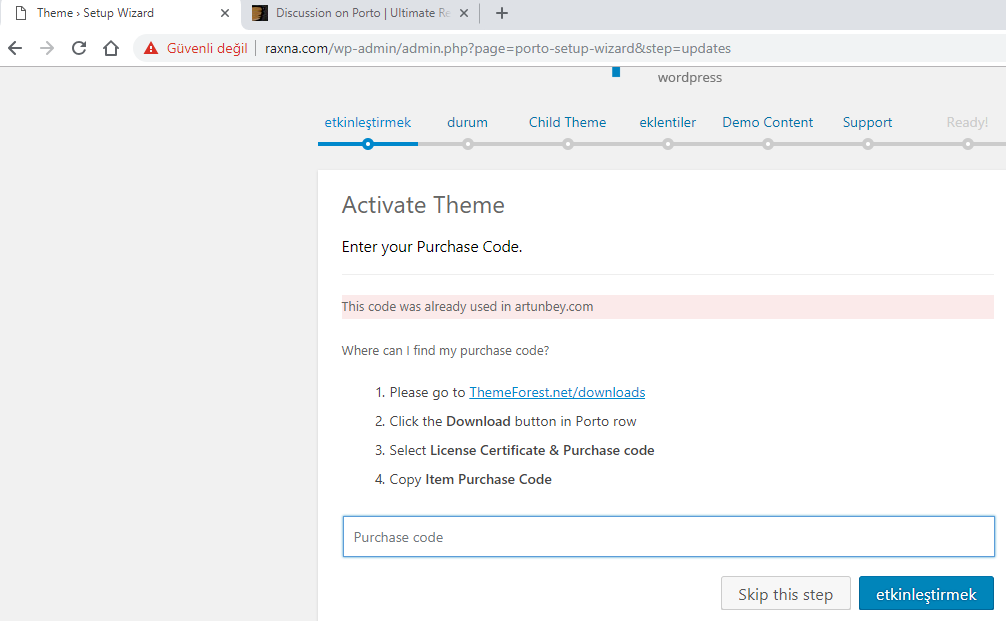
Hi.. Sorry bad english I dont know these works so hardly.. I’ve uploaded an old domain theme to learn and then arased the domain from the first domain I uploaded to the real domain. The confirmation code still looks like the old domain what should I do.. I want to disable the old site artunbey.com ..
https://i.hizliresim.com/oXPZdk.pngHi,
Please Login into your old Domain WP and then go to Porto >> Setup Wizard >> Activate and you will find the deactivate button just click on it and then you will be able to activate the same theme on the new domain by following the same procedure and in case if you deleted the old domain/site then contact us through our support system with the product purchase code so we will reset it for you.
Thanks.
Thanks brother 
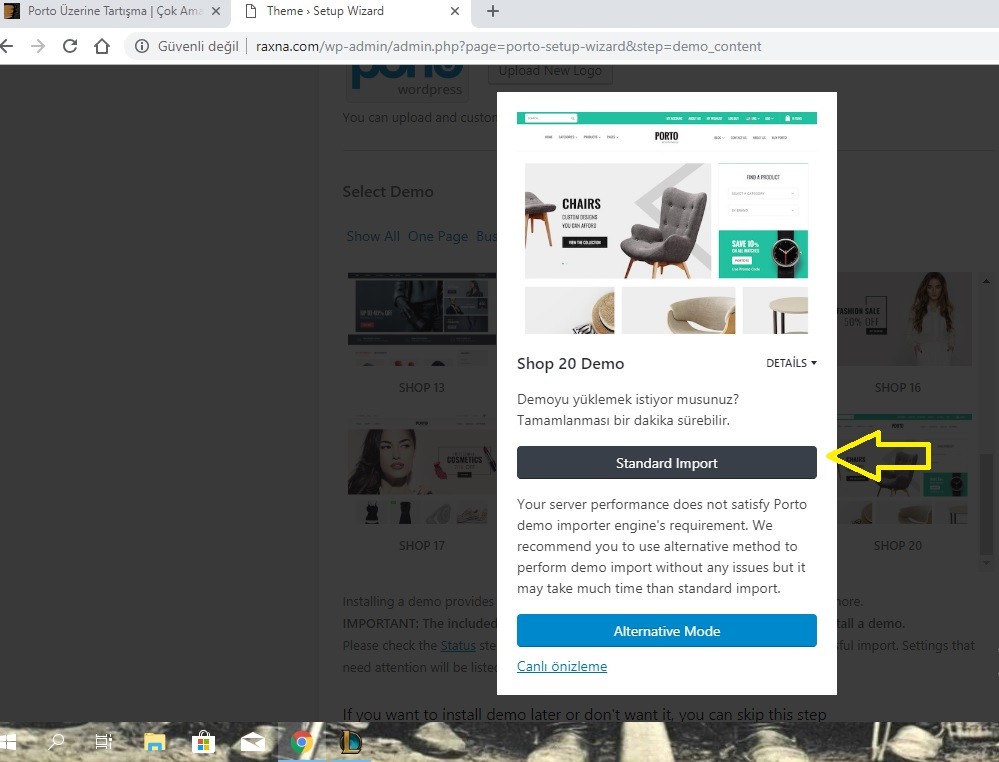
Hello, at the moment of uploading the demo on my website, I get this message: ”Suhosin may need to be configured to increase its data submission limits.” and it will not let me edit parts of the demo. I would like to be able to use the demo correctly without any restrictions.
Hi,
Sorry to say that but I am not able to see your screenshot, and also please make sure that you server requirements must meet the latest theme minimum requirements as given in the theme documentation here: https://www.portotheme.com/wordpress/porto/documentation/requirements-for-theme/
And then follow the instructions showing in this Video for Importing any Demo on your site: https://www.portotheme.com/wordpress/porto/documentation/installation-video/
Hope you will not find an issue and if yes then please contact us through our support system with your site WP Admin and CPanel Login details so we will check and solve the issue for you on your site and Import the particular Demo for you.
Thanks.
1
Hello, @can53,
I have reset your purchase code, now you can use the same purchase code for registration of your theme.
Regards, P-THEMES.
How do I make a product category page to actually function properly and display something? Like filters, the products belonging to that category etc? Not a 404 error. Like this one: https://test.asko.ro/categorii/merchandising/fashion/imbracaminte-barbati/hanorace. I just can’t sort it out.
Hi,
Please go to WP-Dashboard >> Setting >> Permalinks and refresh/reset the Permalinks for Products and Pages and Posts from there and save changes and check your site after removing the server, site and browser cache hope it will work for you and if not then please contact us through our support system with your site WP Admin Login details so we will check and solve it for you.
Thanks.
I set the color # 937042 (brown color) in all the settings fields, but on the homepage, in the left menu, the selected menu item is always blue.
Link -> https://merceriadapina.magazzinoperfetto.com
Why?
Hi,
Please copy and paste the below-given CSS code to Appearance >> Theme Options >> Skin >> Custom CSS and check your site after removing the browser cache.
.sidebar-menu>li.menu-item.active>a {
    background-color: #937042 !important;
}
.sidebar-menu > li.menu-item.active > a, .sidebar-menu > li.menu-item.active + li.menu-item > a {
    border-top-color: #937042 !important;
}
.sidebar-menu>li.menu-item.active, .sidebar-menu>li.menu-item.active {
    background: #937041 !important;
}
And also could you please purchase support extension to get further support? Your 6 months of support period is expired from 17/08/2017. According to Envato support policy, renewing support is required for further support.
Thanks for your understand.
I am monikaorman, I have two accounts. What one has to do with another??? What if I am new customer and want to buy it? I would like it to be updated, yes? Just answer simple question next time out of courtesy.
Now, tell me when will Porto be ready for Wocommerce 3.5, please. All my other themes from themeforest are ready, only Porto is not  Or do I need to raise support ticket for that question?
Sorry for the inconvenience. Porto is already fully ready with latest woo updates.
Thanks. If you could kindly update your info, I would not need to ask
Hi,
You can always check it here; https://themeforest.net/item/porto-responsive-wordpress-ecommerce-theme/9207399#item-description__change_logs
Thanks.
Hi, when will you release update for Woocommerce 3.5, please?
Hi,
Have you purchased the Porto WordPress theme? If yes, then please contact us through your theme purchase account to get the free support for Porto WordPress theme.
Thanks.
Hi, where can i edit the picture at the homepage full width banner, I use the demo 19 shop.
Hi,
Please edit your homepage you will find Porto Carousel WP Bakery element and the Text Block WP Bakery element inside it. So just edit it and change anything as per our requirements: https://pasteboard.co/HMlYtfF.png
Thanks.
I use the shop demo19, but the icon is not work well at the mobile browser, when click the button, it do nothing. the icon is “decor&furniture”“gift”“Dress” can you help me figure it out
Hi,
I have just tested it at my end and it works perfectly fine, Actually, when you click on an icon, it will take you to the particular section but that section will have to load first before showing it and it is the default functionality of the particular element.
If you have any other query please contact us through our support system.
Thanks.
Hi, just wanted to let you know that as of the latest update, side bars appear to be broken on mobile. When my phone is vertical, the side bar sticks out by about a sixth and if you open it, you cannot close it. If you rotate the phone horizontally, the side bar consumes over 75% of the screen blocking out the main content.
Hi,
We have tested the theme and do not find this issue, The issue is on your site only, so we have to debug your site, Please contact us through our support system with your site WP Admin Login details so we will check it for you.
Thanks.
Hi, I am trying to get the modal box to work but it is no displaying correctly, it ends up taking over the full page and the image does not display. Please see here: http://koffels.com.au/test-page/
I have added all the relevant CSS as per your other posts but still no luck. Can you please help, thanks.
Hi,
Can you please contact us through our support system with your site WP Admin Login details so we will check and solve the issue for you on your site and then provide you the complete solution.
Thanks.
I add new support ticket to your support forum (https://smartwave.freshdesk.com/support/tickets)
but my ticket was deleted after a few hours, only get the message as: “You don’t have any tickets in current view”
I have tried it twice, why is this?
Hi,
Please contact us through our support system by clicking on the below given Support button hope you will not find this issue.
Thanks.
Yes, of course, every time I go through this button link (http://portotheme.com/support)
Then enter my name, email and password, then click the sign in button to jump to the new link: (https://smartwave.freshdesk.com/support/home)
Does http://portotheme.com/support =>> sign in =>> https://smartwave.freshdesk.com/support/home Is the wrong step?
Ok, please delete your reply because my account information in the screenshot.
Done.
Hello! As an old developer i love to investigate themes and plugins for the best pageload speed and with my site running like 70 plugins it sometimes is necessary
I have pointed out earlier a few functions that is called even they should be deactivated. These are functions for masterslider and revolution slider which both is deactivated in my sites.
There is calls that slow down loading time with 0.5+ sec and by disable them as below i really noticed faster page load: $porto_master_sliders = false; //porto_ct_master_sliders(); $porto_rev_sliders = false; //porto_ct_rev_sliders();
Also today i did a big test using query monitor and did find another call that was even worse. And it should not be called at all because i have disabled “Related Products”.
The below function was really slowing down page load, it should not be active at all as related products is disabled in my site. add_action( ‘porto_after_content_bottom’, ‘porto_woocommerce_output_related_products’, 10 ); function porto_woocommerce_output_related_products() { if ( is_singular( ‘product’ ) ) { woocommerce_output_related_products(); } }
I have now disabled all three functions above and again i can see my site load in 1.5 sec with 70+ active plugins. Probably the heaviest site online
So please check Porto with query monitor and make sure that functions is disabled when they should be. There is a lot to win, nothing to loose
Hi,
Thanks for sharing the suggestion/feature request with us, I am forwarding this to our development department for considering to add it in the theme, but I am not giving you the guarantee for that because please note that a theme cannot satisfy all requirements as it may occur theme heaviness. Sometimes it may require your own customization. So if the development department finds it fit with the theme environment then surely they will look through it.
Thanks for your understanding.
Hi, Can I return the theme within 30 days if I do not like it?
Hi,
First of all thanks for showing your interest in Porto WordPress.
Sorry to say that but this is not possible.
Thanks.
hello
i am using this plugin https://wordpress.org/plugins/taxonomy-terms-order/ to order my wooocommerce categories, but the not have effect when i save.
Wich is the order by default in the product archive?
Hi,
Please try to use this plugin for changing the order of the Product Categories: https://wordpress.org/plugins/simple-custom-post-order/
Please read and follow the instruction written on the plugin page.
Thanks.
Hello. I am trying to activate the theme but I get this error message: “Purchase Code is not valid or could not connect to the API server!”
Curl is enabled and I also tried with the firewall turned off, but still nothing. This is on a windows server.
Hi,
Can you please send me the WP admin and CPanel login details of your site through our support system so I will solve this issue for you. Cpanel login is necessary.
Thanks.
Hi, I need to change the background position to “top”, in my row, but this doesn’t work: .vc_custom_1541678610295{ background-position: top !important; }
Hi,
Can you please share the URL and screenshot of that row or section so I will give you the correct CSS code for this issue.
Thanks.
Hi, If I want to use the theme to my “jewelry business”, which demo should I use, can you give your suggestion to me? I’m new to wordpress
Hi,
First of all thanks for purchasing the Porto WP theme.
You can use the any one of the demos, all are showing here: http://www.portotheme.com/wordpress/porto_landing/#shop
In my suggestion you can use the shop 12, 16 and 17 demo for your jewelry business.
Thanks.
where can i edit the left icon in demo 19 shop. I cant find it at the blocks
Hi,
Can you please provide us the screenshot which Icon you are talking about.
Thanks.
sorry, i dont know how to use link to show screen shot.
it’s the icon at the left sidebar in the homepage from the shop demo 19. it contain word”decor&furniture” “electic&computer” “Gift” and so on, could you please tell me how to edit it?
Hi,
Please go to WP-Dashboard >> Products >> Categories and edit the particular Category you will find an option for set/change the Category Icon, Please see this screenshot: https://pasteboard.co/HMm7a4X.png
And if you will have any other issue then please contact us through our support system.
Thanks.