3847 comments found.

I was buy this theme Now I try to make Edit on any page it didn’t save my edit what is the problem ?
Please make sure that you update the theme to latest version in order to use with WP5.0. Also, by updating the theme, please make sure that you update GoodLayers’ Plugins as well and please clear browser cache after updating.
You can follow this : https://goodlayers.ticksy.com/article/1893/
Hello,
One quick pre purchase question. Is the homepage customizable? Meaning can I set my own banners and style for the content section of the homepage or is it a hardcoded homepage with specific selections only? e.g setting homepage style and sections from theme options.
Thank you for your time and Happy holidays!
Hi,
First of all, Thanks for your interest 
Yes, you can do that. You can customize homepage using our page builder
After upgrading to Wordpress 5, Page Builder is not saving any change. Do I have to pay 46USD to solve it???? since my support is expired?
Regarding WP5 issue, you no need to extend the support…
Please make sure that you update the theme to latest version in order to use with WP5.0. Also, by updating the theme, please make sure that you update GoodLayers’ Plugins as well and please clear browser cache after updating.
You can follow this : https://goodlayers.ticksy.com/article/1893/
Hi,
Coudl you replace the
wp-content/plugins/goodlayers-core/framework/function/media.php
file with this new one and see if this helps.
https://drive.google.com/file/d/1T38mScYjwiraCg5pFQHsq5Gheo_5M1hF/view?usp=sharingIf not, please provide your wp-account and ftp-access back via goodlayers profile page so we can check this out ?
https://themeforest.net/user/GoodLayersCan anyone tell me what would be the best size for the slider image?
Can you please submit ticket in our support website? Our dev and supporters only provide support in there, not here 
Please note that, Right now, all support will be conducted through http://support.goodlayers.com/(Purchase code can be found here : http://support.goodlayers.com/purchasecode.png )
Thank you very much!
I want to buy Private charter of Travel Tour theme
Hi,
Yep, you can do as shown in the demo but note that the private chart supports only enquiry form, you can’t use the booking system to do that.
Thanks for your interest by the way
do you have demo for it to let me see ?
and how can I do enquiry form ?
So the enquiry will only send email to admin’s email and you will take the information to handle booking manually.
I see now, Thank you
last question, If I do the booking manually, then I can use woo-commerce for payments, am right ?
No no, please note that our system is not Woocommerce based so you can’t use Woocommerce payments.
You may contact directly to customers for manual transfer such as paypal transfer or bank transfer or other credit card channel.
can I see the design of charter theme ?
Scroll to this section : http://take.ms/KyKyi
Example for single yacht : https://demo.goodlayers.com/traveltour/yachttour/tour/escape-3-cabins/
is there a shopping cart to buy multiple tours
Hi,
Sorry we don’t have that. It need to be done one by one.
Hello how does the paymet work for the yachts
Hi,
If you have fixed schedule, you can use the booking system here but if you do the yacht charter, you will be able to use only the enquire form as the system can’t do facility(room) blocking.
Thanks for your interest by the way
Hello Goodlayers i have bought this theme and i’m looking for the purchase code so i can conatact the support theme but i didn’t find it anywhere. please where can i get muy purchase code for traveltour theme
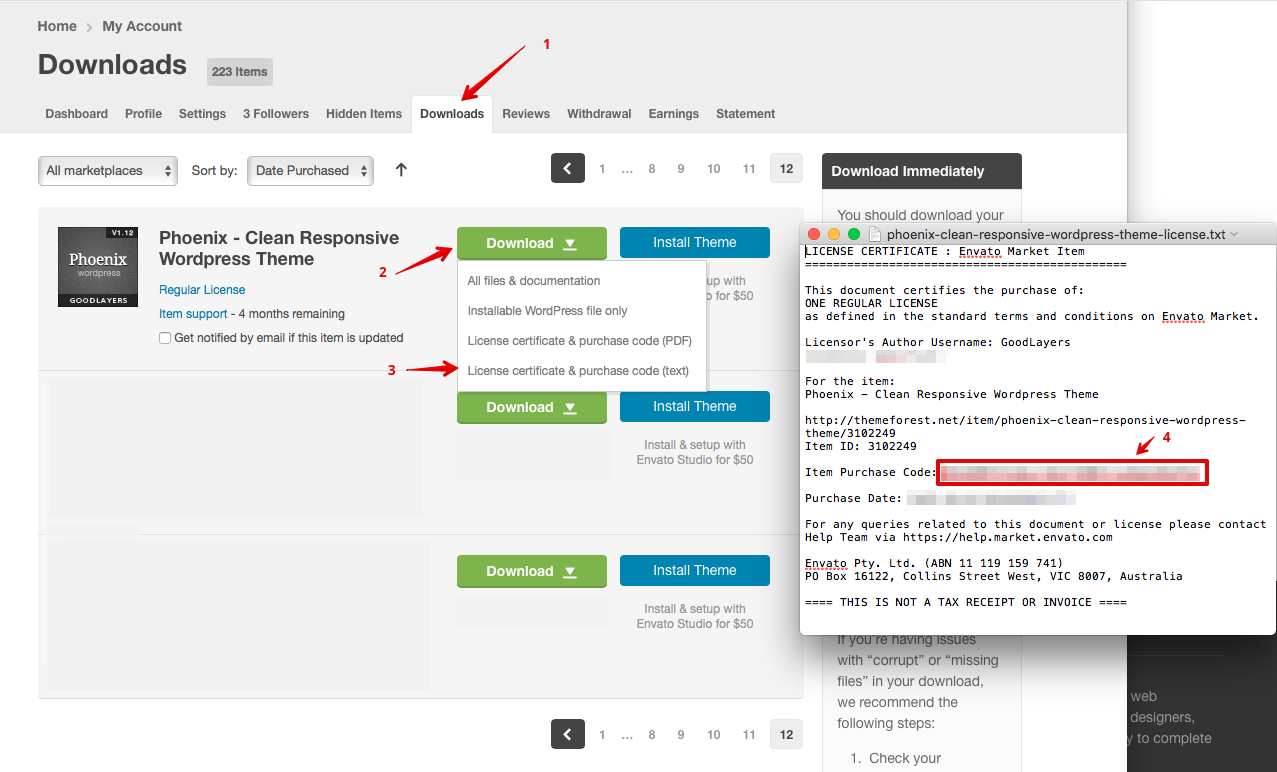
You can get the code here : http://support.goodlayers.com/purchasecode.png
Hello Goodlayers i have bought this theme and i’m looking for the purchase code so i can conatact the support theme but i didn’t find it anywhere. please where can i get muy purchase code for traveltour theme You can get the code here : http://support.goodlayers.com/purchasecode.png
The link you gave me is not working, hope this message find you well. it’s urgent please
Oh that’s weird. Try this instead : http://support.goodlayers.com/purchasecode2.png
Hello – could you tell me if the feature to force deposit only has been added yet?
Thanks
Hi,
Sorry, we don’t have that feature yet.
Thanks for your interest by the way
That’s strange – it seems to force a deposit on this page:
https://demo.goodlayers.com/traveltour/yachttour/tour/croatia-island-hopper-from-split-luxury-comfortable-yacht-5-days-4-nights/If I go through the booking process it gives me this page:
https://drive.google.com/file/d/1aRH_dEoQbaDmNcu2AJaY5gKPKGoLpwS9/view?usp=sharingCan you tell me how this page works?
Thanks
Sorry, my bad. Yes, the deposit feature is available now but we currently don’t have option to pay the rest within the system. Currently, the rest will be paid at arrival only. We’re working on this
Does somebody know how to fix the following problem?
https://demo.goodlayers.com/traveltour/citytour/tour-category/popular-places/
Remove: <h-3 class=”traveltour-page-title”>Category</h-3>
Change <d-iv class=”traveltour-page-caption”>Popular Places</d-iv> to <h-1 class=”traveltour-page-title”>
The changelog mentioned those new changes:
v3.1.0 07/12/2018
add tour category archive title background
change header title to h1
==V1.4.4 == 07/12/2018
add ability to upload image for each post category
The official team seems can not fix it very well. Also tour category archive title background and upload image for each post category seems are not function.
Can you please submit ticket in our support website? Our dev and supporters only provide support in there, not here
Please note that, Right now, all support will be conducted through http://support.goodlayers.com/(Purchase code can be found here : http://support.goodlayers.com/purchasecode.png )
Thank you very much!
Hi ! WPML Doesn’t work with your theme !!! The builder content isn’t duplicated while translating a page or post ! Can’t open support ticket because of purchase code since we started the development too late and purchased the theme before .. Can you advise ?
Thanks in avance,
Hi,
Please duplicate a post/page with this plugin: https://wordpress.org/plugins/duplicate-post . Then you can assign the post/page with WPML document: https://wpml.org/documentation/translating-your-contents/page-builders/translating-content-created-with-page-builders-using-manual-translation/
If it not work as it should, could you try contact wpml team? Because it must work for you even you created post/page manual.
GoodLayers Team
These is not compatible with Wordpress 5.0. Having issues updating the pages after 5.0 upgrade. I am using the latest version of the theme.
Can you make sure that you also update GoodLayers Core plugin and also clear browser cache?
See about updating plugin here : https://goodlayers.ticksy.com/article/1893/
If you have any further questions, feel free to submit a ticket in our support site 
Please note that, Right now, all support will be conducted through http://support.goodlayers.com/(Purchase code can be found here : http://support.goodlayers.com/purchasecode.png )
Thank you very much!
Hi,
My support period has ended (nyazitours.com), but I think this info should be available in your documentation.
Is there any tutorial/code to show how to use Google AdWord conversion tracking code in your theme?
In this case, you have to use the embed code from Google directly. Just put it in widget in sidebar(text widget) or if you want to place in the site content, you can put in page item ‘text’ as well(change to Text mode first)
Thanks for your prompt reply. The tracking code should be put when (and only when) successful order is placed. So please post me where should I place Google code in your theme code?
Hi,
You may try putting it in tourmaster_payment_complete and tourmaster_payment_complete_delay functions in wp-content/plugins/tourmaster/include/payment-util.php file.
I highly appreciate your help after my support period ended. Thank you very much.
Pre-purchase question. I need a site where I can create enticing and detailed trip descriptions, but I don’t plan to have people book directly online. Can I easily set the trip pages up to not display the “booking form” and only have the “enquiry form”? Thank you, the theme looks great.
Yes you can surely do that
Thanks for interest by the way
HI Team,
I m working on this site www.planvisitindia.com recently it got updated to 5.0 wordpress and ever since I m not able to make the changes on the website
Please find the website url, please can you provide me your email address because when I went to submit the ticket it says wrong purchase code, when I entered same.
https://www.planvisitindia.com/Thanks, Abbas
Can you please submit ticket in our support website? Our dev and supporters only provide support in there, not here
Please note that, Right now, all support will be conducted through http://support.goodlayers.com/(Purchase code can be found here : http://support.goodlayers.com/purchasecode.png )
Thank you very much!
HI,
I downloaded the purchase code already going on the same way out, however it doesn’t work, may be I m selecting the wrong dropdown of theme,
I m selecting Tour Package – Wordpress Travel/Tour Theme which doesn’t seems to be working with the purchase code, I logged in using envato account on your ticket site.
please can you email me on motorwalaabbas@gmail.com so I can raise the ticket.
Thanks, Abbas
Hi
Tour Package and this theme is different.
Make sure to choose ‘[verified] Travel Tour…’ from the list.
Hope this help
Hi,
You can try add this custom style in Goodlayers > Miscellaneous > Custom CSS / JS > Additional Custom Style:
body.tourmaster-template-search .tourmaster-tour-search-item-wrap {
    float: right;
}
GoodLayers Team
where can I see the enquiries in admin panel?
Can you please submit ticket in our support website? Our dev and supporters only provide support in there, not here
Please note that, Right now, all support will be conducted through http://support.goodlayers.com/(Purchase code can be found here : http://support.goodlayers.com/purchasecode.png )
Thank you very much!
Hi ,
I want to add new payment gateway(other than the one present in the site) to the website, can you please let me know the process or send me process on how to add the payment gateway.
Really sorry, our theme support only Paypal, Paymill, Authorised.net and Stripe. To integrate other payment options, you have to hire a coder to do this. It’s pretty big work.
However, if you know how to code by yourself, we can tell you which files need to be done.
Hi,
If you mean custom filter, you will need create it again in: Tour > Add new filter instead. At the moment, we don’t have option to change the label after create it.
Screenshot: http://take.ms/dtON9
GoodLayers Team