192 comments found.

Hello, I am having an issue with the mobile version of the team page not loading the team images and it’s displaying 3 versions of the same team member at the bottom of the page. What could be causing this error?
Hi,
Thanks for use my theme 
please send me via our email support@motivoweb.com your Link to your site .so we can take a closer look ! Thanks.
Best regards
Hello, how can I fix the spacing of the blog title when viewed on a mobile device? See example on this page when you scale down to a mobile display size.
http://ebonyivorycreative.com/what-soul-cycle-taught-me-about-customer-confidence/Hi, Thanks for use Pixi theme,
please add this custom CSS to fix this issue, go to Appearance -> Customize -> Additional CSS
@media only screen and (max-width: 768px){ .single-header .post-title { line-height: 1.3; } .mo-blog article.post ul.meta-post li, .single-post ul.meta-post li { letter-spacing: 0;} .single-header .title-wrap { margin-top: 40px; } }
If the problem still exists even after that please send me your login credentials via our email support@motivoweb.com .
Thank you! Best regards
AWESOME!! It worked perfectly! Thank you so much
You are welcome any time
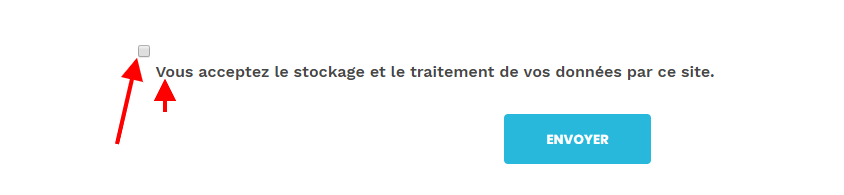
I have a display problem with my checkbox
https://i.gyazo.com/72e3313479c26aee761f79581ec3409d.pngHi,
Thanks for use Pixi theme
please send me via our email support@motivoweb.com your login credentials ( Link to your site, WordPress Admin username / password ) .so we can take a closer look and help you ! Thanks
Best regards
Hi , how to change the background for a contact page? Thanks you for help
If you have any more question please do not hesitate to contact us via our email support@motivoweb.com
Best regards
Hi ,thank you for everything
but I want to talk about the background image at the bottom of the page title and also change the breadcrumb you can see this page : http://motivoweb.com/pixi/demo/contact-us/contact-us-v1/
Best regards !
Hi envatowil225,
please go to ( Theme options -> title bar -> Background ) to change titlebar in all theme pages and page breadcrumb option. https://prnt.sc/mvfnop Also you could change titlebar for contact page only , please go to Pages -> select contact page -> page option -> titlebar tab -> background https://prnt.sc/mvfo3nHappy to serve you! Best regards
Hi , thank you for everything; Your instructions work wonders. Another question please how to align the text of my main menu on the left ? Thanks you again
and also I would like that the menu is always visible because when I go to the bottom of my page the menu disappears
Hi,
Happy to serve you
Best regards
When will this theme be supported for wordpress 5.1. I’ve been waiting weeks for this theme to have a corresponding update to Wordpress’s new MAJOR update.
I’m thoroughly disappointed
Hi, Thanks for use Pixi theme,
Pixi is Gutenberg integration, the entire editing experience has been rebuilt for media rich pages and post. , here is a article about using the new WP editor “Gutenberg” https://goo.gl/LbBgjdIf you have any more question please do not hesitate to contact us via our email support@motivoweb.com
Best Regards !
Hi. I need my website (WordPress/Woocommerce) to be in multi-languages, I tried to download the WPML but i couldn’t, could you help me. Thank u!
Hi, Thanks for use Pixi theme,
First of all, I’m so sorry for being late in my reply. Pixi theme is integration with WPML and Woocommerce plugins. You could download WPML plugin from this link, https://wpml.org/purchase
Best Regards !
Hi how to enable coming soon with the last version. thanks you fort this template
Hi, Thanks for use Pixi theme,
please go to Settings -> Reading -> home page then select Coming Soon page. https://prnt.sc/msdgi8Happy to serve you
Best regards
nice theme! i want to know how can i disable googleapis including the webfront.js and google fonts in thi theme, thanks
Hi liulichaoruc, Thanks for use Pixi theme,
Unfortunately, there is no option to do that. Pixi is integrates with google font combination.
Best regards
Hi,
Many thanks for your swift reply to my question: https://themeforest.net/item/pixi-creative-multipurpose-wordpress-theme/22542651/comments?page=5&filter=all#comment_21483643Now it works to navigate on the One Page theme to the respective area, however, the page “jumps” and not smoothly slides to the “anchor”. Do you know how I can enable a smooth scroll up/down?
Many thanks -a
Hi,
Thanks for use my theme
please send me via our email support@motivoweb.com your login credentials ( Link to your site, WordPress Admin username / password ) .so we can take a closer look ! Thanks.
Best regards
hello, is it possible to configure the footer to only three columns from the content manager? and how can I set a custom height to the header? thank you very much for your help
Hi,
Thanks for use Pixi theme
you could add custom css. please send me via our email support@motivoweb.com your Link site, so we can help you ! Thanks.
Best regards
Hi
I would like to you to install the theme onto wordpress, however I dont have a logo or name yet
Is that easy to edit etc
Hi, Thanks for your use Pixi theme.
When you purchased Pixi theme, you can import demo data, so it will look like live site. Then you can edit and customize for your site.
Please check the documentation, here is a separate section about Installation One click install https://goo.gl/3VRyFA Import demo step https://goo.gl/bWxATs Thank you! Best Regards !Hi,
I’m using the «Classic Agency» version. I assigned the «One Page Menu» as «Main Menu» position but when I click on a navigation item, nothing happens. I would expect the site to scroll down to the respective area.
The URL I receive looks i.e. like: http://www.mysite.com/#
Thanks for your help.
Kind regards Rafael
Hi, Thanks for use Pixi theme,
I think it’s problem with the menu item to navigate to section, please check the documentation, here is a separate section about OnePage . https://goo.gl/wp4Dr7Best regards
Hello nice to meet you! I would like to know why I am receiving many spam mails from my website created with PIXI → AOSINTERNATIONAL.US
This started happening a couple of days ago and they are of a high annoyance. What information you give me would be helpful
Hi, Thanks for use Pixi theme
please add this plugin https://wordpress.org/plugins/akismet/ to check your comments and contact form submissions against our global database of spam.
Best regards
wpbakery page builder plug-in when editing the site. Could you help? I cannot edit the page.
Thanks for use Pixi theme,
You need to update of WPBakery Page Builder plugin for integration with the new WP editor “Gutenberg”. https://prnt.sc/ltf3d8 Please send me via our email support@motivoweb.com to sent the latest update you. ! Thanks.
Best regards
Hello, I tired to import the demo content but Wordpress would not let me upload the .xml file. Please help!
nvm I figured it out
Hi, Thanks for use Pixi theme,
First of all, I’m so sorry for being late in my reply. you can install demo using one click option from Theme option -> Demo importer -> Import demo https://prnt.sc/mloo4mBest regards
Hello, I have a serious problem with the WPBakery Builder plugin. I can not edit any page with it due to an unknown error. I need you to solve this problem as soon as possible please. I wait intently
Hi, Thanks for use Pixi theme,
please contact us via our email support@motivoweb.com, We will be glad if you attach some screenshots to your issue.
Best regards
I want to setup new page with WPBakery Page builder but it writes “Activate WPBakery Page Builder”. I can’t activate this plugin. Can you help?
Hi, when you purchased Pixi theme,
you can add any with new WPBakery Page builder without need active WPBakery plugin. Because we’ve purchase Visual Composer Extend license and you can use it when use pixi theme.
Best regards
Hi I would like to always have the sticky menu who appears only on scroll. Is it possible? Thanks
Best regards
Hi, thanks a lot.
You are welcome any time
Hello,
I have a problem with the mobile menu.
Where do I change the menu background colour and things like this?
Because right now on mobile I have a transparent menu and I can’t see nothing.
Hi,
Thanks for use Pixi theme
please send me via our email support@motivoweb.com your login credentials ( Link to your site, WordPress Admin username / password ) .so we can take a closer look ! Thanks.
Best regards
Hello, I would like to know how to delete or edit the button called “request quote” that appears in my Home of the topic.
Hi, Thanks for use Pixi theme,
Please go to Appearance -> Theme options -> Main menu -> Menu Header V5 -> Menu Right Icons -> disable button option or edit text and link. https://prnt.sc/may0u8Best regards