70 comments found.

@Burnhambox In the default layout (1 + 2 Columns) + Sidebar, under the Slider you have 3 columns with 3 posts with full images and text over the image. I followed all your instructions in your help guide, and after point 3, you state that it should look like the demo site, but unfortunately those 3 columns are missing for me in the default layout. To me the default layout is (1 + 3 + 2 Columns) + Sidebar, but I don’t see this option or how I can get the layout like yours here: https://www.wpselected.com/blake-von-hauer/. Help please.
Ignore, I have figured it out. You have to add upper widgets.
Happy to hear!
Hi,
I purchased this theme from envato elements,and I love it. But I cannot get the box over the image widget in upper widgets to be the length of the box like the demo. Please advise
Hi, happy to hear that you like it! Downloads from Elements do not include support service. Please buy our item via ThemeForest to get 6 or 12 months of help. Thanks for your understanding!
Hello,
I am wondering if it is possible to change the site title color?
It seems to be stuck on the dark purple the theme comes with, even after I entered css in the additional css area.
I do not know css, so perhaps the code I am copying from forums on this topic is incorrect. I was successfully able to change the link colors this way, however.
Any assistance on whether the site title color can be changed and what that code might be would be greatly appreciated.
Thank you!
Hi there 
What’s your site address please? I can provide the correct CSS code according to the current configuration of your site.
Hello, Thank you! The site is http://greaseandgrace.com/
Pardon this mess it’s mid-process.
Hi again, thank you for information. Please go to “Appearance > Customize > Additional CSS” and add the CSS below:
h1.logo-text a { color: #fff !important; }
Just change the #fff part with any color code you wish.
I appreciate the help with the code. However, I am getting an error: Markup is not allowed in CSS. Thank you so much.
Please ensure that you’ve copied the code correctly.
h1.logo-text a { color: #fff !important; }
Thank you so much for your patience. I see what happened. The code was entered incorrect by me – b/c in the email I received about this thread, it translated it with
As you can tell I only know enough to get myself into trouble. I learned bits of html way back in the late 90's/early 00's.
I appreciate your help so much! It's working correctly. Now onto getting the rest of my site in gear!
hi,,, I dont know why but the background images in the slider always has a 1160x at the end of the image name ,, is there a way to disable this? cause the bg image dont show all the time unless it uses the original image not the resize image,, disabled the regenerate plugin still the same ,, the image only show if I dont use a customize image and use the post featured image,, but if I change the post featured image to a bigger image ,, the image dont show at all.
Hi, downloads from Elements do not include support service. Please buy our theme via ThemeForest to get 6 or 12 months of help. Thanks for your understanding!
Hello, good afternoon
I had sent you several emails and i would appreciate very much if you could answer to me by email.
Best Regards Forwrd2020
Hi, please use this comments section to ask your questions and get help.
Hello good afternoon, have you seen the email that I sent you? Thank you a greeting
Hello,
“If I do not receive a reply here today I will ask to see what happens in themeforest”
Please do not threaten us and do not send messages over messages. This is abusing, disturbing and spamming.
Please use the comments section only to get help. We don’t give e-mail support unless your issue requires private information. Please keep in mind that your next e-mails will be ignored.
We’re always here to help you and you’ll be replied. Sometimes our replies may delay due to the current situation of the world, sorry about this.
“Hello, before creating my page with your template, the linkedin link was fine BUT now I find the link of linkedin with this failure Do you know why? A second INDEX is seen
I pass you the first link ok and the one that is not correct.
Could you help me? I would appreciate
Falilure https://www.enboga.net/index2.html Index ok https://www.enboga.net/"I’m really sorry but your English is not understandable. I’m saying this to you for the 2nd time. We’re not obligated to give support for other languages. Please ensure that your English is decent and you have enough skills to use a WordPress theme. To let you know, your next messages without a decent English will be ignored.
If you wish, you can ask for a refund here: https://themeforest.net/refund_requests/new
Kind regards
Excuse me, I don’t know where you got that message.
I have a maintenance contract with you. I send you an internal message and they answer something else around here.
Please look at spam.
Hello and good afternoon, have you seen the email that I sent you?
Good Morning, thank you very much for help me
- I don’t see how to keep the same size of the 3 photo length. The size of the three photos (so that it has the same size) do I have to put them in photosohop? ….or is there a way in wordpress to make photos fit the same size?
- El estracto del index esta ok BUT no me parece correcto que la template eliga en cada post el resumen de texto REPETIDO con letras grande, Ello me hace que tenga que a eliminar los textos de todos los articulos anteriores ¿ Que puedo hacer?
And about the questions in the previous email that I sent him on Friday afternoon,
Are there Gaps or small areas that are empty on the pages? And …Are they corrected with vertical photo sizes? // Is there a possibility to create “white canvas or squares and rectangles with only headlines” to replace those empty grey areas
- Regenerate Thumbnails plugin Is it a plugin that I have to upload? Is it for the slider or for the size of any slider?
- And finally to put advertising área or promotions is there a specific widget?
Tnank you and Best Regard
Please. Be sure to read the previous one and add here the paragraph that I wrote you in another language, now corrected.
I wanted to say :
- The stratum of the index is ok BUT it does not seem correct to me that the template chooses in each post the summary of the text REPEATED with large letters, This makes me have to delete the texts of all the previous articles What can I do?
Hi,
1. Regenerate Thumbnails is a plugin that resizes your images to fit the theme. You should use it for your existing images. The images you upload after activating the theme will already fit the theme. But still, if you face any problems, you can again use the Regenerate Thumbnails plugin for the broken image only.
2. You can disable repeated texts by unchecking “Show Excerpt” box on Appearance > Customize > 10. Show/Hide Elements section.
3. Please ensure that your images are big enough. Especially for the heights. You can find detailed information on “Appearance > Customize > 1. Featured Image Settings” section.
4. You can use Banner Management for your ads. See “Appearance > Customize > 14. Banner Management”. Here’s an example banner code:
<img src="https://www.wpselected.com/blake-von-hauer/wp-content/uploads/2016/09/bvh-responsive-banner-7.png" />
Additionally, you can use the “Blake Widget: Ads” widget to display your ads in widgetized areas. (Appearance > Widgets)
5. On our demo site, the 3 images that you see right under the slider have 720×1080px sizes.
I read it Thank yo very much
Best Regards
Hello, good afternoon again
I don.t khnow buet the Regenerate Thumbnails part does not respond in the three photos below of the slider.
Can you help? I have gone to the media library and I have done it but it does not enlarge the size of two that are small
On the other hand there is a notice to put the menu header but it is the one I have in the main one …
Thank you very much Best regards
Regenerate Thumbnails say:
It does not work. I have looked at the information and it says: This plugin has not been tested on your current version of WordPress.
And it’s the last Best Redars
1. Your images are too small. They must be at least 640×960px. As I said before, the images on our demo site are 720×1080px. OR, you can go to “Appearance > Customize > 1. Featured Image Settings > 1.3. Thumbnail Image Width & 1.4. Thumbnail Image Height” and change the sizes here. 500×750px would be useful for your current images. DON’T FORGET to use Regenerate Thumbnails plugin for the images you want to use AFTER changing & saving the sizes from customizer. For further help about the plugin, you can visit: https://wordpress.org/support/plugin/regenerate-thumbnails/
2. Go to “Appearance > 4. Header > 4.22. Show/Hide” and uncheck “Show Header Menu”.
Thanks for your help. So far so good but I still have doubtsabout how to adjust the thumbnails from the appearance-customize because ittells me about 1.4 but I think the width is in the 1.5 function image I recommend that my miniatures be 500×750 What is now in part 1.4 is 900 and in 1.5 is 360. Do I makethe previous change? I wanted to tell you that before thinking about changing thesettings we are talking about (not yet done just in case), I have changed inphotoshop the images to the settings that are in the appearance of the web andthat you recommended and the plugin of the Talking (REGENETATE thumbail) doesnot work in this version.
Best Regards
AND…why today I see the header of the big photo in all categories? How to leave it alone so that it is seen in the index as before?
I’m sorry but your English is too hard to understand.
The template should allow the images to adapt to the space…. and they don’t…
The Pluging does not work in this template if a not put on the sizes in Aparence??
where do you have to make the changes of the thumbnails in Aparence? .... you tell me to put ( (500×750) ) the SIZES of the photo in a place ( 1.4) BUT the WIDTH? ¿ Which is the number? 1.5?
Regars
AND I want that the first and big photo of the Slider to see ONLY in the index ( al the Home of the web) and not to be seen in all the pages y categoryes? How can I do it
Hello again. I still don’t understand if the 500×750 measurements that you told me are supposed to be introduced in the Feature Image Settings, in the plug ins or both.
Also, I want the image of the slider to appear only when I click Home, but it keeps appearing in every other section. Do you know how can I solve this?
Thank you
1. Go to “Appearance > Customize > 1. Featured Image Settings > 1.3. Thumbnail Image Width” and set it to 500.
2. Go to “Appearance > Customize > 1. Featured Image Settings > 1.4. Thumbnail Image Height” and set it to 750.
3. Save the customizer.
4. Go to “Tools > Regenerate Thumbnails” and click “Regenerate Thumbnails For All Attachments” button. That’s all.
For further help about the plugin, you can visit: https://wordpress.org/support/plugin/regenerate-thumbnails/
5. Go to “Appearance > Customize > 15. Slider Settings > 15.6. Blog Homepage View Options” and choose “Only on the First Page of Pagination”
P.S. You can find all similar settings on your customizer. It can save your time to look through the customizer for any setting you’d like to change.
Hello, I wanted to know how I can get in touch to help me install this template
Than you very much
Hi there, please see: https://www.wpselected.com/blake-von-hauer/help/
Hello, thans
I have 3 questionsIn the header slider, some html codes appear on the canvas that I cannot eliminate I would also like to put the three photos of with a color screen
Could you help me?and finally I would like to see how I can alternate the sizes of the index post (home) First 3 post, Then 3 separated in columns; more afternoons several post small post and then 2, as it appears in the model you have in Envato
The last thing I tell you is that it is in “Layout options” but it doesn’t look the same
Thank you
Hello, Is there any body of Burnhambox for here? thank you
Just replied your e-mail.
Thank you very much
I have followed your directives over and over and my template setup still does not look like the live preview. ask@iammicki.com
I have become frustrated in trying to get this to work and I am trying it again. Thank you for your immediate assistance.
the three boxes on the homepage underneath the slider and not being shown fully. the information underneath the 3 posts….are being overlapped by the information listed below it.
Hello,
Sorry for your troubles. We’d like to help you with that but unfortunately your support period seems to be expired. Please renew it from your Downloads section and let us know. Thank you for your understanding!
Kind regards
hello i tried to import demo when uploaded it said that demo items already existed is it possible to import demo on all my pages in menu
Hi, sorry for late reply. It means you have already imported the demo content. If you’re still having a problem related to that, please send an e-mail to burnhambox@gmail.com including your WP login address, username and password to let us have a look at it.
i need help with my site i cant find demo elements to build it myself i need demo to change can you help ASAP today is my deadline and want to finish this quickly
Just replied your e-mail.
Hi. I have a question regarding this theme. When you download a free theme from wordpress and you wanna customize it, you have there all the photos and texts and you just have to change it with your own. After i installed this purchased theme on my wordpress, I do not have all the photos and text.Is like I have to make it from scratch and is not helping me at all. Maybe I did not installed it properly or this is just the way it is? Thank you
Hi there
Did you upload the demo content file? You can find it in “Demo Content” folder inside the .zip file you’ve downloaded from ThemeForest. And then please follow the instructions in Help file, which you can find in “Help” folder. (Section 3. “Demo Content Instructions”)
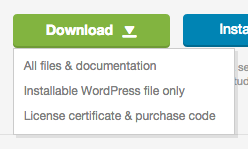
If you can’t find these files, make sure you’ve downloaded all files & documentation. Please see: https://help.market.envato.com/hc/en-us/article_attachments/201329780/downloadButton.png
Do you also have a plugin for this theme? Or something like elementor or something similar with that? thank you
For now, our theme hasn’t got a page builder plugin.
Thank you very much for your reply. The theme is not what I expected therefore I would like a refund. How we can proceed? Thank you.
Thank you very much for your reply. The theme is not what I expected therefore I would like a refund. How we can proceed? Thank you.
Thank you very much for your reply. The theme is not what I expected therefore I would like a refund. How we can proceed? Thank you.
Thank you very much for your reply. The theme is not what I expected therefore I would like a refund. How we can proceed? Thank you.
Thank you very much for your reply. The theme is not what I expected therefore I would like a refund. How we can proceed? Thank you.
Thank you very much for your reply. The theme is not what I expected therefore I would like a refund. How we can proceed? Thank you.
You’re welcome. We got your refund request. It will be considered in a couple of days.
Hi, how can I change the link color and the color of the sidebar text widget?
Hi there
Please go to “Appearance > Customize > Additional CSS” and add the following CSS:
article a,
article a:visited { color: #ff0000; }
article a:hover { color: #00ff00; }
div.textwidget { color: #000000; }
Play with the color values as you wish.
Hi! I downloaded this theme a few weeks back when it was on offer as free (I think as one of the free files of the month)? I’m only just coming around to install it on my site, do I have to register my URL somewhere or activate a license key if I’m using the theme? Thanks!
Hi
You don’t have to do anything special. Just use it!
By the way, keep in mind that free items do not include neither support service nor theme updates. If you need any help in the future, please buy our theme in order to get 6 or 12 months of support and lifetime free updates.
i m unable to complete the setup process like your demo . see https://www.potbd.com . can you help me ? I also need 2 different from demo site . 1) 2 column on recent posts / gird style with snippets and Read more button 2) logo in navigation bar for both version (pc/mobile) . Please help me.
Hi there
Free items do not include support service. You must buy our theme to get 6 months of support and lifetime free updates.
Thanks for your understanding!
Hey there!
I was wondering if you could tell me how to remove post publish date, views from the individual post because I can’t find that In documentation.
Also I want to remove Author name, author box, and category link from the post … like I have highlighted in the screenshot http://prntscr.com/n5oi2b
Sorry I found the option under elements .. my bad
Nevertheless, An awesome theme <3
Happy to hear that you’ve figured it out
Thank you!
Very impressive work! Stylish and elegant. Great!
Thank you very much
hai, have u the documentation. Cuz i want use demo content, but i dont know how to install it. thks
Hi
Please ensure that you’ve downloaded all of the files. Documentation file is included the package. Please see: https://help.market.envato.com/hc/en-us/articles/202821510
i am unable to upload this theme. I am getting this message: “The package could not be installed. The theme is missing the style.css stylesheet.”
Hi
Please see this article: https://help.market.envato.com/hc/en-us/articles/202821510
Thanks for your kind reply but still having problem for demo content and plugins
If you need further help, please purchase the theme in order to get 6 months of support and lifetime free updates. Unfortunately free items do not include support service.
I was thinking for the same but now I am wondering if the same thing happens and it didn’t worked then.
No worries, we can guarantee that our theme hasn’t got any problems. Probably you’re missing something. And we’re always here to help you. But as I said, you should purchase it first. We’d be happy to guide you about anything related to our theme.
How can I buy it ? Having some trouble with skrill
- Your bank account or credit/debit card via PayPal.
- Skrill (available for non US customers only)
- Your Visa or Mastercard.
hi i just downloaded the free version of this theme as provided by themeforest but demo content is not uploading as i tries it many times. I already go through the steps you provided in the help section kindly resolve the problem.
Hi
We checked it for you and can say that everything is fine. If you need help, you should purchase our theme. Because free items do not include support service. You may want to consider the fair price at this moment which is $29. It will be $49 again on the 1st of April.
Hi.. thank you for making it free. However I am getting following error upon uploading it to wordpress.
“The package could not be installed. The theme is missing the style.css stylesheet.
Theme installation failed.”
Hi
Please see: https://help.market.envato.com/hc/en-us/articles/202821510
I cannot find any wordpress installer. I have only downloaded this zip file and it does not contain any wordpress file. Am I doing something wrong?
Hi again
You should follow the steps in the article we’ve provided. If you need further help, please purchase the theme in order to get 6 months of support and lifetime free updates. Unfortunately free items do not include support service.
Thanks for your understanding!
I got it, but the problem is I do not have any wordpress installer. I only downloaded this free file