12220 comments found.

Hi, I want to use Demo 6 theme. I also need the pages in default theme. How can I combine Demo 6 design and default theme pages together? Thanks
Hello,
Yes, now all demos include all pages. Even if you create own demo, you simply can include all the pages.
To view pages in Demo 6 you need to refer to a top menu, instead of sidebar. Here are the samples of pages: - https://keenthemes.com/metronic/preview/demo6/crud/metronic-datatable/base/data-local.html - https://keenthemes.com/metronic/preview/demo6/custom/wizard/wizard-v2.html - https://keenthemes.com/metronic/preview/demo6/custom/pricing/pricing-v1.html
Feel free to ask if we can assist you further.
Thank you.
can i get html Version for this
Hi,
Yes, HTML version is included in download package. There are two basic versions comes within the package: with build tool and classic.
Please feel free to ask if we can assist you further.
Thank you.
I will be waiting for the next minor update since there are minor bugs now. Hope it won’t take too long !
HI  ,
,
Sure, we will be releasing the next update in a few days. Stay tuned!
Thanks.
Your new verison look promise as always. But i have one question whether all components in the angular version are native ? I have seen many times that u just create a template/route and some pages with angular but there are none component that really are angular native especially the data table component. And we found really hard time integrate both of them to work preperly. Hope ur question would clearify my concern.
Hi ,
Thanks for your feedback.
Since our recent v6.x update our angular version is Angular 7 and it is fully native and includes following notable features:
- Routing with lazy-loading - Authorization/Authentication - Full CRUD implementation (eCommerce) - Login/ACL - Multi-demo support - Any many more…
For the CRUD solution we used the Google Material (https://material.angular.io/) Native Datatable component which has 700k downloads weekly with a brilliant documentation and the biggest community in the angular world.
May I know what version of Metronic and Angular are you using ?
Regards
@keenthemes is it possible to get the sources files for the metronic datables just the way they look on the demo page e.g. https://keenthemes.com/metronic/preview/default/crud/metronic-datatable/advanced/column-rendering.html. thanks
Hi,
It will require major changes since we did a lot of global changes and code rewrite.
Regards
In v6 Profile is missing 
Hi,
We are working on User Application at the moment. There will be a number of User Profile pages within User App. However no ETA at the moment.
Following are some screens of upcoming Profile pages.
Thank you.
Thank you!
we are facing issue when we compile production build
please check snapshot http://prntscr.com/n1g35obuild command ng build –-prod—base-href=”/rbweb/”
Hi
Did you moved any files? the enLeng variable is part of the multilanguage feature and located in /src/app/app.component.ts
Thanks
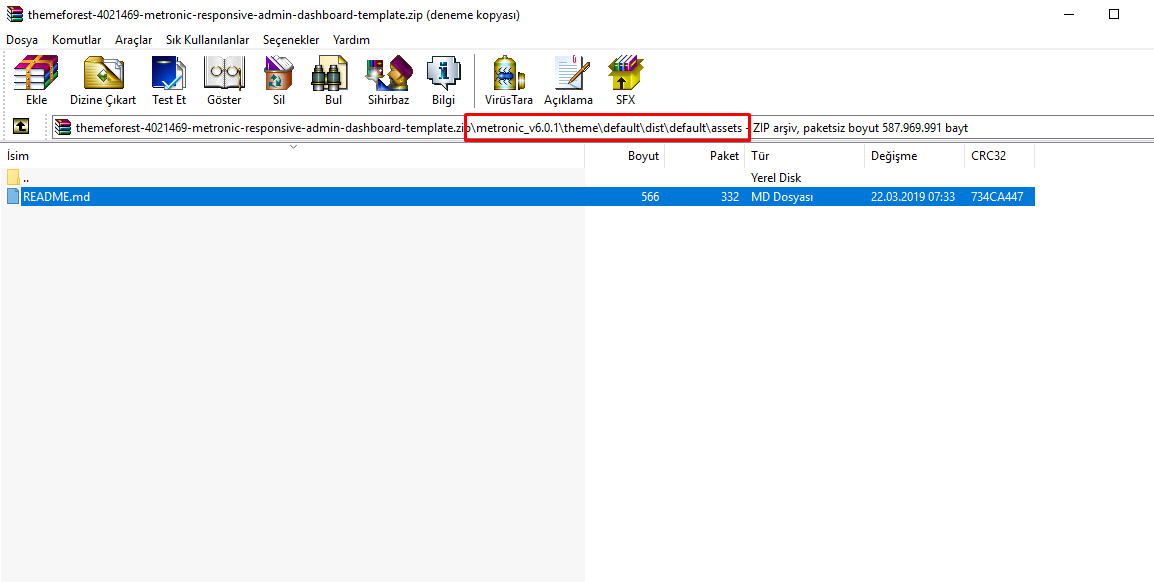
There is not asset folder in default?
Hi ,
You will need to install the build tools and run the gulp task to compile the theme. For more info please refer to the documentation.
Thanks.
Hi! Is there a way to disable skipping steps in KTWizard? (when clicking in a step, not the “Next” button). If there are required fields in the steps between, it shouldn’t allow it to advance.
HI,
You disable the step if required during each step change. Please check the documentation:
// Validation before going to next page
        wizard.on('beforeNext', function(wizardObj) {
            if (validator.form() !== true) {
                wizardObj.stop();  // don't go to the next step
            }
        })
Regards
It’s easy to update the theme from v5 to v6?
Hi ,
Thanks.
Hello, I bouht this theme. Thank you for your goodwork. Where is the Theme 10 PSD Sketch? Do not exist in the zip file.
Regards
Hello,
There are Sketch files only for Demo 1-7. And all of them not up to date. We have huge plans on new Applications and Pages. After above is released, Sketch & PSD files will be updated accordingly.
Please feel free to ask if we can assist you further.
Thank you.
Hi ,
Thanks for your interest in Metronic. We will surely fix the above issue in a following update. Once you purchase Metronic all future updates will be available for free. We do always improve Metronic with new features and updates.
Regards
Hi! Any posible email page to be delivered? Regards
Hello,
We are working hard on Emial Application at the moment. We will release it once completed, however no ETA at the moment.
Please feel free to ask if we can assist you further.
Thank you.
Thanks!
You welcome
Here we go 
Can we buy only one version (demo) of the theme ? Thanks
Hello,
You can purchase Metronic bundle and use only one demo.
The good thing about Metronic is, if in future you decide to use another demo for another project, you will already have your startup kit or at least you know how to use theme. That’s why for most customers Metronic became a long term tool.
Please feel free to ask if we can assist you further.
Thank you.
Hi, I created new vuejs project. How can i add js, css and images to my project Thanks!
Hi,
At the moment we do not have Vue solution for Metronic so we can not provide support for the Vue integration. However you can browse the Angular version and follow the Metronic core JS code initialization. To add the css/images you can follow the default version.
Thanks.
Hello. I’m having a hard time getting the layout with all demo6 pages. When I access online link (https://keenthemes.com/metronic/preview/demo6/custom/wizard/wizard-v4.html) I see all links, but when I download on my machine I only have the default layout pages. Is it possible to provide a complete pack?
“You have clicked on a dummy link! This demo shows only its unique layout features. Keen’s all available features can be re-used in this and any other demos by refering to the default demo.”
Hi ,
Thanks for your feedback.
In the download version only the default demo contains all the inner pages that demonstrates the theme features. Other demos only come with their layout related pages(we did this due to download file size). The components and plugins that you see in the default demo are globally available for the rest of the demos so you can refer to the default demo and use them in other demo’s content part. If you need any further clarifications please let us know.
Thanks.
Hello Dear, I want to ask few things: 1- When will provide updated sketch file ? 2- When will release react version ? 3- When will release another pages of what we have now ?
Hi
1) The sketch file already included in the zip.
2) We have no estimation date for react.js release. we will let everyone know when we at near to release it.
3) We will constantly update, add new pages, bug fixing, etc. We have an update soon with more features and bugs fixing.
Thanks
Hii,
Thank you for replying.
1) I know its already included but its for old version, have you updated it ?
2) Do you have any roughly estimation for that 1m, 2month etc ?
3) How soon is that, week, two weeks, etc ?
Hi,
1) We have included only few v6 Demos PSD files. The reason is that we have a huge plans on updating the content/widgets and we are working on many Applications and Custom Pages. After delivering the above planned items, all PSD & Sketch files will be updated accordingly. Our target is over 40 pages.
2, 3) We are working on new features right now, however can’t give ETA at the moment.
Thank you.
RLT version is broken (https://keenthemes.com/metronic/preview/default/rtl/custom/user/login-v3.html)
Hi
Thank you for your feedback. We will check it and include the fix in the next updates.
Thanks
PixelDots, keep in mind that new sweetalert 2 changed swal() by Swal.fire() M6.0.0 is using swal() that’s why it doesnt work for people that downloaded 6.0, in v6.0.1 it’s fixed
Thanks for the info Yes, it was fixed in v6.0.1.
Hi ,
Thanks for your detailed feedback on this. We will check it further and provide a fix in the next update very soon.
Regards.

This item was featured on ThemeForest

Power Elite Author
Contact the Envato Market Help Team