118 comments found.

Hi,
I have a problem.:S I start to work on the unica admin site, but a few moments later the client IP is going to deny. There is no problem with the firewall, but is still sais it is based on the webserwer’s firewall. I don’t know what to do now.  If you have any tip why is it happening, I would be very happy with that! Thank you forward.
Hello,
Many WordPress security plugins can block an IP address (or a whole range of IP addresses) if they believe them to be malicious.
Try to rename plugins on your server and check if any cause the issue.
Another possible cause could be a corrupt .htaccess file or incorrect file permissions on your server.
Also your hosting company can sometimes make changes to their server settings.
Please contact your hosting provider regarding this case.
Dear Julia, thanks! I’m going to try this way. I will let you know!
Hello,
Hope that will be helpful.
If you have any further questions or issues, please submit a ticket at https://ancorathemes.ticksy.com/ – our Support team will be more than glad to assist you.
Best regards
Hello , I have a problem, I can not inport the demos. it is says: mport demo data Posts Theme Options Theme Settings Widgets Essential Grid Revolution Slider Media Thumbnails undefined Error load data from the file ‘http://demofiles.ancorathemes.com/unicaevents/default/users.txt'. Please, try again!
Error load data from the file ‘http://demofiles.ancorathemes.com/unicaevents/default/theme_mods.txt'. Please, try again!
Error load data from the file ‘http://demofiles.ancorathemes.com/unicaevents/default/theme_options.txt'. Please, try again!
Error load data from the file ‘http://demofiles.ancorathemes.com/unicaevents/default/widgets.txt'. Please, try again!
Error load data from the file ‘http://demofiles.ancorathemes.com/unicaevents/default/ess_grid.json'. Please, try again!
Error load data from the file ‘http://demofiles.ancorathemes.com/unicaevents/default/revslider.txt'. Please, try again!
Error load data from the file ‘http://demofiles.ancorathemes.com/unicaevents/default/uploads.txt'. Please, try again!
Why is it? there is no other plugins just the needs.
thanks, Dalma
Hello Dalma,
If you get error load data from the file ‘https://....ancorathemes.com/demo/default/posts.txt'. Please, try again!
This means that allow_url_fopen function is disabled on your server and it doesn’t allow to import dummy data from our server.
Please contact your hosting provider asking to enable allow_url_fopen function on your server.
Also for one-click dummy data installation please make sure that your PHP configuration limits are as follows:
- max_execution_time 600 - memory_limit 256M - post_max_size 32M - upload_max_filesize 32M
Then re-import dummy data – it will be successful.
If you still have issues with that, please submit a ticket at https://ancorathemes.ticksy.com/ – our Support team take a look and assist you.
Thank you in advance.
Hello,
I did all the things you wrote, but it is still not working. Could you tell me please what to do now? Probably I don’t want to use this theme anymore if it is not working, but I already payed that.:(
Thanks, Dalma
Hello Dalma,
The theme was tested multiple times and works properly.
Please provide your website details in support ticket at https://ancorathemes.ticksy.com/ – our Support team assist you with dummy data installation.
Thank you.
Dear Julia, finally everything solved!  There was a problem with the hosting agency…:S Thanks again for your help!
Thank you.
Hello Dalma,
Nice to hear that! Thank you for cooperation.
Don’t hesitate to contact us again if you have further questions.
Have a nice one!
Hi, it´s possible to tell me if this have a solve?
Warning: A non-numeric value encountered in /homepages/43/d226762729/htdocs/despedidademo/blog/wp-content/themes/unicaevents/fw/core/core.reviews.php on line 214
Hello,
Sure, this issue was resolved in new theme updates.
Please update theme in order to fix it.
IMPORTANT: Before you go ahead with the update please check theme changelog and make sure you backup your old theme folder. Download it to your computer locally.
It is the best practice to backup both your files and database regularly and especially before making some serious updates.
Here us guide: http://unicaevents.ancorathemes.com/doc/#theme_update
Thank you.
I am getting all kinds of issues with this theme. Currently, I am seeing the code for trx_content on my pages. Any quick fixes?
Fatal error: Uncaught Error: Call to undefined function unicaevents_sc_socials() in /home/bounce42/public_html/wp-content/themes/unicaevents/footer.php:137 Stack trace: #0 /home/bounce42/public_html/wp-includes/template.php(704): require_once() #1 /home/bounce42/public_html/wp-includes/template.php(653): load_template(’/home/bounce42/...’, true) #2 /home/bounce42/public_html/wp-includes/general-template.php(76): locate_template(Array, true) #3 /home/bounce42/public_html/wp-content/themes/unicaevents/single.php(21): get_footer() #4 /home/bounce42/public_html/wp-includes/template.php(706): require(’/home/bounce42/...’) #5 /home/bounce42/public_html/wp-includes/template.php(653): load_template(’/home/bounce42/...’, false) #6 /home/bounce42/public_html/wp-includes/general-template.php(157): locate_template(Array, true, false) #7 /home/bounce42/public_html/wp-content/themes/unicaevents/page.php(6): get_template_part(‘single’) #8 /home/bounce42/public_html/wp-includes/template-loader.php(77): include(’/home/bounce42/...’) #9 /h in /home/bounce42/public_html/wp-content/themes/unicaevents/footer.php on line 137
Hello,
Please submit your request to category “Pre-sales Questions” at https://ancorathemes.ticksy.com/ and provide your website details, so we’ll check.
Thank you.
Ticket was submitted: #1930290. Thank you for the response.
Thank you for cooperation.
Your ticket was replied.
Best regards
my client bought this theme how can I change the text view basket to continue?
Hello,
You can change this text using language file and Poedit software: https://ancorathemes.ticksy.com/article/9673/
Our tech support team provides assistance with any difficulties at https://ancorathemes.ticksy.com/ .
Best regards
Hi,
After updating to 1.4 my website crashed totally !
Fatal error: Uncaught exception ‘Exception’ with message ‘WP Filesystem is not initialized! Get rows from the file ”/home/balloonevents/public_html/wp-content/themes/unicaevents/css/fontello/css/fontello-codes.css” failed’ in /home/balloonevents/public_html/wp-content/themes/unicaevents/fw/core/core.files.php:257 Stack trace: #0 /home/balloonevents/public_html/wp-content/themes/unicaevents/fw/core/core.html.php(231): unicaevents_fga(’/home/balloonev…’) #1 /home/balloonevents/public_html/wp-content/themes/unicaevents/fw/core/core.lists.php(978): unicaevents_parse_icons_classes(’/home/balloonev…’) #2 /home/balloonevents/public_html/wp-content/themes/unicaevents/includes/theme.options.php(2582): unicaevents_get_list_icons() #3 [internal function]: unicaevents_options_settings_theme_setup2(’’) #4 /home/balloonevents/public_html/wp-includes/class-wp-hook.php(286): call_user_func_array(‘unicaevents_opt…’, Array) #5 /home/balloonevents/public_html/wp-includes/class-wp-hook.php(310): WP_Hook->apply_filters(’’, Arr in /home/balloonevents/public_html/wp-content/themes/unicaevents/fw/core/core.files.php on line 257
submitted ! Looking forward for a fast fix ! Thanks
Thank you for cooperation!
Issue was caused by outdated ThemeREX Utilities plugin. We have already replied you and issue is resolved now.
Best regards
I have problem with Blog… There is a problem with the Blog tab. All note templates – put a check mark as a draft. One left and edited, changed only the text and photos. but I cannot save and place it as a publication. what is the problem? how to create new notes and blog ???
Hello,
Please provide us with screenshots of the issue, so we’ll check.
Thank you in advance.
Hi, Global Theme option does not make any effect on the website, Also the widget area also does not save any information , I want to edit the footer TEXT widget but it is not allowing me to save it after editing the information, it keeps rotating when i click on the save button.
Also I can not edit page with the visual composer , I could not find any option for the front end editing , Wp Bakery is asking me for the product licence. Please respond to me at your earliest.
Hello,
Your support tickets were already replied.
Thank you for understanding.
Good Morning. A few weeks ago I updated the theme to its latest version. Since then the pages load badly and give the 404 error, especially the service pages. I have realized that this happens only since I installed the translation files in Spanish, but I have checked the files several times and they do not have any errors. I also wanted to ask how I can change the “servicies” URL because I would like it to appear in Spanish. Thank you
Hello,
You will need to edit type.services.php file from wp-content\themes\unicaevents\plugins folder.
Line 70 as follows:
‘rewrite’ => true
replace it with this one:
‘rewrite’ => array( ‘slug’ => ‘test’ )
where test is Spanish slug for services.
After that, you should navigate to Settings > Permalinks and click Save changes button.
Please note that we recommend editing core theme files in child theme folder in order to avoid loosing change after future updates.
Re-saving Permalinks also may fix the issue with 404 error.
Don’t forget to clear browser’s memory cache before checking.
Best regards.
Hi, thank you for you answer. I have done what you have indicated, but now in the URL “test” appears instead of “services” and the 404 error page continues to appear. I update the permanent links but it only serves for a couple of clicks. In addition, there is another flaw: in the store, when viewing the categories, the name of the category does not appear under the photo, but the link code. Could you help me? Thank you
Hello,
Please submit your request to category “Pre-sales Questions” at https://ancorathemes.ticksy.com/ and provide your purchase code and website details, so we’ll check and provide a solution.
Thank you.
Hi Guys…!!! Congratulations Great Work Loved it..!!
I have few pre sales questions.. please answer these for me…
1. Can I change Colors of Headers? Main Header & Top Bar? Instead of grey, I want to use others…
2. Can I add different Colors to backgrounds of sections of home page like in demo, u used White..
3. Is this compatible with mega menu?
4. Is it compatible with Woocommerce?
5. Can I add User Registration? Which plugin manages the front end user management? Like Frontend Post Submission.
6. Can I have 2 sliders on homepage? One with Images & other with Video
7. Can I add Credit Based System with Woocommerce in User Dashboard?
Let me know of these..!! Thanks..!!
Hello,
We appreciate your interest in our theme!
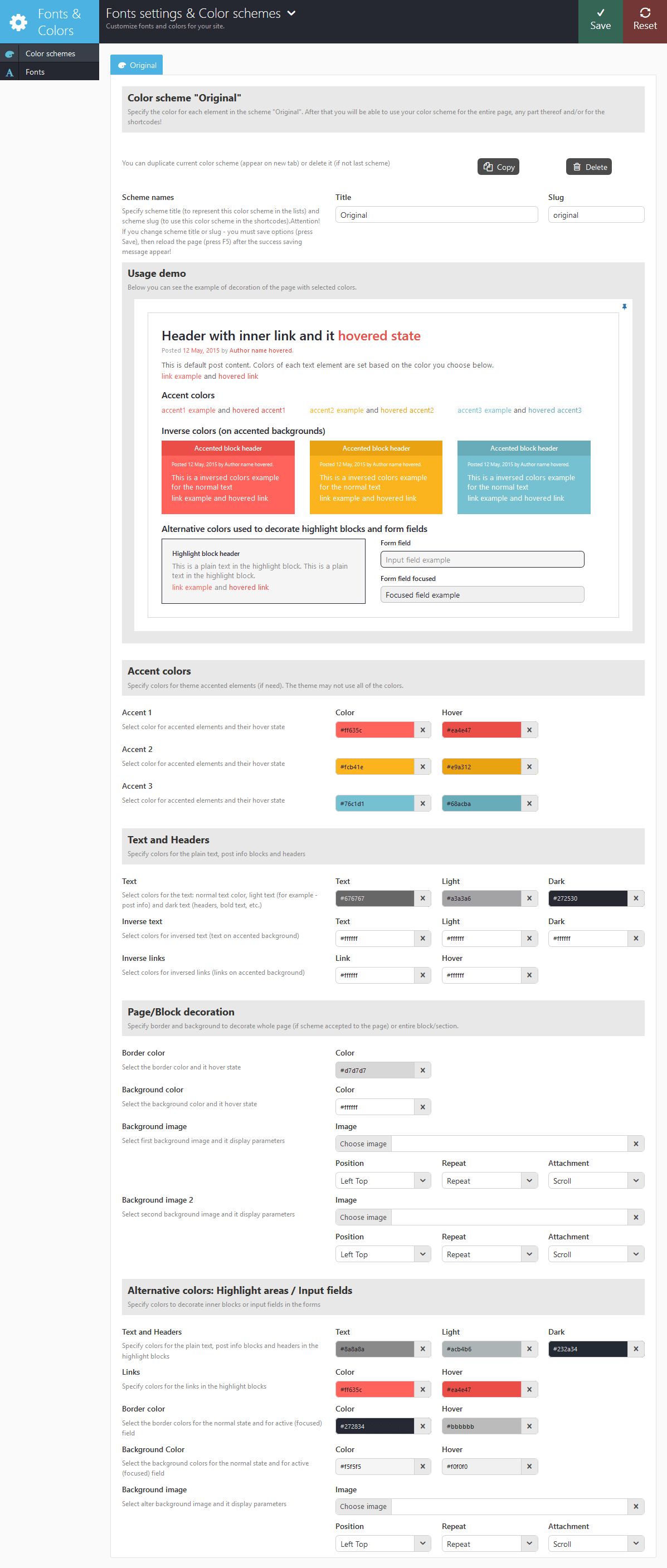
1) There is Color scheme editor in theme, so you can edit colors: http://unicaevents.ancorathemes.com/doc/images/theme_options_color.png
2) Yes, you can specify background color for any row section on your website.
3) Yes, you can install Mega Menu plugin
4) Theme is compatible with WooCommerce, it comes bundled with theme.
5) You can enable Login/Registration button on the top grey header in Theme options. Registration option additional should be allowed in Settings> General
You can specify The Contributor Role for your registered users.
Contributors can write, edit, and delete their own unpublished posts, but their content must be reviewed and published by an Admin or Editor. It’s important to note that Contributors can’t access the Media Library, so if they want to use specific images, videos, or audio files in the Media Library, they have to ask for assistance from an Admin or Editor.
If you need any additional features for restricted access, you’ll need third-party plugin for that.
6) Yes, you can add as much slider as you need.
7) Here is list of payment gateways that are supported in WooCommerce: https://woocommerce.com/product-category/woocommerce-extensions/payment-gateways/Best regards.
Hello, I’m running into an issue when there is a parent category page listing sub categories of products in the shop. The hover/link on the image of these parent category thumbnail does not link to the correct page (The title below the category thumbnail does go to correct page).. If I switch themes to twentyseventeen all links work as they should. It seems like a bug with the theme if it works with the basic themes. Can you help with this issue? I would rather not have to renew support for this issue if possible. thanks so much kyle
Hello,
Thank you for bringing this to our attention. There is no need to renew the support as we have a ready fix for that. Could you use the following link to download plugin.woocommerce.php file: https://we.tl/0UgKkU9JIW It should be uploaded to wp-content/themes/unicaevents/plugins directory to overwrite the existing file.
In case you have any further difficulties, please submit your request to Pre-sales category at https://ancorathemes.ticksy.com Here is the screenshot: http://prntscr.com/jty7ud This does not require purchase code verification. Thank you!
This fix will be included in the next theme release.
Regards
Hello, Very cute theme. I’m wondering if you can customize the contact form at all. And I am assuming you can change the fonts?
Hello,
We appreciate your interest in our theme! The contact form text can be changed using the theme language file. The fonts can be easily selected in admin panel -> Fonts and colors. You can choose the Google font you want to use or upload a custom font. Our tech support team provides assistance with any difficulties at https://ancorathemes.ticksy.com/.
Regards
Hi! How easy is it to change colors for this theme? Like buttons,menu and the 4 blocks on the homepage. I am thinking of purchasing it!
Hello,
We appreciate your interest in our theme. The main theme colors are changed in admin -> Fonts and colors. Please check the screenshot: http://prntscr.com/i92xx0 Our tech support team will be glad to assist you with any difficulties at https://ancorathemes.ticksy.com/.
Regards
Hey, what’s the best way to translate the Postal Adress, Open Hours, Phone & Email, Sessions from contact page(ex.)?
Hello,
You may use the theme language file located in wp-content/themes/unicaevents/languages directory to translate all the text strings using Poedit software. In case you have any further questions, please submit a support ticket at https://ancorathemes.ticksy.com. Thank you!
Regards
Quiestion 1. AFTER “UnicaEvents Importer” i gave this page http://morkovka46.ru/home-page-2/ why without content and error? Question 2. Can I use images in the template without a watermark and where to get them ? Question 3. I need to buy a revolution slider if I bought unica events? question 4. When i try to edit page, clicking on the FRONTEND EDITOR nothing happens.
Hello,
1) The error you see means that the demo slider was not imported. 2) The images are copyrighted, therefore you see the watermark on demo media. The support team can provide you with the list of image ids from depositphotos.com so you could download them. 3) There is no need to buy Revolution slider plugin, it is included in the purchase.4) Please provide us with your website details in the support ticket at https://ancorathemes.ticksy.com/ – and get qualified help of our tech support operators. Thank you!
Regards
The Gallery Js is corrupt again. could you advise a fix please.
Hello,
In case you refer to the gallery light-box on the single product page, it works fine with the latest versions of the theme and woocommerce plugin. Please specify the issue you have in the ticket at https://ancorathemes.ticksy.com – and get qualified help of our tech support operators.
Regards
Hey, support has literally just run out. I wonder if you could tell me which file needs to be edited in order to insert a line of text at the bottom of every product. thanks
Hello,
Adding the text at the bottom of the product page requires additional customization of the theme or woocommerce plugin source files. You may try adjusting unicaevents/plugins/plugin.woocommerce.php file: http://prntscr.com/haawy3 If there is a need, you may submit a request to our partner customization studio using “Request a Paid Customization” category at https://ancorathemes.ticksy.com This does not require purchase code verfication.
Regards
How can i change this
Postal Address Unica Event Agency 85 Fentiman Ave Ottawa, ON K1S 0T7 Open Hours Monday – Friday 8.00 am – 5.00 pm, Weekend Closed Phone & E-mail Phone: 1-800-64-38 Fax: 1-800-64-39 info@ancorathemes.com Sessions Mornings: 8 am – 12 am, Afternoons: 1 pm – 5 pm, Full Day: 8 am – 5 pmof home page 2
Oops! An error has occurred. Google Maps was not loaded correctly on this page. For technical details, please refer to the JavaScript console.
How i can acitvate google maps ??? Please help me
Hello,
You need to enter the GoogleMap API key in Theme Options -> Service. Here is the guide how to get it: https://developers.google.com/maps/documentation/javascript/get-api-key?hl=en
Regards
Hello I installed the theme with Insall Dummy Data it tells me that it is all good, but here is what it does and in addition the images its blur
Hello,
The demo images are copyrighted to their respective owners, therefore you see them blurred. We have sent you the list of used image ids in the ticket.
Regards
Hello is what your theme works on 4.8
4.8 Wodpress
Hello,
Thank you for your interest in our theme! It is fully compatible with Wordpress 4.8. Feel free to use it.
Regards