3847 comments found.

I have purchased Travel Tour theme Few days ago. Yesterday I have uploaded to my WordPress website. everything is fine.But, I faced critical problem. When I edits homepage and press update. update not complete yet. I have tried many times. But, not working. Please help to resolve the issue.
Hi,
Please take a look in your ticket again. I will start handle the ticket in today  .
.
GoodLayers Team
I have only installed Wordpress and added Travel Tour theme. After importing the demo the site looks wrong (fonts, images missing, front page in general does not look exactly like in your demo).
How could I fix this?
Hi,
Could you send a message to: support.loc@goodlayers.com with wp-login and website address include the message above so I can take a look on it?
GoodLayers Team
Hello, i want to edit in the single tour page the “booking form” and the “enquiry form” with some other words , where can I search for the appropriate php file?
Hi,
You can take a look in: wp-content/plugins/tourmaster/single/tour.php or tour-2.php and search the text you want edit.
GoodLayers Team
How do i change font color on column service http://prntscr.com/nqguyg
Can you please submit ticket in our support website? Our dev and supporters only provide support in there, not here 
Please note that, Right now, all support will be conducted through http://support.goodlayers.com/(Purchase code can be found here : http://support.goodlayers.com/purchasecode.png )
Thank you very much!
am redesigning a website which was fine before wordpress update to 5.2 now it displays white alone http://new.manyaafricatours.com
Can you please submit ticket in our support website? Our dev and supporters only provide support in there, not here
Please note that, Right now, all support will be conducted through http://support.goodlayers.com/(Purchase code can be found here : http://support.goodlayers.com/purchasecode.png )
Thank you very much!
Hi I was trying to import the hiking theme but only the foot section is rendered after successfully imported. However when I tried the other theme imports (e.g. city tour etc) they were working fine. Could you advise? Thanks!
Can you please submit ticket in our support website? Our dev and supporters only provide support in there, not here
Please note that, Right now, all support will be conducted through http://support.goodlayers.com/(Purchase code can be found here : http://support.goodlayers.com/purchasecode.png )
Thank you very much!
I have purchased Travel Tour theme Few days ago. Yesterday I have uploaded to my WordPress website. everything is fine.But, I faced critical problem. When I edits homepage and press update. update not complete yet. I have tried many times. But, not working. Please help to resolve the issue.
Hi,
I saw your ticket and I will check it together with you now.
GoodLayers Team
How to resolve the issue?
Hi,
I will update it in your ticket, please check it again, thank you so much for your patience.
GoodLayers Team
All problem is solved. Thanks GoodLayers
May I know where is option to disable membership feature?
Thanks!
Hi,
You will need use this custom style to hide all register and login page/link:
.tourmaster-user-top-bar, .tourmaster-login-form2, .tourmaster-login2-right .tourmaster-login2-right-title, .tourmaster-login2-right-content {    display: none;
}
.tourmaster-lightbox-wrapper .tourmaster-lightbox-content-wrap {    border-color: transparent;
}
.tourmaster-login2-right {    width: 100%;    padding-left: 0;    padding-top: 0;
}
Please add the css code in the path: Theme Option > Miscellaneous > Custom Css/Js > Additional CSS ( without <style> tag ):.
Then go to this file:
/plugins/tourmaster/include/tour-util.php line 515It will look like this:
$ret .= is_user_logged_in()? ' />': 'data-ask-login="proceed-without-login" />';
Change it to:

$ret .= is_user_logged_in()? ' />': 'data-ask-login="" />';
And check your site again.
GoodLayers Team
I actually found a way to disable to whole registration option from the dashboard inside Goodlayers. This is okay if I am planning to use 3rd party software for booking pourposes.
What Im getting with your workaround exactly, Im hiding the popup registration screen?
Hi,
Yes, with the customize in plugin file, it will disable the popup register/login screen.
GoodLayers Team
There’s some kinda of a bug when entering manual new booking from offline: http://prntscr.com/nqdeit
There’s no “next” button..
Hi,
Please wait few seconds, it will delay the tour dates and you will see next steps.
GoodLayers Team
Thanks!
Well I waited, the dates appeared, as well as number of persons and once you proceed the booking is “loading” and juste after that step there is NO booking anywhere registered in transactions..
Another bug? Kindly advise me on problem; where should I locate my manual bookings?
I have upgraded the theme, and once I do that, the footer of my website become a mess. In the Top Destination widget, it has 6 thumbnail on it and it ussualy fine with 3&3 order. But now, defenately not. Check www.indoglobaltours.com.
Hi,
I’ve updated the ticket from you now, please take a look on it, thank you so much.
GoodLayers Team
How do i disable * Creating an account means you’re okay with our Terms of Service and Privacy Statement.” on enquiry page
Hi,
You can remove it in: Tourmaster > General > Enquiry E-Mail Content > Enquiry Form Fields.
GoodLayers Team
What is the fastest and least painful way to update the theme?
You can follow the procedure here : https://goodlayers.ticksy.com/article/1893/
Saw that.. not so simple afterall..
You can try using Envato Market plugin as in instruction. It will be a bit complicated at first time but in future update, will be only one click.
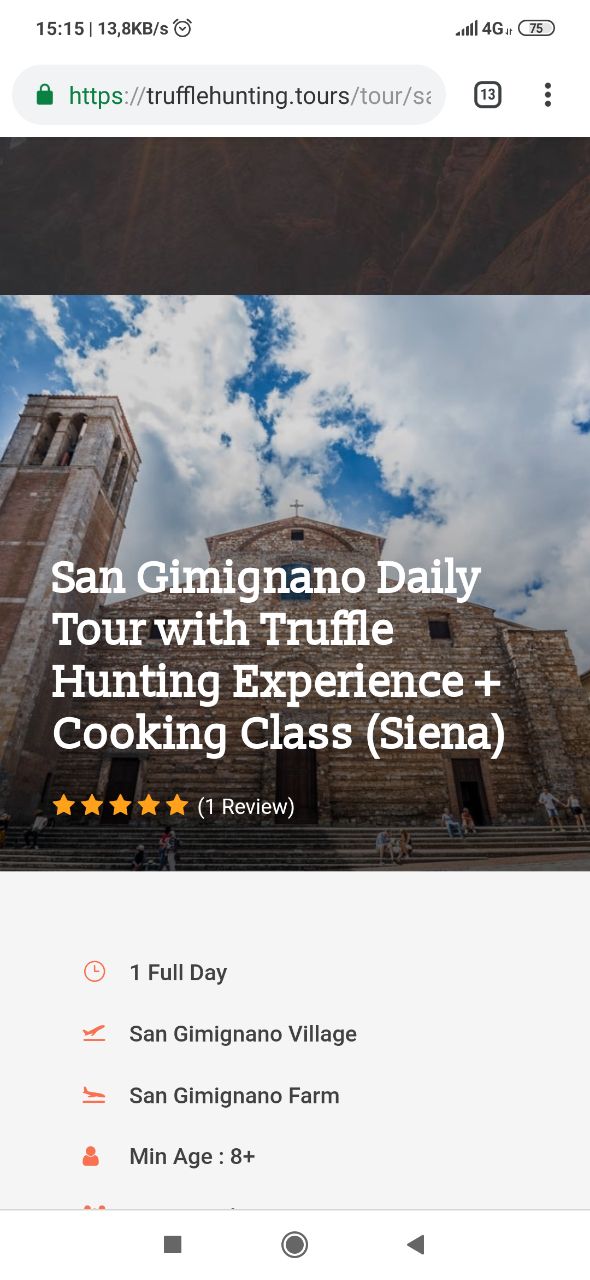
Hello Guys, i’m building a website for a client but i can n’t set the sticky menu on mobile ( https://trufflehunting.tours ). Can you please help me? Thank you so much anyway for this great theme.
Hi,
I’m not sure what wrong in your site, it’s maintenance mode now. Please make sure you have enable fixed menu in: Goodlayers > General > Navigation.
Sorry for the mistake. Got a problem with mobile menu. Cannot understand why the menu is not sticky https://trufflehunting.tours/wp-content/uploads/2019/05/mobile-booking.jpg
Please make sure that you assign mobile menu as well : http://take.ms/gzbsn
Mobile menu has been assign https://imgur.com/BajzJrC
Can you please send wp access + ftp access through the form in this page > http://themeforest.net/user/GoodLayers ?
Please also copy the message into the form as well so we can recognise your case. We will help inspecting directly.
thank you so much for the support guys. Found the solution, the Top Bar Right On Mobile was disable.
I have got another question. Is it possible show in the “https://trufflehunting.tours/tour-destination/tuscany/” the description?
In the view-source you can find
<meta property=”og:description” content=”Tuscany Region, Italy Tuscany is a legendary region in central Italy that stretches from the Apennine Mountains to the west coast, meandering through endless vineyards, medieval towns and the impossibly beautiful cities of Florence, Siena and Pisa. Tuscany Lures travelers with promise of a warmer, gentler way of living.” />
Hi,
For the description, you can add the code below in: /plugins/tourmaster/single/archive.php after line 25.
the_archive_description( '<div class="taxonomy-description">', '</div>' );
GoodLayers Team
The hiking demo isnt installing well. Is there anything special needed for that?
Can you provide screenshot about how it isn’t installed well please?
Can you please send wp access + ftp access through the form in this page > http://themeforest.net/user/GoodLayers ?
Please also copy the message into the form as well so we can recognise your case. We will help inspecting directly.
Hi there team,
I was wondering what is the proper way of updating the team. SInce I see that there is a new version i was thinking if you can link up the reference on how to “step by step” update the theme?
Thanks
Hi,
Please update your site with our instruction below: https://goodlayers.ticksy.com/article/1893 .
Or you can check auto update via my screenshot: https://imgur.com/a/9f1Xz4B . Please make sure you have update all plugins include, screenshot: https://imgur.com/a/sk9T15b .
GoodLayers Team
Great, thanks!
I installed Envato plugin, a new api token and everything is working smoothly now.
I have upgraded the theme, and once I do that, the footer of my website become a mess. In the Top Destination widget, it has 6 thumbnail on it and it ussualy fine with 3&3 order. But now, defenately not. Check www.indoglobaltours.com.
Hi,
Please provide wp-login include the message above to support.loc@goodlayers.com so I can try take a look on it.
GoodLayers Team
Hi guys, Firstly amazing theme very impressed, it’s almost perfect from what I need but I have a couple of pre-sale questions.
1. does the review platform send automated reminders from the platform 2. is there a way to send email reminders for reviews if option 1 is FALSE 3. IS there a way I can add product add-ons 4. For most tours and activities they provide a pickup service and the pickup service may be at different times, how can I add pickup times, just a simple drop down for the end customer 5. How do we handle Multiple Currencies as we are dealing with people around the world and want to see the price in there currency 6. Can the check out page be customized for additional fields of information that needs to be captured?
For now, that is pretty much all I need to know about, Thank you and look forward to hearing from you.
like I said great theme, but missing some small key things that would really set it apart from the others.
Hi,
First of all, thank you for interest .
1. Yes, this option available in our theme.
2. Our theme compatible with woocommerce, so you can add product with woocommerce plugin, please note our theme tour and woocommerce working separate.
3. Unfortunately, we don’t have an option to add pickup services as your idea.
4. If you have multilingual site, you can have multiple currencies. If you don’t, to add multiple currencies option will requirement customize.
Have a nice day!
GoodLayers Team
possible to use a wallet system ?
Unfortunately not, we don’t have that feature.
Hi.
Thanks for update.
1- But you don´t focus about speed results google page speed. New demo 4.0 still have only poor 33% results. Please, you must focus about that to next update 4.x
2- We don´t have yet any option to remove slug (tour o category-tour) to have short urls, more friendly seo.
3-Miss a share module data, if some tours have same information (meeting point for example). Like this you can create only once the data and apply on XXX Tours you desire. If in future, you will change something, all tours have same information update from share data XXXX and we don´t need update one to one.
4-You change some details code about my site with support (Big thanks, because very good support. Thanks to Lol a lot of.).
If i update, I lost this details changes because update affect all php files¿? How I can update and have this details we did ? I must be do it manual¿? Remember all changes I did, copy all code in 1 temp file text, and put the change code in file from update version 4.0 manually. It´s the only method¿?
thanks you.
Google Captcha is also working in form tour with the udapte 4.0¿?, it´s the form more using, and need also protection captcha here.
Hi,
Regarding..
1. We are working on this to improve the result.
2. Unfortunately, as checked with our dev, it’s not possible to implement this from us :/ Seems custom post type always need slug.
For other question, Can you please submit ticket in our support website? Our dev and supporters only provide support in there, not here
Please note that, Right now, all support will be conducted through http://support.goodlayers.com/(Purchase code can be found here : https://support.goodlayers.com/purchasecode.png )
Thank you very much!
Google Captcha is also working in form tour with the udapte 4.0¿?,
Yes
This update does not appear through automatic update on envato market although it is connected from the plugin settings as intended. Any thoughts? We need to update out theme
Hi,
Could you try follow this document to update it: https://goodlayers.ticksy.com/article/1893/ ?
GoodLayers Team