641 comments found.

Hi, is it possible to remove/change the “have any questions” image in the up-right side?
Hello! Please go to Customize -> Header & Footer Builder -> Header Setting (General) -> Scroll down to Contact Info https://prnt.sc/om1wpt
Regards, LineThemes.
Found thanks!
Can You look into my PRIVATE TICKET #2098340
Hello! Please check your ticket
Regards, LineThemes
The menu does not render well on Firefox. Why? Screenshot: https://prnt.sc/olgb4g
Hello! Can you tell me it happens on both our demo or just your website?
Regards, LineThemes
Happens only on mine.
Hello,
Please create a ticket at http://linethemes.ticksy.com Our support staff will help you to resolve.
Regards, LineThemes.
Sorted. The logo was huge. ♀️
Thanks,
Hello. I’m having troubles with svg files (I’m new to them but I want to use them for obvious reasons).
I made some icons on Illustrator and I used the same size as yours (64*64px) however, when I use them, they look huge: https://i.gyazo.com/355cf3c501dcfd7224448161c76e6a6d.png
Can you easily explain me what am I missing?
Ofc I can do it via CSS but I would like to learn a bit about this and how can I scale svg objects. Thanks.
Hello! Can you send me your website url?
Regards, LineThemes
Sent a message. Thank you.
Hello! Your SVG file is missing this code: https://prnt.sc/ole387
Regards, LineThemes
Great, thank you!
Hi again. I want navigation to float right (standard) but there is no option. The only way to that is to use margins? I mean, I can set margin-left 400px (for example) but this solution look bad in some screen resolutions, no?
https://i.gyazo.com/bb15f23efb9cb89e2ec1dcff6e72e6ba.pngWith default settings it looks ugly.
.site-header-classic.header-brand-left .header-content,
.site-header-sticky.header-brand-left .header-content{
    justify-content: flex-end;
}
.site-header .header-brand,
.site-header-sticky .header-brand{
    flex-grow: 1;
}
.site-header-classic .navigator .menu-primary > li,
.site-header-sticky.header-brand-left .header-content{
    margin: 0 20px;
}
Regards, LineThemes
Hi. I tested this code but it gives me a white space between container edge and navigation: https://i.gyazo.com/d27f9a4a4b49c97f93be0499150d4e23.png
.site-header-classic.header-brand-left .header-content,
.site-header-sticky.header-brand-left .header-content{
    justify-content: flex-end;
}
.site-header .header-brand,
.site-header-sticky .header-brand{
    flex-grow: 1;
}
.site-header-classic .navigator .menu-primary > li,
.site-header-classic .navigator .menu-primary > li {
    margin: 0 20px;
}

.site-header-classic.header-brand-left .navigator,.site-header-sticky.header-brand-left .navigator {
    padding: 0;
}
Regards, LineThemes
Perfect.
Do you have any list of styles/codes that we can use? Like the one you used in the menu “sup”, you use classes like “style3” on visual builder, etc.
I would like to add a button on menu but there is no option and documention do not explain.
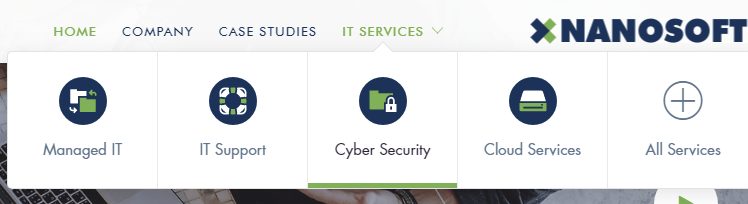
For example, I don’t know how to create a sub-menu like this one: https://i.gyazo.com/21b8653324cd038c38632762dece2443.png
Hi! Here are the classname I use to customize the theme:
1. Main menu area you can use class: “click” “mega” “style1” -> http://prntscr.com/o36gwh
2. For Row Setting: “mask” “shadow” “fix-overflow” “bg-center” “bg-bottom” “gradient” “gradient2” “gradient3” “gradient4” “shape” “shape1” “shape2” -> http://prntscr.com/o36n0m
3. For Element Testimonial: “style2” -> http://prntscr.com/o36nas
4. For Element Icon List: “hover” “hover2” “hover3”
5. For Element Icon Box: “style2” “style3” “style4”
6. For Element Image Box: “style2”
7. For Elements Carousel: “style2” “gap-10” “gap-60” “gap-100”
8. For Element Counter: “style2”
9. For Element Blog Post: “style2”
10. For Widget Navigation Menu: “menu-style1” “menu-style2” “columns-2” “columns-3” “columns-4” “columns-5” “columns-6” -> http://prntscr.com/o36mum
11. For Animated: “delay-1” “delay-2” “delay-3” “delay-4” “delay-5” “delay-6” -> http://prntscr.com/o36o1l
to create sub-menu like that:
1. Click Screen Options and check-in CSS Class https://prnt.sc/lquxs8
2. Add class “style1” : https://prnt.sc/olsftt
Regards, LineThemes
Thanks mate. Great support.
Where do I choose the image/icon for the sub-menu? Did you use the HTML field?
Yes, Currently we use HTML
Regards, LineThemes
Hello. I tried to create a button on navigation with “button small” but it didn’t work. Is it possible to create one?
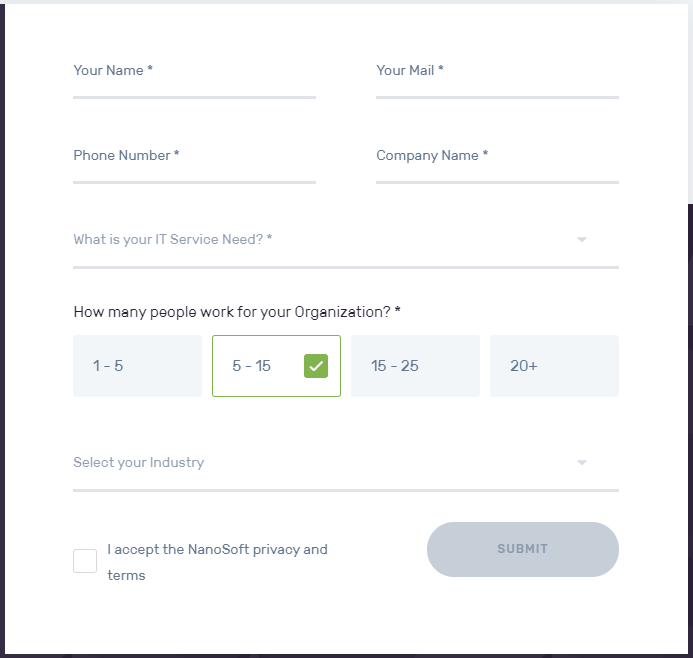
Also, I would like to import pages from other demos to utilize some blocks, like the form on this page: https://live.linethemes.com/nanosoft-2/it-services/it-support/
Is it possible to import this pages without overwrite all my settings?
Hello! You can create button at Contact Info Position.
Please download file: https://live.linethemes.com/nanosoft-2/wp-content/uploads/2019/08/text.rtf
and copy to Text Editer https://prnt.sc/omr717
Regards, LineThemes.
Hello. I did but I can’t figure out where do I change styles (they do not appear on “additional CSS”).
Demo 2 Version: https://i.gyazo.com/fdad7ada9310decbe37824d4719d03fb.png After copy code to my website: https://i.gyazo.com/622ee026878d4d1977ade24fff73b70d.png
Where do you change how the fields look?
I got it! 
Love the site design, but unfortunately the support is not good enough. Raised a support ticket on Monday morning and it’s still not resolved now – it’s not even been answered!
Having issues with menus running out of sight off the page – both 2 columns and when using the icon box design.
Please can you respond asap before I review the theme and support?
Cheers
Hello! Sorry for the late reply. I will take care and solve the problem for you right now.
Regards, LineThemes
Hi, I’ve been waiting another how ever many days for a response to such a simple one-liner question. It’s been since the 23rd of July now to sort what should be a really simple issue and it’s holding up development of the site. Could you please respond?
Hello! I tried to deactivate the plugins but found no cause. I will pass your ticket to a JS developer that will be resolved soon. Sorry for the inconvenience.
Regards, LineThemes
Thanks. Is it something to do with multisite, as we’ve tested it on single installations without issue but ultimately, it’s a multi-site set up we need this to work on. It seems like ajax/js related as it’s certain features not working; such as drop down boxes, modal pop ups, full screen (off page) backgrounds etc.
Do you have any idea how long it’s likely to take for a JS developer to investigate please? This has become an urgent issue as we can’t test certain features that are key to our business’ website.
Thank you!
Hello! Please check your site.
Regards, LineThemes
Hello. I’ve installed the theme and all plugins but VC is not working properly.
https://i.gyazo.com/68dbbd2d2680fd3849ec43b5117bd73e.pngDo you know the reason?
Ups, forget about it. Didn’t saw that I had old data on this installation.
Hello! Did you solve this problem?
Regards, LineThemes
Hi, can’t say it. Not able to import demos yet, more than 10 minutes on loading: https://i.gyazo.com/9b505760fd080f040f327285d0c35abd.png
Is there any alternative to import sample data? Can you send me the files please?
Hello! Please read article “Install Theme and Import Sample Data issue” https://linethemes.ticksy.com/article/6458/
or create a ticket at http://linethemes.ticksy.com Our support staff will help you to resolve.
Regards, LineThemes.
Hello, how to add an additional font like Myriad Pro? Thank you.
Hello! You can use plugin https://wordpress.org/plugins/custom-font-uploader/ to add fonts
Regards, LineThemes
Hello, is this compatible with any multi lingual plugin? If so, how easy is the set up?
Hello! You can try plugin Polylang just like our other customers. You can install it yourself or we will support it at: https://linethemes.ticksy.com/tickets/
Regards, LineThemes
Can you link me to some of your customers using the Polylang plugin? I would like to see the functionality of it before I buy. Thank you
Hello! You can see some examples
https://sistemederafturi.ro/ https://tesosoft.com/en/ http://kernel.uz/ru/ ...Regards, LineThemes
Hi, The video lighbox is not playing video in popup it throws blank popup kindly check the screenshot https://prnt.sc/ohl0no as well as live here https://www.bassaminfotech.com/ and let me know how to fix this
Hello,
Please create a ticket at http://linethemes.ticksy.com Our support staff will help you to resolve.
Regards, LineThemes
Created Ticket #2088863
Will you please respond to our ticket? or fix the issue here? Its been 3 days i was waiting for this issue to be fixed. 2 days you took to just letting me know “create ticket” Now not even responding to the ticket. Such a worst support.
Hello, I am very sorry that our support staff has not yet answered your ticket. You can give us your admin page information to check
Regards, LineThemes
have replied ticket with admin page information
How can we edit this section ? : https://prnt.sc/ogofes
Hello! Please go to Appearance -> Widgets -> Content Bottom #1 http://prntscr.com/ogonyp
Regards, LineThemes
Great theme. I have a problem. I imported demo data 1, but I can’t find home1. I can only find Home2 and home3 pages. Is there any way to solve it? The default example page is home1, but cannot be edited.
Hello,
Please create a ticket at http://linethemes.ticksy.com Our support staff will help you to resolve.
Regards, LineThemes.
Hello! Please go to Customize -> Layout Styles -> Content Bottom Widget -> Disable Content Bottom Areas http://prntscr.com/oglgx3
Regards, LineThemes.
Hi.I am having trouble with updating plugins.I have tried the method of reinstalling the plugins.But it shows me the same notification of having a update.Please helpl me ASAP
Hello! Please try again
Regards, LineThemes
Now it is fixed.Thanks.But do I need to inform you all the time about the updates like in this situation.
Still WPbackarey page builder showing a update is available.What should I do ?
Hello! Please try again, we have updated the latest version to the system.
Regards, LineThemes
Nope.Still the same here .
Hello! We fixed it. Please update again
Regards, LineThemes
I am facing this same problem again in the plugin update.I have done the deleting plugin and reinstalled it like 10 times now.But it shows there is a update pending.This is so irritating.Do I need to inform all the time when I receive the updates in plugin. If I do not have the support how can I do the update again and again.Please help this is not a good issue on this great service.
Hello! Please update again. Don’t worry, we will still provide updates even if you expire support.
If you want to automatically update you need to buy license key from author of plugins
Regards, LineThemes
I am facing the same problem here!
When scrolling down on the about page, which has the sub-navbar with company>about>leadership>mission>ect.. the bar appears behind the current navbar, hiding the bar completely. Rather than showing it underneath the navbar, like the demo on your site. Please tell me how to fix this, and why do I not have the same version you currently are using? I didn’t pay you $60 to send me an old outdated version that doesn’t work. I literally just purchased and installed the theme and it has this problem so I know it’s something wrong with your end, not mine. https://prnt.sc/oe4ir5
Hello! Please go to Appearance -> Fixed Widget Options -> Setup like image http://prntscr.com/oe5xud
Sorry, which version do you talk about?
Regards, LineThemes.
can I use all content and images as it is in my company website?
Hello! Yes, you can
Regards, LineThemes
Hi We would like to make the “burger-menu” appear sooner / on bigger screen sizes as we have some long menu items which will overlap or line break even on some desktop screens. how can we change it to appear sooner and not just on smartphones?
i assume it will be something here: @media only screen and (max-width: 900px) and (min-width: 768px) body .site-header-classic .navigator .menu-primary, body .site-header-sticky .navigator .menu-primary
thx
Could you advise us as well how we can change the text of the Project Pages? We tried to do it with Loco Translate but got no success. ex. Project -> Projekte Latest Projects -> Neuste Projekte Project Archiv -> Projekte
Hello,
Please create a ticket at http://linethemes.ticksy.com Our support staff will help you to resolve.
Regards, LineThemes.
Hello, I have a question regarding some plugins (such as WP Bakery Page Builder, Advance Custom Fields Pro and Slider Revolution). When there is an update available for these, I am not able to directly update in the Plugins menu – I believe you have to provide me with the latest version. I currently have requested the latest version from you and installed those zip files – but in the future, if there are updates to the plugin, do you inform all of us who have purchased the theme? Or do we have to contact you each time to request it? Thank you.
Hello! We alway provide latest version. You can update them by the following way:
1. Deactivate & Delete Plugins
2. Go to Appearance -> Install Plugins -> Re-install Plugins
Regards, LineThemes
Thanks for your response, two questions: 1. Does deactivating and deleting lose any customisation in the plugin? I’ve been updating by uploading the zip file instead. 2. How do you provide the latest version, is it by email every few weeks/months? Just want to ensure I don’t miss any updates in the future.
1. Other customers still update that way and nothing happens (Our advice is that you should backup before updating anything)
2. You will receive a notification to update the new plugin in your Dashboard -> Update it, if it has not been updated please contact here.
If you want it to automatically update you need to purchase license key from the author of the plugin.
Regards, LineThemes
LOVE the theme!! I am having one issue that others may have down the road so I wanted to post it here to get a quick fix if possible… The testimonial section has a green fill behind it and I cannot fix it. It is happening on each section that I have the testimonials on so it is not a page layout issue. Here is the link – http://allislandjewerly.loan/
Hello, I think it conflicts with a plugin you have installed.
Please go to Customize -> Additional CSS coy and paste below code:.owl-dots .owl-dot.active span, .owl-dots .owl-dot:hover span, .owl-theme, .owl-theme .owl-dots .owl-dot.active span {
background: none;
}
Regards, LineThemes
Thank you, it worked perfect!
kindly replay
Hello! Please go to Appearance -> Fixed Widget Options -> Setup like image http://prntscr.com/oddxbt
Regards, LineThemes
Hello, the map in the theme does not seem to be working, can you help me with this? I have filed a support ticket too.
Hello! First – You need to register your Google Maps API key follow: https://linethemes.ticksy.com//article/7984
Next, go to Settings -> Line Shortcodes -> Enter API key http://prntscr.com/nmdcjw
Regards, LineThemes.