487 comments found.
Hi friend, I bought it and so far I haven’t been able to duplicate a button, edit and create simple things … Is there a live or module editor?
Is there an easier page editor plugin?
Hello there,
Thank you for purchasing our theme and for reaching us. Front is built for Gutenberg Editor which is WordPress’s default editor and much faster than all other editors.
Gutenberg is relatively new and it could be difficult for first time users. Once you are familiar with it, it would be the best. So do not worry if you are finding working with Gutenberg difficult. We are here to help you with it.
Any block in Gutenberg can be duplicated by selecting the block and duplicate option from the dropdown: https://drive.google.com/file/d/1YLUPVrnmMTeupZkWHiEXOm-OOG_ZXgEM/view?usp=sharing
Once you select any block, all editable options appear in the right: https://drive.google.com/file/d/11wfZWzTYe1Uwx5NkImgz25KEfKFLjd-u/view?usp=sharing
We’ve documented all the blocks that come with Front here: https://docs.madrasthemes.com/front-gutenberg-blocks/
If you have a specific request, please let us know, I will provide you with the instructions.
Hope this helps. Let us know if you have any other questions or need further help.
Thanks, Ibrahim

Hi, can I use Front blocks with JobHunt theme? Are they compatible? I purchased Front, too and I love Front Blocks. However, I had issues with transition from Jobhunt to Front and first I want to make pages compatible (using front blocks for content).
Hello there,
Thank you for purchasing our theme and for reaching us. You can use Front Gutenberg Blocks along with Jobhunt but the styling will not be the same as some styles are delivered from Front theme.
Can you please clarify what issues you were facing when migrating to Front from Jobhunt? Both these themes are built for the same plugins and hence no data would be lost.
Please clarify.
Thanks, Ibrahim
How I can change these pre-made blocks, for example move elements or change play button color.
Other issue, when I change blog theme appearance from default to modern =, fullscreen or mansory it looks the same: https://i.imgur.com/OBb5zOL.png In your demo, the same- no matter what type of blog do you choose https://i.imgur.com/3I7cfKL.png it always direct to: https://demo.madrasthemes.com/front/blog/Hello there,
Thank you for purchasing our theme and for reaching us. The links that you’ve shared do not open. Can you please check?
Blog and Masonry differs only if the featured images are in different sizes. If the featured images of blog posts are of the same size, then the masonry will look like the regular blog.
Hope this answers your question. Let us know if you have any other questions.
Thanks, Ibrahim
Hi Ibrahim,
No, you didn’t answer my questions, and I still have some issues.
1. Where can I change a link to the video? https://www.dropbox.com/s/kqt9ct8ffq6d3qb/01%20link.jpg Now I can change a link only in Html editing mode;
2. How I can change these pre-made blocks like Hero Fencybox, for example, move elements or change play button color;
3. Righ now blog appears as a List with the Right Sidebar: https://www.dropbox.com/s/c85vt4nil4os631/02%20Blog.jpg And no matter what style do I choose, it always appears as a List with the Right Sidebar. I want that blog will have a Classic Right Sidebar style: https://www.dropbox.com/s/z3xl1loyrezl9ko/03%20Classic.jpg
But when I set up this style: https://www.dropbox.com/s/hgkekbmnmygjhze/04%20Blog%20Classic.jpg https://www.dropbox.com/s/wd4qk6z9p3wccgn/05%20Appearance%20Blog.jpgIt still appears like the List with Right Sidebar: https://www.dropbox.com/s/c85vt4nil4os631/02%20Blog.jpg
Hello again,
Thank you for your clarification. I appreciate your efforts to explain the issues to me.
Before implementing my answers, I ask you to de-activate and delete Front Gutenberg Blocks and install it again from Appearance > Install Plugins. This is to make sure the minor issues that we’ve fixed are updated on your website. Also please make sure to clear your browser cache before loading the admin edit screen.
1. We earlier had added a URL input button at the bottom to add the video link. I noticed that it is not easily noticeable and hence we’ve moved it to settings here: https://drive.google.com/file/d/1aA2vm7PP9KR-6hY3dlfeuWgvEPsDD0Om/view?usp=sharing
You can use the above settings to update the URL and the text.
2. You can change the Play Color button in the Play Icon Background Settings. All blocks can be moved or re-arranged in any order by just drag-drop.
3. Blog’s layout and style can be chosen at the category level as well. Category level settings take priority over theme level settings. In our demo content, we’ve created categories and we’ve set those category layouts and styles in the category edit screen. Ref: https://drive.google.com/file/d/1N6ddd-wCdHa2xriRzkORiHeDFsFkrEH6/view?usp=sharing
Hope this helps. Let us know if you have any other questions or need further help.
Thanks, Ibrahim
1. There is no video settings: https://www.dropbox.com/s/cvw2oyqlze6uww5/06%20Video%20Settings.jpg
2. Can you share a video how can I move blocks and change color of the play button? I can only change a button color, but can’t change Play button colors: https://www.dropbox.com/s/nyoev85nu30tb9c/07%20Play%20Button.jpg 3. When I click edit in the categories: https://www.dropbox.com/s/g63jalim68os5qp/06%20Categories.jpgI select Classic Right Sidebar: https://www.dropbox.com/s/qu02pd2g84btlp5/08%20Classic%20Right.jpg
Then when I click view: https://www.dropbox.com/s/sw1c7kv8hmmzwxn/08%20View.jpg
Categories appear with the correct style: https://www.dropbox.com/s/h5s7dsklr05dna9/09%20Categories.jpg
But when I click on the blog, and select Classic Right Sidebar: https://www.dropbox.com/s/4fltc9nykgb7qbe/10%20Classic.jpg it still appears with the List and right sidebarб despite the fact that I have set up Classic with the right sidebar in the settings: https://www.dropbox.com/s/qcna0pkym2gukqz/11%20List.jpgHello again,
Thank you for your clarification. Can you please email our support here with your WP admin details? https://themeforest.net/item/front-multipurpose-business-wordpress-theme/25428980/support
I will check this issue for you.
Thanks, Ibrahim
I’m testing on wamp server
You mean on your local? I checked the demo content and I did find issues with the dummy content. If you can email our support from here: https://themeforest.net/item/front-multipurpose-business-wordpress-theme/25428980/support I can provide additional support.
- I did not
What plugins do you use for the app market demo?
Hello there,
Thank you for purchasing our theme and for reaching us. Can you please clarify which app market demo you are referring to? Our WordPress release does not have an app market demo yet.
Thanks, Ibrahim
Must have been looking at the html theme
Hello there,
Thank you for your clarification. We’ve commenced work on including App Market Demo in our upcoming releases. It may take some time before it is available. Do you have any preferred plugin for App Market plugin? Please let us know, we’ll add compatibility for it.
Thanks, Ibrahim
1. How to edit the blog header on page /blog and on the blog posts? Cant find this header in the static content. 2. How to change the orange text color of the video title on this page? https://demo.madrasthemes.com/front/classic-studio/ 3. How to change the video in the header on this page when you click on “Play video” https://demo.madrasthemes.com/front/onepage-saas/
Hello there,
Thank you for purchasing our theme and for reaching us.
2. You need to do the following steps:
2.1. Delete the orange text.
2.2. Type your new text and separate them by pipe |
2.3 Now select the texts and you will find a A at the editor to choose color.
2.4 Please also choose “Animation” from the more dropdown editor to make the animation.
For, 1 and 3, I will get back to you. Let me know if you’d like me to make a vide for 2.
Thanks, Ibrahim
Hello again,
Please deactivate and delete your Front Gutenberg Blocks plugin. Install it again from Appearance > Install Plugins.
We earlier had added a URL input button at the bottom to add the video link. I noticed that it is not easily noticeable and hence we’ve moved it to settings here: https://drive.google.com/file/d/1aA2vm7PP9KR-6hY3dlfeuWgvEPsDD0Om/view?usp=sharing
You can use the above settings to update the URL and the text.
1. The Blog Header is different from the rest of the pages. I will make a release to allow users to change blog headers like the rest of the pages.
Thank you for your patience and inputs.
Kindest Regards, Ibrahim
Is it safe to delete the gutenberg plugin and install again? We will not loose any changes made??
Hello again,
Yes, it is safe to deactivate and delete the Front Gutenberg Block plugin. Your changes will not be lost. Please do install the latest version from Appearance > Install Plugins.
Let us know if you’d like us to do this for you.
Thanks, Ibrahim
Hello again,
To make the blog header use the theme options please add this to your child theme’s functions.php:
add_filter( 'front_enable_single_header_args', '__return_false' );There also other pages that have different headers than the theme options. You can force them all to use theme options by adding this to your child theme’s functions.php: https://gist.github.com/farookibrahim/c755b3aa3aea64e3a1545d097d42386a
Hope this helps. Let us know if you have any other questions or need further help.
Thanks, Ibrahim
“Yes, it is safe to deactivate and delete the Front Gutenberg Block plugin.” well thanks, now our site is messed up…. Please fix it asap. You already have our login details, as we had a socket issue earlier that you fixed. Please fix this mess on our site now…
Hello again,
I noticed that Front Gutenberg Block plugin was not updated correctly. I updated it for you.
Can you please check your website now?
Thanks, Ibrahim
Where do we edit the testimonials text? https://i.postimg.cc/CLWJjk3j/Skjermbilde-2020-02-07-kl-00-50-54.png
Hello there,
Thank you for purchasing our theme and for reaching us. Testimonials can be edited from Testimonials custom post type provided by JetPack. You can enable it from here: https://docs.madrasthemes.com/front/topics/getting-started/demo-content/#enabling-custom-post-types
However with 1.0.4, testimonials are no longer dependent on JetPack. You can edit them inline instead of through the custom post types.
Hope this answers your question. Let us know if you have any other questions.
Thanks, Ibrahim
You guys are so amazing. I can’t say this enough. This theme deserve 100K sales, just sayin.
And please release more designs frequently, more block designs that we can use while building.
Hello again,
Glad you like our theme and thank you for your wishes. Yes, we are updating our theme with more features and also improving user experience. We are currently focused on customer stories. Other works in progress are more options for Gutenberg Blocks, simplifying import process, more demos.
If you have specific requests please do not hesitate to let us know, we’ll try our best and include them in our updates as well.
Kindest Regards, Ibrahim
Hello Ibrahim, I know it’s not the appropriate place but I have my trial environment set up since more than 24hours but I still cannot use Elemento along with it as it seems that you only respond to tickets once a day.
I know you should be very busy and trail is an extra presales task, but I would really appreciate if I could have Elementor set up asap.
Hello there,
Apologies for the delay. We’ve enabled Elementor plugin in your trial. Please note our theme is not built for Elementor.
Hope this answers your question. Let us know if you have any other questions.
Thanks, Ibrahim
Hi
Very nice theme! but unfortunately it’s not compatible with elementor page builder if you add elementor with additional 150+ blocks your theme get number 1.
please look at comments, lots of user want that.
Hello there,
Thank you for your interest in our theme. Elementor, in our opinion, was required for WordPress’s classic editor. For the new Gutenberg Editor, Elementor is no longer required, as it has all the features to extend and build blocks. It is much faster than Elementor as it is the native editor. I understand Gutenberg is just 1 years old since its release, however we believe using only Gutenberg Editors for all our future themes is the way forward. This makes our themes lighter and faster.
Hope this answers your question. Let us know if you have any other questions.
Thanks, Ibrahim
Yes I know but it’s difficult to use
I understand but I promise it would get easier with use. If you’d like to trial our theme before purchase please email our support and we’ll help setup a trial for you to test the editor as well as our theme. Please let us know.
If I want to change font size of any heading or text individually, how do I do that?
Hello there,
Thank you for purchasing our theme and for reaching us. All blocks have additional class setting as well as other settings to change the font-sizes. Can you please clarify which block you are trying to edit?
Thanks, Ibrahim
When I install/import help demo but install main demo on same site, *.svg files on help demo home page don’t render/show anymore. Any ideas on how to fix?
Hello there,
Thank you for purchasing our theme and for reaching us. SVG files in our theme are rendered using SVG Injector. That replaces the img tag with .svg extensions into svg tags. I cannot think of a reason why it would not work. Can you please share with us your website URL? I’ll take a look and resolve this issue.
Also if you can please email our support from here: https://themeforest.net/item/front-multipurpose-business-wordpress-theme/25428980/support with your WP admin details, I will investigate the issue.
Please do let us know.
Thanks, Ibrahim
Anywhere we can buy more of these graphics?
Hello there,
Thank you for purchasing our theme and for reaching us. You can purchase graphics from Envato Elements. The images that we’ve used are licensed from Creative Market.
Hope this answers your question. Let us know if you have any other questions.
Thanks, Ibrahim
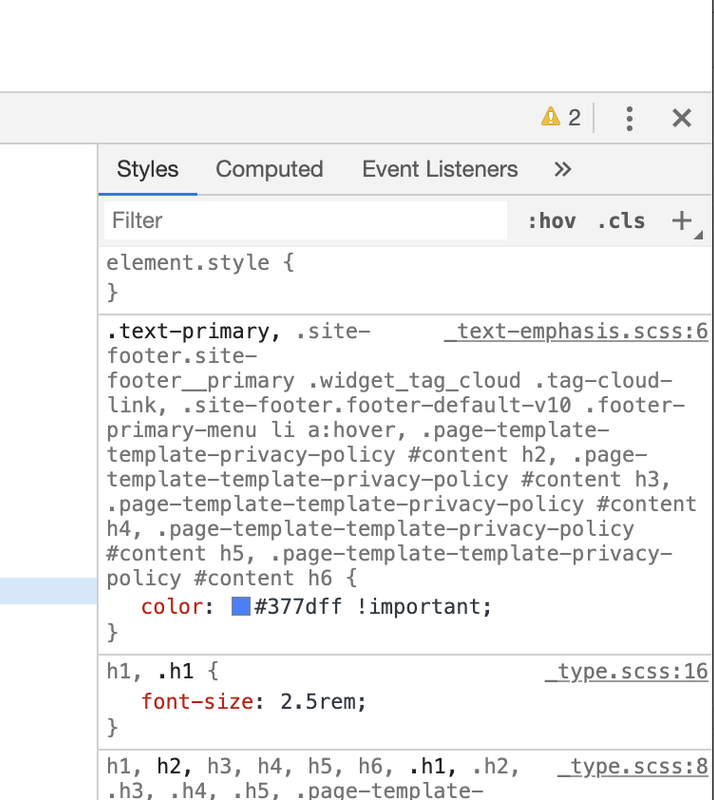
Just love this more and more. Absolutely stunning! Thanks for the awesome support! One question, how to change primary color? Can it be done from admin panel settings, or we have to add custom css? https://i.postimg.cc/XvqwCWPR/Skjermbilde-2020-02-04-kl-18-53-34.png
Hello there,
Thank you for purchasing our theme and for reaching us. Glad you are happy with our theme. We are releasing an update today that will allow the user to change the primary color via theme options instead of custom CSS. We are now testing the changes and should go live in another 7-8 hours. Do you have a preferred primary color? We can include it in the predefined color schemes. Please let us know.
Thanks, Ibrahim
Thanks, if you want you can add #006cff. If not, we can add it ourselves when you release the new update. no worries. Is it coming today?
Hello again,
Thank you for the details. We could not release an update yesterday as we needed to perform a few more updates. We’ll include this color code into our pre-defined color schemes. We will most certainly make a release today.
I thank you for your patience.
Kindest Regards, Ibrahim
Hello again,
Please update the theme to v1.0.4. You can now change the primary and secondary colors via Theme Options.
Kindest Regards, Ibrahim
Amazing update! Now we’re just waiting for these beautiful pages to be released: https://htmlstream.com/preview/front-v2.9.4/html/pages/customers.html https://htmlstream.com/preview/front-v2.9.4/html/pages/customer-story.html
Hello again,
Thank you. We’ve scheduled these 2 pages for v1.0.5 release next week.
Please do not hesitate to reach us if you have any questions related to our theme.
Kindest Regards, Ibrahim
Any news on these two pages?
Hello there,
Thank you for your patience. We are releasing these 2 pages in our new release in a couple of days.
Thanks, Ibrahim
Hello, Very nice theme! Is it compatible with elementor page builder?
Hello there,
Thank you for your interest in our theme. The theme is not built with Elementor. While it would work with Elementor, it will not have the additional 150+ blocks that comes with this theme. It is built for native Gutenberg Editor which gives it more speed and higher customisation. If you’d like to try our theme before purchase please email our support from the Support Tab, we’ll setup a trial for you.
Please do let us know and do not hesitate to reach us if you have any questions related to our theme.
Kindest Regards, Ibrahim
Hello Ibrahim,
Thank you for the reply.
Yes I would like to have the trial. Will send you the email through support tab.
Best regards.
Hello again,
My colleague have sent you the details to your trial website. Please do test and let us know if you have any questions related to our theme.
Thanks, Ibrahim
Hello. Where do the Portfolio items come from? Are they from “Posts”? I’ve set up some test posts but the Portfolio section snippet does not show any elements or posts.
Hello there,
Thank you for purchasing our theme and for reaching us. Portfolio and Testimonials are generated from JetPack plugin. You can enable them from JetPack > Settings > Writing, scroll down to Content Types and enable Testimonials and Portfolio. Ref: https://docs.madrasthemes.com/front/topics/getting-started/demo-content/#enabling-custom-post-types
Also did you follow the instructions given here to import demo content? https://docs.madrasthemes.com/front/topics/getting-started/demo-content/ Let us know if you need help with importing demo content.
Kindest Regards, Ibrahim
Great, thank you for your reply. And how can I set up the Social icon for the social footer menu? Do I have to add something to the “Icon Class” property?
Hello again,
Thank you for getting back. Social Icons are menu items. You can create a new menu from Appearance > Menus or use one of our demo content. You should not use the Icon Class but the CSS Class field: https://drive.google.com/file/d/1EnCaHPZ9sngjUVYtE1rCigeWt27LYHMS/view?usp=sharing
CSS Classes need to be enabled from “Screen Options” on the top-right corner of Appearance > Menus screen. Ref : https://docs.madrasthemes.com/electro/topics/navigation/general-guidelines/#enabling-css-classes-field-static-content-blocks-product-categor
Hope this helps. Let us know if you have any other questions or need further help.
Thanks, Ibrahim
Great, thank you very much. Works good! Best, Marvin
You are welcome Marvin. Please do not hesitate to reach us if you have any questions related to our theme.
Hi buddy! All running good so far, but working now on masonry grid section block, and unable to edit says: To edit this block, you need permission to upload media. Never seen a message like that? Where should I go and enable? Googling doesnt help.
And btw it seems footer editing and changing style doesn’t work at all. Is this is footer right? – “One tool for your entire team. Get started now!”
I go to Front-> Footer and change what Static Content (Footer) I want to use and Save. Doesnt apply styling.
If I take block and delete it and use it as default block, no changes applies.
Or if I want to place a custom header, how to remove default one?
sorry, custom footer I mean…
P.S. solved your default footer is hardcoded, had to delete in Theme Editor.
Hello there,
Thank you for purchasing our theme and for reaching us. Can you please clarify if the issue with the media block has been resolved ?
As for footer, if the options in Front > Footer does not work on a certain page, please check if the page has been assigned a custom Footer.
You can check if a page has been assigned a custom footer or not by clicking on the Front Editor Option ( f icon on the top right of the editor ). If a page has been assigned a custom Footer you need to edit the static content that is assigned as a custom Footer.
This static content will have the Footer Block and the same set of options as the theme option.
Also can you please clarify which one you are referring to as hardcoded with a screenshot? We’ll help resolve.
Please let us know.
Thanks, Ibrahim
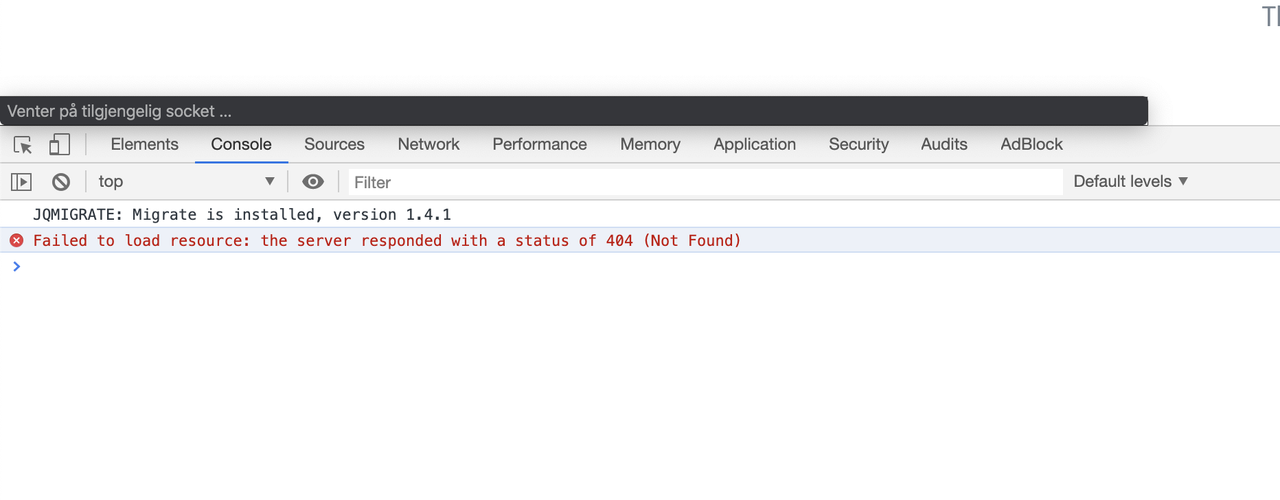
There is something wrong with the theme. We get this error after working on the design: Failed to load resource: the server responded with a status of 404 (Not Found). Seems to be some issues with JS or something. See this link: https://stackoverflow.com/questions/22317206/failed-to-load-resource-the-server-responded-with-a-status-of-404-not-found
This is a serious issue! Impossible to change the design and work on the site, when this issue happens everytime we add new designs to a page….
“WAITING FOR SOCKET” Have worked with tens of wordpress themes, and no themes have given us this error before. Your theme is making to many requests that is resulting to a useless theme. Impossible to add new blocks and add new design with this theme, so many hours have been lost due to this issue. Please fix this asap….
Hello there,
I am sorry about the inconvenience caused. We’ve ran tests on our trial servers but couldn’t reproduce this issue. Can you please email our support with your WP admin details with a screenshot to reproduce this issue ? We’ll investigate and fix this issue for you.
Regards Ibrahim
I have sent email now. Pls help us.
Thank you for the details. I’ve asked additional details in the email. Please include them as well if possible. Please give me few hours time to investigate and fix this issue. My sincere apologies for this inconvenience.
Hello again,
This screenshot is cropped. Can you please include the full screenshot? https://postimg.cc/HVJMhXkz I need information about the resource that failed to load. I think the issue is due to WordPress permalinks. However I need to know what resource to confirm this. I will continue to investigate the issue to check for other errors.
Thanks, Ibrahim
We just replied to your email. the issue has not been fixed yet… pls see my email…
Hello again,
Please give me sometime. I will check and respond.
Regards Ibrahim
Wow ! It looks Great ! I will buy it for next project…
Hello there,
Thank you for your appreciation. If you’d like to trial our theme before purchase please email our support and we’ll set it up for you.
Thanks, Ibrahim
Of course I do… What’s your email address ?
Hello again,
I’ve sent you the trial details through our support email. Please take a look and let us know if you have any questions.
Thanks, Ibrahim
Okay Thank you very much…
Please do not hesitate to reach us if you have any questions related to our theme.
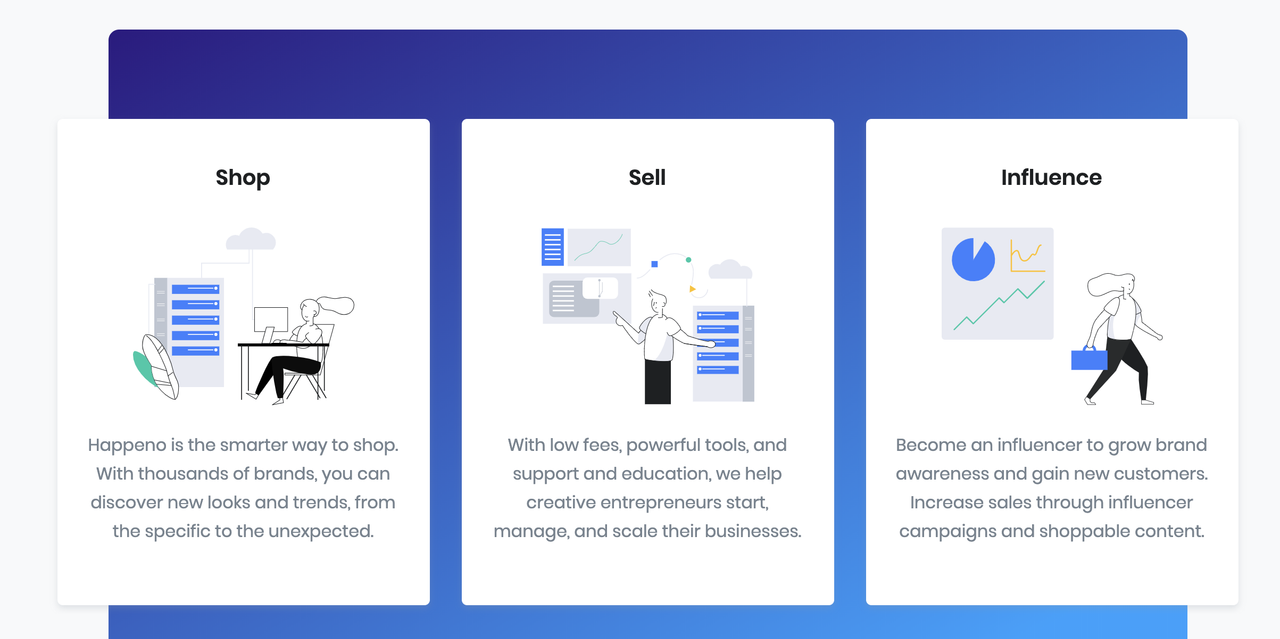
It’s impossible to change SVG icons inside blocks.
we have some difficulties to change SVG icons/images that are in a block.
Example, how do I change these svg icons to my own svg icons? Please provide step by step.
https://i.postimg.cc/1tQJqXCd/Skjermbilde-2020-01-31-kl-22-18-25.pngHello there,
Thank you for purchasing our theme and for reaching us. Here are the steps to use custom SVG Icon while we prepare the video for you:
1. Update the theme to its latest v1.0.3 version. Update Front Gutenberg Blocks and Extensions as well.
2. Upload your SVG Icon to Media Library using Safe SVG plugin.
3. Please add this custom PHP code to your child theme’s functions.php: https://gist.github.com/ibndawood/c8d68883a27984b8efad678369114b65
Replace the iconPath and iconName with the URL from the media library and a unique icon name. Once you’ve added it, you’ll be able to use the icon name with the prefix in the icon controller.
Hope this helps. Let us know if you have any other questions or need further help.
Thanks, Farook
This is to difficult! Why cant we just replace a svg icon from the block, just by uploading a new icon? This is the normal way to do this. We dont know how to do it the way you have described.
Hello again,
Apologies. I just notice the block you were trying to edit. It is an Info Grid and not an icon block. You can simply upload your own SVG and replace it from the block itself. Here is a video:
https://drive.google.com/file/d/1HH_DfrQAmOEFyo8UjS__nMcGTolPu38G/view?usp=sharingIf you are using an SVG file please note WordPress does not allow SVG upload. You need to enable Safe SVG plugin to enable SVG uploads.
If you are facing difficulties please let us know.
Hope this helps. Let us know if you have any other questions or need further help.
Thanks, Ibrahim
Wow nice theme, presales question:
1. its possible to set different text, title size depending of the device?
2. Its possible to set header as sidebar. (left position)?
3. There is a slider module?
Thanks
Hello there,
Thank you for your interest in our theme. To answer your questions :
1. All our blocks and the texts from the blocks are optimised for various devices. However there is no provision to change them device wise. You’ll have to use custom coding like explained here: https://htmlstream.com/preview/front-v2.8.0/documentation/content/typography.html#responsive-typography
2. We do not have a sidebar header.
3. Our theme does not include any sliders. We’ve used slick slider and used it in our Gutenberg Blocks. You can replace our sliders with any sliders of your choice.
Hope this answers your questions. Let us know if you have any other questions.
Thanks, Ibrahim
Ok thanks but doesnt cover my needs, thanks anyway
Hello again,
I understand. Please do not hesitate to reach us if you have any other questions related to our theme. If you’d like to trial our website, please let us know, we’ll setup a trial for you to see what the theme offers.
Kindest Regards, Ibrahim
I can’t use it well with arabic Wordpress tried to install demo data but it fail
Hello there,
Thank you for purchasing our theme and for reaching us. Please email our support with your WP admin panel and clarify which demo you were trying to import. We’ll set it up for you.
Thanks Ibrahim
I am trying at localhost eneviroment on my Mac using mamp , trying the main demo with images or without
Can you please post a screenshot of your Pages screen in your admin panel ?
sent by ticket
Hello Ayman,
I thank you for your patience. We’ve responded to your ticket with custom CSS for custom primary/secondary color as well as a suggestion for Google Fonts.
Hope this helps. Let us know if you have any other questions or need further help.
Thanks, Ibrahim
Hello again,
Please update the theme to v1.0.4. You can now change the primary and secondary colors via Theme Options.
Kindest Regards, Ibrahim

This item was featured on ThemeForest

Power Elite Author
Contact the Envato Market Help Team