38439 comments found.

Hi there,
On this website and this url: https://eventsoftwarebenelux.com/nieuws/ I would like to show the date at my blog items. It’s selected but the date is not showing. Also I would like to disable the word ‘Nieuwsbrief’ beneath every single item, how to fix that?
Hey Abbenhues,
1. That specific recent post style does not include the date – you’ll need to switch to another style, such as “Classic enhanced”.
2. add this into the custom css box located in the Salient options panel > general settings > css/script related tab:
#ajax-content-wrap .meta-category,
#ajax-content-wrap .meta-category a {
 display: none;
}
Cheers
Is Salient compatible with WP 5.4?
Hey CustomerVoice,
There are no known issues yet.
Cheers
How can I make a gallery behave on iPad from as it does on iPad. Or extend the media query for iPad to include the 1024px iPad Pro portrait?
Sorry I rushed, let me try again. I want the iPad Pro in portrait mode to behave as it does on the standard iPad for gallery images.
Example on the Pro the gallery grid has two col but I would like the gallery to be one col just in portrait mode for all iPads
Hey dannynamnum,
Can you share the page URL in regards so I can provide a snippet based on your settings?
Thanks in advance
Hi, we have a problem with Salient 11.0.4 on our site:
https://ravenswood.media/The hamburger icon for off-canvas navigation is always present, even on desktop. We don’t have any off-canvas navigation so this button does nothing other than open a blank space to the right of the page.
In Settings Salient > Off Canvas Menu/Mobile Menu, everything is set to “off” as per this screenshot:
https://prnt.sc/rq7ygkWhy is this happening now please?
Thank you.
Additionally, on mobile, our ‘off canvas’ menu is white background with white text. But in the settings it’s a blue background with white text. Changing the settings has no effect.
https://prnt.sc/rq83mySettings:
https://prnt.sc/rq843ySo on mobile nobody can navigate our site now
Hey ravenswoodmedia,
1. That looks like it would be occurring due to the use of an outdated header.php override in a child theme. If you have that override, please update the structure of it to match the current parent theme.
2. It looks like the HTML for the off canvas navigation is not correct – without logging in to see the backend, my guess is that it’s also child theme related to overrides. Can you please verify by temporarily deactivating your child?
Hi, thanks for the quick response. We updated the old header.php file with the latest version and that has fixed the errant hamburger.
However, the off-canvas nav is still broken. Even if we deactivate the child and use Salient 11.0.4, it’s white with no content.
Thanks,
Greg
Hey Greg, The HTML Markup for the off canvas menu is not present in your page source code and it does exist in the footer.php file within Salient - Please open a ticket in regards via the support forum or reach out directly through the contact form on my author page with a temporary login so I can take a look at your setup.
Thanks in advance
Nectar_cta only supports heading tags, this makes no sense to me – Why have you not added p and span into the dropdown in nectar_cta.php Line 35 – at least p tags, would just work out of the box, if added into that array.
Hey online-marketsquare, thanks for the request – I’ve noted it for the upcoming release 
hi! http://gastromallorca.net/academy/cursos-intensivos/ any way to put the prices for mobile in a carousel??
Hey dimage,
There’s no way to convert a non carousel group of elements into a carousel for a different viewport. You would need to either have them already in a carousel element, or create another row with the carousel format and hide/show each depending on the viewport with CSS
Cheers
hi ok, so any way to put for mobile two arrows on left and one right in the middle of the box? http://gastromallorca.net/academy/cursos-intensivos/ thanks
Hey dimage,
Remove the current BG image you have set on those items and use CSS similar to this instead:
@media only screen and (max-width: 1000px) {

.owl-stage-outer:after, .owl-stage-outer:before {
    position: absolute;
    left: 3px;
    top: 45%;
    content: "\f060";
    display: block;
    color: #13255b;
    font-size: 30px;
    font-family: FontAwesome;
    pointer-events:none;
}

.owl-stage-outer:after {
    content: "\f061";
 left: auto;
  right: 0;

}

}
thanks but the left arrow dosent show complete
Hey dimage,
You can correct that with z-index:
.owl-stage-outer:after, .owl-stage-outer:before {
    z-index: 100;
}
great thanks for the support
You’re welcome dimage
Is it possible to alter the colour of the text and background of woocommerce message banners?
Hey MarcGarner,
.woocommerce .woocommerce-message,
.woocommerce .woocommerce-info,
.woocommerce-page .woocommerce-message {
  background-color: #000!important;
}
Cheers
Hi, thanks. This doesn’t seem to be working. https://ibb.co/9cqmMCf
http://176.32.230.3/stringer-flavour.com/flavour-list/Hey MarcGarner,
Checking your CSS code, it seems to be matching the BG specified ”#2D894A”
https://ibb.co/StczkRrHi, I have taken over a site that uses this theme. It is a little bit out of date and I am wondering how to update it. I’m not sure if there is a licence setting somewhere in the theme settings, I cannot find one. Is there a place I can find if there is a licence key saved in the theme? Thanks
Hey createkb,
The license key is not saved within the theme settings, but rather used in the Envato market plugin for updating: http://themenectar.com/docs/salient/updating-salient/
Cheers
Ok, thanks
You’re welcome createkb
Hi ThemeNectar,
Please visit: http://www.everyonesatheologian.com/about
Can you let me know why the image about the bottom is overlapping the seciotn above on mobile devices. Many thanks.
Best, Alan
Hey Alan,
You have custom CSS defining the imageContainer as 100vh, this is clipping the inner divs on mobile since they are taller than the viewport height. You’ll need to add the following in:
@media only screen and (max-width: 690px) {
body .imageContainer {
    height: auto;
}
}
Cheers
HI! I want to make part of a sentence different color, within a text block with Visual Composer, but no matter what I do, the class is removed. Why is this?
Hello Alex" alt="" />
Hey apinzon,
I’d be glad to take a look if you can share the page URL where the issue can be seen.
Thanks in advance
Hello, We have Menus Items on Navigation & Page Header sections, and we would like to change the font size and color on one of them. I have gone to the Salient Options Panel under Typography the Navigation & Page Header and I see the choices to make.
The Navigation Font is what I thought was the very top bar of info and The Page Heading Font is what I thought was the second set of Menu items on the page. It appears they are reversed – Page Heading is the very top bar of info and that is what we would like to change, but it does not matter what size we select or Font Weight, it does not change. What are we missing?
Please Advise and Thank You, Ruth
Hey Ruth,
Can you please share the actual page URL that contains the text you’re referring to so I can point you to the right direction?
Thanks in advance
Hello, Here is the website https://4peabody.com/ – the very top where it has Navigation items of “About – Testimonials & Reviews – Certification & Awards – Blog – Contact – 1+(800) 4-PEABODY” are what I am trying to increase the Font Size and Change the Color.
Also – is it possible to just increase the Font Size/Color of just 1 of those Navigation Items? For instance if we wanted to make the Phone Number a little bit larger and a different color – how would we just change only that item?
Thank You, Ruth
Hey Ruth,
1. The top most navigation bar on your site is referred to as the Secondary header bar in Salient, and it inherits from the Navigation Dropdown Font font. However, the font size is set automatically. You can alter that by adding this into the custom css box located in the Salient options panel > general settings > css/script related tab:
body #header-secondary-outer nav >ul >li >a {
 font-size: 14px;
}
2. The Coloring can be set in the options panel via the header navigation > logo & general styling tab at the bottom. The relevant fields are called “Secondary Header Background”, “Secondary Header Font”, “Secondary Header Font Hover”. Once you’ve set those, make sure you set the “Header Color Scheme” to “Custom” above in the same section.
3. Altering the color of one specific item in the navigation would require CSS. Here’s an example snippet:
body #header-secondary-outer nav >ul >li:last-child> a {
    font-size: 14px;
    color: #ea7a23;
}
Cheers
Hey ThemeNectar, Thank You for the great info. I put the CSS code for the Secondary Navigation per your directions (I put font size as 13px) and I also placed the CSS code for the Altering one specific item (as the phone number is what we wanted to have a different color).
I viewed the site in Firefox and saw the changes – which looks great! But if I view in Chrome and IE browsers neither the font size or the color shows. How do we get Chrome and IE to show what we see in Firefox?
Also, I can’t quite discern how to do this by the code – but if we wanted to change lets say the word About or Blog to a different color how would we write or amend that piece of code?
Thank You, Ruth
Hey Ruth, I’m seeing that the changes are showing in Chrome/IE have you tried to clear your browser cache yet?
Here’s some additional CSS you can add for altering the color of a different item:
body #header-secondary-outer nav >ul >li:nth-child(4)> a {
    color: #ea7a23;
}
Hey ThemeNectar, Well that is just plain weird, when I tested/reviewed it yesterday in Chrome/IE it wasn’t showing (Yes I had cleared the cache) but this morning it is showing on both.
Thank You for the additional code – just so I am clear (not a code writer), for each instance we want to do the effect I mentioned, we would have to put that piece of code you gave me – meaning the code couldn’t be combined to handle more than 1 instance?
For example: if we wanted the word “About” and the word “Blog” to be the same color (let’s say red) can the code reflect those 2 in the same piece of code or do they get their own individual piece of code?
Thank You, Ruth
You’re welcome Ruth
You can combine selectors like so for that:
body #header-secondary-outer nav >ul >li:nth-child(1)> a,
body #header-secondary-outer nav >ul >li:nth-child(4)> a {
    color: #ea7a23;
}
Since the latest version of wordpress 5.3.2 and an upgrade to php7.3 the visual composer takes forever to load to edit pages (11.0.4 latest theme version)... I ended up figuring our that if I disable the REST API visual composer will actually load.. but that seems like a hack rather than a solution.. any known issues? The slowness is painful.. feels like VC is incompatible…
Hey wallyd, I’m unaware of any compatibility issues relating to the REST API and WPBakery. Can you please reach out in regards via the contact form on my author page with a temporary admin login so I can take a look? https://themeforest.net/user/themenectar
Thanks in advance
Hi,
With Salient WPBakery Page Builder 6.1 and a row with style “Full width Content” and “Equal height” off, columns get a fixed height. But this is not reversed on mobile breakpoint. Causing some columns to have huge white spaces on mobile. I can easily fix this with some css, but i’m wondering if this is a bug? Feels like it.
Regards, Bjorn
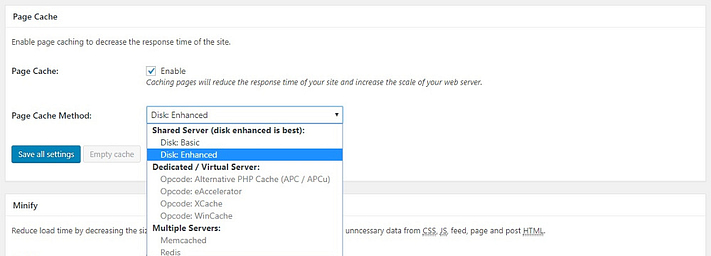
I have another question. I would like to know your recommendation which Optimize plugin works best with Salient. We already own WP Rocket, W3 is also an option. Which plugin did you use for: https://gtmetrix.com/reports/themenectar.com/eZQrNL5T
I searched ticksy but I did not find an article about this.
Thanks!
Nevermind. W3 total cache is used for ‘salient-freelance-portfolio’. Still like to know your input about Wp Rocket though
Hey Bjorn,
1. If you enabled the option for Equal Height Columns and simply leave the Column Content Alignment set to “default”, you’ll get the sizing you’re looking for. If that’s not working for you, please share your URL in regards so I can take a look.
2. The W3 Total setup that we run on the demo is very minimal (just the standard browser caching/minification of css/js), so WP Rocket will definitely be able to handle all that and potentially more based on your desired caching settings.
Cheers
Lazy load not work with Salient. I’ve tried A3, lazy load by WP rocket and BJ Lazy load. I can clearly see that every image on the home page is loaded whatever plugin is used. Anyone know how to fix this? BTW, I’m clearing cache and hard reloading, and viewing the downloaded assets in the Chrome inspector. Everything is downloaded with only the top of the home page in view.
Hey rednosemonkey, Salient comes with its own lazy loading option for many elements that will ensure the layout calculations which rely on JS will work correctly. Without seeing your actual page in regards, It would be hard to assist.
Thank you. However I cannot find any reference to the lazy loading option for images (which is what we require) in your docs. All we can find is a reference to it in version 8.5 update log. Can you let me know where the setting is?
Hey rednosemonkey,
If you’re using a recent release of Salient (v11+), it’s an option located directly in the single image settings: https://ibb.co/HFWv1tc
Thanks!
You’re welcome rednosemonkey
Hey friend! On this page, you have the 4 column boxes that hover…”Exclusive Design”, “Visual Builder”, etc… http://themenectar.com/demo/salient-corporate-3/
On mobile only, when you use your finger and touch it and hold a little too long, the hidden subtext appears, but overlaps on top of the heading. Can you provide a CSS fix for this?
Maybe even have the text show on mobile rather than hover?
Thanks!
Hey CrucialCounty
The fix for this will be included in the upcoming release. If you’d like an early copy, please reach out via the contact form on my author page https://themeforest.net/user/themenectar
Awesome my friend! Thank you! When is the release date?
Hey CrucialCounty, within the next 1-2 weeks – we’re in the final round of beta testing
Hi, I have requested the beta version 2 days ago but I didn’t receive any email from you. Please advise.
Hey frankapp, sorry for the weekend delay – just sent a copy over to you earlier today
Cheers
Your Rock, Thank you very much!
You’re welcome frankapp
Hello!
Is there a CSS code I can place on a page that will trigger a “Light” transparent header nav color when on mobile only? We have a page that uses the dark nav color on desktop devices but the background changes on mobile, and the light nav would work better.
Thanks!
Hey cwayneboss,
add this into the custom css box located in the Salient options panel > general settings > css/script related tab:
@media only screen and (max-width: 1000px) {
#header-outer[data-transparent-header="true"].transparent.dark-slide >header #logo img.starting-logo.dark-version {
  opacity:0!important;
}
#header-outer[data-transparent-header="true"].transparent.dark-slide >header #logo img.starting-logo:not(.dark-version) {
  opacity:1!important;
}

#header-outer.transparent[data-permanent-transparent="false"].dark-slide #top .slide-out-widget-area-toggle.mobile-icon i:before,
#header-outer.transparent[data-permanent-transparent="false"].dark-slide #top .slide-out-widget-area-toggle.mobile-icon i:after {
    background-color: #fff!important;
}
}
Cheers
Hi, are you going to release an upgrade soon?
It could be so cool to have something like AMP but better for the salient theme; which I love.
are you thinking about it? because in the page speed, the score is really low on mobile devices.
thanks!
Hey WinkyTheme!
Yes, the next major release will be arriving shortly
If you’d like to test it, Please reach out via the contact form on my author page https://themeforest.net/user/themenectar
As with any WordPress setup, caching and minification and a quality server should be used to get production ready optimization/performance: https://gtmetrix.com/reports/themenectar.com/eZQrNL5TIn regards to AMP – Salient is already compatible with https://wordpress.org/plugins/accelerated-mobile-pages/ are you experiencing any issues with it?
Cheers
hi!
I already sent you a request 
The problem with that plugin is we need to pay an extra for using the contact form 7 $39USD so it is not a solution for now. Thats why I was asking for a AMP made for salient exclusive. Could be great
And I applied many things to make the site faster but it doesn’t work, this is my link; pls can you take a look I really appreciate it
https://tecnogps.cl/Cheers!
Hey WinkyTheme,
1. I sent you over a copy earlier tonight – sorry for missing your email over the weekend
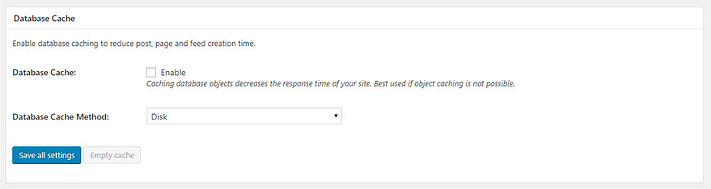
2. It looks like you already set up minification/browser caching correctly so you initial results are not too bad: https://gtmetrix.com/reports/tecnogps.cl/CIEtq6jf However, looking at the waterfall view I can see that the Tidio chat widget you have is making the largest impact: https://ibb.co/kxbch5X , Google page speed is also showing that and additionally shows that the server TTFB is high. The TTFB could be improved through hard page/db caching or by upgrading the server itself
Cheers
hi!
yes I received, really nice!
1. But what about the AMP and the problem with contact form 7???
2. how can i do this “hard page/db caching”???
cheers!
Hey WinkyTheme,
1. As you mentioned, they sell an extension for CF7 with AMP – there’s no way around that without purchasing their plugin at this time
2. I’m not sure which caching plugin you’re using, but most offer that in the option configuration. An example would be W3 Total cache:
hi, i have installed quademenu plugin but whenever i activate salient i get an error ;( Parse error: syntax error, unexpected ’_’ (T_STRING), expecting ’,’ or ‘)’ in /var/www/vhosts/myurl/httpdocs/wp-content/themes/salient/nectar/redux-framework/ReduxCore/inc/fields/border/field_border.php on line 152
Hey patko,
The fix for that is already in the current beta – to get a copy now, please reach out via the contact form on my author page https://themeforest.net/user/themenectar
Thanks in advance
Me again!
Tiny issue: I’ve got the following page set to full screen rows, but disabled it for mobile.
Everything works on mobile and desktop but I noticed that when I view this page in landscape on an iPad Pro or iPad the first and third sections are cutting off content, with the first one a fraction of the size. No issues when viewing in portrait.
https://www.simtrainer.uk/courses2Any ideas? Thanks for all your help!
Hey rsuproniuk
Try to add this into the custom css box located in the Salient options panel > general settings > css/script related tab:
.using-mobile-browser #nectar_fullscreen_rows:not(.afterLoaded) .full-page-inner-wrap-outer,
.using-mobile-browser #nectar_fullscreen_rows:not(.afterLoaded) > div {
  height: auto!important;
}
Cheers
Sorted! Thanks again
You’re welcome rsuproniuk