77 comments found.

How can i fix the instagram upper, an error message is displayed when i introduce username and password on wordpress , (social media part to link the instgram account with the larch template) . very urgent thank you .
Hi,
Please make sure you are running the latest version of the theme and plugins. If the problem persist, please post your questions on our support website https://upperthemes.com/support/ for that we can take a better look.
Best Regards
I wonder to know when this theme will on sales again? Is there any upcoming promotion?
Hi,
Thanks for your interest on our work! We added 20% discount  Discount period ending 10/10/2020.
Best Regards
Hi, I’m having an issue with my header background colour. I’ve set the settings to be all the same for the pre-scroll menu. However, the background colour is only showing for the homepage and the rest of the pages have transparent menus pre scroll.
Hi,
Check if the other pages have the custom page options activated and with the transparent option on.
Please note that all support requests for our themes are conducted to the support page. If you need more help from us post your questions here https://upperthemes.com/support/ and our support team will be glad to help you
Best regards
All the page options (template, image, page title width) are the same across all the pages and I’ve downloaded this great theme from Envato Elements.
Hi, has you may know Support is not included on elements. You can send us your website link and wordpress login details, for that we can take a look and see if there are some issue with the theme, but on our tests we cannot find any issue here. But send us the info to help@upperthemes.com we will take a look. Best Regards
Hi, how do I change the header image on the shop/products pages for Woocommerce? I’ve changed it through the WP Bakery settings and have even included a Featured Image. Still not updating from me?
Hi, to change the shop header image, go to Larch Style Options -> Page Title -> Woocommerce. It’s not possible to change the header image for each product. Best Regards
Hi, the instagram feed no longer works. I have already authorized the app but it doesn’t work. Can you give me a hand?
This is the website shorturl.at/nxCMV
Hi,
We already added the new instagram api on the latest theme update. Please download the latest version of the theme and update it. You need to update Larch Custom Post Type plugin too.
Best Regards
Hi, I’d like to use Gutenberg for my blog posts but with this theme I can’t. Is there any internal block?
Hi,
You can use the widget UPPER Recent Posts. If you need assistance to how to setup it, send us a email to help@upperthemes.com
Best Regards
I think that Insert gutenberg into a wp bakery function was not a good choice. Is it such an easy editor why do I have use wp bakery for my blog too? I hope in the next updates this functionality will be less complicated
Hi, we disabled Gutenberg editor because the theme comes already with a page builder, but if you want, we can activate it for you, just send us a email to help@upperthemes.com, we will help with that. Best Regards
Hi there, It’s not that I need help, just would like an answer  There is a bug probably, but I cannot save new mailchimp embedded code. I put in a new one, press “save” and it dies say that it is saved, but the text goes back to what it was before.
Please check that. Please please please
There is a bug probably, but I cannot save new mailchimp embedded code. I put in a new one, press “save” and it dies say that it is saved, but the text goes back to what it was before.
Please check that. Please please please
Hi louque,
We tested the mailchimp functionality and it seems to work well. Can you send us a email to help@upperthemes.com with your website link and wordpress login details, for that we can take a look?
Best Regards
Hello, I have problems with cube portfolio plugin. I don’t understand how use it, I deleted from my website but there isn’t way to create portfolio without it. Could you help me and resend a demo files of cube? I’ll try to edit again. Thank you
Hi,
You can download the full package from your themeforest account, section downloads.
Best Regards
Hi, is your theme fully compatible with the free language plugin Polylang?
Hi, thanks for your interest on our work. Yes Larch is compatible with Polylang and also WPML and qTranslate. Best Regards
Great! Thanks for the quick answer
hello, I have a little problem with logo in mobile menu. You can see in this screenshot http://prnt.sc/rte3qb I’m trying to edit css but doesn’t change on mobile. Could you help me?
Hi,
Send your request to our email help@upperthemes.com with your website link and wordpress login details, for that we can help.
Best Regards
Hi, I have purchased a licence extension but have not received a support code. How can I get one. Thanks
Hi,
The purchase code is the same of your initial theme purchase. The support status will change automatically on our support page, in maximum 24h. When this status change to valid support, you can post your questions.
Best Regards
thanks it is working now
Great
Hi, I have a little question of layout: can I choose wide or boxed layout on specific pages?
Hi,
You can set wide layout or wide with left/right sidebar on custom pages but not boxed layout.
Best Regards
Hi, I bought this theme with “Included: Future updates” but I’m still on 1.0 version and not on the 1.4 Is there something I must do to download it? Thanks!
Hi,
If you have the Envato Market plugin activated and with the Envato API Personal Token set, you can update it directly on Appearance -> Themes, you will see an update notice on Larch theme. If not, you just need to download all theme package from your themeforest account, then install this plugin https://wordpress.org/plugins/easy-theme-and-plugin-upgrades/ and go to Appearance -> Themes -> Add New
Then to update plugins, you just need to click on “Begin updating plugins” on the notice that appears on the top of your dashboard.
Best Regards
Hi, I sent a message via one of th pages, didn’t know if that was the right way. I double my questions here: 1 – I was wondering if it’s possible to make two top menus, one is fixed at the topbar and second is scrolling with the screen and navigates on onepage pages (I hope you understand what I mean). sort of a secondary menu on some pages. 2 – Also, could I change the black color to something else when hovering over images. Animation?
Thank you very much, Viktoria
Hi Viktoria,
Thanks for your interest on our work. Regarding question 1, unfortunately the theme is not ready to do that, sorry. For question 2, yes you can add another color on hovers, also you can disable the greyscale effect.
Best Regards
:cry: Oh no, I think I will actually cry  I am in such a long search for a theme that does everything, like Larch theme. But I really need a scrollable menu…
Do you think it is possible to code it in somehow using only css? Is it so that there is no scrollable menu at all? I saw one dot-menu on the right on one of the pages. Can those be combined with normal topbar? Please tell me that I can tweak it somehow
I am in such a long search for a theme that does everything, like Larch theme. But I really need a scrollable menu…
Do you think it is possible to code it in somehow using only css? Is it so that there is no scrollable menu at all? I saw one dot-menu on the right on one of the pages. Can those be combined with normal topbar? Please tell me that I can tweak it somehow 
and thank you! you have great themes!
Yes unfortunately the theme don’t have options itself to do that secondary scrollable menu :/ What you can do is add a menu on the top bar, and add links for scroll-to-sections, but this can only be done globally, ie you cannot set different menus for different pages.
If this is an option that you really need, we can do it for you but via customization. Send us an email to hello@upperthemes.com and will discuss a price for the customization.
Best Regards
Thanks, sent you an e-mail
When does this sale end?
Hi,
The promotion will run until the end of October.
Best Regards
I’m considering buying this theme but I would like to know first if it’s possible to mix the items seen on you several home pages. To be precise, I would like to use the home page 3 slider look and feel with the slideshow arrows seen on home page 15 (without the small vignettes at the bottom). Is that doable?
home3: http://demos.upperthemes.com/larch/site1/homepages/home-3/
home15: http://demos.upperthemes.com/larch/site1/homepages/home-15/
Hi,
Thanks for your interest on our work!
Yes it’s possible to have same slideshow arrows of slider 15 on slider 3 and remove the small thumbnails at the bottom.
Best Regards
One more question: Is there a way to slightly increase the font size of the menu items on the home page (HOME PAGES ELEMENTS PORTFOLIOS BLOG SHOP) with CSS/HTML or, even better, with the CMS options?
Yes you can customize all styles via theme options https://upperthemes.com/wp-content/uploads/2019/07/Captura-de-ecrã-2019-07-25-às-16.21.15.png
Last one: Is there an option to position logo, menu, cart… all together in the center of the page like they do here: https://crane.grooni.com/home-7/
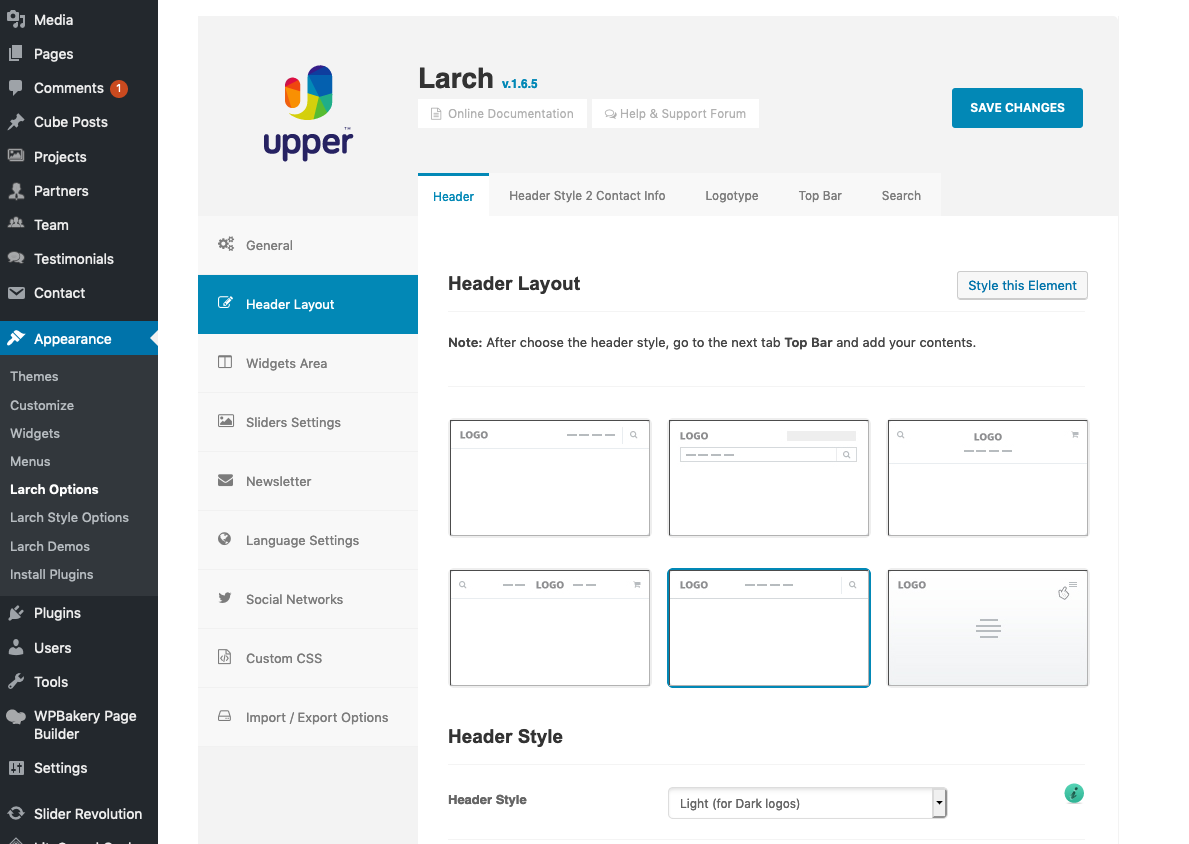
Not sure if i understand your question, since the link you show don’t have centered menus and logo, but yes the theme has different layout options, please check https://upperthemes.com/wp-content/uploads/2019/07/Captura-de-ecrã-2019-07-26-às-14.22.22.png
Oh yes, I have a 5120 px width monitor. If yours is 1920, maybe you don’t see what I mean. In more technical words, the whole header div of the example mentioned has a max width of 1200px. On my screen, the logo looks like it’s part of a centered container (it’s not aligned with the left border of the screen, it’s aligned with the left side of this centered 1200px container). I don’t really see, in your example, if I could achieve something like that.
Yes it’s possible add the container, i changed the options of our demo preview with the setting you want, please check http://demos.upperthemes.com/larch/site1/homepages/home-3/ maybe you will need to clear your browser cache to see the changes. Best Regards
This is exactly what I was looking for. Thank you so much for the time spent answering all these questions. I’m ready to buy now.
Great, thanks!
Hello Can I Receive a refund.
Hi,
Before we can approve or deny any refund request, we need to know why you are asking the refund. Please send us an email to hello@upperthemes.com explaining the reasons.
Best Regards
Hello,
I spoke with someone already on Upperthemes.com already
Reply #26062 if you would like to see that.
Please check the ticket again on the support, our support team answered it. Best Regards
I have a problem with the landing page after I installed the last update. I can’t seem to fix it?? The modal image is not showing up as the front most layer and I can’t seem to correct it.
Also trying to submit through the Upper support page but I am not receiving the confirmation email to properly login.
Hi, please send us a email to help@upperthemes.com with the email you used to register on our support site, for that we can take a look. Best Regards
Hi, how can I add a page or article to the home page? I used your default contact page, but today that content on the homepage simply disappearing. Thanks.
Hi,
Many thanks for your purchase, truly appreciated!
All support requests for our themes are conducted to the support page. Post your questions here https://upperthemes.com/support/ and our support team will be glad to help you ;)
Please note that free support is only available for 6months, after this time, you need to renew support in order to access the our support site.
Best regards
Hi, I tried to follow the link for the support page but it doesn’t work. I have a problem with the template menu, the first item of a submenu doesn’t work, while the others point correctly. I can’t use custom links because otherwise it won’t work with the language plugin, so I’m forced to use page entries.
Hi,
We changed our domain, not sure if you are trying to access the old link, but the new link is https://upperthemes.com/support/ and it’s working well
Best Regards
I tried to register on your site, but for 4 hours I expect the email to activate the account …
Hi, send us a email to help@upperthemes.com with the email you used to register on our support site, for that we can take a look. Best Regards