134 comments found.

Hello, how to add large image to posts? (printscreen https://listomolka.cz/wp-content/uploads/2021/01/melinatheme.jpg )
Hello, use “wide” property for Gutenberg “Image” block.
hi i bought melina theme but i need WP Instagram Widget and Developer Share Buttons plugins. I didnt find this plugins anywhere. Thank you
i found this plugins thank you
PreSale Question : Is this theme use elemantor or pagebuildier thank you
Hi! No, it isn’t.
thank you
i am buying your theme
Please!
Hi I want to install plugins but “Something went wrong with the plugin API.” error. How can I solve this?
I understant I read your support for plugins but for number4 theme especially images how Can I do ?
To set up them like on the demo-4:
1. Go to Appearance > Customize > Featured Area Settings and select “Full Width Posts Carousel With Transparent Header”.
2. Go to Appearance > Customize > Content Area Settings > Content Layout and select “Mixed three-column full-width masonry layout”.
3. In Appearance > Customize > Content Area Settings > Sidebar Position select “Without sidebar”.
4. In Appearance > Customize > Content Area Settings > Bottom MailChimp Form select “Disable MailChimp Form”.
Thanks only gutenberg you say for the gallery.Can you advice how can I do gallery like that demo-4 and can theme work with other gallery extensions?
This is default gutenberg gallery block. Insert it, upload three images and set up 2 columns in block settings.
We haven’t tested the theme to work with other gallery plugins.
Ok I understant but how can I insert gutenberg post to add mainpage like that theme4
You do not need to insert anything and anywhere  , just do what I wrote above and you will have entries in this form on the main page (as well as on the archive pages). And in the Settings > Reading for the “Your homepage displays”, you should have “Your latest posts”.
Sorry Gutenberg extensions with your image gallery dont understand.Gutenberg gallery I create but home page not display only like look like post.And “Bottom MailChimp Form select “Disable MailChimp Form”” not seem there
You have completed these steps:
1. Go to Appearance > Customize > Featured Area Settings and select “Full Width Posts Carousel With Transparent Header”.
2. Go to Appearance > Customize > Content Area Settings > Content Layout and select “Mixed three-column full-width masonry layout”.
3. In Appearance > Customize > Content Area Settings > Sidebar Position select “Without sidebar”.
4. In Appearance > Customize > Content Area Settings > Bottom MailChimp Form select “Disable MailChimp Form”.
And in the Settings > Reading for the “Your homepage displays”, you should have “Your latest posts”.
If you have done this, then you should have the latest entries displayed on the main page of the site, as it looks like on demo-4.
Read carefully what is written in the documentation for the theme.
As far as i can understand, you specify in the site settings that you need to display the specified page on the main page and try to configure it, but in this case, you need to display the latest entries on the main page. and all settings for the appearance of the site are made through the wordpress customizer.
Just step by step do what I wrote and you will succeed. Plus, read the documentation on how to add entries to the carousel at the top.
Hey,
When can we expect the update to be released?
Best regards
Hi,
We have already answered you above. So far, the situation has not changed and we are still thinking. Given the latest changes to WordPress and the accumulated development experience during this time, we would change a lot now. And this is virtually the same as that to develop the theme from scratch. Ie two or three months is necessary. The question is whether this time will pay off in the end, if there is no special demand for updating the theme.
We are currently working on a new theme, and I think a final decision on Melina will be made after the work is completed.
Perhaps we will just release a small update to bring the Gutenberg blocks in line with the latest version.
Got you! I look forward to new products, you have great style and nice code.
Thanks!
Hi, is the featured option no longer working? I want to use https://melina.ukathemes.com/demo-5/ and I go to featured but I no longer have the option to check the featured box and when I tag the post “featured”, nothing. Has the option been removed? thank you
Nevermind, please disregard; I found it, it just changed location.
Hello there
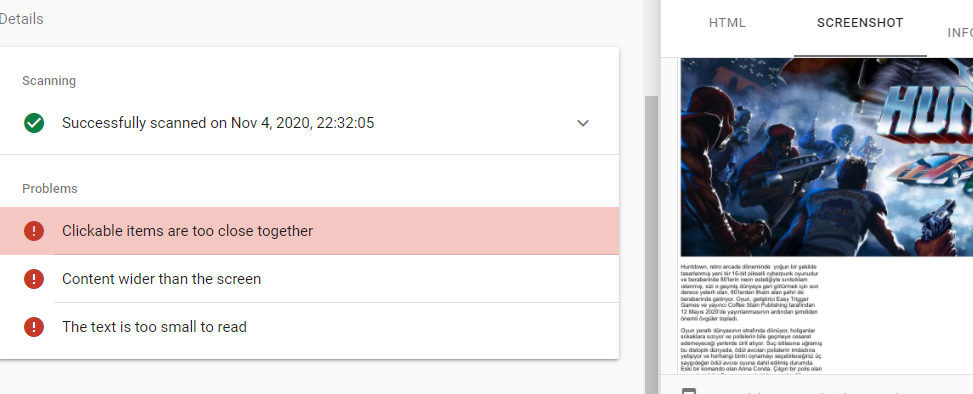
I get this problem in google webmaster tools when I use the theme.
how can i solve these problems
https://i.hizliresim.com/H7OXGS.pngThis may be due to the fact that the theme uses CSS variables and CSS Grid. Not knowing how Google robots work with them now.
On which tab of the google webmaster tools are these errors? Can you provide a link to the page where the problems were found?
How do I make the newest post automatically appear at the top?
I want only 1 post on the top.
How do I make sure that old posts are automatically placed in the bottom line?
i am using google translate sorry
This feature is not available in the theme. Only manually selected entries are pinned to the upper carousel.
1. Go to Appearance > Customize > Featured Area Settings and select “Wide Posts Carousel”.
2. Go to Appearance > Customize > Content Area Settings > Content Layout and select “Three-column full-width masonry layout”.
3. In Appearance > Customize > Content Area Settings > Sidebar Position select “Without sidebar”.
4. In Appearance > Customize > Content Area Settings > Top MailChimp Form select “Disable MailChimp Form”.
5. In Appearance > Customize > Content Area Settings > Bottom MailChimp Form select “Disable MailChimp Form”.
Hey,
Should we expect an update soon?
Does the template have PWA functionality?
Hi!
1. We are still thinking about this – you are only the third user to ask this question.
2. No.
Hi! I’ve a problem with the comments in the post of the blog. I can’t not see the ‘Show comments’ button.
I already activate ‘Allow people to submit comments on new posts’ in Setting > Discussion settings. And in all my posts ‘allow comments’ is also activate.
Can you help me? Thank so much!
Julia B.
We are fixing an error, wait for the theme update in a day or two.
Stop! We have already fixed this bug. Do you have the latest version of the theme installed?
Hi, I have just updated the last version 1.1.4 for the ‘mother’ theme and I’ve the 1.0.0 version of my child theme. The problem is still happening.
The button ‘Show comments’ appear for one second and dessapears. Should I do something else with my child theme to fix it?
Thank you!
Try clearing the site and browser cache. If it doesn’t help, give me a link to your site.
You don’t need to do anything with the child theme.
It works! I had to clear the browser cache.
Thank you for your awesome support!
You’re welcome! Glad I could help!
Hi again! I have another question about the font
Can I change the font of the Site Tittle? Whats the name of that font? or Can I reduce the size?
The problem is that my site tittle ‘Tierra de arcillas’ is too long and in mobile change to two lines, then the hamburguer menu go also down the name.
Thank you!
Julia
Hi! Problem solved!
I use this code like an additonal CSS and it works for the tittle of the website. }
.site__title {
   margin: 0;
   letter-spacing: .1em;
   text-transform: uppercase;
   font-family: Arial;
   font-size: var(-site-title__FontSize,calc(var(-font-size--base) * 1));
   font-weight: var(--site-title__FontWeight,400);
   line-height: 1;
But I can’t find the way to change the typography in the principal menu.
Thank you! Julia.
Responded to your first comment.
Hi!
Im trying to change the font of the template but I can’t. In specific I would like to change the font of the principal menu.
I edit lines 239-270 in the file functions.php and lines 69, 74, 75, 116 in the file style.css of the Melina principal theme (not in the child, right?) and it didn’t work.
I change every time that appear Josefin Font in that lines for another name font from Google font.
I hope you can help me. Thank you so much!
Hi!
Send me your modified theme and I’ll see what your error is (uladzimir@ukathemes.com). If everything was done correctly, the font should have changed.
Pre sale question: Is this theme compatible with the latest Wordpress (5.5)? Can i expect any problems if not? I am very interested for the theme..
Some things may not display correctly in the Gutenberg editor, since it has been updated many times. The theme was also not tested with the latest version of WooCommerce.
Is this theme compatible with the lastest WooCommerce release?
This theme is compatible with WooCommerce 3.6.x release. It was not checked with the latest releases.
Hi there,
I have an issue with Instagram widget in the footer. The widget seems to work, but does not show images? Not sure why. The follow me button in the widget works, so the install should be okay.
www.pilotemilie.com
Could you please have a look and see if the theme is working correctly?
Thank you so much and have an amazing day!
Marc
Hi, I need to change the font in one of my posts? There seems to be no way of doing this? can you help? I need to use Comic sans for one paragraph? How do I do this using the editor or CSS? thank you.
Hi! You can’t do this for a single paragraph; you can only do it for the theme as a whole. Third-party plugins may be able to help you with this. Try searching. Maybe this one can help – https://wordpress.org/plugins/coblocks/
Hi, Im triying to set up a ‘Full width carousel’. I already select it in Feature Area Settings, but I can’t not see the ‘Display location’ field in my post. Is it a pluggin I have to install?
Hope you can help me, Thank you!
Hi! I solve it! Im so happy!
After a little bit of playing with wordpress I discover I didn’t activate the plugging ‘Melina theme’, I online download it, then the ‘Display location’ field appear on my post editor. 
Thank you anyway! Your theme is beautiful!
We are glad that you were able to figure it out on your own. We were a little late with the answer, sorry.
Thank you for your feedback and have a good weekend!
This is something i couldn’t solve. Even with plugins. https://ibb.co/dr2C6pr serve scaled images
Can you describe the problem in more detail?
I couldn’t solve ‘serve scaled images’ suggested by gtmatrix…i see the problem on the site with this theme. (Everything else about this theme is great.)
The theme returns scaled images. To do this, use the sizes and scrset attributes for images. An image of the appropriate size is loaded for different screen resolutions.
We do not work with this plugin, but we will see what is there and how.
“We do not work with this plugin, but we will see what is there and how.” – Sorry, we thought there was a plugin for the service…
But it’s all right – https://gtmetrix.com/reports/melina.ukathemes.com/pwtNQJ4p Can you show me your page with bad results?
Trying to set my blog up to follow Demo home page 5, but when I follow the directions above, I don’t have a section labeled content area settings. Is there somewhere else I can find this?
Sorry, but technical support is only available to users who have purchased the theme, I see that you have not purchased it (you don’t have a “Purchased” tag next to your nickname).