23249 comments found.
Hi – any solution or tip for this: (Your theme (Porto Child) contains outdated copies of some WooCommerce template files.) – Great theme btw, thanx in advance 
Hello, @Akacie,
WooCommerce 4.4.0 has been released only a day ago, and we already tracked it. The latest Porto version 5.4.3 is already compatible with the latest version of the WooCommerce, but only a single template of the Theme has become outdated with this version of the WooCommerce, but no need to worry, it will not create any issue on your site, You can update it on your site.
And we are working on the new Theme update with which we will update that template as well. So please be patience till that and Enjoy using Porto
Regards, P-THEMES.
I will, and do. Thank you very much. All good
You’re Welcome!!!

Hello, @fenghuizhuo,
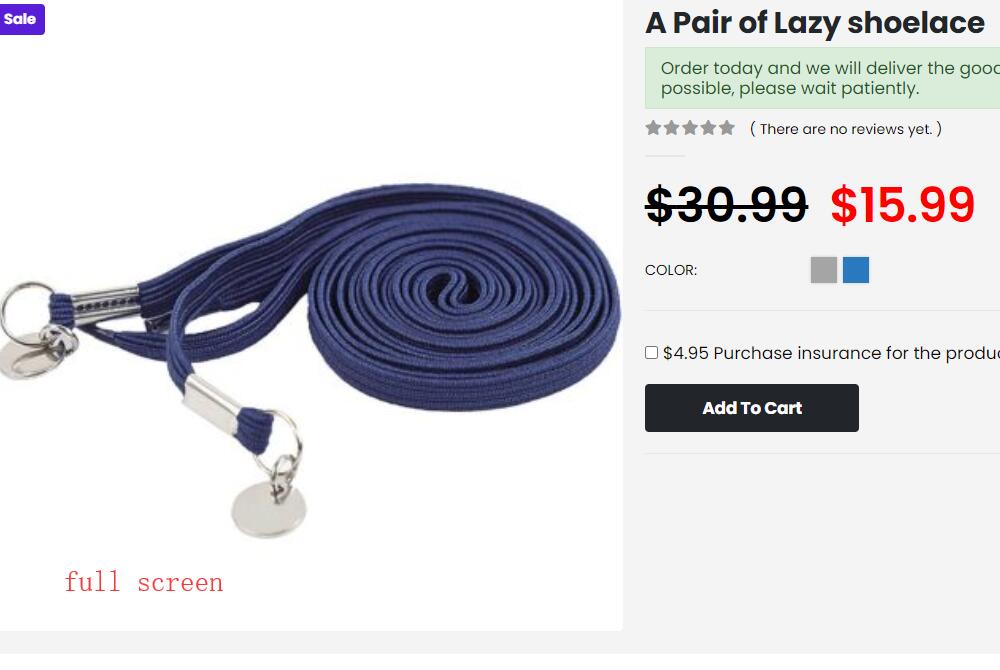
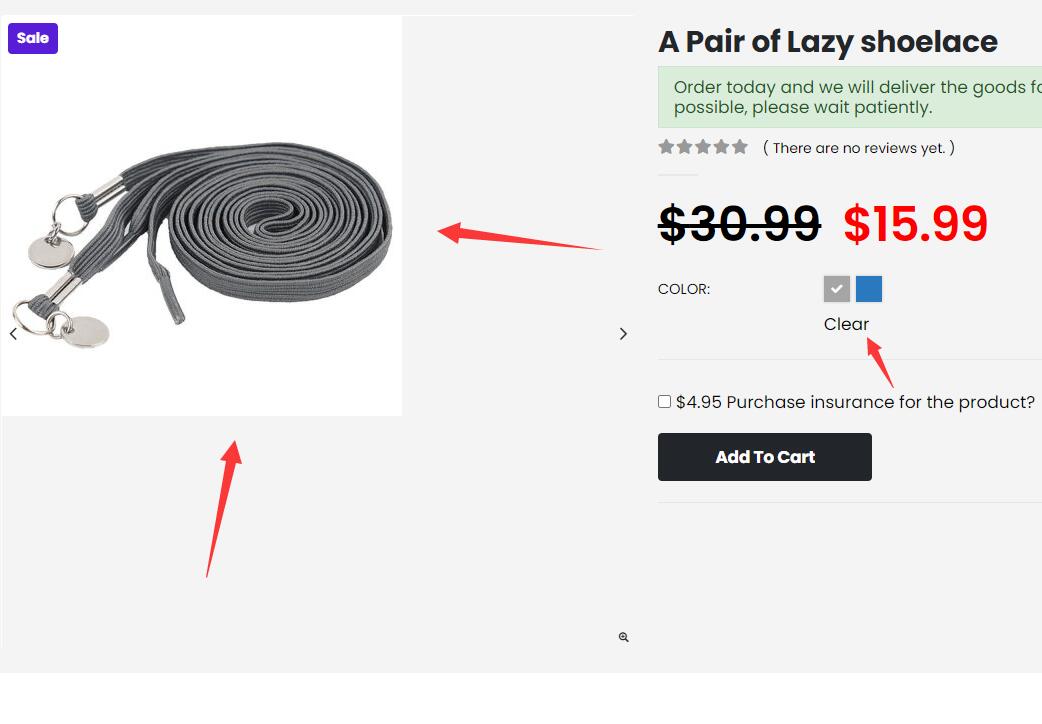
This is your Image size issue which you have set for that variation, you have to set/upload the same image size as the main image has and it will work for you.
Regards, P-THEMES.
Hello there, pre command question, I see many comments concerning issues on Wordpress 5.5, is your theme compatible with this version? Thanks for your answer. cheers.
Hello, @Famous_DIDI,
First of all, thanks for showing your interest in Porto WordPress.
Yes, the latest version of the Porto WordPress is fully compatible with the latest version of the WordPress 5.5
Regards, P-THEMES.
Hello, how to show header main when page is scrolled? it’s just show the menu (header bottom). I enabled all option in sticky header btw..
Hello, @animaginations,
The header is divided into 3 rows: https://ibb.co/bzHSpQ2
1. Top Header Row.
2. Middle Header Row.
3. Bottom Header Row.
And the Header Become Sticky which has Main Menu in it, That is why it is called Sticky Menu.
You can see on your site, The Main Menu is in Bottom Header Row that is the reason the Bottom Header part is becoming sticky on your site: https://ibb.co/1njkSXB
If you want Logo also in Sticky Menu/Sticky Header then you have to set Logo in a Row which has Main Menu in it, It will work for you.
This is how it works and it is the default functionality of the Theme.
Regards, P-THEMES.
oh ok, it’s little bit dissapointed to me. is there other way to make middle header also scroll/sticky without moving items to bottom header? code modification maybe? i tried move the items but make my header messy and doesnt look good.
Hello, @animaginations,
I am sorry but with Header Builder this is not possible and This requires customization. Item support does not include services to modify or extend the item beyond the original features, style, and functionality described on the item page. For customization services that will help you tailor the item to your specific requirements, we recommend to contact our customization team or hire a developer.
And you can try with Pre Built Header Types as well, it works with some of the Pre Built Header Types…
Regards, P-THEMES.
Hi….can you please fix the issue raised in support ticket
Hello, @datapreter,
First of all, our business hours are Monday to Saturday – from 12:00 AM to 08:00 AM EST and I can see our support team just replied your support ticket with a proper solution as showing in this screenshot: https://postimg.cc/NLmdXxyN
Please check your support ticket reply and reply to your support ticket accordingly and this is the second time now, now please do not panic here for support tickets, as you will always get the replies of your support tickets once its resolved, Thanks for your understanding.
Regards, P-THEMES.
Hi there, do you have a lifetime update support? some other themes have
Hello, @hanounomar,
First of all, thanks for showing your interest in Porto WordPress.
Yes, Porto WordPress provides Lifetime free update of the Theme.
Regards, P-THEMES.
Hi! When will you update the version of the WP Bakery Composer, currently 6.2 and in porto 6.1?
Hello, @jolivero,
Please delete the old version of the plugin from your site and download the latest version of the plugin from the below-given article and Install and Activate it on your site, it will work for you.
https://smartwave.freshdesk.com/support/solutions/articles/12000007851--12-latest-wp-bakery-visual-composer-and-ultimate-addons-for-visual-composer-and-slider-revolution
Regards, P-THEMES.
hello,
i am using porto theme. But i got a problem. i have import a demo by fullfill it’s requies. But the problem is home page. The home page is just left and not appeared perfectly and the other side is blank. how can i solve this problem.
Hello, @waveit01,
If you are trying to use the Elementor version of the Demo then follow the steps listed below:
Please go to Elementor >> Tools >> General and “Regenerate CSS” & “Sync Library” from there and save changes and showing below:
&
Then go to Elementor >> Tools >> Version Control and Click on “RollBack version” as showing below:
And after completing it, try to Import the Elementor Demo and check back your site after removing the browser cache.
Regards, P-THEMES.
I have purchased many licenses of this theme and I need to change the domain associated with two of my licenses. I have asked before for a way to do this and received no answer. You should make it so license used can reassign licenses to a domain.
Hello, @Kapa,
I have reset your purchase code, now you can use the same purchase code for registration of your theme.
Regards, P-THEMES.
its almost 12 hours since i raised request for two simple queries and there is no reply yet….....what kind of support is this?
Hello, @datapreter,
First of all, our business hours are Monday to Saturday – from 12:00 AM to 08:00 AM EST and I can see our support team already replied to your support tickets #99442 & #99443 around 12 hours ago with a complete solution. Please check your support ticket replies or in the spam folder.
Regards, P-THEMES.
Hello, small pre-purchase question from me. Do you support any quotation (“ask a quote” button on product page) systems/plugins? (that are integrated well and work well with the theme, and compatibility with flamingo would be perfect) Best regards!
In catalog mode in the theme.
Hello, @Flyfield,
First of all, thanks for showing your interest in Porto WordPress.
Sorry to say that but we have not tested any of the third party plugin officially with the Theme for this reason and not there is any option in the theme for it, so you can try with any third party plugin which better meets your requirements.
Regards, P-THEMES.
Your Porto site support is down – This site can’t be reached. Your “fix” of bugs has made my site 15 seconds slower to fully load? The newsletter button is still not in line. There is nothing wrong with my coding : see my other site – www.adakzn.co.za and how smooth it is? Now www.showspace.co.za is full of issues since beginning of installing. Why do we have to rollback plugins and install from appearance. Since the installation Ive had problems!
Again – have re installed this theme from start for the last time now – look – some plugins do not load.
And now it says installation failed after I had to manually install those plugins in appearance? This theme does its own thing and is not working properly – http://www.showspace.co.za/wp-content/uploads/2020/08/Untitled-3.png
Your theme (Porto) contains outdated copies of some WooCommerce template files. These files may need updating to ensure they are compatible with the current version of WooCommerce. Suggestions to fix this:
Update your theme to the latest version. If no update is available contact your theme author asking about compatibility with the current WooCommerce version. If you copied over a template file to change something, then you will need to copy the new version of the template and apply your changes again.
PortoVersion: 5.4.3
And then when is does finally install – the same thing : A broken theme freshly installed? http://www.showspace.co.za/wp-content/uploads/2020/08/Untitled-4.png
Hello, @matod,
Really sorry for the inconvinianance, We have solved your issue and replied to your support ticket #99520, Please check your support ticket reply and reply to your support ticket accordingly…
Watch this video:
https://streamable.com/ziicw4
Regards, P-THEMES.
site url : shonamoni.com
I just purchase the theme and setup it. Install all the necessary plugins and import demo content for shop23 . But home page and shop page are not working 
Hello, @ashickurnoor,
Please go to Elementor >> Tools >> General and “Regenerate CSS” & “Sync Library” from there and save changes and showing below:
&
Then go to Elementor >> Tools >> Version Control and Click on “RollBack version” as showing below:
And after completing it, try to Import the Elementor Demo and check back your site after removing the browser cache.
Regards, P-THEMES.
registration form is not appearing for my website. www.noormart.pk
Hello, @neumanc,
Please go to WP-Dashboard >> WooCommerce >> Setting >> Account’s & Privacy and check yes below given both options and then check your site after removing the browser cache.
1. Allow customers to create an account during checkout
2. Allow customers to create an account on the "My account" page
Hope your issue will solve.
And also could you please purchase support extension to get further support? Your 6 months of support period is now expired. According to Envato support policy, renewing support is required for further support.
Thanks for your understand.
Hello, i installed the theme, all plugins and import the demo content. but the site is looking different. how can i fix it?
my site: https://bit.ly/2E9re54
Thanks!
Hello, @besmile,
This is not the Theme issue but your site SSL certificate issue: https://postimg.cc/NKxs7sS2
Can you please make sure by going into WP-Dashboard >> Setting >> General and make sure that site URL is set there as HTTPs if you are using the SLL certificate on your site, and if not then please change your site URL as HTTPs from HTTP there and save changes and then check your site after removing the browser cache.
Otherwise, you can use this plugin as well:
https://wordpress.org/plugins/really-simple-ssl/
Regards, P-THEMES.
In recent update you added a new feature: + Added: a function to display sticky bottom nav bar on mobile, please share documentation how to use this feature
Hello, @ZarTech,
You can turn it ON from Porto >> Theme Options >> General as showing below as per your requirements:
And also could you please purchase support extension to get further support? Your 6 months of support period is now expired. According to Envato support policy, renewing support is required for further support.
Thanks for your understand.
Hello,
Please advice.
How can I use the whole demo number 4 content and look with the colour (orange), header and footer of demo number 21?
So I would like to use the header and footer of demo 21 only while everything else is demo 4.
Please let me know if this is possible and how.
Thank you as always.
regards,
Hello, @naarwebz,
No by default this is not possible, you have to create the Footer and Header by yourself, OR Import the one Demo on your main site and the second Demo on your test site or local site and copy the Footer and Header from one to another one, for that you need to use the license for testing purpose and for that please read and follow the instructions written in the below-given article:
https://smartwave.freshdesk.com/support/solutions/articles/12000052391--3-transfer-re-use-license-from-test-to-live-site-only-for-testing-purpose-
Regards, P-THEMES.
Hello,
Thank you for the advice. It worked.
Regards,
Most Welcome!!!
A similar question about the style of the porto heading module
As shown: https://postimg.cc/rRyfrmRb https://postimg.cc/SnYD8HjyI did not find the settings of these two styles in the [porto heading] module
Hello, @Wings_Li,
Please contact us via our support system with those screenshots, so that we will share the complete code of that complete page with you and then you simply have to create the new page and copy and paste the given code to it, and you will finds all the possible styles of that element, then edit and use any one as per your requirements.
Regards, P-THEMES.
how to remove pop-up newsletter at home page? porto shop 1
Hello, @rekayasaengineering,
Please read and follow the instructions written in the below given article:
https://smartwave.freshdesk.com/support/solutions/articles/12000052389--1-home-page-pop-up-modal-box-background-image-and-text-changing-or-removing-
Regards, P-THEMES.
Google is disapproving all variable products because of price. for example Product A is in range of 100-200 with variation X as 100 and variation Y as 200. Google disapproves it stating it has lot of prices ??
Hello, @tjain91,
I am sorry but this is the default functionality of the WooCommerce and all the store sites in the World, Google will not disapprove anything because of this, You can check it with the default WordPress Theme and you will finds same behavior, so it makes clear that this is not our Theme issue, please try to Google it on contact WooCommerce support for it.
And also could you please purchase support extension to get further support? Your 6 months of support period is now expired. According to Envato support policy, renewing support is required for further support.
Thanks for your understand.