117 comments found.

I really like your theme but I would like to replace latest post on slider by photographs on my own, how can I do that please ?
Hi @ISANDER27,
We are glad you like our theme.
Unfortunately, this is not available in the current version of the theme, but it will be available in the version 2.0 of the theme.
If you have any questions or need assistance please create a support ticket using the link below and our support team will gladly assist and guide you:
Click Here To Create An Account & Get Support
Best regards
Hi,
I’m trying to get my website to look like the ‘Main Demo’ with the header and hero image to be one big image and the nav bar to be transparent, but when I imported the demo content my site became: https://bdaia.com/dummy-content/harmuny/blog-style-01/ when I want it to look like this: https://harmuny.bdaia.com/. Please provide guidance on how to obtain this look because this looks exactly how I’m envisioning for my site to look like.
Thanks!
Hi @NicColeMB,
Thanks for purchasing our theme.
Please create a support ticket using the link below and our support team will gladly assist and guide you.
Click Here To Create An Account & Get Support
Thank you.
Hi, I have, thank you!
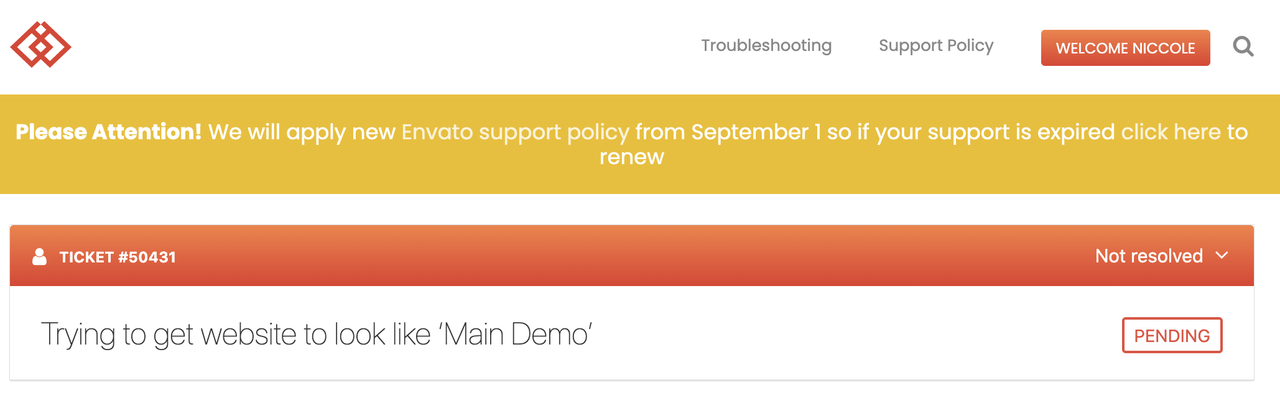
I’ve created an account and my support ticket says pending. How long until I get a response I’m not sure if I did it right because I can’t find it anywhere. Thanks!
It’s TICKET #50431
Your ticket already answered, please check your ticket!
Hi,
No it’s not, it’s still stuck in pending. View screenshot: https://i.postimg.cc/D0bkYVXb/Screen-Shot-2020-09-09-at-12-11-49-AM.png
Thanks!
Your ticket already answered, please check your ticket!
when i update the autoupdate for the theme , it give me that u have the latest verstion , but still give me a notification that there is a new update 1.3.0 update , i click on update button but nothing happened
Hi,
It would be difficult to assess/advise on the issue via the comments section. We would request you to please contact our support team to have you issue checked by them
As the Themeforest comments section is meant only for pre-sale questions and generalities, we are not able to provide detailed support here. Please create a support ticket using the link below and our support team will gladly assist and guide you
Click Here To Create An Account & Get Support
Thank you, Amr Jamal!
what is the prefer size for the logo ?
Hi @nahar,
Thanks for purchasing our theme,
The recommended size for the logo:
Width: 104px
Height: 48px
If you have any questions or need assistance please create a support ticket using the link below and our support team will gladly assist and guide you.
Click Here To Create An Account & Get Support
Best regards,
I purchased this theme and when I go to your support page I am getting a “Error 522”. It’s not allowing me to activate the purchase so I can activate the MC4WP plugin. I installed the demo content, and when I go to edit the MC4WP form, it’s not allowing me to edit the text “Never miss a story Subscribe for Harmuny’s Daily Digest and get the best of Harmuny, tailored for you.” Where and how do I change that text?
Hi,
You can enter the technical support forum now, register with it and create a ticket.
The technical support team will gladly repay you
Regards
Hi guys! We open the ticket #49155 but we have not yet received a return
Hi @cnlinkar,
Your ticket already answered, please check your ticket!
Best regards, Amr
I love this theme so much, it checks so many boxes for my purpose and I was about to purchase it; but then I realized it’s quite static – there is no scroll animation happening neither other kind of micro animations, except on post images @ home pages. Do you plan to add such new features to this theme ? thank you!
We are glad you love our theme, We will be more than happy to be part of our growing community 
I don’t understand. Can you please clarify what do you need?
Do you have a live example of what you mean?
There is a big update coming to this theme that will include many new features. We collect opinions so that we can make a product that satisfies everyone
Best regards, Amr
Hi, sure thing! here are some examples from other template demos to explain what I mean. Please know I love your blog theme already, and I especially think it has superb content formatting that’s actually perfectly legible and does not require tweaks out of all the blog themes I researched. So many are hard to read if not tweaked after the purchase. So anyways, pls go to BLOG links in the templates to see it, somehow links land you in the home page, even though I copied blog links, but the point is those home pages also show what I am trying to explain.
- please check out these features such as:
a. when I am scrolling down the blog or other pages, page elements ( like blog posts, side bar items, etc) reveal themselves and not static; some create this light smooth scrolling feelings
b. svg format icon animation for search icon, or a cart icon, like micro interactions. they are small, and happen when user interacts with them, I shared some inspiration below.
c. totally optional suggestion:I know you have this in simple form, but when the website loads there is a loading animation feature in couple of those that are so engaging ( more examples here https://www.awwwards.com/awwwards/collections/loading-page/) ;
THE REF. LINKS
( blog > grid > right sidebar page) https://preview.themeforest.net/item/molli-creative-portfolio-agency-theme/full_screen_preview/24181903?_ga=2.38414755.1427618902.1592066182-1907507218.1571188108I feel like this beautiful theme can have some inspiration from the artistic portfolio themes, those themes usually push the current interaction trends to the next level, but I could not find such themes specific to blogging only which is important to me- and I think just by looking at them we can learn quite a bit to incorporate Thanks for reading this long feedback, and hopefully it clarified my first feedback and helps to make this theme more engaging. Cheers!
Hi @Gulnar19, Thanks for your feedback.
Your comments will be carefully discussed and we promise to implement them, which will satisfy everyone’s desires soon 
Best regards, Amr
I have a license for Harmuny and created an account on your support system but it’s not sending me an email with the account and I can’t login. I need support please.
Hello,
Thanks for purchasing our theme,
Please check the existence of the Password message in the Junk or Spam… if not found, Please provide me with your user name & password that you used in registration + the purchase code and send them via my profile page to check your account and activate it for you.
Best Regards
Hi, I sent my login information via the contact form on your profile page. Can you please approve my login? I am trying to get a site live and need to submit a support request. Thank you!
Please check your message now
Hello. I installed Harmuny theme, and after install I can’t using comments in blog articles. Please also tell me how can I remove the visualisation number for each article. Thank you.
Hello,
Thanks for purchasing our theme,
I’m sorry but we don’t provide support here. Kindly start a new ticket in our https://forum.bdaia.com/ our support team are more than happy to help.
Best regards.
hello,
I sent you a msg since 2 days now on the forum and no reply. please reply. thank you
Hello there,
All tickets already answered, please check your ticket!
Please note that our working days ( Mon-Fri ) so it may take up to two business days to handle your ticket.
Best regards
hello,
I did post you a reply with some other points, there is 3 points, please solve only the first one.
thank you
Can you provide a link to the ticket?
Your ticket already answered, please check your ticket!
thank you, i replyed to your msg
hello, I replayed to your msg and the problem resolved after updating the theme but there’s a problem with the style after loading more
Please check your ticket now
I just finished setting up RTL demo, but I notice there are margin properties inherited from LTR version. For example, even in RTL, the last item of main nav has zero right margin ”.main-navigation ul.menu > li:not(.menu-item-has-children):last-child” this one is set to zero even in RTL, which causes two nav items to stick to each other.
Others cases include horizontal layout of posts such as:
LTR = Thumbnail + Space + Title Title + Thumbnail + Space = RTL
As you can see, in RTL, right margin of the thumbnail still remains on the right side.
Am I missing a setting?
Hi,
We are not able to provide detailed support here. Please create a support ticket using the link below and our support team will gladly assist and guide you. Click Here To Create An Account & Get Support
Best Regards
Hello, Great job on your theme!
I just have two questions: 1- it seems that I need to double-click on the menu tap to open, can I make it open with only one-click? 2- When using the darkmode and going to another page, it lights up then go back to dark. What’s the solution to that?
Thanks much!
Hi, Thank you for your interest,
1. Of course there may be a problem with your browser. Of course it works with just one click.
2. This depends on your browser cookies and your connection speed. You can also activate the night mode only from the control panel
Best regards
Hello, I bought your theme called “Harmuny”. I want to translate the language of the theme into Turkish. I opened the wp-config.php file. However, I couldn’t find a word called define (‘WPLANG’). Do I have to write in a new line? (‘WPLANG’, ‘tr_TR’).
Hi!
You can use this plugin to edit your language file easy:
If you require further assistance or have any further questions, please create a support ticket using the link below and our support team will gladly assist you
Click Here To Create An Account & Get Support
We look forward to helping you!
Thank you!
hello
I have a problem with load more, the problem that i have multiple categories, each category has a menu link, when i click the menu link it goes to the specified category successfully, but when i click load more it loads posts randomly from another categories, i need to load more posts from the same category that i currently on. hope you reply soon.
thanks
Hello,
Thanks for purchasing our theme,
I’m sorry but we don’t provide support here. Kindly start a new ticket in our https://forum.bdaia.com/ our support team are more than happy to help.
Best regards.
thank you, i will
Hello ,
When I bought a domain name through Godaddy, I was given a temporary domain name and domain name. I set up my site through the temporary domain name. I bought your theme and installed it. Next, I set my base domain as primary. After that, I got the error that I cannot use my license. Can you help me remove the license from my temporary domain address?
Hi @csirem
This very easy you can go to the Licenses Page and click on me Deactivate, Then you can activate it again on any other site!
Best regards
Amr
thank you so much. it is really easy
Hi there,
I purchased your Harmuny theme and have been able to install it fine but I realised that the template that is showing on my wordpress isn’t the one that I’d like; it’s still lovely but I’d love to use the minimal blog demo layout like this one: https://harmuny.bdaia.com/minimal/ . Is this a setting issue?
Thanks!
Hi @elizabeth_19
We are glad you love our theme, This is easy you can Navigate to WP Dashboard > Appearance > Customize > Rest
and Navigate to WP Dashboard again > Appearance > Import Demo Data > and choose [Minimal Theme Options] and click Import
If you have any questions or need assistance please create a support ticket using the link below and our support team will gladly assist and guide you.
Click Here To Create An Account & Get Support
Best regards, Amr
Hi Amr,
Thanks for your response!
I created a support ticket a few days on the bdaia site but it seems to have disappeared – I’ve created a new one: https://forum.bdaia.com/?post_type=topic&p=47738 << the ticket number is #47738 – would you be able to help.
Thanks!
Thank you for contacting us, one of our support team will reply on you soon at your ticket.
Best Regards,
Hi again,
Sorry I keep contacting you on here – I tried replying to Amr’s response on the forum but it doesn’t seem to be showing the reply that I sent him for some reason. Is there any other way I can reply to his message so I can give him the information that he needs from me?
Thanks so much!
Hello there,
Your ticket already answered, please check your ticket!
Best regards
Hey there,
I’ve got that one!
Amr asked me to send him my website login details in response to the email that I sent him so your tech team can have a look, but I can’t reply to that message to give him my login details – I’ve been trying to for the past week but the message doesn’t seem to be going through.
Thanks so much!
You can check your ticket now.
Hello! Plase may you give me an advice where can I find the demo content. i don’t see it in the admin panel Thank you
Hi,
Thanks for purchasing our theme,
The theme docs:
https://harmuny.bdaia.com/docs/
How To Import Demo:
https://harmuny.bdaia.com/how-to-import-demo/
If you have any questions or need assistance please create a support ticket using the link below and our support team will gladly assist and guide you.
Click Here To Create An Account & Get Support
Regards,
Amr
Hi dear, how can I activate The Night Button? Thank you.
Hi @unarosaperamica,
Thanks for purchasing our theme,
Navigate to WP Dashboard => Appearance => Customize => Header => Components => Skin
If you require further assistance or have any further questions, please create a support ticket using the link below and our support team will gladly assist you
Click Here To Create An Account & Get Support
Best regards, Amr
I tried use you support forum, but my tickets ddisappears. What can I do to submit a ticket?
Hi @offonagency,
Thanks for purchasing our theme and sorry for the late response 
Your ticket already answered, please check your ticket! Please note that our working days ( Mon-Fri ) so it may take up to two business days to handle your ticket.
Best regards, Amr
PRESALE question: cam You share the documentation? Thanks!
Thanks! Can I ask if also PSD files are available?
Unfortunately, Not available