946 comments found.

Hello, I have an issue with the maps : “You must enable Billing on the Google Cloud Project at https://console.cloud.google.com/project/_/billing/enable ”. Is there a way to use the maps without sharing with google a payment method? I don’t want to share any credit card with them or try their product free for then being billed for anything. Thanks.
Hi,
You can’t use Google Maps without billing account enabled. That’s new Google policy. But don’t worry, I am using a billing account on my demos and didn’t pay anything because google also has a $200 free monthly usage which is more than enough.
Best regards!
Hello! I’m also having issues with translations… I have used loco translate as indicated but most of the texts are not showing and I only have a few strings available. Translation works but I miss 90% of the website. Please let me know how to proceed. Thanks!
Hi,
Did you also translate the texts from Resideo Plugin?
Best regards!
No, indeed. This will probably fix this issue. Thank you!
Is there a way to filter only FRONT END strings? vs all back office texts? Thanks!
I’m translating texts from Plugin but still, a lot of texts are not available. Translating the plugin seems translating mostly back office stuff.
Hi,
Could you please give an example of strings that you couldn’t find to translate?
Best regards!
Hello! I’d like to use the style of the persistant nav (white background, black font text items) but directly at the top even if the user didn’t start to scroll because I don’t see my white logo and the nav over the picture. Is there a quick way to do it? Thanks!
hi,
Please send the website URL. Thanks!
Best regards!
hi, is there a opportunity to update the theme direct, or do I have to download and install it? thanks dennis
Hi,
You need to download and install it.
Best regards!
Saludos, quisiera que me brinden su ayuda. Se han borrado los iconos de eliminar imagenes en el panel de control del deslizador de propiedades y de imagenes de propiedades. Me gustaria saber como restaurarlos.
Hi,
Please send us a private message ( using the contact form on our profile page: https://themeforest.net/user/pixel_prime ) regarding this issue and also mention your website URL and admin credentials.
Best regards!
Hi there,
Is there a way that we can edit the placeholder text on the Properties search bar? It currently reads “Search by City, Neighborhood, or Address” but as we’re focussing on UK based audience (specifically London) we would prefer it to read “Search by City, Borough, or Address”? If you could supply the template file or relevant code that would be most helpful.
Many thanks, Paul.
Hi Paul,
These are the files:/plugins/resideo-plugin/elementor/widgets/search_properties.php /plugins/resideo-plugin/shortcodes/search_properties.php /plugins/resideo-plugin/views/filter-properties-form.php
Best regards!
Hi, the search field at the property-search page doesn’t works. Please can help us
Hi Francesca,
I will take a look and get back to you via email.
Best regards!
Hello,
I have a question. How do I need to change the code in order to send emails to 2 different addresses when a user sends an email to an agent ? best regards.
Anthony
Hi Anthony,
The agent has two different emails?
Best regards!
how to see what languages are supported?
Hi,
Regarding the translation, the theme and theme’s plugin have language files, which can be translated using a plugin, or a stand-alone software(PoEdit) without having to touch the code. I suggest using this plugin: https://wordpress.org/plugins/loco-translate/
Best regards!
Hello,
I am interested in purchasing your template. I need to know if I can do a home search only with advanced filters. Example: https://ibb.co/LSH3r93
I hope your answer. Thank you.
Hi,
We are currently working on a page search module that you can add in any page content and you will be able to enable/disable fields. This feature will be available in the next version.
Best regards!
When will you have the next version?
It is planned for next Monday (Jan 18)
Hi, I use the “HALF WIDTH IMAGE” option for the HOME page. One the left half the background color is based on the image’s color. Is there any way to control this? I need to use custom background colors for any slider based on my needs. Bests
Hi,
This option will be added in the next update.
Best regards!
Nice! thank you
Could you tell me what is the decide the background color of the “HALF WIDTH IMAGE” carousel and were in the code I can find. I’d rather disable it and put one color to all carousel item. Thank you in advance
Hi,
Please update the theme, now you have this option available.
Best regards!
I would like to change the minimum and maximum price range of the search engine. I have read in the comments that the range is generated from a theme script. Could you tell me where I can locate the script? Thank you!
The Price Range Max Value can be set in theme settings (General Settings)
Yes, I want to change the selection range: ($100,$200,$400,$700 …).
I would like the values to be larger (0, $ 50,000, $ 100,000, $ 150,000 …)
function resideo_display_price_s($general_settings) {
...
}
/plugins/resideo-plugin/views/filter-properties-form.php
if ($price_f == 'yes') {
....
}
Thanks, it works perfectly.
You’re welcome 
Hello, is it possible that the administrator has the possibility to upload properties from the front-end? The agents that register if they have that capacity but I cannot access if I am the administrator. Thanks
EDIT: I found the solution. In agent, option to assign user.
Yes, that’s right. Agents need to have a user assigned. Best regards!
Hi there, do you have an ETA on support for iHomeFinder?
Hi,
By the end of February we’ll have suport for iHomeFinder.
Best regards!
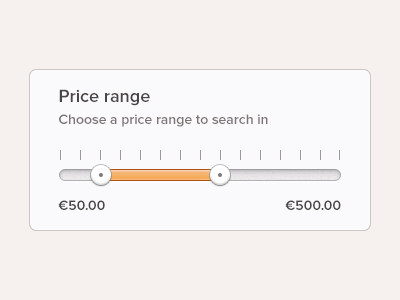
Would it be possible to change the drop down price finder for a horizontal price range finder? Example: https://cdn.dribbble.com/users/19954/screenshots/780890/filter.png
Hi,
Sorry, there is no option for this.
Best regards!
Which wp page editor plugin can I use?
Hi,
You can use the following editors: Classic Editor, Gutenberg, and Elementor.
Best regards!
Hello, we are unable to load demo 05, can you help us?
Hi,
Please check the Recommended PHP Configuration Limits FIRST for import to go through:
max_execution_time 600
memory_limit 128M
post_max_size 48M
upload_max_filesize 48M
You should contact your web hosting support and ask them to increase those limits in PHP.ini to those values
Best regards!
Hi, I am trying to upload properties from the All import plugin. The only field that I can’t get correctly is the photos in the gallery.
The field that I think determines the photos in the gallery is “property_gallery” and then you have to fill it with the IDs of the photos that are uploaded but I can’t do it correctly.
I am able to fill in the other fields satisfactorily.
Could you help me get it? Thank you!
Hi,
Did you try to fill in the property_gallery with this format:223,144,971
Best regards!
Yes, adding the IDs to the field works. The problem is that I can’t get the ID from All import.
I have solved it by adding a function.
Im using the Slider for the Header, it’s the one with half solid color/ half image.
Where do I set the solid colors related to each slide?
Best
Hi,
The color is auto-generated from the images. But the next update will include the color customization for each slide.
Best regards!
Hi, I have buy this theme, there is an certain error on this theme, we cannot import demo content on our wordpress site, Can you fix this problem?
Hi,
Please check the Recommended PHP Configuration Limits FIRST for import to go through:max_execution_time 600 memory_limit 128M post_max_size 48M upload_max_filesize 48MYou should contact your web hosting support and ask them to increase those limits in PHP.ini to those values
Best regards!