23248 comments found.

Hello!
Why is the first image of the product not visible? Instead a gray Porto placeholder is displayed.
Example: https://beskidchocolate.pl/produkt/czekolada-ciemna-z-jagodami-goji-100g/
Hello, @tenit,
This is not an issue but the Lazy Load issue, Please turn it OFF/Un-Check from Porto >> Speed Optimization Wizard >> Lazy Load and click on compile button and finally check your site after removing the server, site and browser cache, I am sure you will not finds this issue anymore, and it is clearly written in Lazy Load section that:
Disable this option if you have any compatibility problems.
So, your site has compatibility problems with Lazy Load please do not use it.
OR
That must be the cache issuse, please remove the server cache like CDN and then deactivate it and then remove the site cache and deactivate the cache plugins and check back your site after removing the browser cache.
Regards, P-THEMES.
Hello, I implemented demo content, but the results are not the same when using chrome browser. There is a missing color | https://pasteboard.co/JMiPvSe.png and shifted block layout | https://pasteboard.co/JMiTOLX.png. How can I fix this?
Hello, @velabaca,
Your site is on Maintainance Mode, Can you please contact us via our support system with your site WP-Admin Login details so that our experts will check and help you out in solving your issues.
Regards, P-THEMES.
is the elementor activator and rev slider activator included
Hello, @Acasinnovations,
You can always get the latest updates of the Premium plugins with the Theme update in Theme Package.
And there is no need to activate or purchase the new license for this plugin. This plugin is already included in the theme package and already purchased the license by P-Themes. This activation message for those who want to update the plugin directly from their website. In our case, you can receive the updated plugin always with the theme update release.
So no need to activate it, just ignore the message and feel free to use it.
You can not use the library/template of any Premium plugin including in any Theme Package, If you want to use the premium plugin library/template then you have to purchase that particular plugin license separately, this is Envato policy you may wish to confirm from them as well.
Regards, P-THEMES.
Where can I change the name of the “View Details” link in the portfolio section of the Law Firm 2 Demo?
https://prnt.sc/xxqzm1I found it in the CSS file and took care of it. Thank you.
Sound’s Good!!!
You are the best 
Hi,
I currently have my online store hosted and in production on domain A. I would like to know if it is possible to install the Porto WordPress Theme on domain B, and after having the new store set up, move it permanently to domain A. license can I deactivate it from domain B and reactivate it again on domain A?
Thank you very much.
Best regards
Hello, @JGuerraPT,
First of all, thanks for showing your interest in Porto WordPress
Yes, exactly you can simply achieve it as you described using Porto WordPress Theme
Regards, P-THEMES.
How do you stop the auto email popup from popping up non stop all the time to everyone even if you have it set so they can check the option to not be bothered with it again, yet it continues to email popup non stop on every page to everyone. We would like to keep it, but when someone signs up they prefer not be asked to signup again and again repeatedly. Is there a way to stop this?
Hello, @RelentlessMIke,
That popup is basically created using Porto Modal Box element, and we have used the Contact Form 7 for creating the Subscribe form in that Popup so it does not have any option to not show that popup when the Customer subscribed because that is just for the Dummy purpose, so if you want to hide it when anyone subscribes it, you have to use any third-party plugin for it and create a new Form with that plugin which better meets your requirements.
Regards, P-THEMES.
How to disable it altogether?
Hello, @RelentlessMIke,
Please read and follow the instructions written in the below-given article:
https://smartwave.freshdesk.com/support/solutions/articles/12000052389--1-home-page-pop-up-modal-box-background-image-and-text-changing-or-removing-
Regards, P-THEMES.
thank you
Sorry but I am not happy and would like a full refund. None of your plugins edit the total areas of your demos. I am very disappointed. Can I please have a refund thanks.
Hello, @webhostau,
If you want to try our support, you can contact us here: http://portotheme.com/support otherwise, if you only want the refund you can contact Envato for it.
Regards, P-THEMES.
you really need to start to make some serious steps and improve the theme in order to keep up with other popular themes. latest version and you still have google plus icons for the header? but not tiktok? really? also, as i mentioned many times, you also urgently need to focus on LONG TERM SUPPORT of theme versions/updates. it can not be that every now and then you make heavily breaking changes, eg in woocommerce checkout page. this is totally not acceptable!
Hello, @lensbreak,
Thanks for your suggestion, I’ll forward this to our development department as a feature request to change the Google + with Tiktok, and then it will be up to them, if they will find it fit with the Theme environment, they will surely look through it.
Sorry to say that but this is not true, we always support long term updates, but as the supported plugins updating frequently, we have to update the Theme for making it compatible with the plugins.
And Regarding changes, and new features adding, This is the development department’s decision and they always take the decision on Customer’s choice, for you, I’ll forward this to the development department as well and they will look through this as well.
Regards, P-THEMES.
“This is the development department’s decision” well if you have a Google Plus feature still in your theme after almost TWO YEARS after they dont exist anymore just prooves my point that your DEVELOPER TEAM obviously is a bit outdated with their decisions. And making breaking changes on code that is absolutely unnecessary (i have shown this in detail to your support with code and screenshots, could even keep it the same) is again just an unprofessional approach how to maintain a theme/company.
Hello, @lensbreak,
I am sorry for the inconvenience and as I told you already that I’ll forward this to our development department for removing it from our Theme soon with the near future upcoming updates of the Theme.
Regards, P-THEMES.
dear sir when i change the Text Transform Lower case that show in only desktop but they did not change in mobile menu he showing uppercase please reply me thanks.
Hello, @DesignTechPakistan,
Have you purchased the Porto WordPress theme? If yes, then please contact us through your theme purchase account to get the free support for the Porto WordPress theme.
Regards, P-THEMES.
I purchases the theme few months ago. Now I wanted to import new demo, but it is giving me an error that WPBakery needs to be updated. If I try to update the WPBakery, it says couldn’t update because it is not activated. I download the latest copy of theme from my downloads page in themeforest and installed the WPbakery again but it is giving me the same error.
How I can update WPBakery and import demos?
Hello, @stackintel,
First of all, please make sure that you are using the very latest version of the Theme on your site, you can check the changelog of the Theme here: https://themeforest.net/item/porto-responsive-wordpress-ecommerce-theme/9207399#item-description__change_logs and then go to Porto >> Dashboard and deactivate the Theme from there and then again activate the Theme with same purchase code and then go to Appearance >> Install Plugins and update the plugin from there, I am sure you will not finds this issue anymore.
And also could you please purchase a support extension to get further support? Your 6 months of support period is expired from 28/11/2020. According to Envato’s support policy, renewing support is required for further support.
Thanks for your understand.
Sure, thanks
Most Welcome!!!
How can I resize the image
Hello,
Can you please share the site URL so I will check which builder you are using then I will tell you the solution.
Regards, P-THEMES.
Hello, @hewal02,
Please copy and paste the below-given CSS code to Porto >> Theme Options >> Skin >> Custom CSS and change the value in the given code as per your requirements.
#porto_ucb_9742 {
    background-size: 120% !important;
}
Regards, P-THEMES.
i want 3 pictures of the same size. How can I do that?
How can I make 3 or 4 rows of items “FREMHÆVEDE PRODUKTER ”?
Hello, @hewal02,
Simply create a Row and then divide that row into 3 or 4 Columns as per your requirements, now add/inert/set “Single Image element” or “Porto Interactive Banner element” in those columns as per your requirements.
If still you not more help then contact us via our support system so that our experts will set it for you on your site.
Regards, P-THEMES.
hi, i’m using shop demo11 and i think i removed the 3 boxes “free shipping, 24/7 support and money back”. how can i put it back? where is it? what kind of elements are? thanks a lot
Hi,
Please edit the page and add the menu ads block in the apge by using the Porto block element on the page. If you are not able to add a block then add these icons and text by using the Porto Info box element on the page.
Regards, P-THEMES.
thanks. i cant find menu ads block… where is it? https://imgyukle.com/i/He3k5U
i found the problem: i didn’t remove the boxes, they are hidden behind slider that got “taller”... what happened? scoon.pt
Hello, @psopa,
We have set that Row into 3 Columns and then add/insert/set “Info Box” element into every single Column and set it as per the requirements.
Regards, P-THEMES.
thank you. i found the problem: i didn’t remove the boxes, they are hidden behind slider that got “taller”... what happened? scoon.pt
Hello, @psopa,
Ok, Then if you still need our help, please generate a support ticket via our support system with your site WP-Admin Login details so that our experts will check and help you out in solving your issues.
Regards, P-THEMES.
Hello,
When I go to /shop, on mobile version I need to tab two times on a product to go to the details page of a product.
When I press the first time, I see whishlist button + quick view button, and at the second tap I am redirected to the details page.
Is there a way to have the wishlist and quick view button enabled all the time, and at the first tab on the product to be redirected to the details page of the product?
Is pretty annoying to tap two times to see the the product details page, and confers a bad UX designs, as the majority of the shops don’t have this, and the people are not used to it.
Hi,
You can try to change the layout for the shop page from Theme Options >> Woocommerce >> Product Archive >> https://ibb.co/ssjZ9z5
Regards, P-THEMES.
Yes, I tried, but all the layouts work in the same way. Double tap to go to the details…
Hello, @thesuperstar,
Can you please contact us via our support system with your site WP-Admin Login details so that we will check it for you on your site.
Regards, P-THEMES.
Hello guys, are u fine? Sorry for ask here but here we go!
Im tryin’ to insert more than one image on this project but i just can do one! https://www.portotheme.com/wordpress/porto/construction2/project/porto-building/How can I put more than one image there, can u guys help me with that please? is the first time that i ask for help lol… Thank you!
Hi,
Please make sure that you have installed the Dynamic Featured Image plugin on the site. Then you are able to add more images to the single portfolio project page: https://ibb.co/KVbYm1d
Regards, P-THEMES.
Why does it look like this? https://iili.io/fnLUMl.md.png
Hi,
Please go to wp-content/uploads/ delete the Porto Style folder and then go to Theme options from the WP Dashboard and click just save changes button, I am sure your issue will be solved.
Regards, P-THEMES.
Hello, what would cause a particular page’s Custom CSS data not to save? I put some css there and when I Update the page to save it, the field remains blank. Some of the other posts/pages do actually have some populated data there, so please advise what would cause it not to save in some cases.
If I look in the phpAdmin backend the DB for the pages that it saves ok have a “custom_css” postmeta table entry, but this particular post it is missing that field after saving the page. Please advise how to fix without modifying the DB directly. Thanks
Hi,
Please make sure that you are using the latest Porto theme and all the updated plugins. If yes, then please contact us through our support system we will check and solve the issue on your site.
Regards, P-THEMES.
Hi, can you think of any reason why the WooCommerce Lottery plugin is not compatible with this theme? The ‘Add to basket’ option just doesn’t appear…. yet all my other products work. Any suggestions?
Here is the product as reference : https://www.cctvaware.com/shop/competitions/ring-video-doorbell-3
Hello,
Sorry to say that but we have not officially tested a WooCommerce Lottery plugin with the Theme, nor it is included in the third party plugins compatible with the list confirmed from our end on the item page, So this is the third party plugin issue, not the Theme issue, and we do not provide our dedicated support for third-party plugins issue as because this requires Customization.
You have two options, First, you have to contact the plugin author and ask plugin author to Customize the plugin core files for you for making it compatible with the Theme for you.
Second, If you want us to Customize the Theme core files for you for making it compatible with the Theme, then you have to contact our Customization team at nicework125@gmail.com for paid Customization services.
Hope you can understand our limitations.
Regards, P-THEMES.
Dear Porto,
There is a Porto String: View Cart (1). That when I add to cart something in Spanish languaje is showed in english. (2). There is some way to be showed in spanish changing directly the name of the string translation ?
(1) https://www.candleart.es/Captura.JPG (2) https://candleart.es/002.JPGthanks, Candle Art
Hi,
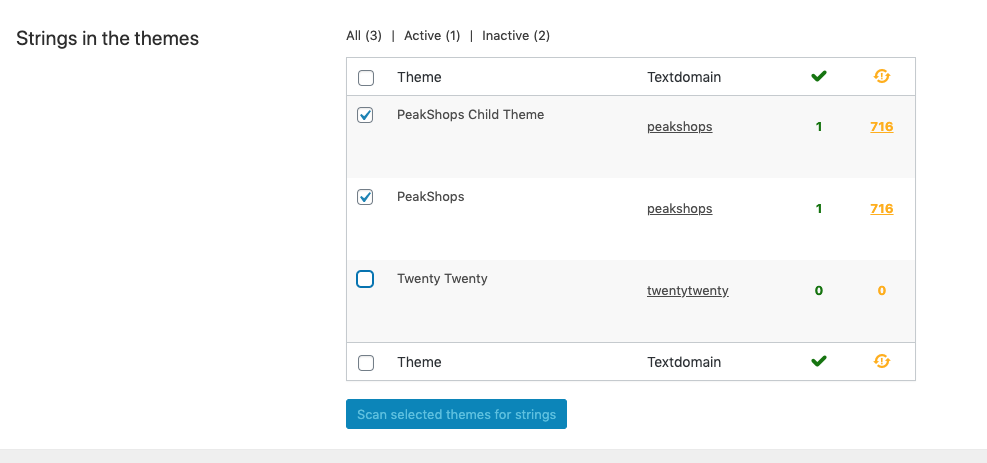
You have to sync the theme strings. WPML will load these translations and save them in the DB. http://wpml.org/documentation/getting-started-guide/theme-localization/downloading-wordpress-translations/When you enable the “Translate by WPML” option, on the very same page, scroll down and click “Scan theme for strings” this action will scan your theme for strings which are wrapped in gettext call and make them available in string translation module. Prior the strings wrapped should have proper textdomain.
https://cdn.wpml.org/wp-content/uploads/2020/06/6285031-Schermafbeelding_2020_06_03_om_16.48.23.pngRegards, P-THEMES.
Hi! Please unblock this ip this is not spam 87.236.16.231
Hello, @gigamarket24,
I am sorry I am not able to locate that IP into our database, can you please share your site WP Admin Login details and the purchase code via our support system so that we will check and solve the issue for you on your site.
Regards, P-THEMES.
I did not confuse anything with this particular ip address 87.236.16.231
domen hangsyst*.
https://yadi.sk/d/PYmdDqqvJbKlbAHi,
Please check it now. I have reset the IP address.
Regards, P-THEMES.
Dear Team,
How can i disable top banner ads. please check my attached image.
https://ibb.co/JyBNKwmBest Regards, Nay
Hello, @Nay05,
You can edit, remove, change it from Appearance >> Theme Options >> General >> HTML Blocks as showing in this screenshot: https://ibb.co/Fnp3Zpm , This is actually a shortcode and you can use any of the element shortcode here as per your requirements.
Regards, P-THEMES.