638 comments found.

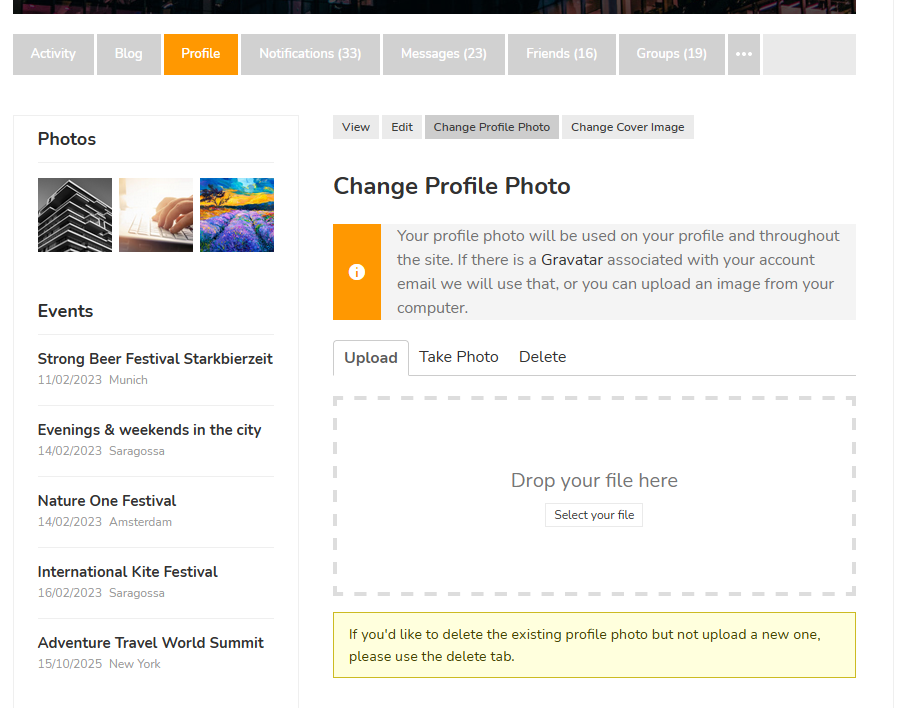
Trying to change profile pics on the frontend. Getting: Use bp_before_members_cover_image_settings_parse_args instead. Can you assist? Also where is a complete list of the Cinematix plugin shortcodes? didn’t see it in the documentation.
Why you can’t change it on this page? – https://diaboliquedesign.com/screenshots/3/screenshot_at_14-57-49.png
List is over here – https://diaboliquedesign.com/demo/cinematix-new/Help/#shortcodes
I just uploaded theme and Cinematix theme is not loading login shortcode and Join now button. Any ideas? I ran plugin detective and it would seem that there may be a conflict within the Cinematix plugin help
There should be cinematix addons plugin active.
Yes Cinematix addons are active but items are missing
There could be some hidden error, please open the wp-config.php file in the root of your wp installation and change
define( 'WP_DEBUG', false );
for:
define( 'WP_DEBUG', true );
Hello, This is a pre-sale question. Can you point out the differences between Cinematix and OneCommunity please? I need one of the two, I don’t know how to choose. Differences does not seem obvious. Thanks
Hello
Both themes are versy similar except design. OneCommunity has bundled ajax search pro, youzify plugins and more frontpages.
Activated the BuddyPress Xprofile Custom Field Types plugin and got the following error: Deprecated: bp_before_xprofile_cover_image_settings_parse_args is deprecated since version 6.0.0! Use bp_before_members_cover_image_settings_parse_args instead. in /var/web/site/public_html/wp-includes/functions.php on line 5236
Any ideas on how to resolve? Any responses appreciated
Is this error visible when a default wp theme is active?
Hi does Cinematix support RTL? I saw a comment from 7 years ago that it doesn’t, but has it updated since? thanks
Hello
It works but it needs additional CSS snippet which I can send you.
thanks! i warmly suggest to add “RTL” in readable text on your themes, because I searched for this, and when I didn’t see this on your theme page, I almost gave up…
OK, I added it
super! 
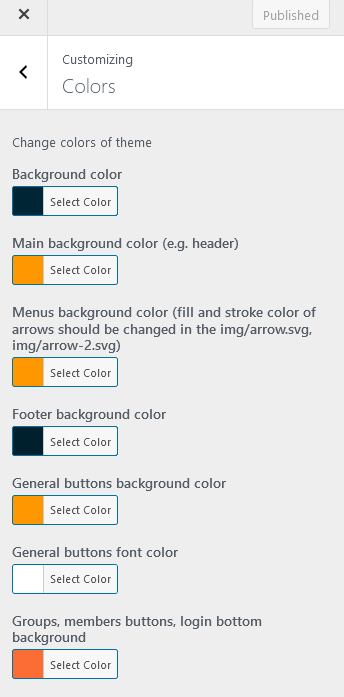
Pre-purchase question: Great theme you have there, Is it possible to be able to change the theme color? I would like to change to green instead of the orange, if YES, how?.
Also, I see the last time you updated was June 2020, I was wondering would it work with the latest wordpress version? I hope it won’t throw up some bug errors because of the latest wordpress version?
Please let me know.
Hello
Colors can be changes under customizer – https://diaboliquedesign.com/screenshots/3/screenshot_at_19-44-57.png
There is no need for update since there is no bugs reported by clients, theme works with the latest wp version and will be updated if needed.
Thank you.
Waiting for a new update from a long time
Hello
What kind of update are you expecting?
Hello Support, I tried many ways to setup featured image setting but nothing helpful Is there a way we can make a smaller image(https://big2.in/wl/?id=Ug6E4Jt1LRPrgLsJe1Zo1I7b1wZriUJb) to full width as shown in you demo (https://big2.in/wl/?id=fXdihrlMQLiG4KgTl3rH7bReSYrTCjuI) on your website i think it automatically generate small and big thumbnails but not working on mine can you please help
Hello
Try to upload 960×540 size image.
but on the onecommunity theme it’s working fine i think there is a misconfiguration in the theme (i tried a fresh installation and it’s not working there as well so there is a theme issue )
I have checked the function.php file its has the configuration applied by you but it still don’t resolve the issue can you please give an update which can fix this
add_theme_support( 'post-thumbnails' );if ( function_exists( 'add_image_size' ) ) {
add_image_size( 'medium', 300, 300, true );
add_image_size( 'post-thumbnail', 600, 450, true );
add_image_size( 'post-thumbnail-small', 150, 120, true );
add_image_size( 'post-thumbnail-2', 960, 540, true );
}Both themes use the same code (just different sizes) and that’s all code for thumbnails.
But it should setup image thumbnail size automatically just like onecommunity but this theme does not
Try to upload bigger 1920×1080 image
Hello Diabolique, I purchased your theme that look nice. It was exactly what I needed. However, I’ve installed the theme and the result dont match with the live demo. At any point. Could you have a solution ? My website if you want to check what its look like : www.obbies.fr
Hello
I see a maintenance mode. Did you install the demo content using the all in one migration tool?
I turned off the maintenance plugin. you can have a loook
I’ve installed the Zip content from my purchase
You should download the full zip file from themeforest and follow instructions in the Demo content folder.
Hi Diabolique, I currently use Olympus with Youzer/Youzify and really disappointed at the mess the ‘upgrade’ has caused and looking at your excellent theme that doesn’t use Youzify. Before I purchase, I note it doesn’t seem to have been updated since June last year! Is that because it is as current as it can be and if required will you still issue updates? I presume all media is stored via rtMedia so unlike Youzify, it is available to any new theme I may use in the future? with regards to notifications, are the real-time on the page when a comment is made? I think that is all and I look forward to your reply!
Hello
There is no bugs reported by clients so far so no need for update. Of course there will be updates in future. Yes rtmedia so images can be used with other themes too. Notifications are refreshed every 10 seconds, you can change interval.
Can you change some things for me?
Well, it depends what do you need
For some weird reason my admin section now has a link for ‘Buddyboss’. I’ve never installed this, and it doesn’t go anywhere. Any idea why this would appear?
Theme uses BuddyPress Global Search bu Buddyboss
Hello, I finally updated to the latest version. However a strange issue regarding events (single-post-event): In the Blog we should see, as for example, 6 hours ago (when it was posted), or 1 Year ago and so on… In the event page that time value correspond to the event date! As for example if I create an event now (then posted on 2021) with the event date to 2025, I will found 4 years ago on the top right of the event page. There is a way to read the post date and not the event date?
A last question, please, I’m trying to enter the support forum but when I insert the purchase key I receive a message about it was already used for another product…I tried to recover password but same result. I had visited many times the forum in the past… Should you give me a mail where I can send you the purchase code? I know my support is expired but I hope I should continue to read older posts. Many thanks Diabolique, I really love your works…
Hello
Please open the wp-content/themes/cinematix/single-event.php file, remove everything and paste it – https://pastebin.com/BWHp69vS
Probably you are trying to enter other forum from the search results page. You are allowed to browse the Cinematix forum only.
Many thanks Diabolique. It works now!
I want to install this theme on my site? Can you check my site?
https://www.ilanekle.netHello
I think there should’t be problem to integrate your existing content with this theme. There is more probability it will look nicer with the clean theme like OneCommunity.
Hello, I currently use the themes popup login. Is there a way to activate that same pop up as a link. Example: I have a “Join Now” button and under that button I want to add text “already have an account click here” and have that link activate the login popup. Thank you!
Hello
You should add
class="login-popup-action"to the button.
That worked perfect thank you! I’m stuck on another situation. On member and group directories after you have become friends or join the group it gives the option to leave or unfriend. I wanted to change the “cancel friendship” button to “view profile” and the same with groups, instead of “leave group” I want “view group.” Hope this can be done. Thanks again!
Try to open the cinematix/buddypress/groups/groups-loop.php file and replace
<?php bp_group_join_button() ?>for:
<div class="group-button public generic-button" id="groupbutton-8"><a href="<?php bp_group_permalink() ?>" class="group-button">View Group</a></div>
Unfortunately that did not do the trick. But I removed <?php bp_group_join_button() ?> and got rid of the button altogether. I did pretty much the same in /cinematix/buddypress/members/members-loop.php I’m happy with that for now, thanks again!
I have a follow-up presale question: the demo have all the plugins already configured? buddypress, bbpress, gamipress etcetera? Thank you!
Yes, everything is ready to work exactly like on the live demo.
Hello, pre-sales question: Will it work with BuddyBoss? And if so, how can import your demo site but with buddyboss instead of buddypress? thanks!
Hello
I doubt that any theme would work with it, theme should be dedicated for this plugin.
Hello
I haven’t updated the site for ages. I did a fresh install of Cinematix 3.1.
After installing Cinematix and plugins, I imported pages.xml using WordPress import.
I then set the front page to ‘Frontpage 1 Elementor’. However, when I tried to edit page with Elementor, and the upload the frontpage-1.json to template, when I click the IMPORT button to import the template, I get an error:
“An error occurred
The following errors occurred while processing the request.
undefined.
undefined.
undefined.
undefined.
undefined.
undefined.
undefined.
undefined.”
Please advise?
Robert
Hello
I hope it will help you – https://elementor.com/help/undefined-error-while-loading-templates/
Hi
Thanks for responding. My VPS server is already running PHP7.4. This is not the cause of the error.
The link also says: “Ask your hosting company to increase the timeout value of your server”. This is rather blaze. If by timeout, they mean specifically the PHP max_execution_time, then mine is already set quite high.
It then says “Ask them also to check the database encoding”. Not helpful. This statement needs expanding further.
I will try the last two suggestions in the link.
Robert
Can you try to create some basic page using elementor, export this page as the elementor template then try to import it?
Hello, it’s my first time to create a membership website, is it possibile with this theme to create it in two languages? like using a plugin like Polylang? In which content would be in italian and English? I don’t need forum, it would be just pages accessible only to paid members and I would need all pages in the two languages. thanks in advance.
Hello
Yes, it will work with Polylang. It will work exactly the same way like a default wp theme + buddypress.
Hello, Please I have just purchased Cinematix and was able to install it ok but not able to update the content through elemanator. Please what do I need to do to make this work?
Hello
You should edit the Frontpage 1 Elementor page and setup it as your frontpage.