2274 comments found.

Possible to put the Zeen hero gallery into post?
As you can set a new zeen gallery under each heading
Hey Novaskaya,
Do you mean put the Gallery Post Format functionality inside the post area? If so, the gallery outputs in the hero design size. So if you select one of the hero designs that appear within the content (next to the sidebar), the gallery will appear there too.
Hope this helps.
Codetipi
As the lightbox of other sliders/carousels don’t show the image at full size. I am curious if its possible to put the zeen’s Gallery/slider inside post area? as zeen’s gallery slider with lightbox shows full image.
The lightbox of zeen’s Hero Gallery, expands images to full screen size. The lightbox of Gutenberg’s ‘image’ or ‘carousel’ does not.
Is it possible to change this via an update?
Screenshot > https://prnt.sc/21qasfk
Sorry if my question was unclear. Regards
Ah okay, did you set the Carousel block to “Link to the media image” option? That is what lightboxes look for to be able to run.
Yes, but it doesn’t show in full screen size, as it does with zeen’s hero gallery lightbox. Screenshot: https://prnt.sc/22dt5pv
Hm, this would need to be investigated, but Gutenberg has changed the gallery markup a lot for its own needs, so if it’s not automatic, they must have added some custom set up.
Hi, i am just curious about one thing. Is Tipi builder providing deep customization, is it worth byuing this theme? For me, it looks like basic wordpress Gutenberg editor, just with custom skin. Thanks for reply, i am consdiering buying this theme.
Have a nice day 
Hey Dominik,
Thanks for the interest in Zeen
The Tipi Builder created all the homepages of all the Zeen demo sites, as well as various other pages throughout the demos. If you try to recreate them in Gutenberg, I think you’ll quickly see for yourself why Tipi Builder is not a basic Gutenberg 
Without going on a long rant about it all, the best answer I can give you is – if you imagine your site to look something along the lines of any of the demos (or perhaps a mix of a few of them), then Zeen is definitely for you 
Hope this helps. Codetipi
Hi, great theme. Few issues I faced. 1. theme compatibility with litespeed plugin, the website faces issues when lightspeed plugin is enabled. 2. Support for web stories in tipi builder.
Thanks again.
Hey Adhishrma,
Thanks for the kind words and for choosing Zeen
1. There are lots of users who use Zeen with Litespeed cache without any issues. Try resetting your Litspeed settings to default, test if it all works, and then slowly start enabling things. Feel free to open a ticket at http://codetipi.ticksy.com and include all the details of the issue you’re encountering – and someone from support will happily try to help you.
2. Can you share more info on this? Do you mean Web Stories powered by AMP? Because if so, I’m not sure about the future of AMP to be honest, so not sure about web stories either. I personally do not recommend any Zeen customers to use AMP. This is because Zeen’s mobile site is MUCH better in terms of performance, design and functionality. Google no longer prioritises AMP in their search results either (That’s why you never see them when searching on Google any more). So there is no benefit to using AMP, except worse performance and uglier/basic site.
Recommended read: https://wptavern.com/amp-has-irreparably-damaged-publishers-trust-in-google-led-initiatives
Hope this info is helpful.
Codetipi
Hi Codetipi team, I just updated https://surfd.com to the latest version of Zeen and discovered a small bug. The website Global Background color is now reflected in the Gutenberg editor.
So, if I set the Global Background to white then the bg of Gutenberg turns white. However, I prefer a black background which means the Gutenberg background is black and I can’t read any text. I believe that this is a bug – it should be the Content Background (not Global Background) that matches the Gutenberg editor background. Can you help or suggest a fix?
Hey LucidSurf,
I can confirm this has been fixed already in the development version of the theme, and so will be included in the next theme update
It shouldn’t be long until the update to be packaged up and released too.
Codetipi
While working on my old site conversion, I realized that WPML seems to have issues with infinite scroll, any idea on how to implement this?
The translation links appear on the main menu, thus, as you scroll down to a new post, this link is not updated for the new post.
Thanks
Hey Myuption,
Could you please share an exact url and point out what url should appear to investigate?
Codetipi
I will install a dev site online and get back to you, thanks.
Sounds great!
Greetings, I opened a ticket at ticksy last Friday, can you take a look? Thanks
Black Friday week is always extra busy, so queue may move slightly slower than usual, but don’t worry, you will get a response as soon as it’s possible.
Hello.
I´m looking for a theme magazine that support the primary category to be displayed int he the thumbail image, even if multiple categories have been selected.
I use elementor pro.
Is your theme works this way? Thanks.
Hey Phil,
Thanks for the interest in Zeen
Yes, Zeen has an option to only display one category link per post (even if the post is assigned to 100 categories).
It will also use whatever “Primary Category” option you assign the post – this applies if you use Yoast’s Primary category feature of course.
I hope this helps.
Re: Elementor Pro – The theme doesn’t need Elementor at all to create all the beautiful layouts you see in the demo sites. Elementor adds a lot of extra heavy files which can really slow down your site, so unless you already have a site with lots of content created with Elementor – I’d recommend not using it at all.
Codetipi
Ok thank you for your feedback
You’re welcome. You’ll be happy to know the theme was featured on Envato’s Black Friday sale, so make sure to get your license before 1st December
Can I add a list of most active member from BuddyPress in the homepage? You know, like a gallery with each active members profile pic. Not in a sidebar as a widget.
have a plan to buy another license for this theme
Hey Afithk,
Is there a reason you don’t want to use the widget that does that? Because you could add it via a sidebar block in the homepage’s Tipi Builder layout, or you could install a free plugin that creates shortcodes from widgets – you could then copy/paste the shortcode to show that widget into a Custom Code block in the TipI builder too.
Hope this helps
Codetipi
Hi! I just tested the Youtube playlist option you have recently added.
https://www.thephonetalks.com/ But the problem is that the playlist isn’t completely visible until I click on it. See the ss here: https://paste.pics/EY0V6Hi Roman,
It looks like the images are not loading (the icon looks like a broken image) – please open a ticket at http://codetipi.ticksy.com and share the url so that the support team can be investigated.
Codetipi
Hello, How can we change font size just one or tw H2 in post wordpress? I can change the color but not the size! Thanks for your answer
Hey SandVE,
It depends on the editor you’re using, if it’s Gutenberg, you’ll find a font size on the right sidebar when selecting the heading.
Hope this helps. Codetipi
Yes I use Gutenberg! But it doesn’t change anything! I can change the color but not the size!!!
You can see the problem there https://bit.ly/3qHbEnn
Hey SandVE,
Sorry but I can’t see the screenshot, it returns this error:
“Désolé, vous n’avez pas l’autorisation de prévisualiser les brouillons.”
Codetipi
Sorry, here it is a new one https://bit.ly/3l23UJ4
Ah it may be a feature of the latest Gutenberg (not included in WordPress core yet).
My recommendation is to give the element a class called “my-specific-heading-size” in each of the heading block’s settings and then add this to your custom css:
.my-specific-heading-size { font-size: 20px !important; }
And of course, change the 20px to your desired size.
Hope this helps.
Codetipi
Maybe something for the next update:
Since I have changed my header, the right logo (white version) doesn’t work in dark mode anymore: https://electrozombies.com/
Strangly it works on Firefox and Edge, but not on Chrome and Opera.
I have cleared the cache a couple of times and also deactivated the cache plugin for debugging.
For me it’s currently not that high priority, but it would be great if it would work.
Hey Thomas,
I had a look on Chrome and it all appears to work normally for me – header turns dark in dark mode (and the logo turns white). Is it all okay now?
Codetipi
On my Chrome at home it works, Chrome at work it don’t. I don’t get it. But nevermind. Mainly it works and I don’t think it’s a problem in the code. Thank you anyway.
Ah must be your browser cache or similar in that case, try refreshing it but happy it’s all good
Hi, I facing a strange issue when using Image Caption with Link to Media File setting, when I am clicking on image its opening on the right side. If I not add Image Caption then image open in right place. Please check this screenshot https://prnt.sc/1zba7kn and https://prnt.sc/1zbahwi
Hey Dellisn,
I’m not 100% sure what you mean, but please open a ticket at http://codetipi.ticksy.com and someone from support will happily investigate for you.
Codetipi
Good Morning, is it possible to use Elementor with the theme Zeen? Is it compatible? Thanks
Hey Gerardo,
Yeah, Zeen is compatible with Elementor You can use Elementor free version to test it all out.
Codetipi
Hello, If i want to install w3cache with lightsail. how to enable permission? my websites suddenly very slow down. i try to speed up but fail. can you help me ?
Hi again Kokoko,
Have you tried asking W3 Total Cache support about if it is compatible with lightsail? Because I’m afraid only they can help with something like this, as the truth is all that has nothing to do with the theme, so I’m afraid I can’t really be of much help!
Codetipi
“Improved: Gutenberg Editor: Background color set to site now loads here – useful for sites with dark backgrounds”
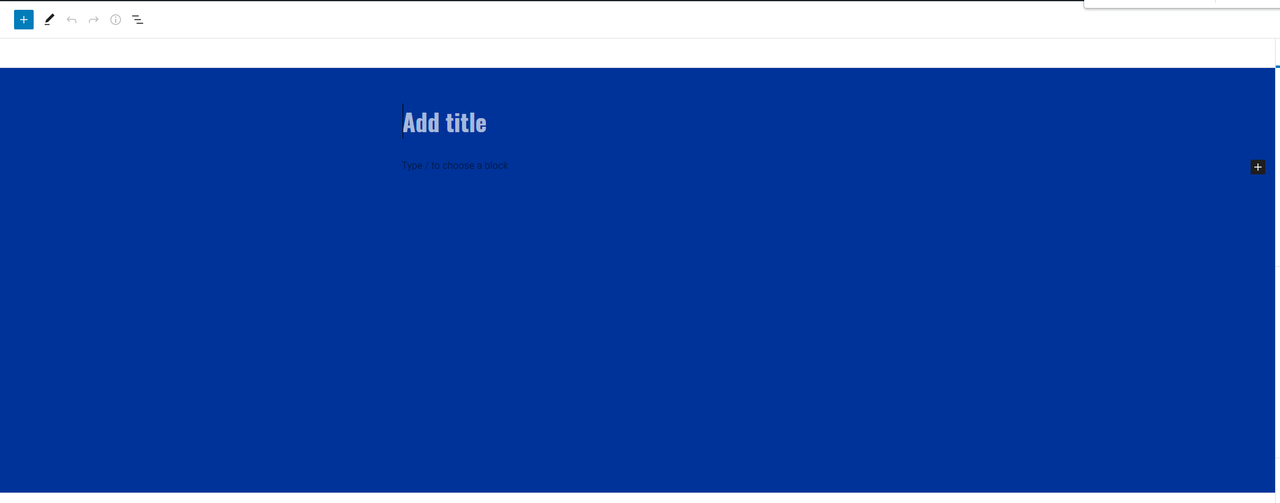
Is this why my Gutenberg Editor/Visual Editor when creating a new post now suddenly has a background colour that is the same as the background on my website? Like this: https://i.postimg.cc/CK3B4fvr/background.png
If so, where can I set my Gutenberg Editor/Visual Editor background back to white rather than Royal Blue.
Thanks
Hey there,
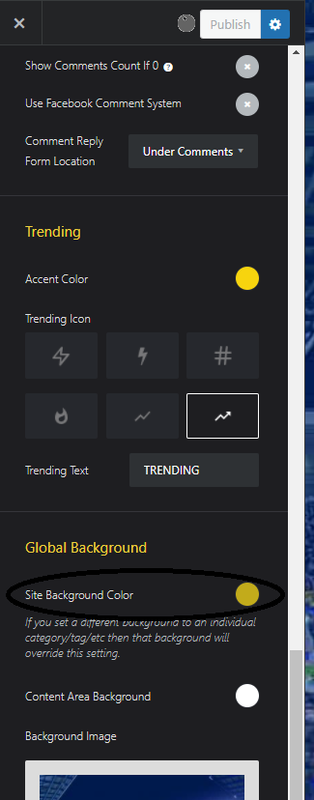
Ah interesting, could you share a screenshot of your background settings? The background color should be the main article background setting, not the background of the site itself.
Codetipi
Sure.
Whatever is set here: https://i.postimg.cc/2835FwnG/example1.png
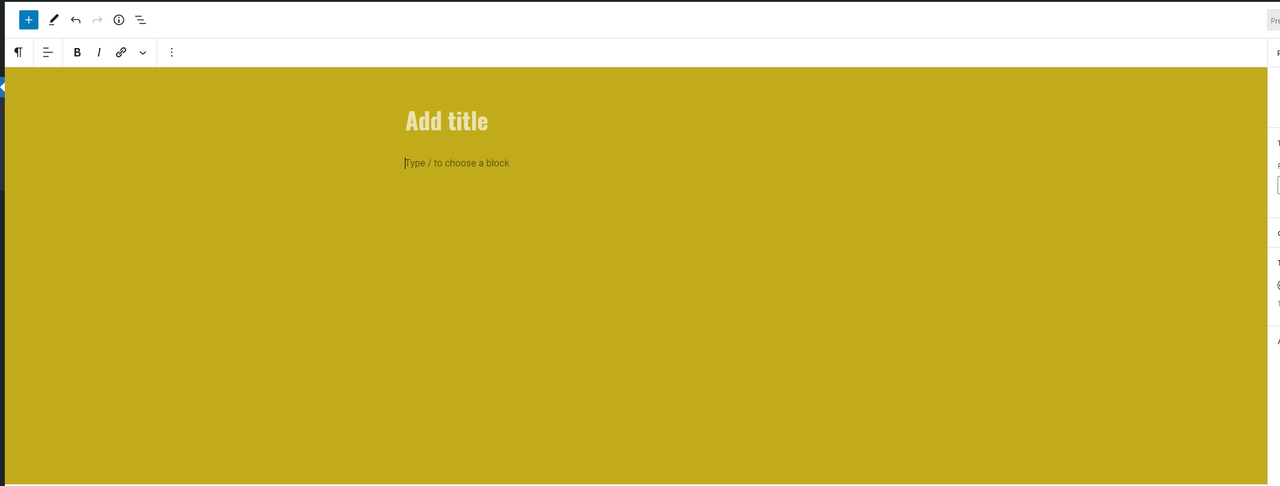
Changes the colour here: https://i.postimg.cc/ZYwRdgv0/example2.png
There’s mention to it over on the Facebook group too.
Hope that helps.
Cheers
Thanks for that – I can confirm that has been fixed for the next update.
Hello TIPI Team! I have post width set at 800px, I thinkg it is too much and I would like to have the text at 700px but images at 800px to avoid to resize the whole blog’s images.
How can I achieve this? If I use the layout with images bigger than text the images are being shown the same width as the text, do I need to change the image settings? (all of them?)
Thanks
Hey Stefen1,
Thanks for choosing Zeen
Please open a ticket at http://codetipi.ticksy.com and someone from support will happily give you a hand with any theme queries you may have.
Codetipi
Hi, as you can see the support ha expired and I wont be able to open a ticket.
Please extend your support and then open your ticket, you need valid support to receive theme support on any Themeforest product (just like any other digital service/product out there to be honest).
Codetipi
I bought 3 of your themes, and I am asking if i can achieve something with your theme. I didn’t ask for any customization. To have a reply I have to pay 45$? Thanks for the nice support. I won’t bother you anymore,
I am thankful for supporting Codetipi, but this is Themeforest (as well as outside of Themeforest to be honest) theme support policy. It’s not about customizations, it’s any kind of support requests for the theme. As you already know though, Codetipi support is world-class, so they’ll be happy to try to help.
Hello, how can i delete subscibe now ? it show up automaticly
Hey Kokoko123,
Thanks for choosing Zeen, hope you enjoy using it
Which subscribe now box are you referring to? You need to find the relevant option in the theme option and you can turn it off there. My first guess without seeing the site would be go to Theme Options > Sliding Promo Box.
Codetipi
Please make it possible for Zeen Login menu icon to link to custom link / page.
And Header right>4 possibility to set custom link into secondary menu…?
Regards
Hey again,
You’ve already requested this one, and as I mentioned it will be looked at for a future update Hope you revisit your review again though
Codetipi
I spoke with maker of Login Ajax, he may add social login soon. So its fully alive.
Ah that’s great
Hi! I get this error when I update to PHP 8. It only happens when Zeen theme is applied and I go to ‘Cutomize’ on any page.
https://pasteboard.co/oJO7vKLjoItc.jpgHi Roman,
The demo sites are running PHP8 and the theme options does not have any errors like that. It is most likely something specific and unique on your site set up. Post status is a WordPress core thing, so try disabling all plugins, etc.
If you still need assistance, please open a ticket at http://codetipi.ticksy.com
Codetipi
Order of Display – in the Tipi Builder is there an option to choose the post order display as manually set in Quick Edit of the page? Thanks
Hey Wakelover,
Yeah, if you select posts/pages manually and set the order in the Tipi Builder block to “Default”, then the order you manually added the posts/pages will be the order they output.
Hope this helps.
Codetipi
Thank you – I did try that but it didn’t seem to overrule the order ‘by date’ default (instead of the order I had numbered in Quick Edit)
You’re welcome
You need to select the “default” order though and for the filter select the “Posts” option, which will allow you to then manually select the posts you want to show from a list. The order you add them there is the order they’ll output.
Make sure you’re using the latest Zeen update too!
Codetipi
ARMember also officially compatible with Zeen?
Hi again,
Zeen hasn’t been tested with that plugin so I can’t confirm it 100%, however, if the plugin works with TwentyTwenty, then it should work the same in Zeen.
Codetipi
I’ll check Restrict Content Pro
That is unofficially supported. Official support will be added soon.
If i may ask, do you recommend Restrict Content Pro or other?
Nvm

This item was featured on ThemeForest

Power Elite Author
Contact the Envato Market Help Team