32 comments found.

Good afternoon, I purchased your template today. (8801f178-39ca-433c-9724-1461b72b6c98 – 29 Sep 2025) I have a question about the Portfolio theme: The ”.services” section coded with “display: inline-block;” doesn’t display elements horizontally in desktop browser. Can you check and give me instructions on how to fix it? Thanks.
Best regards
Hi,
Want to ask, are there any examples of your customers using this theme for real estate? If so, can I have a look to get an idea?
Thank you.
Sorry i have not come across someone using it for real estate. Unless someone contacts me for help and mentions his/her blog address, i have no way of knowing where it is used. 
Okey.
Any idea to edit max-results post from 20 to 5 per page?
Number of posts for homepage can be changed through ‘Setting’ > ‘Max posts shown on main page’. As for label pages, all blogger blogs display 20 post and settings page has no option to change that.
Good evening administrators, I would like to add 2 graphic elements on the top right bar… as in the photo. Can you help me? Thanks
https://drive.google.com/file/d/1S9v4fCaLC3ymPuUjlqLhVPGKJxpw8kZv/view?usp=sharingSorry, your support has expired already
Hi man, a few questions before purchasing:
1) is it possible to duplicate a specific section in this theme? for example, I want to duplicate the “About Us” section and place it above or below “Portfolio” with different title.
2) is it possible to hide the “blog” section?
3) on the “PORTFOLIO” section, I see that those are blog posts, is there any way to change it to “pages” instead of “blog posts”?
thanks man!
1) Yes it’s doable but you would need to edit code for that. I can guide you to do that. Contact me after purchasing the theme.
2) Yes blog section can be removed
3) You have to use label name to show up latest posts tagged with it. Pages do not support such a thing so you can’t have pages listed there.
Hi Salman, how to make a blog post shown in full page (no sidebar)?
Go to Theme > Customize > Advanced > Add CSS
Paste the below code –
body #main .widget.Blog {
    margin-right: 0 !important;
    padding-right: 0 !important;
}
body .mysidebar, body .sidebar-bg {
    display: none !important;
}
Finally click the Save icon.
Hi Salman, I sent you an email asking for help with point no. 1 on my first comment above. Hope to see your reply soon. Cheers!
please check your email
it works like magic! thank you very much Salman!
however, I replied to your email as I still need help for one more round.
No funciona en https://www.gonzalezcristian.com.ar/ la seccion “Servicios”, aparecen todos en una sola linea, cuando deberian mostrarse horizontalmente.
Go to Theme > Customize > Advanced > Add CSS
Paste the below code –
.tservices .services {
display: inline-block !important;
}
Finally, press the save icon.
Gracias!
Hello! I’m about to buy this template… but I really need to know something before: does this template have a left sidebar – right sidebar – full width page options? If not, could you please update it?
It doesn’t have left/right sidebar switch but if you contact me after purchasing the theme, I will guide you to do that including making it full width. You would need to just paste code in Theme > Customize > Advanced > Add CSS
I understand Yes, I’m thinking of buying it. I liked the theme very much. Finally, can we see the posts on the tag pages as a grid instead of consecutive open text? So, can we see the blog section on the home page as a website page?
Sorry, the theme supports only the current layout type “consecutive open text” as you mentioned. Not sure what you mean by “blog section on the home page as a website page”.
Hi, I bought this template but now it looks like it is not rendering properly on Google Chrome, when I open it on Edge is fine. All 4 boxes in the widget “services” are shown vertically pilling up instead of horizontally like it was initially. Thanks
Paste the below code –
.tservices .services {
display: inline-block !important;
}
Finally, press the save icon.
It worked perfectly! thanks!
Hi,
I also noticed in the same “services” widget the icons cannot be changed, I went to the link you suggested in the instructions (https://fontawesome.com/icons?d=gallery&m=free) and non of them work, it only allows me to use any of the 4 original icons in your design (heart, hourglass, paper clip, lightbulb) I tried with many of the free icons but doesn’t work.
Many thanks
It seems there was version update. You can use v5 from here – https://www.fontawesomecheatsheet.com/font-awesome-cheatsheet-5x/
The site you mentioned has a completely different design. You need to hire someone to make it for you.
Buy this theme if you want your blog to look like the demo. I will help you install it, if you need it. If you have any other question, contact me through the contact form on this page – https://themeforest.net/user/templateszoo
Hello, I bought this 2 weeks ago and started working on it.
But the issue i am facing is that….. Whenever I create one page(not post) .... Website shows big size header of homepage…..
I want only menu options to show when user opens custom pages on site and not the background big image…. How can i do that, please Help….
Go to Theme > click the arrow beside ‘Customize’ > choose ‘Edit HTML’ > click anywhere in the code and press CTRL+F > In the Search box paste the code highlighted in yellow – https://i.ibb.co/r02RF02/Template-Edit-Template-6.png (sorry, not able to paste code here, it’s automatically changing to something else) –
You will find these lines –
<b:if cond='data:blog.pageType == "static_page"'>
<style>
Just after these lines paste the below code –
body .head2 {
    height: 90px;
}
body .maintitle {
    display: none;
}
Finally, press the Save icon on the top right corner.
Good evening, I would like some help as far as reporting the message box…. because it has disappeared from the blog…. What should I do? thanks
https://blogger.googleusercontent.com/img/b/R29vZ2xl/AVvXsEjieZ73CF5x05oL0hFsmnYMLHoek7x13wZrDBB_QyqwDdmUO75dALypk3Reobt_eOUx8cQsRn2zC1Hf-f1bPPn0lh66ReP_EeUvA9ffMwCQXOi39orkxfD6q5-_k5MhDQ_SBREVzers06rh3v8DaZOrw0UG9M30bt95aAdUAtvUmJGqyfDLJJ8qaBrtUQ/s1600/Screenshot%202022-07-04%20at%2018-31-43%20Mars.pngplease mention your blog address
Hello! I’m about to buy this template… but I really need to know something before: does this template have a left sidebar – right sidebar – full width page options? If not, could you please update it?
If this template has this feature, it will be just perfect.
Tnak you, friend.
This theme is highly customizable using Theme Designer. You can change all the colors and fonts but left sidebar and full width is not available.
La sección portfolio muestra borrosas las imágenes, error que tienen casi todas las plantillas hoy en día. Ojo que compre la plantilla en marzo de 2022 y ya debería estar solucionado!!!.
Necesito solución urgente por favor. Explicación paso a paso para que dicho error no suceda más. Por favor, comunicarse conmigo a gonzalezcristiangabriel@gmail.com
Please mention your blog address. Also sent you an email if you want a private conversation.
ciao, ho acquistato il tuo tema mars per blogger ho un problema quando carico l’immagine dietro ad inizia con relativo video e bottone, la mia immagine si vede male… perchè?
please mention your blog address. would love to help you fix the issue.
www.bitnbit.com
You can change background image manually. Follow this – https://themeforest.net/item/mars-multipurpose-portfolio-blogger-theme/29635263/comments?page=1&filter=all#comment_26393298
Vedi adesso, le immagini vengono sempre sgranate
Blogger has some issue processing background images.
You can change it manually. First Backup your theme in case anything goes wrong.
Go to Theme > Click the arrow beside ‘Customize’ > then click ‘EDIT HTML’ > click anywhere in the code, then press CTRL+F >
In the search box type name=”body.background” and hit Enter. You will see this code –
<Variable name="body.background" description="Header Background" type="background"
       color="#272727" default="#272727 none no-repeat scroll center center" value="#272727 url(https://1.bp.blogspot.com/--PgU08qAgok/X7zvY-OrRrI/AAAAAAAAFPw/rK0a33HkFX4vf0qeTAzbB5s6WGNYG0RmQCLcBGAsYHQ/s0/header.jpg) no-repeat scroll center center"/>
Simply replace the image https://1.bp.blogspot.com/--PgU08qAgok/X7zvY-OrRrI/AAAAAAAAFPw/rK0a33HkFX4vf0qeTAzbB5s6WGNYG0RmQCLcBGAsYHQ/s0/header.jpg with your own. Then Save the Theme.
Also make sure the width of your image is at least 1900px
Ok, ho già fatto questo ma la qualità e quella che vedi, invece adesso se clicco sulla casella postale, si vedono tante informazioni io vorrei solo il form di contatto mail… Come modifico in quel campo?
La navibar compare nel sito..
Go to Theme > Customize > Advanced > Add CSS
Paste the below code –
body .blocker .mcleft {
    display: none;
}
body .blocker .mcright {
    padding-left: 0;
}
Finally, press the save icon.
Follow the installation guide to further edit the theme.
last thing .. how do i take off the navi bar? in the site? and right I leave the months of the posts
Thanks again
in addition to this how do I generate a link in the blogger himself to change the image?
‘how do I generate a link in the blogger himself to change the image’
Upload the picture in a new blog post, then go to ‘HTML View’ from the toolbar and copy the link. See this screenshot – https://ibb.co/pzCsWWy
Once you get the link, you can delete the post.
thank you indeed it works on Edge but not on google chrome, I must have had something blocking, thanks for your quick reply. Fred
Bonjour j’ai mis à jour le thème pour mon site mais depuis, le bouton HEADER BOUTON ne fonctionne plus et ne renvoie pas sur MYWORK, qu faut-il changer dans le code ? (il fonctionnait avant). Mon site est https://www.bijouteriedefrade.fr/
traduction google – Hello, I updated the theme for my site but since then the HEADER BUTTON no longer works and does not return to MYWORK, what should be changed in the code? (it worked before). My site is https://www.bijoutiedefrade.fr/
Seems to be working fine for me. Clicking ‘Photos’ is taking me to ‘Galerie photos’.
Bonjour, j’ai un souci avec l’affichage des photos pour ce thème, exemple : alors qu’elles ont la même taille, certaines s’affichent de façon floue dans les vignettes “vous aimerez aussi” https://www.bijouteriedefrade.fr/2021/04/montre-cluse-dame-blanc.html de même, sur le smartphone, certaines s’affichent en carré (floue) et d’autres en rectangulaire (nette). traduction google Hello, I have a problem with the display of photos for this theme, example: while they have the same size, some are displayed blurry in the “you will also like” thumbnails https: //www.bijoutiedefrade .fr / 2021/04 / montre-cluse-dame-blanc.html Similarly, on the smartphone, some are displayed in square (fuzzy) and others in rectangular (clear).
Blogger recently changed image url format which caused some issues. Please download the new version of the theme. It will fix the issue.
Ok mais cela va me faire tout refaire la mise en page ?
Ok but will that make me redo the whole layout?
J’ai fait un essai sur un site d’essai, si je charge la nouvelle version je perds tout et il faut tout refaire ! C’est ça ou il y a t-il une autre façon de faire ? traduction google I did a test on a test site, if I load the new version I lose everything and everything has to be redone! Is that it or is there another way?
First Backup your theme in case anything goes wrong.
Open the new version with any code editing software or notepad. Search for “display_related_posts(json_feed)” without quotes and copy/paste the everything between script tag to your blogger theme.
<script type=’text/javascript’>.....</script>
Again search for “labelthumbs(json)” without quotes in new version and copy/paste everything between script tags.
Finally Save the your theme.
Or you can send me your theme file through email and i will send it back to you with changes. you can find my email in the installation guide.
Merci beaucoup, je vous l’envoie (j’ai travaillé deux jour dessus et cela me chagrine de devoir refaire).
Thank you very much, I send it to you (I worked two days on it and it saddens me to have to redo).
Ok super merci ! j’ai réussi (je n’avais pas vu le message précédent avec la procédure). Avez-vous un code à modifier pour que cela fonctionne aussi pour la grande image du header ? (au lieu de passer par le code pour mettre la photo). TRADUCTION GOUGLE – Ok great thank you! I succeeded (I had not seen the previous message with the procedure). Do you have a code to modify so that it also works for the large header image? (instead of going through the code to put the photo).
please mention your blog address. not sure what you mean by “large header image”
mon site est https://www.bijouteriedefrade.fr/ l’image en grand est celle du monsieur avec le noeud papillon). Quand je passe par “personnnalis” l’image s’affiche en basse résolution et je passe par le thème pour qu’elle soit nette comme vous l’avez signalé dans le forum ( <Variable name=”body.background” description=”Header Background” type=”background” color=”#272727” default=”#272727 none no-repeat scroll center center” value=”#272727 url(https://1.bp.blogspot.com/--PgU08qAgok/X7zvY-OrRrI/AAAAAAAAFPw/rK0a33HkFX4vf0qeTAzbB5s6WGNYG0RmQCLcBGAsYHQ/s0/header.jpg) no-repeat scroll center center”/>)
TRADUCTION GOOGLE
my site is https://www.bijoutiedefrade.fr/ the large image is that of the gentleman with the bow tie). When I go through “personnnalis” the image is displayed in low resolution and I go through the theme so that it is clear as you reported in the forum
your blog link is not working
SORRY Je n’ai pas de souci chez moi avec l’adresse https://www.bijouteriedefrade.fr/
(it’s because of the google translation
Ok. I get it. Your header image is blurry if you use Theme > Customize > Background Image. If that’s the case, your only option is using the code to replace the image. And it’s the better option too. You have full control over size and dimension. Blogger is quite unpredictable when it comes to background image size.
OK THANKS , you were nice to answer my questions.
Hello,
Is this template supports RTL? and after buying it, could I use it on multiple domains?
Thanks
1) Mars does not support RTL but i will port it to RTL for you once you purchase. It will take 24-48 hours.
2) Theme itself has no restriction on usage. As for license terms, read this – https://themeforest.net/licenses/terms/regular
Hello again thank you for your prompt response. If it is easy you can send me the CSS code because if I re-download the topic all the changes I have made in Greek will be lost. Thanks!
Not CSS but the scripts needs to be changed. Contact me through email and I will help you make the needed changes.
In more emails?Thanks
Now I saw it …. Thank you
Hello guys, now the quality of the images has recently deteriorated in blog… can it be fixed? Thanks. https://1.bp.blogspot.com/-EwaC2NowIbs/YV9JLDe6D1I/AAAAAAAAGBU/0KBKuhNqhwIVf3_q0SwP3SD4OCwahEjAwCLcBGAsYHQ/w640-h280/%25CE%25A3%25CF%2584%25CE%25B9%25CE%25B3%25CE%25BC%25CE%25B9%25CF%258C%25CF%2584%25CF%2585%25CF%2580%25CE%25BF%2B%25CE%25BF%25CE%25B8%25CF%258C%25CE%25BD%25CE%25B7%25CF%2582%2B2021-10-07%2B221621.png
please mention your blog address?
Blogger now has a new image url pattern for few users. I have updated the theme to now include the new url pattern. Download it again and images should display in good quality now.
Please check the label name. Labels are case sensitive, so nature and Nature are two different labels. Also, let me know your blog address so that I can take a look.
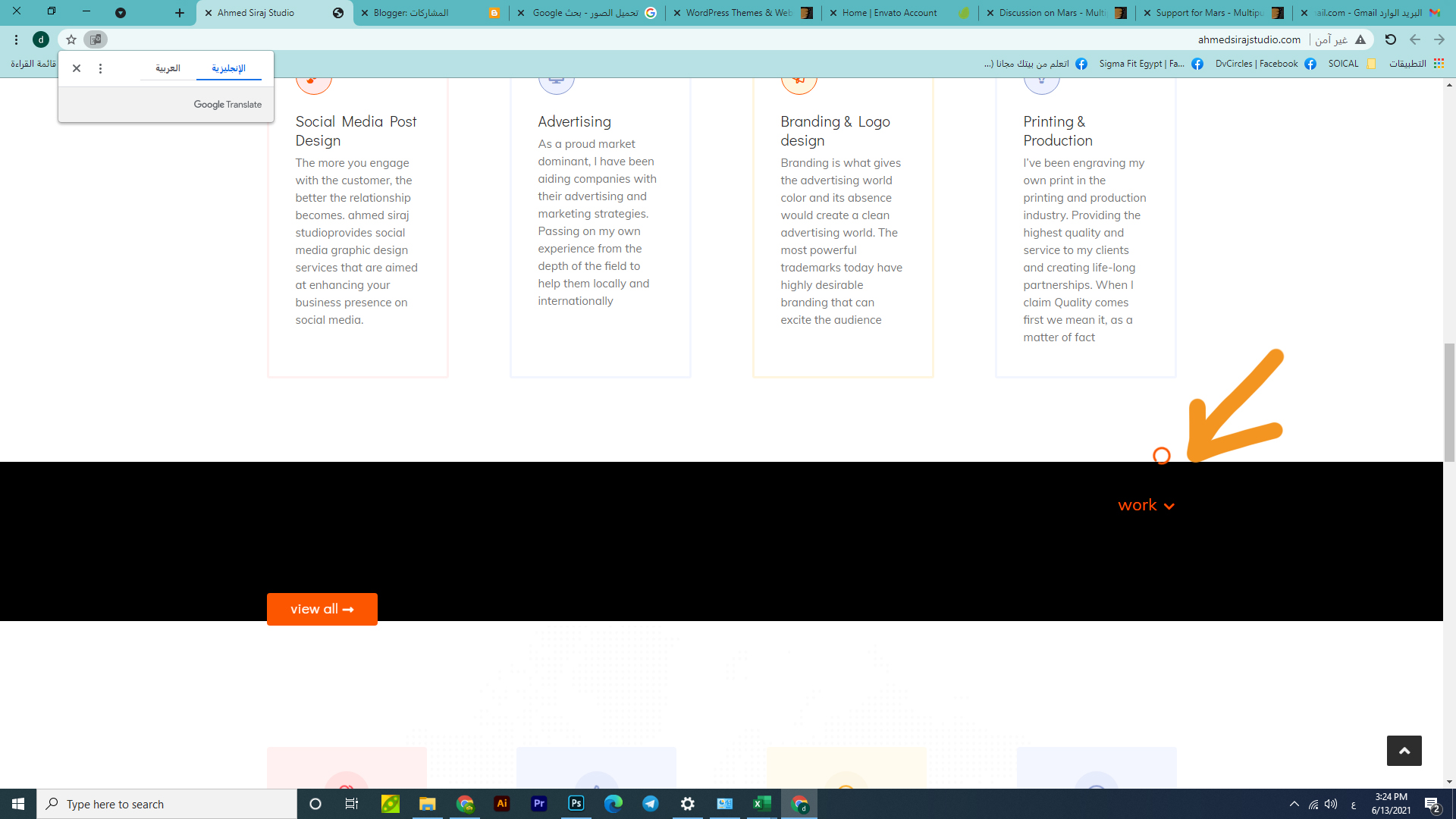
Yes, the categories are correct. This is the link to the website http://www.ahmedsirajstudio.com/ If you choose socialmedia, posts will appear
Please use the code for displaying portfolio like mentioned in the installation guide. You seem to have changed names ( like replaced a1 with socialmedia1 ) which likely is the reason for the issue. Use code as it is. You can add more items but follow the pattern as mentioned in the guide.






)