952 comments found.

Hello, the playlist button not appear and i enable the playlist option from the backend can you please help me
thanks
Hello,
Not really understanding your question. Please take a screenshot of the element so we can understand your question!
Thanks!
even the releted setting is enabled
https://prnt.sc/VcHssAOLSmJt https://prnt.sc/ZuH33IGg-uU_Hello,
Please scroll down, then find and enable “User Submit Post (PRO)” feature.
The feature of adding playlists and adding video and audio posts to the playlist is in that group of features.
Thanks!
Good work well-done. Please, do you guys have the Android version or is there a WordPress-Android app for this theme.
Hello,
We only develop version for WordPress!
Regards!
hello, do you accept a custimoziation because i need some custimoziation
Thanks
Hi,
Please create a ticket through the support tab and tell us your work details: https://themeforest.net/item/vidmov-video-wordpress-theme/35542187/support
Regards!
Good afternoon! A wonderful topic, congratulations. Your topic is suitable for my project, but there is one question left. I read the “question-answer” and did not find the answer. The answer by the sound in the preview, your answer is clear – there will be no solution. Will it be possible to do this – when you click on the video, it will be displayed in the “modal window”? And play the video automatically and with sound?
Hi,
The autoplay policy of all browsers does not allow audio if the video is in autoplay mode: https://developer.chrome.com/blog/autoplay/
That’s why we added this feature (Muted Autoplay) to make sure users can watch the video without any problem.
eg: https://vm.beeteam368.net/video/love-other-drugs/
You can use Google and search this keyword to learn more: ”autoplay policy”
Thanks!
I will clarify the question! How do I open a video from a link in a model window?
That is, so that when you click on the link in the preview, the video does not go to the page, but the video opens in a pop-up window!
Sorry for my English
Hello,
VidMov currently does not support the lightbox feature for videos.
Thanks!
hey going to buy this, a quick question before that will i get woo commerce payments options here?
Hello Rairaman,
An update for WooCommerce is coming soon, when it goes live. We will let you know through this comment.
Thanks!
1. Can people sell photos? 2. Can the premium video show the trailer with autoplay when they click on the video. Instead of showing “choose a plan” it will just play the video trailer. 3. Can I use this with Dokan? 4. Can I separate paid videos from free videos to display them on different blocks on the site?
Hello,
1,2,3: Unfortunately, it doesn’t have these features!
4/ You can put specific videos into categories or tags and use the content block to place them on the homepage.
Thanks!
1. would it be possible to make the user submit form only accessible to certain users? If so what would be the solution. 2. Would it be possible to expand the clone settings, e.g. crew or artist, so that the post type looks like e.g. for audio, including settings (header settings, adding categories, etc.)
Hello,
1/ Currently, it doesn’t have that feature. However it will be updated soon, because this feature has been implemented on an old project of ours (VidoRev Theme). You can choose specific roles to grant permission to use that video submission form.
2/ No, the features for audio and video are complicated. You cannot create such clones. Clone feature only for Cast and its available elements.
Thanks!
Now one wonders what to design a template for which would be useful for promotion. Why not create a reasonable post type artist with setting options for headers, categories, tags etc.
to my question 1: thank you very much for the positive answer. A quick update on this regard would be very commendable.
Hi Marci13,
1/ We will try to release this version soon.
2/ Cast is simply to display information about the actor, or can be cloned to create other variations ( eg: director, artist… or represent something else ) – It doesn’t have categories, tags or options like video, audio posts… I’m not sure if there are any updates regarding this feature. Because it is also related to the current data structure.
Thanks!
Thank you for the quick and positive answer to point 1. A solution to point 2 would be to develop a post type with ACF Pro that enables settings for headers, page templates, etc. This created post type could then be duplicated with ACF Extended Pro. Best Regards ….
I have 2 stupid questions. - Please help me. I have already imported the demo and everything is ready. But I note that the preview images, ie the thumbnails are not displayed. but when I click that a video reads. -Is it possible to modify the titles such as: new videos, new audios?
Hi,
No, don’t say that. You need to ask questions, no one knows everything. We understand that!
1/ Images are not included in sample data. It’s unnecessary, images are heavy and take up storage space.
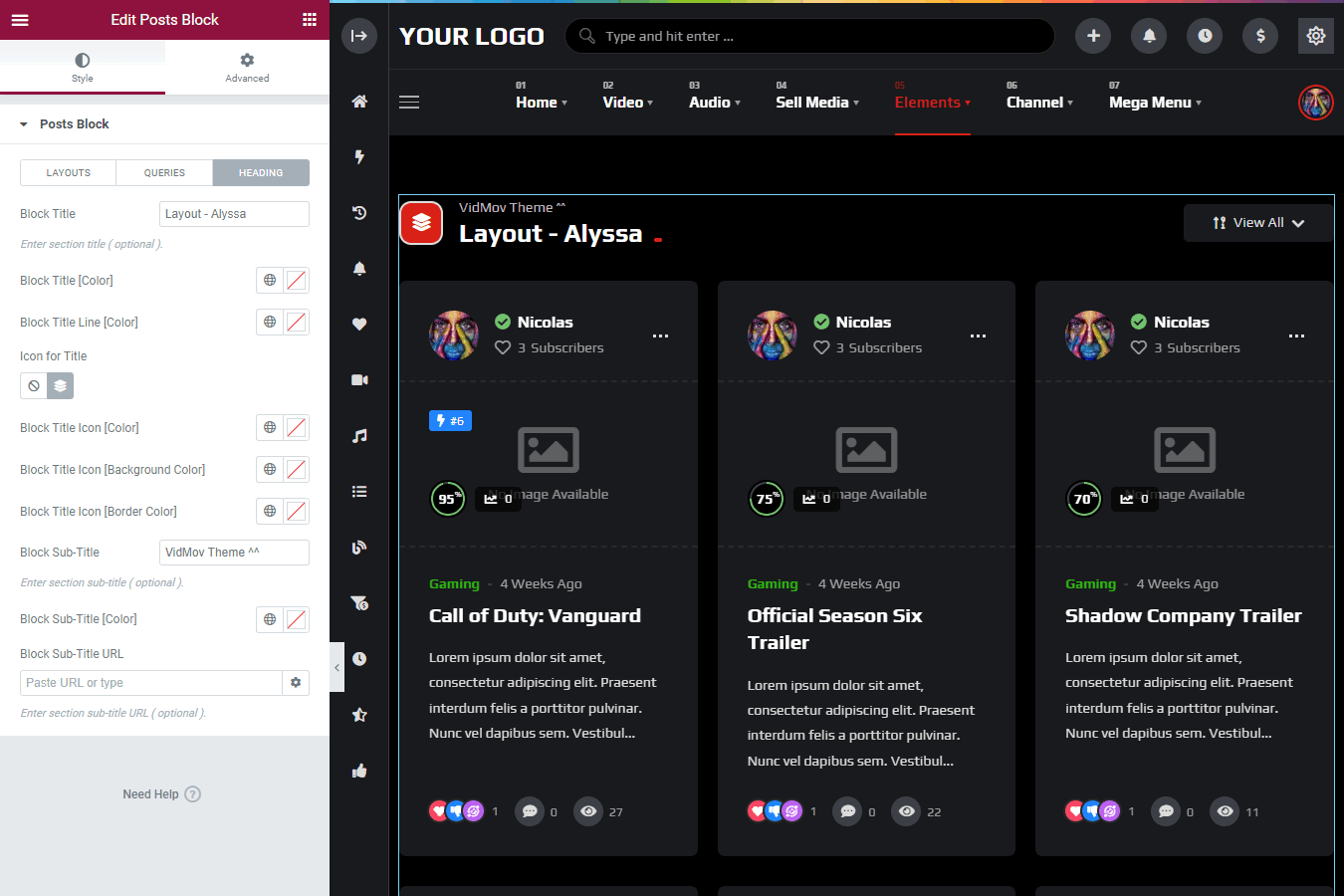
2/ Please use Elementor to update them: https://vm-demo.beeteam368.net/documentation/#elementor – Click on that content block & Choose Heading Tab: https://vm-demo.beeteam368.net/documentation/assets/images/doc-85.png
Here’s your guide to the Elementor workspace: https://elementor.com/help/create-new-page/
Thanks!
thank
-how to modify the left sidebar that opens and folds? I’m talking about where there is the home icon on the left and where the categories and sections of the channel are -how to change the header where the search bar is
I also want to modify the names of the elements of the channel page such as: Tendence, your Video, your Audio, your post, your playliste, notification, etc…
Hello,
SideMenu: WordPress Dashboard -> Theme Options -> Header -> scroll to: Side Menu
Header Layout, Layouts available here: WordPress Dashboard -> Theme Options -> Header -> Main Navigation Style
VidMov complies with WordPress internationalization standards ( https://developer.wordpress.org/themes/functionality/internationalization/ ), You can use the LocoTranslate ( https://wordpress.org/plugins/loco-translate/ ) plugin to translate texts into your local language.
You can check out this guide: https://youtu.be/P_gHIJsObe0
VidMov texts will be in VidMov theme, BeeTeam368 Extensions plugin and BeeTeam368 Extensions Pro plugin.
Thanks!
How to restrict any file types (mp4, webm) in user submit settings?
Hello,
Currently, it doesn’t have that option!
Thanks!
Can this be done by the team or can I set it on the server side?
Hello,
You should contact our technical support through the support tab.
Currently, I have checked and there is no such option so can’t give you a solution.
Thanks!
How to change top header background color? Tried in theme options but has no effect.
Hi fxslider,
Currently, VidMov does not have this option!
Header Background option is only for Leilani header layout.
What layout are you using, please describe more and create a ticket via support tab, our tech support can help you with custom CSS code.
Thanks!
Hello, -In addition to mycred, is there a way to add other means of payment? I would like to add a payment method from my country -Is it possible to remove the right sidebar on some pages?
Hello,
1/ myCred Payment – You can review here: https://mycred.me/store/ ( buyCred Gateways & cashCred Gateways )
2/ Okay, please go to the edit area of the page or post. Then scroll to Post/Page Settings -> scroll to SideBar and set it up.
Thanks!
You need a cast or crew option to add on a page or post, not only on a theme video post.
For Channel Settings want to make some fields private, such as Transfer history, Watch later, Notifications…..
How to make them private? Visible only to the channel owner, not visible to other visitors. Can’t find in channel settings
Hello,
This is the setting for each member. They will manually set it up in their profile.
Thanks!
Think it would be usefull if admin can make default setting for user channels. Any plans for adding this option? Can this be coded on demand?
Hello,
We don’t have any plans for those options yet.
Try contacting our technical support through the support tab to see if there is any solution!
Thanks!
1- I would like to put this widget on the right sidebar
https://drive.google.com/file/d/11_EkWyqROoNkfBH4Ngi6bwgAcGc-uumq/view?usp=sharing
2- I would like to move its elements from top to bottom
https://drive.google.com/file/d/1AxD4BAIaoJpoDdfsNcMw1NpFDG3li8AK/view?usp=sharing
3- I would like to change the names https://drive.google.com/file/d/1ERqOO2CEk9m-m393sQAJRwi5NUJv9LoC/view?usp=sharing
I want to change the layout of the elements which are below after the player and also add other
Hello,
1/ Related posts cannot be moved to the right sidebar. It’s a fixed part of single post!
2/ Those are fixed elements, you can’t change their position.
3/ Please use Elementor, click on that content block and go to Heading tab to update: https://vm-demo.beeteam368.net/documentation/#elementor ( https://vm-demo.beeteam368.net/documentation/assets/images/doc-85.png )
Thanks!
Hello, i just buy this theme. i want to know about update
Hello,
Thank you for your purchase.
What information do you need to know about VidMov?
Regards!
I read that you will have to update at the beginning of this month, I would like to know how the update will be done?
it will be done automatically on the site?
Hello,
When a new update is available, you will receive an email notification from Envato.
Please see the instructions below with the Envato Market plugin:
https://vm-demo.beeteam368.net/documentation/#updateThanks!
Hello, I would like to know: -how can I change the layout of items in the Single Post Settings? -Also how to modify the texts that are on the buttons? -how to modify or add the collapsed elements that are in the column on the left?
Hello,
1/ how can I change the layout of items in the Single Post Settings?
Which element are you referring to? Please provide a screenshot of that element so we can understand better.
2/ Also how to modify the texts that are on the buttons?
Please install the Loco Translate plugin, create a translation for your local language and translate them, eg: https://www.youtube.com/watch?v=6aNAKcbQick
3/ how to modify or add the collapsed elements that are in the column on the left?
Which element are you referring to? Please provide a screenshot of that element so we can understand better.
Thanks!
Hello, I want creat a video casting website, so how to configure the theme to allow the member (candidate) to register on the website before uploading his video ? Also the administrator must approve the video before being published
I also want the website administrator to be able to see the list of members and their channels, so how to see this ?
Hello Chimou,
1/ The video post submission form is for members only and they must be registered before they can submit a video post.
If you want to moderate posts, please enable this option: Theme Settings -> User Submit Settings -> Post Moderation & Choose YES. All posts submitted by members will always be private. And only the author of those posts and admins can see it from front-end.
You can browse and check in the list of videos from the WordPress Dashboard. When a new post is submitted, you will receive an email.
2/ That is the list of members in the WordPress Dashboard (WordPress Dashboard -> User -> All Users) – For the front-end, please see the instructions here: https://vm-demo.beeteam368.net/documentation/#channel (demo: https://vm.beeteam368.net/member-list/)
Thanks!
Hello Chimou,
You can see that form, but you can’t submit video post if you’re not logged in!
You can try!
Thanks!
Good, but can I put a message at the top of the submit video form saying (You need to login to submit your video) and next to this message the register or login button? to make it easier for people
Also, i want to receive a notification in wordpress dashboard when a user submit a new video, is it possible ? like when you have a new order in woocommerce.
1- Can I put register and login button at the top of the submit video or if is not possible a message saying (You need to login to submit your video) to make it easier for people
2- Also, i want to receive a notification in wordpress dashboard when a user submit a new video, is it possible ? like when you have a new order in woocommerce.
3- Also i want to remove rubrics, because my website is only for videos : http://eqci3028.odns.fr/wp-content/uploads/2022/04/Capturedddd.jpg http://eqci3028.odns.fr/wp-content/uploads/2022/04/Captureffff.jpg4- I want the subscriber receive a verification email to validate his email during registration
5- Can i use a firebase OTP and SMS login plugin for my members during the registration process ? https://codecanyon.net/item/firemobile-wordpress-woocommerce-firebase-mobile-otp-authentication/28255096
Thanks you
Hello,
1/ Maybe we will add this option. Please wait for the next update.
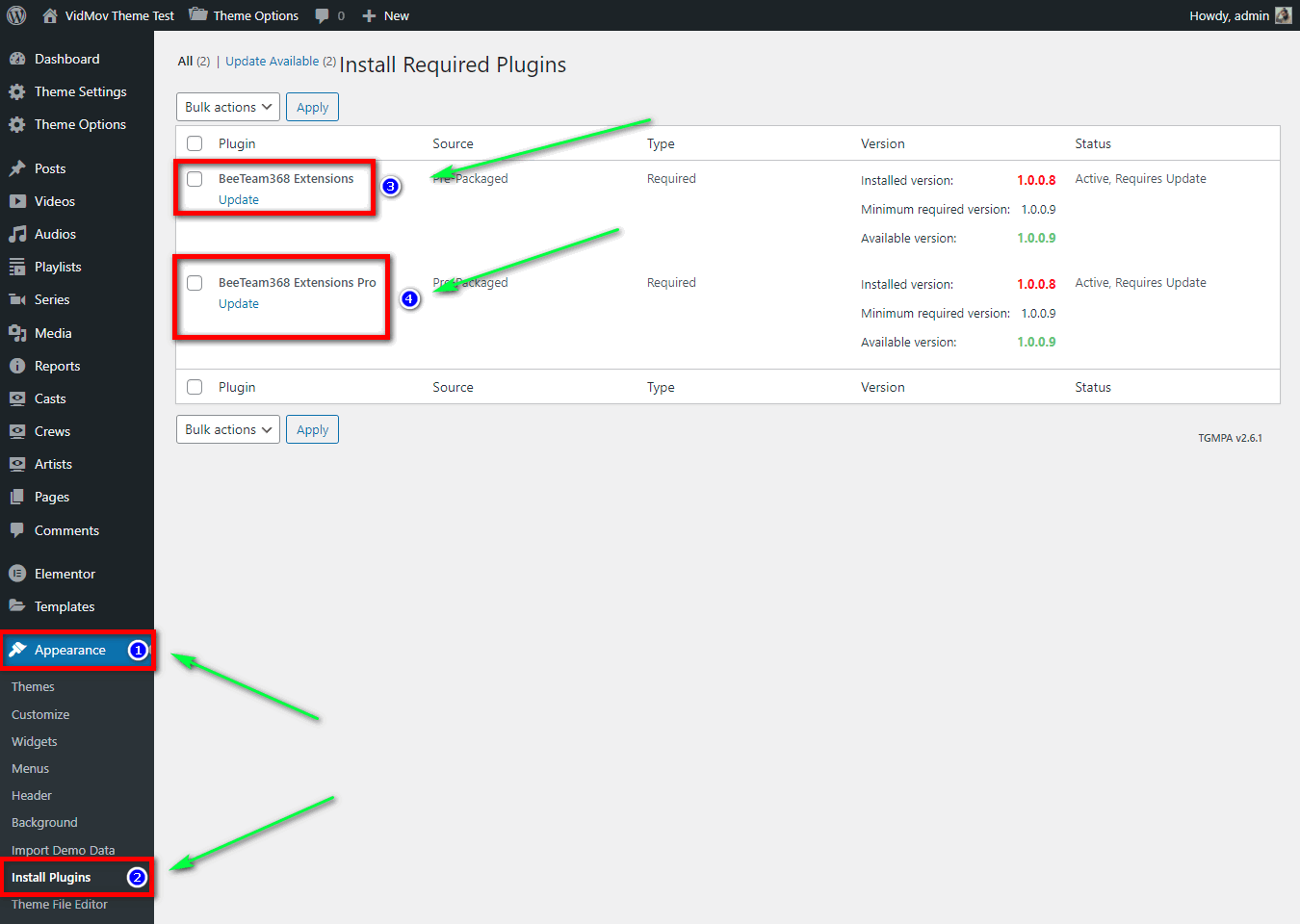
2/ This feature is already available, please update to the latest version ( https://vm-demo.beeteam368.net/documentation/#update - Please note, after successful theme update, keep updating Beeteam368 Extensions plugin and Beeteam368 Extensions Pro plugin – https://vm-demo.beeteam368.net/documentation/assets/images/doc-134.png ).
3/ Audio is a core feature, you cannot remove it. However, you can hide those menus easily:
A/ Wordpress Dashboard -> Theme Settings -> Functional Options tab -> scroll to: Video Series & Turn OFF
B/ Wordpress Dashboard -> Theme Settings -> Functional Options tab -> scroll to: Cast & Turn OFF
C/ Wordpress Dashboard -> Theme Settings -> Like/Dislike/Reaction Settings tab -> scroll to: Like/Dislike/Reaction & Turn OFF
D/ Wordpress Dashboard -> Theme Settings -> Review Settings tab -> scroll to: Review & Turn OFF
E/ Wordpress Dashboard -> Channel Settings -> Tab Settings -> scroll to: Display “Audios” Item (Pro) & Turn OFF
E/ Wordpress Dashboard -> Channel Settings -> Side Menu Settings -> scroll to: Display “Your Audios” Item (Pro) & Turn OFF
4/ VidMov uses Theme My Login plugin for registration feature, please install this extension if you want that feature: https://thememylogin.com/extensions/moderation/
5/ Please contact the author of that plugin, we don’t know about it
Thanks!
Hello, I followed the following steps but i dont get a notification in my dashboard when a user post a video !!!!!
2/ This feature is already available, please update to the latest version ( https://vm-demo.beeteam368.net/documentation/#update – Please note, after successful theme update, keep updating Beeteam368 Extensions plugin and Beeteam368 Extensions Pro plugin – https://vm-demo.beeteam368.net/documentation/assets/images/doc-134.png ).
Hello,
This feature has been available since version 1.0.9. And of course it uses the wp_mail function provided by wordpress to do that.
The most common reason for emails going missing is that your WordPress hosting server is not properly configured to use the PHP mail() function.
Even if your hosting is configured to use it, many email service providers like Gmail and others use a variety of tools to reduce email spam. These tools try to detect that an email is really coming from the location that it claims to be from.
If your server has problems sending mail. Please use SMTP instead.
If you want to investigate, please create a ticket through the support tab. We do not support this issue here. Please provide your website and an admin account.
Thanks!
No, I meant bubble notifications on the wordpress dashboard, when a user posts a video a notification with a badge appears on the wordpress dashboard as the image : https://www.swisstransfer.com/d/2bb2ffa9-9f2a-4160-974f-0fb3f15d0371
Ok, Completely understand!
However, create a ticket through the support tab for this feature!
It needs to be reviewed by our technician and put on an updated list
I think it is not difficult, because VidoRev has also made that feature. It’s just that the implementation will be different.
Regards, Nicole!
update New: Notification counter bubbles for newly submitted posts (admin menu)
Thanks you very much now your theme is awsome 
Thank you!
is there a catagory widget for video posts?
Hello,
Please tell us more, what element are you looking for?
Thanks!
looking to be able to place a widget on a page that displays all video catagories…
So I would be able to have a main video page, with a widget in sidebar to select video catagories, same as can do with vidorev
Hello daihlo,
Please use the built-in WordPress Categories Widget
Thanks!
I hope you can allow custom to insert a banner ad block below the video player or under the title of the video
I experiment with html ads in video player for embedded videos from youtube however it appeared briefly and then disappeared Video ads function is not complete please check again
Hello,
Yes, it will appear and disappear according to the settings in your ad.
Please check the settings for these 2 options:
1/ Skip Ad – Clickable After (seconds)
2/ Hide Ad After (seconds)
Thanks!
I have tested the image ad format, the ad displays fine, but the html ad containing javascript is not loaded, this ad code displays fine when I put it in the sidebar in the single post
Hello,
HTML ad is a custom area. We only guarantee that the ad frame containing that custom HTML code will appear. Because it belongs to the job of each developer.
You need to find a solution for it yourself. If you need further help or would like further review from our technical support. Please create a ticket through the support tab.
Especially it is related to Javascript script, you need to contact the developer of that script and make sure it can work with such mechanism.
Thanks!
ok thank you so much
Hello. I have some pre-sale inquiries – In Subscription Plans can I add other payment methods from Argentina such as MercadoPago or Mobbex?
Hello Pablo_Lopez,
Maybe you need to wait for the version of WooCommerce to be released in April 2022.
We are working hard to perfect it and WooCommerce is supported by these payment gateways.
When the version for WooCommerce is released, we will let you know in the next comment.
Thanks!
Hello. Any news about this new version with Woocommerce?
Hello,
It could be the end of this month or the beginning of May
Thanks!
Hello. Any news about this new version with Woocommerce?
Hi,
It’s done, we’re in the pre-release testing process. Because this update supports purchasing myCred points through WooCommerce, it needs to be thoroughly tested. We’ll be releasing this update in just a few days.
Thanks!
Hola que tal. Tengo mis videos alojados en Google Drive y vi culaquier persona puede hacer clic derecho en este theme y descargar el video desde el navegador. Este producto tiene alguna configuración para evitar esto? Gracias