2996 comments found.

Hello, when inserting the code for the local time zone I get an error and it won’t let me save, is the code well written?
THE CODE DOES NOT WORK, IT THROW A PHP ERROR
the error is the following:syntax error, unexpected ‘my_switch_theme’ (T_STRING), expecting ‘(‘
Hi,
You can set your local timezone with two methods. One is without admin settings-general-timezone in this you can choose you city or universal timezone(UTC). Second is with code,after code the setting timezone will automatically select its city according to code.
There might be some syntax missing in your code,thats way its showing you error. Path for the file. Brikk: autoload.php (includes/autoload.php)
/* 1st code for timezon update */ function my_switch_theme() { $domain = $_SERVER[‘HTTP_HOST’]; $ip = gethostbyname($domain); $ipInfo = file_get_contents(‘http://ip-api.com/json/' . $ip); $ipInfo = json_decode($ipInfo); //$timezone = ‘America/New_York’; $timezone = $ipInfo->timezone; date_default_timezone_set($timezone); update_option( ‘timezone_string’, $timezone ); } add_action( ‘wp_loaded’, ‘my_switch_theme’);
Use this code again in the file.
Thank you.
Have a great day!
Utillz
Is there a way to set so that service fee is charged on the whole amount including addons? At the moment the service charge is only charged on the main price not including the addons. Is it possible to request to add the setting to include this functionality? Many thanks.
Hi,
The service fee will work on actual price of listing. This will not be applicable on extra addons as service fee is charged for “extra services”, that admin is giving to user in their listings on bookings. User will pay for that service, addons work differently, So service fee will not be applicable on addons.
Thank you.
Have a great day!
Utillz
Hi I appreciate you’ve designed it this way, but I have a different use case for your theme that requires me to charge for the whole amount.
Sorry to send so many queries, is it possible to make a suggestion? It would be nice to be able to add description fields to submission types to help users distinguish between different types as per this screenshot: https://ibb.co/NFMcy8P Thank you!
Hi,
For now we don’t have an option for listing type description but we have marked your point for future updates.
Thank you.
Have a great day!
Utillz
Also, is there a way to mark “Entries” aka bookings as “Complete”? So far there is as far as I can see, Declined, Pending and Active statuses for the Entries, is there a way to mark entry as “Complete”? Thanks
Hi,
Super admin can set the listings status “Complete, Declined, Pending and Active” in admin section. when user submits the listing then it shows pending. Super admin has to approve it after which it shows active. Super admin can manage the listing status in admin section.
Thank you.Have a great day!
Utillz
Hi, Is it possible to rename “Business” and “Customer” account types? Thanks
Hi, I’d also like to say that I have worked with many directory based themes and yours in terms of design, ease of use and features is the best one! You definitely have the opportunity to be the best amongst all others in terms of sales if you keep expanding the feature set. Love it so much! Well done!
Hi,
You can rename “Business” and “Customer” in files only. Here is path foe files.In all these files you have to do the changes. wp-content\plugins\routiz\templates\admin\settings\settings.php wp-content\plugins\routiz\templates\admin\settings\endpoint-signup.php wp-content\plugins\routiz\templates\admin\settings\endpoint-signup-google.php wp-content\plugins\routiz\templates\admin\settings\endpoint-signup-facebook.php
Thank you.
Have a great day!
Utillz
Can Bank Transfer fields be customised? I’m talking about the “Account name”, “Account number”, “Bank IBAN”, “BIC/Swift”, “Bank Name” and “Routing Number”? Also is it possible to include text on the payout page with instructions? Thank you
Hi,
In woocommerce settings->payments you can choose or add different payment methods in listings checkout. You can manage payment methods according to your choice.
Thank you.
Have a great day!
Utillz
This is for the payout feature
Este código no funciona, podrían decir que cosa colocar en cada código? por que el tutorial solo indica copiar y pegar nada más. El horario de los mensajes entre cliente y negocio no indica el horario local. Ayudar porfavor.
function my_switch_theme() { $domain = $_SERVER[‘HTTP_HOST’]; $ip = gethostbyname($domain); $ipInfo = file_get_contents(‘http://ip-api.com/json/’ . $ip); $ipInfo = json_decode($ipInfo); $timezone = $ipInfo-timezone; date_default_timezone_set($timezone); update_option( ‘timezone_string’, $timezone ); }
add_action( ‘wp_loaded’, ‘my_switch_theme’);
Hi,
You can set your local timezone with two methods. One is without admin settings-general-timezone in this you can choose you city or universal timezone(UTC). Second is with code,after code the setting timezone will automatically select its city according to code.
There might be some error in adding code,thats way its showing you error.
Path for the file. Brikk: autoload.php (includes/autoload.php)
/* 1st code for timezon update */ function my_switch_theme() { $domain = $_SERVER[‘HTTP_HOST’]; $ip = gethostbyname($domain); $ipInfo = file_get_contents(‘http://ip-api.com/json/' . $ip); $ipInfo = json_decode($ipInfo); //$timezone = ‘America/New_York’; $timezone = $ipInfo->timezone; date_default_timezone_set($timezone); update_option( ‘timezone_string’, $timezone ); } add_action( ‘wp_loaded’, ‘my_switch_theme’);
Use this code again in file.This will work for you.
Thank you.
Have a great day!
Utillz
Feature suggestion: If a listing is “recently updated” to have the option to show a button or so on the listing stating “recently updated” on the front end.
Hi, We will discuss about this feature with our dev team for future updates. Thanks
What would you suggest, plugin, to restrict content (like listings) with your theme?
Hi,
You can try these plugins and check the compatibility with theme for restrict content 1.WordPress Membership Plugin – Restrict Content 2.Restrict – membership, site, content and user access restrictions for WordPress
Thank you.
Have a great day!
Utillz
You know when I edit the carousel element in elementor, it only has an option to add one CTA button, how can I add a second one? Thanks
Btw I know how to achieve this using other means, I am curious if I can have multiple buttons using the carousel element in Elementor. If not, can you perhaps put in a request for this option to be added in the next update? Much appreciated. Thanks.
Hi,
you can add two CTA buttons at a time in carousel element in elemento When you add first button update the settings and then try to add another carousel option by click on right hand side option menu option for carousel add. This will give you add another carousel option on page.
If still you are facing any problem to add CTA button then raise a ticket and share your details in ticket we will fix it for you.
Thank you.
Have a great day!
Utillz
Pre Sales Qtns if you don’t mind.
1. Does the Theme have Listing Page Layout without Maps ?
The Demo shows Listing Page with Map on the right.
2. Which Map plugin does the Theme use since Google Maps is Paid service.
3. Is it possible to bulk import listings ? If so, which Plugin works with the Theme which is tried & tested.
Thanks
A presale question
i noticed that to create an event, one needs to login/sign up
what if i dont need that? is there any option to switch it on or off
A pre-sale question.
i reviewed the demo and noticed that for an entry to be done, one needs to login – what if i dont need that
Hi,
Login/signup is default functionality of theme, it cannot be disabled. Because of security reasons login/signup is needed to check who is creating the listing from frontend or how they’re going to purchase.
Thank you.
Have a great day!
Utillz
I’m using User Role Editor and having some problems with roles capabilities. Can you list the capabilities of a user or hotel ?
Hi,
The user can register with two role customer and business. The default user role can be editable form admin->users. In this you can edit user roles and set the capabilities. Please raise a support ticket for the other details.
Thank you.
Have a great day!
Utillz
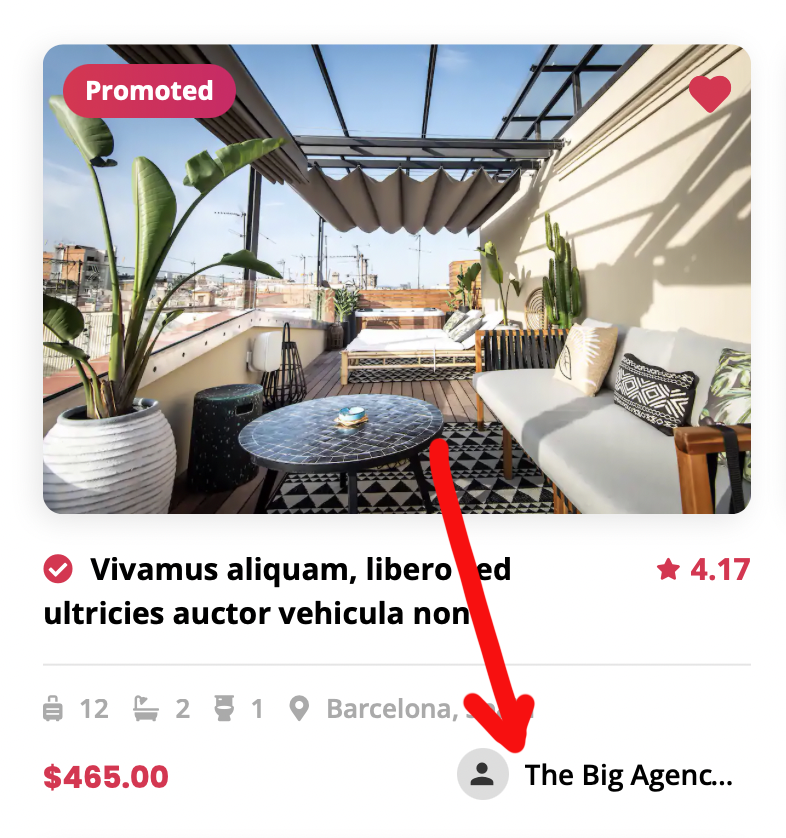
Hi, it is posible to show the author name in each listing in the explore page? Like this image: https://i.gyazo.com/2bcc3aa7270fb1aa79cb46b058bb5d7b.png
And also, would be posible to show “All” by default in the listing filter selection? Now it’s weird to don’t see listings of the default category when the author has other ones: https://i.gyazo.com/cd7cb5a4c6ceaddbd20c936aa84b9ef3.png
Hi, Thank you for contacting us.
Please open a support ticket for this query. Our support team will look into this and get back to you.
Thank you Utillz
Hi, Sure, but the support license is expired, so I’d like to know if you can resolve both points in private if I renew the support license (just in case if I open a ticket and you tell me “Sorry that isn’t posible”). Thanks!
Feature suggestion – be able to select in admin panel the number of listings displayed in map view. 50 is current limit, but would be nice to have things like “infinte scrolling” and map updates as you scroll, etc.
Hi,
If you are looking at the global explore page and increase the limit of listings on map.Then you need to edit the following file:
wp-content\routiz\templates\admin\settings\settings.php $form->render([ ‘type’ => ‘number’, ‘id’ => ‘global_listings_per_page’, ‘name’ => esc_html__(‘Global Listings per Page’, ‘routiz’), ‘input_type’ => ‘stepper’, ‘format’ => ’%s listings’, ‘min’ => 1, ‘max’ => 50,here you can increase the limit. ‘step’ => 1, ‘value’ => 10, ]); Please note, that after making the changes, you still need to edit the option and set the number of listings to 200.
Thank you.
Have a great day!
Utillz
Hello Team Utillz,
We want to use your theme. Is there anything you can tell us that we might need to know before purchasing? Our concern is the many bugs reported. We would be happy to pay you to fix any bugs we find if you can provide that type of fulltime support?
We would also be happy for you to include those fixes in your next updates for the Brikk community to use. In other words, we would pay for your ongoing development and future development of the theme if you would agree to fully support our needs.
Let us know, thanks!
Hi,
Yes, our development team will support you fulltime, If you have bugs. Our development team is working on the new updates time to time.
Thank you.
Have a great day!
Utillz
Looking forward to seeing much more custimization option sin the admin panel – one would be setting typography, size, etc…
How do i set the blog font size? thanks
keep up the great work on this beautiful theme
Hi,
You can set the blog font size with custom css. You can add the custom css in theme additional css in admin section.
Thank you.
Have a great day!
Utillz
This theme hasn’t have /night booking algroithm.
There is why:
Check-In: 14:00 Check-Out: 10:00
So there is a problem about dates:
After a customer leaves on August 14, they should be able to log in on the same day, August 14.
Hi,
In theme we have an option to add time for Check in or Check out. After check out on same date with mentioned checkout time, user will check in with only mentioned check in time on next day because check in and checkout works on 24 hours format and not with a day/night format.
Thank you.
Have a great day!
Utillz
So,
if we make
Check-In: 14:00 Check-Out: 10:00
User can check in , in same date?