23242 comments found.

I develop websites for business owners. That means a license for a single website is not good for me how do I get license for multiple websites
Hello, @samreh,
1 single license is for 1 single live URL only, this is Envato policy and with all the themes on ThemeForest, you may wish to confirm from them as well.
Regards, P-THEMES.
Hello, in which css file can i find this #main.main-boxed .vc_row[data-vc-stretch-content], body.boxed .vc_row[data-vc-stretch-content] { left: auto !important; margin-left: calc(var(—porto-grid-gutter-width) * -1) !important; margin-right: calc(var(—porto-grid-gutter-width) * -1) !important; max-width: calc(var(—porto-grid-gutter-width) + 720px); } ??? I want to make a parallex in full width but on the left side there is space. Because there is an important, i cant change it with custom css?! Greetings
Hello, @alexs91,
Which parallax are you talking about? Can you please share the screenshot and the live URL of the page having it, so that I’ll check and help you out accordingly?
Regards, P-THEMES.
I will open a Ticket. Thank you
Hello, @alexs91,
Ok Great!, Hope you will like our services.
Regards, P-THEMES.
Please update the Porto theme with elementor plugin
I bought this template a year ago, but I’m having problems when updating elementor plugin
Please solve my problem because I contacted your support, but there is no response
Hello, @bojreema,
Can you please let me know your support ticket number, so that I’ll check and ask the support department about it?
Regards, P-THEMES.
4228 and Assigned to Aizaz Awan
4228
ID 4228 and Assigned to Aizaz Awan
This problem was encountered in the past, and it was resolved by your support, but it appeared again
Hello, @bojreema,
I have just confirmed from the support department and they said that your ticket was in SPAM because you had not filled all the required fields of the ticket properly while generating it, as you did not chooses the theme as well for which that ticket was, they shared this screenshot: https://postimg.cc/ZvTrG411
So they replied your ticket for now and requested that please filled all the fields properly while generating the support ticket, so please check back to your support ticket reply now and reply to it accodingly.
Regards, P-THEMES.
Hello,
can not login to support forum. Can you check this, please.
Thank you in advance.
Regards
Hello, @kelecz,
Can you please share your theme purchase code PDF file with us via our email newsmartwave@gmail.com so that we will check it for you and help you out accordingly.
Regards, P-THEMES.
Ok, thank you. Regards
You’re Most Welcome!!
hi, i am in doubt, if i want to buy your theme for my client, but at the end i may need to pass the whole website back to client. what should do? any way of doing this ?
Hello, @wussyboys,
First of all, thanks for showing your interest in Porto WordPress 
You can simply and easily migrate the site using any method after completing the site, it will work for you.
Regards, P-THEMES.
hi, but what about on future theme download for update? if i purchase with my account.
Hello, @wussyboys,
You can simply update the theme from Appearance >> Themes with just one click, and if you want to download the latest update package then you can also from your Envato account under Downloads.
Regards, P-THEMES.
Hi, Due to my server changing i take the backup of entire website of mine to localhost then i uploaded in server again in same domain. I purchase the theme in 2015 long time back. Now i’m getting issues of some plugins are not working such as “porto-functionality”, “Wp-bakery”, and due to the “Visual composer” my homepage is full of shortcodes. Once i enable the plugin it’s showing lots of error. Now, I don’t have support renewal also. That’s why looking for the solution from your side. Please help. Here my website links: https://faebertools.com, https://faebermarine.com both has same problem. Can you please check and get back to me that what can i do?
PLEASE URGENT
Hello, @muffij21,
Please go to Porto >> Dashboard and deactivate the theme from there and then again activate the theme with same purchase code, and then please make sure that your theme is updated to the very latest version and if not then please update your theme first and then go to Appearance >> Install Plugins and try to update the plugins from there one by one, I am sure you will not face this issue anymore, otherwise, you have to purchase the support extension and then contact us via our support system with your site WP Admin Login details so that we will check it for you on your site and help you out.
Regards, P-THEMES.
Hi @PT-Support2, According your instruction i did the whole steps. Now it’s working fine but getting an error from the plugin called Masters slider Pro. This plugin is giving me the error. Can you check this error in the website? https://faebertools.com/ I’m guessing the plugin is not able to connect with the theme. Thanks.
Hello, @muffij21,
Yes that is not our theme but your third party plugin Master Slider issue, you have to contact the plugin Author on this issue as this plugin is not compaitable with our theme.
Regards, P-THEMES.
Hi. I need to disable the Add to Cart Notification Type, because Im using antother plugin for that.
Hello, @bigal99,
Unfortunately, there is no such option to completely turn this OFF, you can change its style from Porto >> Theme Options >> WooCommerce >> Product Archives: https://postimg.cc/bd24MLTz
Regards, P-THEMES.
Hi there, I need to display the phone number on the header of the website for the mobile version as well. It only shows on Desktop. How to do so please?
Hello, @YSALI,
If you will show the contact info on mobile then it will distort your mobile header like this: https://postimg.cc/D4LhcW1q and that is the reason we have intentionally remove it from the mobile version. Hope this make sense.
Regards, P-THEMES.
Sorry this link isn’t working on here, I need an effective way to display it on mobiles please, it’s very important for our customers.
Hello, @YSALI,
Can you please share the URL of your site with me here?
Regards, P-THEMES.
Hello, @YSALI,
So I have checked your site now and finds that you are using the Pre Built header type 1 on your site, and I have a suggestion for you, you have to use the header builder in Customizer and create the same header on your site with it and it provides the functionality to create the seperate header for mobile as well: https://postimg.cc/YvgsDSfb
And also could you please purchase support extension to get further support? Your 6 months of support period is expired from 19/01/2022. According to Envato support policy, renewing support is required for further support.
Thanks for your understand.
Regards, P-THEMES.
Hi,
I just purchased and installed the theme. Here a few initial questions: 1. I want to use Shop demo #22, but I will be using WC Vendors instead. What demo should I import? (I was thinking Shop #2)
2. When I try to import demo content, it says I need to use the “Alternative method” and after import, all is broken because the imported content is not httpS. How do I fix all the missing httpS links?
3. Can I install the theme both on staging and production without breaking the license terms?
Thanks
Hello, @johnr,
1. You can go with Demo Shop 22 WCFM version and it only works with the WP Bakery page builder, other than that you can go with any Shop Demo as per your requirements.
2. Please read and follow the instructions written in this article: https://www.portotheme.com/wordpress/porto/documentation/faq/site-distort-because-of-mixed-content-ssl-certificate-issue/
3. Yes you can, please read our theme documentation here: https://www.portotheme.com/wordpress/porto/documentation/how-to-register-porto/
Regards, P-THEMES.
Hi,
1. For some reason I was convinced that #22 was Gutenberg. I prefer Gutenbert because of speed for scaling up (many products on my end). Can I easily match the #22 design with Gutenberg? Any advice?
2. Fixed, I didn’t even check this, my mistake. Thanks.
3. Thanks
Also, I changed the primary color https://ibb.co/8xybrqJ but it doesn’t seem to change anything. I cleared my cache and even used a different browser. Am I missing something?
Thanks
Hello, @johnr,
1. No you can not, If you want to use Gutenberg then you have to use the Gutenberg demos: https://postimg.cc/sQ5gD01P
2. No problem.
3. You’re Most Welcome!!
4. You have to change the header color from Porto >> Theme Options >> Skin >> Header.
Regards, P-THEMES.
Hi,
1. If I build my own Gutenberg blocks I suppose that would work, correct? Do you think that I am creating too many problems for myself if I do that? I really prefer to avoid too many plugins, especially WP Bakery because of shortcodes, and Elemntor because of speed issues.
4. Got it! Thanks
Hello, @johnr,
We have the best Speed Optimization Wizard functionality, which helps to increase your site speed: https://www.portotheme.com/wordpress/porto/documentation/?s=speed
And you can do it with the Gutenberg as well, it will work for you.
Regards, P-THEMES.
Hello! sir take respect!
sir, i need to share a issues. We want to hide footer some to product categories or need to add categories banner. But i noticed that when we click some option from categories page it’s not working!
Such as we want to hide Footer so we click footer https://postimg.cc/s1NPBV4f
after update categories page then we saw its as same as before https://postimg.cc/3kvHMJnk
But we don’t understand the reason. we deactive all 3rd party plugin then it’s as same as problem.
Kindly could you tell us the problem sir??
Regards!
Hello, @kashfulecommerce,
I have just tested it at my end on my test site and it is working perfectly fine for me, so the issue must be on your site only, and we have to debug it on your site, and for that, you have to purchase the support extension first and then contact us via our support system with your site WP Admin Login details so that our experts will check it for you on your site and help you out.
Regards, P-THEMES.
thank you so much sir! of course we’ll do it
Regards!
You’re Most Welcome!!
When I try to install the theme to one of the websites I receive the error “Sorry, it could not connect to the Porto API server. Please try again later” and couldn’t go ahead with the process. When I check other websites that I built, I also saw that the licenses are disabled/not installed. Can you please guide me through a solution? Regards
Hello, @utkucu,
I have reset your purchase code, now you can use the same purchase code for activation of your theme.
Regards, P-THEMES.
Could not save my theme options. Always this message: There was a problem with your action. Please try again or reload the page
Any idea? Thanks !
Hello, @bayffm,
That is because of your server issue, It turns out the issue is that trying to save changes in the Porto Theme Settings is triggering ModSec rule 300015 for some reason, which is an SQL injection protection rule, so you have to disable this rule server-wide until you are in the development process, as the ModSec rule that was getting triggered is one of the standard WHM/cPanel rules as of one of the newer versions, so more and more servers are going to have this rule enabled by default.
So please contact your hosting provider and ask to solve it for you on your site.
And also could you please purchase support extension to get further support? Your 6 months of support period is expired from 26/05/2021. According to Envato support policy, renewing support is required for further support.
Thanks for your understand.
Regards, P-THEMES.
Hi! I have a product with multiple variants, is there a way to hide the add to cart button on out of stock variants?
On single product page.
Hello, @bigal99,
Unfortunately, there is no such possible option in WooCommerce for it and our theme does not have any influence on it, so you have to try with any third party plugin which better meets your requirements, Otherwise it requires extra Customziation.
Regards, P-THEMES.
Ok, but I have solved it myself now, and it work just fine by just adding this to Porto/Skin/Custom CSS
.single_add_to_cart_button.disabled.wc-variation-is-unavailable { display: none; }
Hello, @bigal99,
I think that code will hide the unavailable variations but not the out of stock add to cart button, well if it works for you then it is perfect, you can keep it and move with it
Regards, P-THEMES.
I wish to edit the default product category template. I have a child theme. I wish to add the category name either above or below the category image / category description. Please let me know if it can be done in the theme settings, or if I need to modify a template file? If I need to modify a template file, please let me know which file. Thank you.
Hello, @sammilo4,
Please go to Porto >> Theme Options >> WooCommerce >> Product Archives and set the “Category Content Position” as “OutSide Center”: https://postimg.cc/w1VKKSCB https://postimg.cc/Yh6Zg5qx
Regards, P-THEMES.
Hello sir, i have purchased Porto theme URL (Porto | Multipurpose & WooCommerce Theme by p-themes | ThemeForest)
While installing it on my WordPress website it failed to load. It gives multiple errors. Error is attached in resource picture files. Please Help me fast so i can start my project. Errors are here in pictures
https://ibb.co/pbwPMdg https://ibb.co/GWdcrZfHello, @jeveyshahzad,
It seems you did not installed the theme properly, please follow the instructions showing in these video: https://www.portotheme.com/wordpress/porto/documentation/installation-video/
I am sure it will help you, and if still the issue will persist then please contact us via our support system with your site WP Admin Login details so that we will check it for you on your site and help you out.
Regards, P-THEMES.
Sir i have installled it as described in your documentation. I tried both ways. First upload through wordpress dashboard. 2nd upload through cpanel in themes directory. Causing same error in both ways. I have requested you through Support forum and i also submit website credentials there. Please have a look
Hello, @jeveyshahzad,
I have just confirmed with the support department and they said that they already replied to your support ticket, so please check back to your support ticket reply now and reply to it accordingly.
Regards, P-THEMES.
Site Title is show on all pages how do i fix that. For example, site title for contact us page is set to Contact US. But some how its adding site title that is set under settings>general to title automatically.
So it should look like this Contact Us
Looks like this: Contact US: This is your site title
This is your site title is set set under settings>general.
Hello, @neel_neelu20,
This is the default functionality of the WordPress and our theme does not have any influence on it, unfortunately we do not have any option to remove it, so you have to try with any third party plugin, you can try with the Yoast SEO plugin as well.
Regards, P-THEMES.
Hi Team Porto,
We are unable to change Product Category Thumbnail on hompage section “Shop Popular Departments Products From These Categories Often Buy” See https://postimg.cc/DmHMLYshPlease guide.
Hello, @CodeHeroesLLC,
You have to go to WP-Dashboard >> Products >> Categories and edit the Categories from there one by one and set the image for them as showing in this screenshot: https://postimg.cc/hfVs5Ft9
And also could you please purchase support extension to get further support? Your 6 months of support period is expired from 06/12/2020. According to Envato support policy, renewing support is required for further support.
Thanks for your understand.
Regards, P-THEMES.
Hi, Team
Why the new update adds this code ”.porto-u-sub-heading, p ” in the porto block. This causes an inevitable gap in the page layout especially for using porto customized header builder. I have to add css header .porto-block {margin-top:-20px} to avoid the gap currently.
Please confirm it if the new updates causes it and how to avoid this without adding the css code?
Hello, @crazy_cube,
I have tested it at my end on my test site and there is no such issue with our theme latest version, the issue is on your site only, so we have to check it on your site, Can you please contact us via our support system with your site WP Admin Login details so that we will check it for you on your site and help you out.
Regards, P-THEMES.
The Header Builder display conditions is not working.
Hello, @ebizunivcode,
Could you please contact us vis our support system with your site WP Admin Login details so that we will check it for you on your site and help you out.
Regards, P-THEMES.
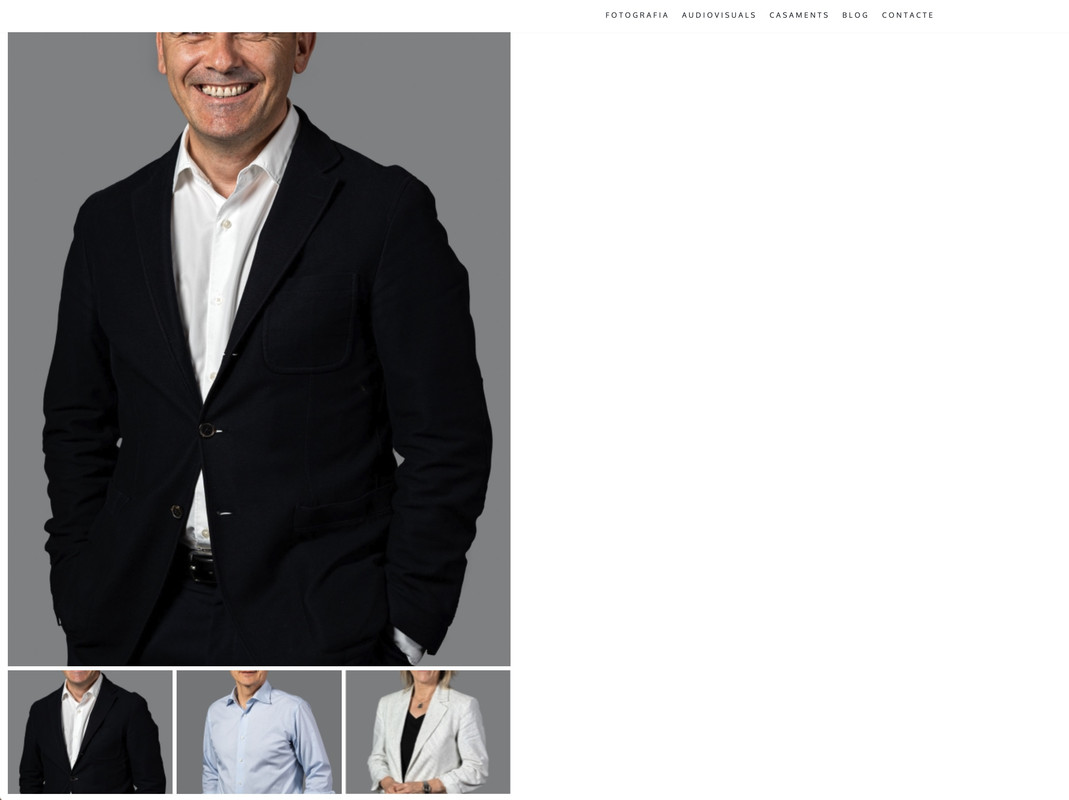
Hy, there’s any way to automatic resize between vertical and horitzontal photos? now the vertical ones made my scroll down. Also the thumbnails don’t appear cut in vertical photos.
Hello, @alextremps,
Which photos are you talking about? Can you please share the screenshot and the live URL of the page as well as having the issue so that I’ll check and help you out if possible?
Regards, P-THEMES.
sure, where can i send the screenshots?
you can enter in alextremps.com and watch live.
Hello, @alextremps,
You can contact us via our support system here: http://portotheme.com/support and generate the support ticket.
Regards, P-THEMES.
i can`t
Hello, @alextremps,
Ok then please share the screenshot here via this URL: https://postimages.org/
Regards, P-THEMES.
Hello, @alextremps,
If you use WooCommerce 3.3.x then use WordPress Customizer (it’s a feature in the WordPress admin) to change the catalog and single product Image settings.
Go to Appearance > Customize > WooCommerce > Product Images.
More information about product image settings you can find in WooCommerce Documentation: https://woocommerce.com/document/fixing-blurry-product-images/
And also could you please purchase support extension to get further support? Your 6 months of support period is expired from 16/06/2021. According to Envato support policy, renewing support is required for further support.
Thanks for your understand.
Regards, P-THEMES.
i’m not using woocommerce, i only use the portfolio
i think that’s an issue of the theme, auto resize in hor-vert photos in gallery, and thumbnails hor-vert or squared
Hello, @alextremps,
Oh, I see, I am sorry for getting you wrong, I thought you were trying to ask for the products, my bad.
Actually, the portfolio, took the image based on the layout you choose for it under Porto >> Theme Options >> Portfolio >> Single Portfolio: https://postimg.cc/WFGMw0Ns
And there is no other specific option to change the image crop, it purely depends on the layout and is cropped automatically, so you have to upload the new image with high resolution or low based on your layout requirements.
And also could you please purchase support extension to get further support? Your 6 months of support period is expired from 16/06/2021. According to Envato support policy, renewing support is required for further support.
Thanks for your understanding.
Regards, P-THEMES.