146 comments found.

Whe I set the diplay colums in the footer to 4. The 2 other colums are still display with blank content. How to solve this issue ?
Hi, You can set column alignment to look alignment better. We will improve this setting in our next release within next week.
Where to set column alignment ?
Responded in different thread
Hi Team JThemes, can you please confirm when will the next release be available and whether it will feature the employee vs candidate registration and respective dashboard. It is vital for our business model to differentiate between them. Lastly, have you tries your theme with any of e-learning plugins?
Hi Team JThemes, can you please inform me on the topics above. It has now been 24 hours without a response. Thank you.
I responded back in email
We regularly want to reply to all of our respectable clients within 24 hours of time. Sometimes query traffic becomes higher & sometimes the support team needs to collaborate with the developer team. In that case, we failed to reply in time.
We are planning to support items from our website, I hope it will work better for both sides.
hi
presale question
can you provide demo credentials?
thanks
hi
is it possible to display aswell the apply button on job detail page at the pottom of the job description? So candidate does not have to scroll down afer readin the job description to apply?
Thanks
When a user is logged in an apply button will display after the job description. You can enable job bookmark settings to save jobs too.
Did you made any decision?
Hello I have encountered a problem and have sent an email yesterday, I don’t know if you received it. I’m very happy with your theme, it’s a beautiful website, it would be perfect if you could solve some small problems~
We have updated one of theme required plugins (Control Job Manager) on your site. And hopefully, your problems are fixed. As there were some PHP notices so page loading created an error. We solved those errors.
We will update a release very soon.
I’ve had a lot of issues and support requests during this time, can you please check it out for me? I don’t have any reply.
We are working on your problems. We will get back to you very soon. Thank you for your patience.
I still haven’t received any response.. Can I know how the progress is? Sorry maybe I’m in a bit of a hurry, because it’s beyond my progress expectations..
We are working on a new release. The next update will be available at the end of this week with fixing the bugs.
Are the theme support for Google AdSense?
Yes, the Jobbox theme supports Google adsense.
How to make the candidate page with video link as the default one. also the login/register button is not showing up in the header.
You need to add a video URL in the editing candidates – https://prnt.sc/qYgtiJseByCr Please update the latest theme, we’ve fixed bugs in the last update about header button issues.
Hello the theme support RTL ?
No, we do not add an RTL option yet, but we will add RTL in the next update.
Please, is it possible to ask for refund. The theme is not giving me what I want. Thank you.
May I know what issues you are having?
Very nice theme, I wish there was a way to align the height of the cards on the grid view [Find a Job page] automatically, because the height changes and depends on many things,
div.job_listings{  row-gap: 24px; }
.card-grid-2{ margin-bottom: 0; height: 100%;}
Please use this CSS in the Customize > Additional CSS.
I hope it will work for you.
could you add pagination? on jobs page
You can use numbered pagination links edit Job Listings setting page – https://prnt.sc/i8kKskrGhVWg
Well, thank you, is there an option to make list view default not grid view? and also could you add latest job in homepage in the next update? I tried to move [jobs] shortcode in homepage but blog come together
We’ve added these options in the last update. Please keep your theme & theme required plugins to get these options in the Customize > theme options > job settings
Okay Thank you, but can I add latest job on my homepage?
Yes, you can do that. We have custom elementor widgets, it allows you to add the latest jobs on the home page.
yeah but its categorized, could you please provide latest job similar to [jobs] but no blog included?
Currently, we do not have these options available. We will add a related jobs feature in the next release.
Thank you so much 
Your welcome
When you release latest job feature without categorized?
We will release an updated version of the theme next week without categorized features, also will be added more functionalities in job templates.
I’ve been waiting for that, but seems like current release not have that feature 
The last release was not planned, there were some PHP errors, which we fixed.
We are preparing another release at the end of this week.
The ‘Register’ and ‘Sign in’ buttons are not responsive web, but I can view them on mobile. Please, advice.
Please make sure that the login, register link is checked in Customize > Theme options > Header settings See the screenshot – https://prnt.sc/EHRoQM1tIPT1
I have done this but the Register and Sign in buttons are not still showing on the desktop view.
Please make sure that the login and register link are checked in Customize > Theme options > Header settings – https://prnt.sc/EHRoQM1tIPT1 Would you like to email wp-admin access information to: jakjim@gmail.com? so I can look into this.
Hello, with your recent updates, the register and sign in buttons are still not visible on desktop view.
We already fixed bugs in the last update. Thanks
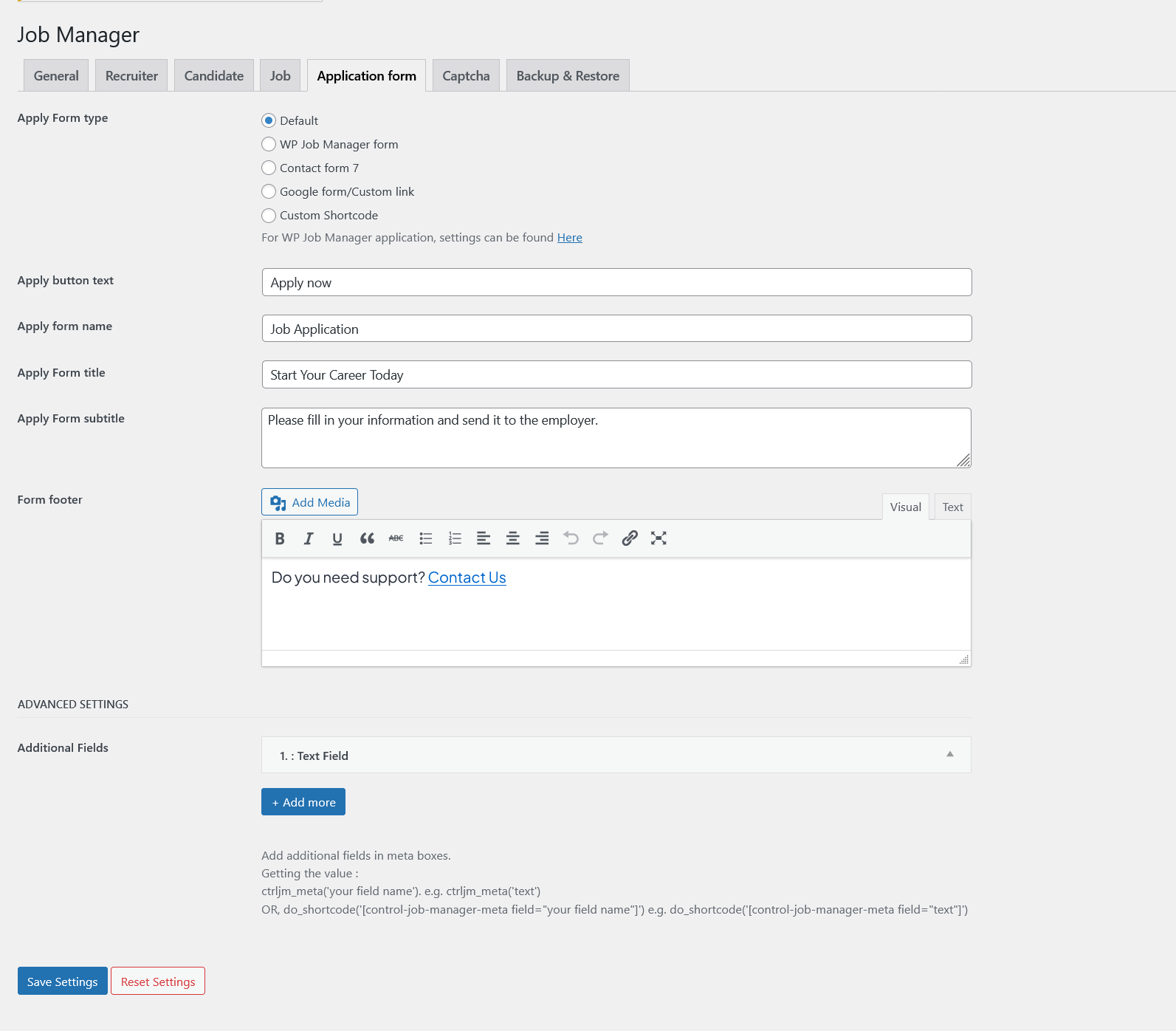
Is there a way to edit the “apply now” button, I just want to fill in the link on the button for visitor registration on other websites. I also want to disable sign-up/sign-in, forms for resumes, etc. I just want to inform my website visitors about job vacancies and give them a link to register on another website
but its applied in general, all jobs have same link. I want each jobs different link for apply. Can we do that?
No field in “Edit Job” to change the link, can we add custom link?. Also the apply now button its gone when access in mobile. it’s not appear in bottom section
Currently, we do not have this option, we will add these options in the next release. The next release will be available to download this week.
Thanks for letting me know. We are checking the issues & will fix the responsive issue in the next update.
Thank you I can’t wait for next update
Yes, you can do that.
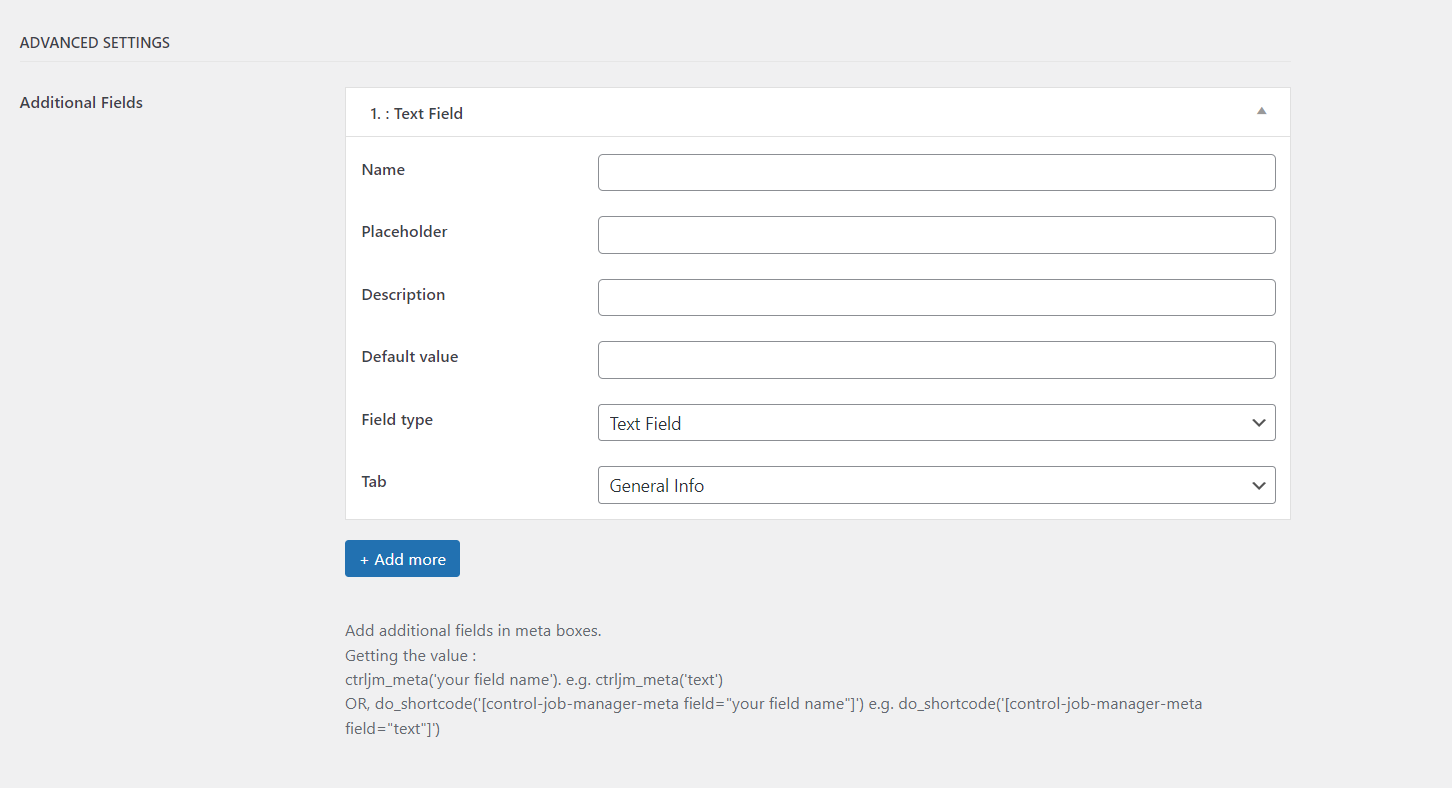
Creating additional fields is an admin panel setting. This setting is supported for Job listing, Recruiter, Candidate and Application post types.
https://jthemes.com/themes/wp/jobbox/docs/assets/images/additional-fields.pngHi, Locations don’t use title, is that valid? Can I see some sites using this theme? (except demo)
Sorry to confuse you. It is actually the Country name. We will be updating the title label/placeholder in the future update.
For live sites, Our theme is just launched so to give you live examples, We will need to wait till we get clients data
Hi,
I have sumbmited a ticket: How can I edit copyright footer?
We sincerely apologize for the delay in answering your query. We missed copyright fields in the customizer. We’ve recently submitted an updated version of the theme 1.0.2, please keep your theme updated.
Checkout our latest changelog – https://jthemes.com/themes/wp/jobbox/docs/#changelogI saw the changes, thank you so much! The speed of your response and update amazing!
Thank you so much for your comments, Please rate us here if you like our work and support
https://themeforest.net/downloadsI already did!
You are awesome
Hi,
I love your design, super clean!
Pre-purchase questions:
I am looking to build a directory of marketing agencies (so potential clients could find the right one for their need) and was wondering if there is an option in the theme to only display this category (currently called ¨top recruiters on the live demo)?
Regarding the categories pages: is it possible to only display the top recruiters (would be agencies in my case) or the theme is build to only display the job offers?
Basically the idea is to know if it is possible to tweak the theme to make it a business listing?
Thanks in advance for the help.
Best,
Matt
Thanks for your interest in the Jobbox theme. Recruiter/Company is the custom post type & you can manage it separately.
Currently Recruiter/Company have no category, but you can display top recruiters without Job offer.
If you have any more questions, feel free to ask.
Did you made any decision?
Hi, very good looking theme. Do you have a version without Elementor? Becuase Elementor slow donw the site and it is much easier to work with blocks.
Hi, I see that if I already purchased this theme, I am not so important anymore so you skip ansewering me here and on the support. I really wanted to know how could I edit copyright information from footer, it was highly important.
We sincerely apologize for the delay in answering your query. We are missing copyright fields in the customizer. Now we are working on an update, the updated version will be available today(within the next 4-5 hours). I hope you will understand.
Oh, that is great then! Thank you so much!
I have updated you in email, Please check
Hi, I am amazed of how responsive you are! Kodos!
We are glad that we made you happy
Any plan to include the theme in black friday deals? Love to grab it
It’s already in discounted rate:-), It will be $49 soon. Please write on jakjim@gmail.com
Did you made any decision?
When Importing using Demo import I’m met with the following error
https://prnt.sc/sVKslwuFhwkDPlease provide your site admin credentials and we will check this for you. You can send details here, jakjim@gmail.com
Or
This means that the server did not get a timely response and so it stopped with the current import. A couple of import tries might finish the import till the end because your server will be able to process the import data in smaller chunks.