80 comments found.

HI, I bought this theme and I imported second demo, and to my surprise, documentation is not working(broken link), homepage was not imported, it looks like the theme is broken and nothing is working properly.I also opened a ticket and no response. Is this theme abandoned?
Hi,
Sorry for the inconvenience you are facing. Please let us check the ticket we will get back to you in the ticket as soon as we check the issue.
Thank you, SmartDataSoft Team
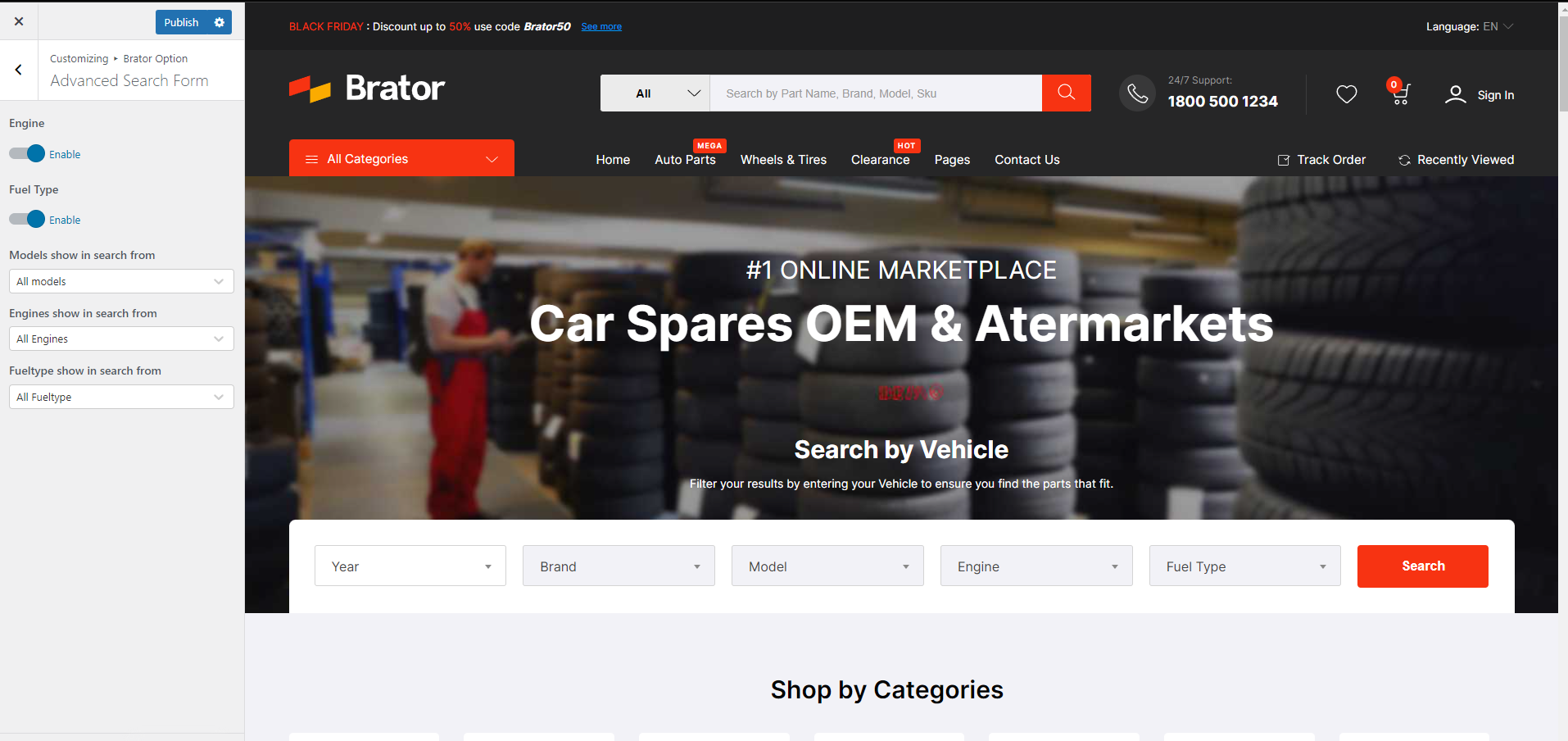
This theme is suitable for my moto parts project. However, I would like the main part’s filter (home 02 – Search by Vehicle) to complement the categories filter on sidebar. So I want to choose moto’s model and then have a choice of what this model’s parts have. Is it possible? Can I filter by woocommerce filter, not search?
Is anybody here?
Hi,
We are sorry for the late reply. Yes we have this feature in our theme.
Thank you, SmartDataSoft Team
As I can see module “Search by vehicle” makes search by custom fields but categories and other filters realized by woo-commerce attributes (Sidebar). I haven’t found any options here that synchronize custom fields and attributes. https://smartdatasoft.com/wp-content/uploads/2022/06/2022-06-27_15-16.png. Do you have a test admin?
Hi,
We are sorry that we dont have any test admin id but I can show you that we have widget which has the custom post types available for filter in the shop page https://c2n.me/4hC2oVn
Thank you, SmartDataSoft Team
I want to buy this template. Is it possible to make something like this https://cobramotoparts.com/product/coolant-2023-cobra-cx50-fwe/ by using this theme?
Ex: user will able to search model and then they will able to select parts and under that part there will be many sub parts….. as like given url??
Let me know please.
Hi,
Yes we have this feature in our theme https://wp.brator.xyz/product/cone-seatbolt-lug-wheel-installation-kit/
Thank you, SmartDataSoft Team
Hi, I’m thinking to buy this template but I need a clarification about the mobile verision…I saw that there isn’t a search console where you can search products, but in the desktop version is implemented, is there the possibility to add a search button, in the mobile version, that redirect to a search console?
Hi,
Yes it is possible to show the search field using custom css in the mobile version. Please open a ticket after buying the theme we will let you know how to activate the field right away.
Thank you, SmartDataSoft Team
Can I import data from the demo? So I think it is more convenient for me to test?
Hi,
Yes, you can import the demo data using the “one click demo importer” of the theme.
Thank you, SmartDataSoft Team
1. Can this All Categories page only be viewed on the home page? 2. I have some doubts. There are “Demo For Bike”, “Demo For Electronics”, and “Auto Parts Demo” in the demo instructions. I only need “Auto Parts Demo”. What should I do? If I buy this template, does it include these three? 3.Can I import all the data including pictures in the demo?
Hi,
1. You can set that to your homepage to showit only the homepage. and for that you just need to remove the category elements from the menu.
2. All 3 demos are available in the theme and you can import the demo once for a site. If you want another demo then you have remove the old one first.
3. Yes the images and all the data is available in the demo but it is only for the demo purpose only.
Thank you, SmartDataSoft Team
Your Purchase Not Found. Maybe You Try With Different Account. Use the Account which were used to buy the theme. Error Code 404.
Please login from same account from where you purchase. Logout from all account. You need same account to activate the licence
i all ready do that, but the license don’t appeared
i login in my javii13 account in the envato page and is the same here and the license won’t appeared
Hi,
As the Theme Forest comments section is only meant for pre-sale questions and general questions, we are not able to provide detailed support here. Please create a support ticket using the link below, we will assist and guide you in detail.
Click Here To Create Support Ticket on SmartDataSoft support system
Don’t forget to share your site details in the ticket.
Thank you, SmartDataSoft Support Team
Hello We have a car spare parts company. I want to take this theme and publish it in Turkish and English languages. Is it possible. There is a language option in the upper right corner of the theme, I click it, but no action is taken.
Hi,
Yes our theme supports multi-languages. And in the live preview, this is just a static dropdown preview. So to make it work you have to use the Multilingual plugin and add the necessary code from the plugin there.
Thank you, SmartDataSoft Team
Could you please let me know which plugin? I think it’s a paid plugin.
We recommend wpml Thank you
Thank you for your quick response.
TR and EN when I use 2 different languages on the site. Is there different google indexing in both language options?
Core file says – The package could not be installed. The plugin contains no files. Plugin installation failed.
HI, i trying to install brato core plugin but it says.
The package could not be installed. The plugin contains no files. Plugin installation failed.
Hi,
We found your ticket and replied you on our support system please check that.
Thank you, SmartDataSoft Team
Hi Team, Why does your Electronics demo store import doesn’t work? It leads to 500 internal server error. All the plugins as mentioned are activated
So I disabled Brator Demo Installer and installed One Click Demo Importer Plugin and manually chose the files. It worked without error but the imported demo nav does not have mega menu.
Do check demo installer why its causing 500 error for electronics (demo2) import
Hi
This is not actually a theme related issue this is actually the server related issue. Please check if your server have the required php values. This is why the manual demo import worked and the one-click-demo import showing error.
Thank you, SmartDataSoft Team
Hi, It is not PHP issue as the system status option in the theme options shows all OK and the values were more than the required values. Its being used on a dedicated server and not shared server.
When electro demo is tried to be imported it shows 500 error and there is no log supporting the same. This does not happen when normal demo > auto parts is imported
Hi,
This is a very unknown issue as we never faced this issue before.
As the ThemeForest comments section is only meant for pre-sale questions and general questions, we are not able to provide detailed support here. Please create a support ticket using the link below, we will assist and guide you in detail.
Click Here To Create Support Ticket on SmartDataSoft support system
Don’t forget to share your site details in the ticket.
Thank you, SmartDataSoft Support Team
Hi, apologies for delayed response. I did not raise ticket as we resolved the issue but you can check so that other’s don’t face issue.
We are running with another issue, where in Typography changes wont work at all for Electro Theme Import!
Have created support request ticket for the same. Thanks
Hi
Thank you for opening the ticket we will look into it and give you a feeback by today.
Thank you, SmartDataSoft Team
Is this compatible with PHP 8.1?
Hi
Our theme and the core plugin is compatible but there are some required plugin but they are not our plugin will show some notices on your site backend in PHP 8.1
Thank you, SmartDataSoft Team
Please help me find demo 03, i installed theme from dashboard, then installed recommended plugins and there’s not demo03 to import
Hello, here our developer made a mistake. The first one label demo1 is for demo1&demo2 and demo2 label is for live demo 3. Hope you understand. Thank you
This is Demo 03 on your public demo website: https://prnt.sc/0P7lN4O6NNMS This is my Demo 03 Imported from “demo2” label: https://prnt.sc/mHdDgiY9XeMG
Sorry for confusion. This demo exists in first demo. I think you told new demos.that is why I told to import demo2. All other demo import with demo1 in back end. Your demo is inside demo1. Till now no one confused about the demos. We will think again what we can label the backend to understand more Sorry for the inconveniences. Hope your issue will solved now. Thank you
So, i Have to import demo one for Demo03 Page i provided? (https://prnt.sc/0P7lN4O6NNMS < For this i have to import Demo1?)
After import demo, from reading set your home page ,which demo you like Thank you
Sorry, i don’t understand. I want exactly this: https://wp.brator.xyz/home-03/ . Which one should i import from Importer Plugin? Demo 01 or Demo 02??
Import demo one then from settings ->reading from where home page can set set home 3
we added ebay connector module, the developers told us we need faster server. so we building on digital ocean now.
But how do we build new elsewhere if we cant activate the theme license because we need to keep the old website up on our old server at the same time.
In that case you need two licence. Same licence is not allowed to activate multiple domain. You can activated same domain like Dev1.mysite.com, dev2.mysite.com
Cross domain is not allowed Thank you
Brator Latest Products on homepage added thru Elementor block shows NOTHING since latest Brator Core Update.
Hi,
Please open ticket in our support system We will investigate and solve the issue https://support.smartdatasoft.com
Thank you
help I cant activate the license
my.smartdatasoft.com Host Error
Hi,
Please open ticket in our support system We will investigate the issue https://support.smartdatasoft.com
Thank you
can this be used for other niches like fashion, shoes,...?
Yes, check our electronics demos
I would like to make a suggestion that it is rather inconvenient for the theme to modify the copyright (© 2022 Copyrights by Brator Inc. All Rights Reserved.) and other contents of Footer. It is not possible to do it directly through the editor,Please improve this issue.
Hi,
Please follow the screenshot to change footer copyright https://prnt.sc/4GdqnLNv219E
Hello, in the main image the price of the theme is 27$ but when you try to buy it the price is 39$. What is the correct price? Thanks in advance!
Sorry for the inconvenience our price is $39 the discount is over. we forget to change the banner. I have decrease the price for this mistake you can purchase with $27 thank you
Great, thanks for the quick response! Buying it right away.
hello, I imported the demo 02, and I started to edit in the elementor panel, the home page, but it is buggy in the panel.
The illustrations do not appear, everything is blank, in the view of the page it is normal, but on the page of the Elementor edition it is not, look how it looks, print:
https://imgur.com/a/9u3TKHRhow do i fix this?
Hi,
Please open ticket in our support system We will investigate the issue https://support.smartdatasoft.com
Thank you
In demo Homepage 01 on the single product page under the area FREQUENTLY BOUGHT TOGETHER on mobile, the layout is messed up (picture really small and tables are wrong). Is this fixed on the download if purchased?
purchased to see if issue fixed on mobile
We have updated our latest theme Version: 2.3, there has it’s solved
thank you!
Please open ticket in our support system our technical team will investigate the issus https://support.smartdatasoft.com