38332 comments found.

Love the flip box, but any way to make it auto-rotate randomly? If I cant, can you point in the direction of how? custom javascript etc. Thank you. Love your Salient Theme.
Hey sbcarlos 
Unfortunately, since there’s no class name change associated with the hover and that flip occurs from a regular CSS :hover pseudo, it would be tricky to trigger it via JavaScript. However, I’ve noted the idea to add such a class so that this would be possible.
Kind regards
Hi Salient team! How do I add a Global Section ABOVE the header/in the top-bar? I’d like to add things ranging from important announcements to phone numbers, language switcher, etc. Thanks!
Hey apinzon!
There’s currently no built-in option for that, so you would need to handle that through a child theme modification. However, I’ve noted your +1 for the idea on the wishlist
I do like salient theme pretty much , but damn, this junky wp bakery is just a past. With the design skills of your team you could provide something truly beautiful & modern with Elementor. There is no way Bakery could compete with Elementor. Just no way. It’s not even mile close to E.
I mean, just look – there is no way such animation’s ( not speaking about Lottie pictures ) are even possible in wp bakery – the menu style – the scrolling speed – elements overlaying – page transition  https://swagapp.com/
Hey raffess,
That site you’ve shared does not appear to be using Elementor, but regardless, Elementor saves/renders elements in a fundamentally different method than WPBakery, and adding integration for it wouldn’t allow for any existing pages made in WPBakery to be edited via it—which would mean no backwards compatibility for existing sites using Salient. Because of that, if we integrated it, the Elementor version of Salient would essentially end up being a separate standalone product as there would be no overlap.
It’s worth noting that Salient also does already allow control over many of the points you’ve mentioned (page transitions, header styling, parallax scrolling elements) and we also offer unique elements and settings that are not found in Elementor. If you’d like specific assistance in replicating something, feel free to open a ticket on the support forum in regards.
Hello, how can I change left and right margins/website width on mobile to 95%?
The second thing: I just installed your the newest update but unfortunately I see that you didn’t implement tweak for properly working menu on mobile phones without artefacts and flashing. ;(
(I mean iOS phones)
Hey CreativePlace,
1. You can modify that by adding the following snippet into the custom CSS box located in the Salient options panel > General Settings > CSS/Script related tab:
@media only screen and (max-width: 1000px) {
  body .container {
      max-width: 95%;
  }
}
2. That change is being included in the upcoming major release (v15.5), which is due out later in the month—It was too recent/large of a change to include in 15.0.9.
Kindly use the support forum in the future when posting multiple questions.
Cheers
Hi guys, I created a row with centered text. Then I created an Inner Row and then set the text alignment to “Left”. However, the contents in the Inner Row are still being centered. Can you please help? I need to create a row with multiple inner rows and columns, each with different text orientations. Can you please help? Thanks!
Hey apinzon!
I would suggest setting the text alignment only on your inner rows / columns rather than a specifying it on the parent as well. Is there a reason you don’t want to wrap the content in your row that would be centered in its own inner row?
If you need to keep the arrangement how it is, you can force that alignment by adding in the following CSS snippet:
.vc_row.inner_row > .span_12:not(center):not(.right) {
  text-align: left;
}
Kind regards
Hi guys, Is there an option to hide a row in the mobile version? I need to have another design for my portfolio mobile version.
Hey LuisVoronov,
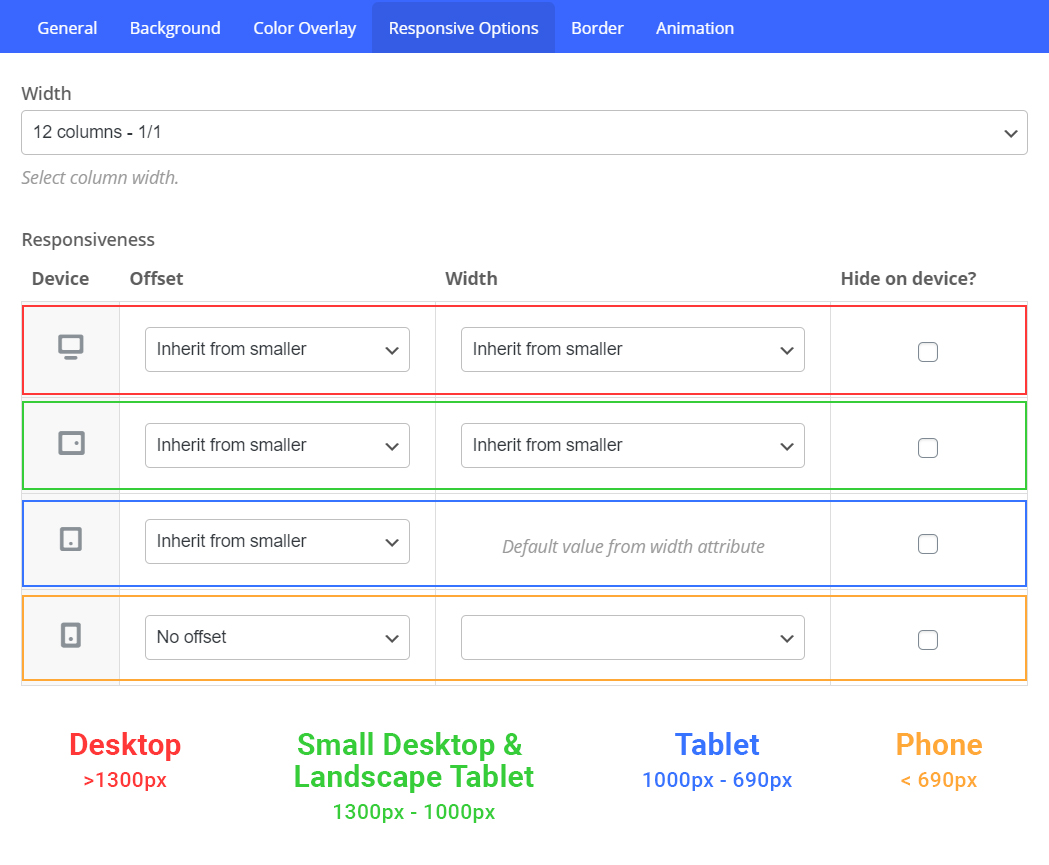
You could hide the column that contains your content by using the responsive options tab in the column settings.
However, if you need to hide a parent row, you would have to give that row a special class name of “vc_hidden-sm vc_hidden-xs”
Kind regards
how can i force transparency header on 404 page?
Hey creativemotives,
You could use the following snippet in your child theme to force that: https://pastebin.com/hF5WDedw
Kind regards
Hi there, I am using Salient and WPML to translate my website. One thing I noticed is that there is no option to use a different logo per language, at least natively. Is there any chance that you will include such functionality in a future release?
Hey alfamarble,
You should be able to find those within WPML > String Translation. The fields would be referred to as:
logo
retina-logo
mobile-logo
header-starting-logo
header-starting-logo-dark
Kind regards
That worked! Thanks a lot and kudos to you for providing support from the comments.
Glad to help, alfamarble
Cheers
Hi. I think I saw this somewhere in the settings, but can’t remember where.
On one of my sites, when Page Header Title (manually entered) is longer than a certain number of characters, it automatically breaks into two lines of text. Basically, it only takes 1/3 of the width of the center of the header.
While on the other site, the page header title fits almost the entire width.
Thank you.
Hey atlantchiropractic,
Can you kindly share the page URL where you’re trying to adjust that so that I may see your current settings to assist?
Thanks in advance
Here is the link. If I create Header Title longed than this one (SHOP ALL PRODUCTS), it will break up into two lines of text.
https://ageimmune.com/shop/
but doesn’t happen on this site.
https://atlanthealthnyc.com/lymphatic-drainage-therapy-nyc/
Thanks atlantchiropractic,
You can modify that constrain on WooCommerce archives by adding the following snippet into the custom CSS box located in the Salient options panel > General Settings > CSS/Script related tab:
body.woocommerce.archive #page-header-wrap .inner-wrap {
    max-width: none;
}
Thank you. But still interesting why it isn’t default like on the other site.
How do you edit the header buttons https://ibb.co/99drnbj i want to link this
want to edit these links https://ibb.co/0qmpLdQ
Hey giveitwebstudios,
Those are regular menu links which will appear in your Appearance > Menus section of the WP admin—You just need to select the menu which contains the links.
If you’re interested in the styling options available for menu items, see the documentation here: https://themenectar.com/docs/salient/salient-menu-options/
Kind regards
Thank you
Hi Themenectar! I am having issues after a theme update. When trying to make changes to my site pages, any trace of the visual composer is gone. Under Extra Content, “Visual” and “Text” appear similar so I am not able to make edits.
Hey asbundschuh! Have you already verified that no third-party plugins you may have active are causing the issue by temporarily disabled them? If so, please reach out via the contact form on my author page in regard.
Cheers
All major themes are providing slider pricing table on mobile. But your theme has still old style pricing layout on mobile. Please give slider pricing table in next updates. Thanks.
Hey AngelaLamHF,
I’m not sure I know what exactly you’re referring to. However, if you’d like to share an actual example I’d be glad to take a look
Kind regards
You can see the columns don’t go under each other, instead it works like a slider.
Hey AngelaLamHF,
There’s no built-in option on the legacy “Pricing Table” page builder element itself to do that. However, you can create a custom pricing table using page builder elements and contain each section within a carousel item if you desire that functionality.
Kind regards
Hi!
how can i put the arrows of the nectar slider left and right of the wrap? .nectar-slider-wrap
I use the “directional based” arrows.
When i moved them with CSS (.slider-prev & .slider-next) the arrows disappears under the wrapper.
Many thanks!
Hey agenturhochdrei!
Unfortunately that wouldn’t be possible without some custom modifications due to the fact that the arrows are inside of the swiper-container, and if you revealed that overflow the slides themselves would also spill out of the parent container.
Kind regards
1. How do we Customize the Post Category Pages design & layout 2. Can we Customize the Post Category Pages design & layout, so each category has a unique design & layout?
Thanks
Hey shaky512,
The category archives are styled via the theme options you select in the Salient options > Blog tab. There are currently no built-in options to have different options per category, but It could be achieved via custom modifications in your child theme.
Kind regards
is it posible to call global section, the point is, we need to design the Post Category Pages like a magazine style. Salient already supports the page builder, it’s just how we can use this page builder to edit category pages. Or can this category page be called a global section, so we first create a unique design per category in the global section then we call it an edit category page?
Hey shaky512,
If you kept your custom designs inside of global sections, you would need to manually call those on a conditional basis from your child theme. There’s no way to assign global sections to the category archives at this time.
Hello, when are you planning an update of Salient theme?
Hey CreativePlace
The minor release is still targeted for this week. The major release won’t be until the end of the month or beginning of May.
Kind regards
Hello I just recived a website that have your theme, but its version is 10.0. We want to buy the theme, are there any problem for update to the new version? thanks
Hey siurell96,
There won’t be any issues with updating between those versions. The only thing to consider is if your current setup has modifications to it through a child theme. You can read the following article in regards to moving to the current release: https://themenectar.com/docs/salient/important-salient-update-for-new-envato-requirements/
Kind regards
There are no child theme and modifications. I can update directly from version 10.0 to the new one 15.0.8 ?
the best option is doing that with ftp?
Hey siurell96, you can use FTP if preferred, or else it can be done straight via the WP admin: https://themenectar.com/docs/salient/updating-salient/#manual
Kind regards
Hello,
I wanted to know if it was possible to display both images of the product on the “list” view / product archive page. Currently it displays the main image and the gallery image in hover and I would like to display both images.
Thanks in advance
Hey MAJMonaco,
You can modify that by adding the following snippet into the custom CSS box located in the Salient options panel > General Settings > CSS/Script related tab:
.woocommerce ul.products li.product .product-image-wrap a {
  display: flex;
}

.woocommerce ul.products li.product .product-wrap .product-image-wrap a img {
  position: relative;
  opacity: 1;
  width: 50%;
}
Kind regards
hi, anyway to have the Secondary Header Bar be sticky? thanks
did it, thanks
Hey dimage,
Glad you were able to find what you were looking for
Cheers
Hello, I have a problem with the mobile header when I decrease the resolution to 360px it collapses the search icon with the logo, but the cart icon respect the padding. If someone can help or even delete the search icon only on mobile to solve this problem. The url is https://xn--diseowebpalma-lkb.es/ Regards and thank you.
Hey Trulyy85,
You can reduce the size of your logo on that screen size to accommodate all of the icons without removing any by adding the following snippet into the custom CSS box located in the Salient options panel > General Settings > CSS/Script related tab:
@media only screen and (max-width: 420px) {
  #header-outer #top #logo img {
     height: 18px!important;
  }
}
Kind regards
Seems like the current version isnt working well in wordpress 6.2 when you try to open a page to edit it just spins, and times out.
Hey superwild,
I can’t replicate that locally, and haven’t seen similar reports in the days since v6.2 has been available—We’ve also tested with v6.2 prior to its release to ensure compatibility.
Have you tried to disable your third party plugins to verify that none of them are causing the issue? If so, please reach out via the contact form on my author page with your site URL.
Kind regards
must have been a plugin, thanks so much. all working now.
Glad you got it sorted, superwild