10688 comments found.

I have demo 29 installed and activated, i like to change the background colour of body.
So I change the background colour setting at porto -design panel -> main content then I saved it however it is not reflecting on the front end.
Why and how to fix it?
Thanks for using Porto,
Please check to see whether any caches have been stored (including Magento cache, browser cache, and server cache).
Please get in touch with us via our support page at https://portotheme.com/support to receive assistance.
Best regards,
Are all of the home pages shown on this link available on the Magento2 compatible Porto theme? https://www.portotheme.com/magento/porto_landing/
eg: Demo 35 links to a Wordpress deployment: https://www.portotheme.com/wordpress/porto/shop37/
Can i see that operating under Magento2? Or is it’s look and behaviour identical?
Thanks for taking the time to contact us,
Yes, all of the homepages displayed on the referenced link are also accessible with the Porto Magento 2 theme. We’re having issues with the demo server, so we’ll have to add a Wordpress link instead.
Please get in touch with us at https://themeforest.net/user/pt-support1. After purchasing, you will receive free installation service.
Regards,
Hi, how I can display header as demo 14?
Thanks.
THanks for using Porto,
Porto demo 14 is using header type 1. You can change header type directly in Porto- Setting panel > Header.
Regards,
Hi,
I have applied type 1 but logo displays on left and in demo 14 logo is centered:
https://ibb.co/v4CcdDRYou may need to make some CSS changes. Please contact us via our helpdesk at https://portotheme.com/support for assistance.
Regards,
Hi,i can resize the logo with Demo Version 10. I use : content > configuration >design > design configuration > header > logo setting with no success. Thank
Thanks for using Porto,
You can resize logo directly in Content > Design > Configuration. Please contact us via helpdesk https://portotheme.com/support to get the check for that.
Regards,
i do exactly this. Same answer as my question
Have you tried to clear your browser cache to see the change? Please contact us via helpdesk https://portotheme.com/support with your site login info, let me check your issue.
Regards,
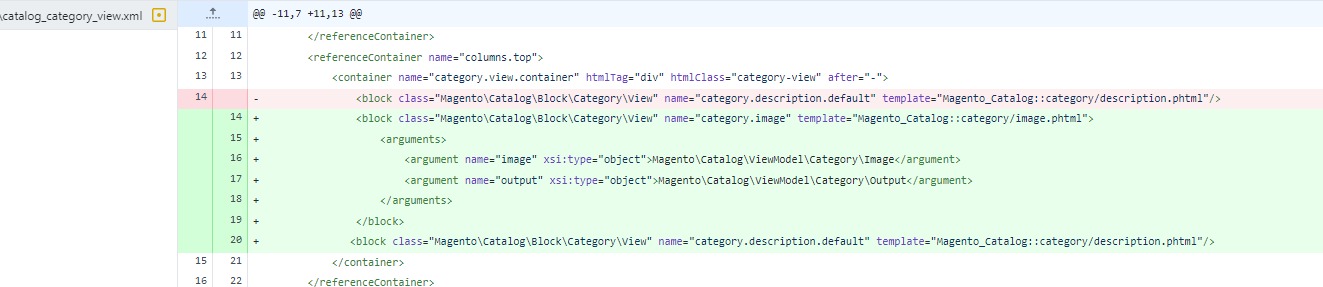
After upgrading to latest version 4.0.5 category images (“Category Image” uploaded in “Content” section in admin) are no longer displayed on category pages. The div with category image is not rendered, please see comparison with a previous theme version, where it’s showing correctly:
https://dl.dropboxusercontent.com/s/8h4xhpcud3opkiq/brave_2023-05-06_12-35-23.pngPlease provide fix asap.
THanks for using Porto,
Please kindly open new ticket at https://portotheme.com/support to get the check for that.
Regards,
Sounds great! Please contact us via helpdesk to get the support for the theme issues.
Regards,
I have a problem with layered navigation mageplaza plugin. Do I have to pay for this one separately? or it should work
Thanks for using Porto,
Please open new ticket at https://portotheme.com/support to get the support.
Regards,
Hi,
I have created a Ticket under reference : #21839
Can you please check it.
Thanks
Thanks for using Porto,
Please review the comment in your ticket. Our supporter responded quickly to your ticket.
Regards,
Hello,
I have just upgraded to Magento 2.4.6 and upgraded the Porto Theme to the latest as well. The backend works fine, front end index pages works fine but when clicked on category the category page shows page source code instead of products, what is the issue, please guide me how to resolve it. Have a look at “https://magento.kedka.com/tools.html” This is test site.
Regards,
Thanks for using Porto,
Please open new ticket with your site access to get the check for this issue.
Regards,
More than 3 years we have waited for pwa theme with Porto and each time answer we are getting coming soon. Could you please share the deadline or where is the work moved so far as we are just getting wait nth else.
Please share detial not coming soon and all
Thanks for using Porto,
PWA work on magento 2.x and you need follow instruction of magento to make it work.
Regards,
I have installed demo version 29 on my store however the background colour of product description is white instead of black, please let me know where to change it?
https://ibb.co/pxv4SkYThanks for using Porto,
Please send me the link to that product so that I may look into the problem for you.
Regards,
Please use this css in Porto- Setting Panel > Customization Setting:
product.data.items>.item.content {
    background: inherit;
}
Regards,
Unfortunately, it is still showing white background color.
Please make sure that you did clear your Magento, server and browser cache before checking.
Please contact us via helpdesk https://portotheme.com/support to get the further support.
Regards,
Thanks to support
You’re welcome! Please contact us via helpdesk https://portotheme.com/support to get the support.
Regards,
Is the latest porto version compatible with php 8.2?
Not just Magento 2.4.6.
Thanks for using Porto,
We’re looking into it right now.
Regards,
ok and the answer is? Thanks
Sorry for the delay in responding; our developer was having issues installing PHP 8.2 on his PC. Our theme is mostly compatible with PHP 8.2, however if you have any minor issues when using it, please email me so that I can resolve them all.
Regards,
Hello , can you point me where to enable disable Google + from your Product-Social-Links. i can’t belive it that you still have google + on your demos-its been gone since 2018. Can you help? Thank you.
what support? this is a general question BEFORE i buy your theme again.. Can you answer, or you have no idea? i saw some of you comments and are pretty malvolent. fully aware you are busy. but still…. this is just a simple question.Imagine if i ask for basic support….
Sorry for misunderstanding your question,
I assume you’re referring to the social network icons that appear at the bottom of the webpage. That is, in fact, HTML content updated in a footer block. By modifying the HTML text of that footer block, you can include any social channel’s icon and link.
If you have any further questions, please do not hesitate to contact me.
Regards,
look under “fishingurus” id -there is a purchasing code already, but that is not important. You “should be more nice” ! The support is for “customer service” regardless if a purchaisng code, or support time period is active/present. Fully aware you deal with over 200k purchases, but still that inludes only 10 minutes of your time to send people to support page or to drag another day with a lame answer. Based on since i know your theme is active, you should be an “expert asnwering laser target questions in regards of your theme. Unless every time a differet person answers. Please proove me wrong for everybody else that read those comments.
That is something I am aware of. Thank you for your understanding. I hope I will have another chance to help you. For immediate assistance, please contact me at https://themeforest.net/user/pt-support1.
Regards,
well, based on your asnwer, i can safely say you have no idea where your ” Product -Social-Links are. Thise are the “share” buttons under EACH product page, not in the footer. At least thats how they are called in your coding “
______ CSS-fully aware location on server________________ product-social-links .share-links a:not(:hover) { background: none; color: #222529; border: 2px solid #e7e7e7; ________html code____ under prodcut price______________ _____________________________________________________ ______________________________________ reference page here -or any product page for that reason-see G+ link=which is dead since 2018, but for some reason is preset on your latest demo 4.0.5 My porto is 4.0.1 i think still.. social links are udner “warning and add to cart” https://fishingurus.com/p-line-floroclear-copolymer-line-fluorocarbon-coated-300yds-select-lb-fccf-85.htmlThank you
We added social channel symbols and links to the Share and Follow buttons on the detail page.
You can use an advanced extension, such as Magento 2 Add this extension. It includes share buttons that allow visitors to share material on their preferred social media platforms.
Regards,
Have no idea what you are talking. This is a built in in your theme. Are you aware?
i am sorry, but i cannot make it more clear than this. all i asked was ” where are the settings for this? to enable diasble, or if you cannot provide that -to point me at your theme files so i cna remove the G+ 5 year old code still resident in all your demos, inlcuding 38. https://tinyurl.com/26seb55d
There are no setting for this. You can remove the icon in file app/frontend/design/smartwave/porto/magento_catalog/product/view/addthis.phtml
Regards,
I appreciate and Thank you. Might be a good idea to send this note to your developer to remove G+ from all the demos and future releases.
Sure, it simply needs a few tweaks.
Regards,
just a note -in case you want to update path to your notes….or in case anybody else is interested. Also a note -if you have a child theme or RTL the .phtml files are ll in main “porto” folder Hope it helps and thank you again! /app/design/frontend/Smartwave/porto/Magento_Catalog/templates/product/view
Hey PT support team, it appears that the 4.0.5 version of Porto is not fully PHP 8.2 compatible yet. Here’s the error output when installing a fresh Magento 2.4.6 and recent Porto 4.0.5
P.S.: when switching the PHP version to 8.1 it works – but Magento 2.4.6 comes with PHP 8.2 compatibility, so should the theme in my opinion.
1 exception(s): Exception #0 (Exception): Deprecated Functionality: Creation of dynamic property Smartwave\Megamenu\Helper\Data::$_storeManager is deprecated in /usr/www/users/abcd/magento/project-community-edition/app/code/Smartwave/Megamenu/Helper/Data.php on line 29
Exception #0 (Exception): Deprecated Functionality: Creation of dynamic property Smartwave\Megamenu\Helper\Data::$_storeManager is deprecated in /usr/www/users/abcd/magento/project-community-edition/app/code/Smartwave/Megamenu/Helper/Data.php on line 29#1 Smartwave\Megamenu\Helper\Data->__construct() called at [vendor/magento/framework/ObjectManager/Factory/AbstractFactory.php:121]
#2 Magento\Framework\ObjectManager\Factory\AbstractFactory->createObject() called at [vendor/magento/framework/ObjectManager/Factory/Dynamic/Developer.php:66]
#3 Magento\Framework\ObjectManager\Factory\Dynamic\Developer->create() called at [vendor/magento/framework/ObjectManager/ObjectManager.php:70]
#4 Magento\Framework\ObjectManager\ObjectManager->get() called at [vendor/magento/framework/ObjectManager/Factory/AbstractFactory.php:170]
#5 Magento\Framework\ObjectManager\Factory\AbstractFactory->resolveArgument() called at [vendor/magento/framework/ObjectManager/Factory/AbstractFactory.php:276]
#6 Magento\Framework\ObjectManager\Factory\AbstractFactory->getResolvedArgument() called at [vendor/magento/framework/ObjectManager/Factory/AbstractFactory.php:239]
#7 Magento\Framework\ObjectManager\Factory\AbstractFactory->resolveArgumentsInRuntime() called at [vendor/magento/framework/ObjectManager/Factory/Dynamic/Developer.php:34]
#8 Magento\Framework\ObjectManager\Factory\Dynamic\Developer->_resolveArguments() called at [vendor/magento/framework/ObjectManager/Factory/Dynamic/Developer.php:59]
#9 Magento\Framework\ObjectManager\Factory\Dynamic\Developer->create() called at [vendor/magento/framework/ObjectManager/ObjectManager.php:56]
#10 Magento\Framework\ObjectManager\ObjectManager->create() called at [vendor/magento/framework/View/Element/BlockFactory.php:44]
#11 Magento\Framework\View\Element\BlockFactory->createBlock() called at [vendor/magento/framework/View/Layout/Generator/Block.php:272]
#12 Magento\Framework\View\Layout\Generator\Block->getBlockInstance() called at [vendor/magento/framework/View/Layout/Generator/Block.php:252]
#13 Magento\Framework\View\Layout\Generator\Block->createBlock() called at [vendor/magento/framework/View/Layout/Generator/Block.php:225]
#14 Magento\Framework\View\Layout\Generator\Block->generateBlock() called at [vendor/magento/framework/View/Layout/Generator/Block.php:134]
#15 Magento\Framework\View\Layout\Generator\Block->process() called at [vendor/magento/framework/View/Layout/GeneratorPool.php:93]
#16 Magento\Framework\View\Layout\GeneratorPool->process() called at [vendor/magento/framework/View/Layout.php:365]
#17 Magento\Framework\View\Layout->generateElements() called at [vendor/magento/framework/Interception/Interceptor.php:58]
#18 Magento\Framework\View\Layout\Interceptor->___callParent() called at [vendor/magento/framework/Interception/Interceptor.php:138]
#19 Magento\Framework\View\Layout\Interceptor->Magento\Framework\Interception\{closure}() called at [vendor/magento/framework/Interception/Interceptor.php:153]
#20 Magento\Framework\View\Layout\Interceptor->___callPlugins() called at [generated/code/Magento/Framework/View/Layout/Interceptor.php:68]
#21 Magento\Framework\View\Layout\Interceptor->generateElements() called at [vendor/magento/framework/View/Layout/Builder.php:129]
#22 Magento\Framework\View\Layout\Builder->generateLayoutBlocks() called at [vendor/magento/framework/View/Page/Builder.php:65]
#23 Magento\Framework\View\Page\Builder->generateLayoutBlocks() called at [vendor/magento/framework/View/Layout/Builder.php:65]
#24 Magento\Framework\View\Layout\Builder->build() called at [vendor/magento/framework/View/Layout.php:271]
#25 Magento\Framework\View\Layout->build() called at [vendor/magento/framework/View/Layout.php:896]
#26 Magento\Framework\View\Layout->getBlock() called at [generated/code/Magento/Framework/View/Layout/Interceptor.php:293]
#27 Magento\Framework\View\Layout\Interceptor->getBlock() called at [vendor/magento/module-cms/Helper/Page.php:216]
#28 Magento\Cms\Helper\Page->prepareResultPage() called at [vendor/magento/module-cms/Controller/Index/Index.php:74]
#29 Magento\Cms\Controller\Index\Index->execute() called at [vendor/magento/framework/Interception/Interceptor.php:58]
#30 Magento\Cms\Controller\Index\Index\Interceptor->___callParent() called at [vendor/magento/framework/Interception/Interceptor.php:138]
#31 Magento\Cms\Controller\Index\Index\Interceptor->Magento\Framework\Interception\{closure}() called at [vendor/magento/framework/Interception/Interceptor.php:153]
#32 Magento\Cms\Controller\Index\Index\Interceptor->___callPlugins() called at [generated/code/Magento/Cms/Controller/Index/Index/Interceptor.php:23]
#33 Magento\Cms\Controller\Index\Index\Interceptor->execute() called at [vendor/magento/framework/App/Action/Action.php:111]
#34 Magento\Framework\App\Action\Action->dispatch() called at [vendor/magento/framework/Interception/Interceptor.php:58]
#35 Magento\Cms\Controller\Index\Index\Interceptor->___callParent() called at [vendor/magento/framework/Interception/Interceptor.php:138]
#36 Magento\Cms\Controller\Index\Index\Interceptor->Magento\Framework\Interception\{closure}() called at [vendor/magento/framework/Interception/Interceptor.php:153]
#37 Magento\Cms\Controller\Index\Index\Interceptor->___callPlugins() called at [generated/code/Magento/Cms/Controller/Index/Index/Interceptor.php:32]
#38 Magento\Cms\Controller\Index\Index\Interceptor->dispatch() called at [vendor/magento/framework/App/FrontController.php:245]
#39 Magento\Framework\App\FrontController->getActionResponse() called at [vendor/magento/framework/App/FrontController.php:212]
#40 Magento\Framework\App\FrontController->processRequest() called at [vendor/magento/framework/App/FrontController.php:146]
#41 Magento\Framework\App\FrontController->dispatch() called at [vendor/magento/framework/Interception/Interceptor.php:58]
#42 Magento\Framework\App\FrontController\Interceptor->___callParent() called at [vendor/magento/framework/Interception/Interceptor.php:138]
#43 Magento\Framework\App\FrontController\Interceptor->Magento\Framework\Interception\{closure}() called at [vendor/magento/module-store/App/FrontController/Plugin/RequestPreprocessor.php:99]
#44 Magento\Store\App\FrontController\Plugin\RequestPreprocessor->aroundDispatch() called at [vendor/magento/framework/Interception/Interceptor.php:135]
#45 Magento\Framework\App\FrontController\Interceptor->Magento\Framework\Interception\{closure}() called at [vendor/magento/module-page-cache/Model/App/FrontController/BuiltinPlugin.php:71]
#46 Magento\PageCache\Model\App\FrontController\BuiltinPlugin->aroundDispatch() called at [vendor/magento/framework/Interception/Interceptor.php:135]
#47 Magento\Framework\App\FrontController\Interceptor->Magento\Framework\Interception\{closure}() called at [vendor/magento/framework/Interception/Interceptor.php:153]
#48 Magento\Framework\App\FrontController\Interceptor->___callPlugins() called at [generated/code/Magento/Framework/App/FrontController/Interceptor.php:23]
#49 Magento\Framework\App\FrontController\Interceptor->dispatch() called at [vendor/magento/framework/App/Http.php:116]
#50 Magento\Framework\App\Http->launch() called at [generated/code/Magento/Framework/App/Http/Interceptor.php:23]
#51 Magento\Framework\App\Http\Interceptor->launch() called at [vendor/magento/framework/App/Bootstrap.php:264]
#52 Magento\Framework\App\Bootstrap->run() called at [pub/index.php:30]
Thanks for using Porto,
Please kindly contact us via helpdesk https://portotheme.com/support to get the check for that.
Regards,
We have in Magento 2.4.6. back end “sale” and ” show discount percentage” enabled, but the discount percentage is not shown in products grid in front end.
We have Porto 4.0.4 installed
Thanks for using Porto,
Please kindly contact us via helpdesk https://portotheme.com/support to get the support for that,
Regards
Hi, I am using Magento 2.4.3 and Port 4.0.5, and I am getting this error on the product page:
VM59321:1 Uncaught SyntaxError: “undefined” is not valid JSON at JSON.parse (<anonymous>) at run (layout.js:164:51) at app.js:14:9
It’s referring to /static/version1680618533/frontend/Smartwave/porto_child/ro_RO/Magento_Ui/js/core/renderer/layout.js
Any ideas?
Thanks for using Porto,
Please kindly contact us via helpdesk https://portotheme.com/support to get the support for that,
Regards
Hi, can I add block on category products page ? As well can I set that block to be placed on specific place after x products ? Pls refer that sample ; https://www.delta.co.il/men/pajamas?p=2
Thanks for using Porto,
Do you want a custom block to appear after the product listing on the category page?
Regards,
no. among products
Hi, any instruction how can I custom the product search widget (https://share.getcloudapp.com/12u7vQjo) on your demo #28
Thanks for using Porto,
This section contains only HTML content. In this position, you can find an advanced extension to show.
Regards,
Could you answer in spoken English ? Can’t understand what you mean
That’s HTML content, and you can find and edit this section directly in your Content > Pages > your Porto- Homepage.
Regards,
I cant get the sidebar navigation to show on Demo 38. I am working on new installation in localhost.
Under Mega Menu settings. I have Sidebar megamenu enable set to Yes Static block (before) – porto_custom_menu_before Static block (after) – porto_custom_menu_38
Under Settings Panel I have Show category list on left set to Yes
But it still wont show, when I load the other new demos I see the navigation links showing. But no matter what I change I cant get the sidebar on demo 38
Thanks for using Porto,
Please kindly open new ticket at https://portotheme.com/support to get the support.
Regards,
whare can i find success.phtml and how to edit success page ?
Thanks for using Porto,
you will find the success.phtml inside this folder, Copy this file to your path
app/design/frontend/THEME/THEME_NAME/Magento_Checkout/templates/success.phtml
There is no tool in the backend of default Magento 2 to customize the success page, you can customize this page by using a simple module.
Regards,

This item was featured on ThemeForest

Power Elite Author
Contact the Envato Market Help Team