1386 comments found.

EDD
Ciao abbiamo questo problema dopo aver effettuato l’aggiornamento del plugin ReyCore
Dettagli dell’errore
Un errore di E_ERROR è stato causato nella linea 37 del file /web/htdocs/www.elizabethmoda.it/home/wp-content/plugins/rey-core/inc/elementor/base.php. Messaggio di errore: Uncaught Error: Class “ReyCore\Elementor\Helper” not found in /web/htdocs/www.elizabethmoda.it/home/wp-content/plugins/rey-core/inc/elementor/base.php:37 Stack trace: #0 /web/htdocs/www.elizabethmoda.it/home/wp-includes/class-wp-hook.php(308): ReyCore\Elementor\Base->init() #1 /web/htdocs/www.elizabethmoda.it/home/wp-includes/class-wp-hook.php(332): WP_Hook->apply_filters() #2 /web/htdocs/www.elizabethmoda.it/home/wp-includes/plugin.php(517): WP_Hook->do_action() #3 /web/htdocs/www.elizabethmoda.it/home/wp-settings.php(623): do_action() #4 /web/htdocs/www.elizabethmoda.it/home/wp-config.php(78): require_once(’...’) #5 /web/htdocs/www.elizabethmoda.it/home/wp-load.php(50): require_once(’...’) #6 /web/htdocs/www.elizabethmoda.it/home/wp-login.php(12): require(’...’) #7 {main} thrown
Dopo posso scaricare la versione aggiornata del plugin?
Hey there!
Not sure what’s going on. Just had a look inside the code where the error is pointing to, but the only explanation could be the file is missing, therefore I believe the Rey Core plugin has not been properly installed/updated. Can you try reinstalling it please? If you’re not sure how to do it, please drop me a message on my profile page’s contact form. Thanks!
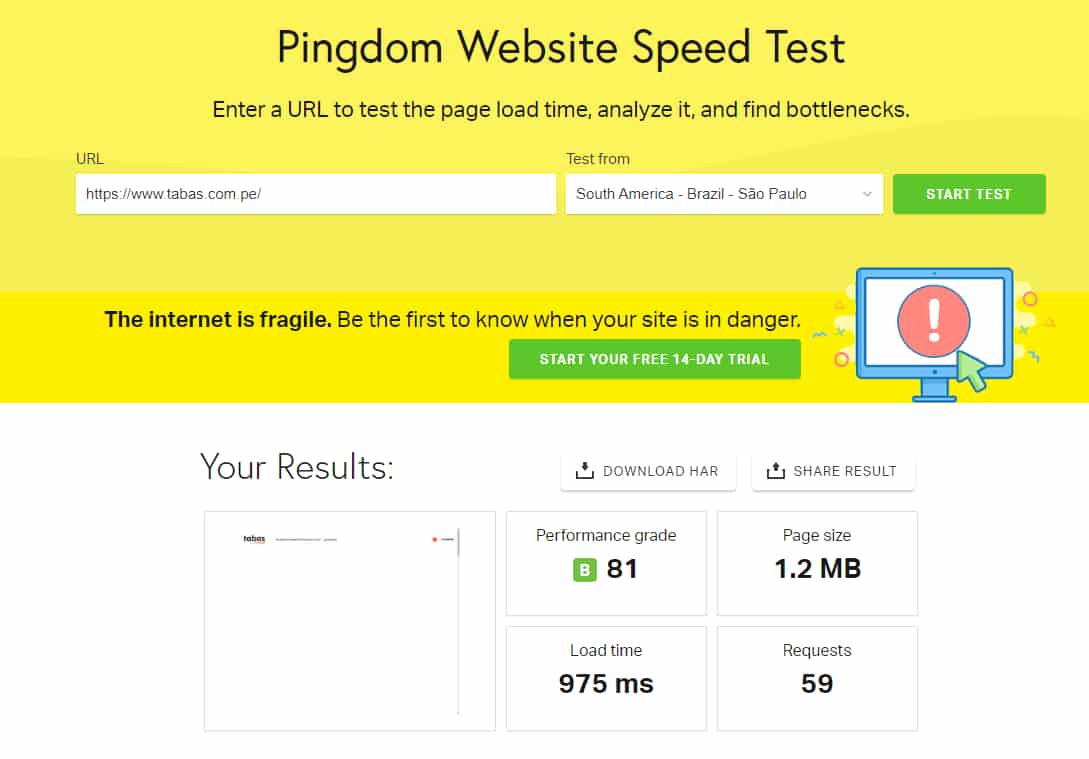
Hello everyone, I have seen some comments mentioning that Rey is slow, which is completely untrue because Rey is one of the fastest themes I have ever used. On my website, I have managed to achieve a loading time of less than 1 second, even though I am located in South America: https://www.tabas.com.pe/img/fast.jpg
Hey Luis,
Thanks a lot for jumping in!
In the last year most updates were focused on performance and Rey reached a point where everything inside it is optimized. I can guarantee that!
The theme is barely a fraction of the website so I simply cannot have any control over site caching and other plugins, and especially the content (images, fonts, other plugins CSS/JS, etc.). But once I can control this the results are amazing. For example Rey’s landing page www.reytheme.com is built with Rey. It’s super long and chunky, but I was careful to use best practices, optimize images, avoid bloated plugins etc. and the results are stunning.
I have been thinking about creating a caching / performance booster plugin which would cache the website and take control over the content I mentioned, as well as auditing and suggesting improvements (for example what’s inside Rey’s optimizations article in the documentation). What keeps me from doing it is reminding myself Rey is a theme after all and it would be an overkill to work on this kind of plugin considering the tens of performance improvement plugins out there.
I’m very glad to hear you’re satisfied with Rey!!
You’re welcome, bro. You’re doing a great job, and with each user feedback, Rey is becoming a top-notch theme every day. Keep up the good work and success continue to follow you!
Any tips on having a fast site? I read through your checklist on how to improve page load speed, but over time my site always operates so so sloooooow? I don’t get it. I have always had issues with this themes speed performance
Yes, i don’t see any caching solution installed or active.
It’s very important for the website to be cached. WordPress is dynamic meaning it will query the database for each visitor, for the same data. A caching solution will basically make the site static. Also some caching plugins are also optimizing the assets (CSS and JS).
I’m personally a fan of WPRocket but there are other plugins out there too (also free, for example WP Super Cache and Autoptimize for assets optimisation).
I also noticed a 5mb video that’s loading automatically. It should be somehow lazy loaded when the visitor scrolls the page.
Hello, thank you very much for your previous assistance.
I have two inquiries, one is a piece of advice:
1. Can you recommend a way or plugin to remove a couple of fields in the checkout? I want to remove the fields “Company” and “Address 2”. I tried using PHP code in the functions.php file of the child theme, but it didn’t work. I installed a plugin instead (Checkout Field Manager, Checkout Manage, for WooCommerce), and it worked, but it also broke my website. Also,
2. Do you have any plans to add a Timer on the product page to encourage people to purchase more quickly?
Thank you in advance for your responses.
Hey!
Sure, let’s see:
1. In Customizer > WooCommerce > Checkout you should see some options to hide these 2 fields ex: https://d.pr/i/18jhpc .
2. Rey has an internal module called Coundowns for Scheduled sales. I wrote more about it here https://support.reytheme.com/kb/scheduling-sales-and-showing-countdowns-or-limited-sale-badge/ . There are also some options in the product’s backend to have evergreen sale countdowns ex: https://d.pr/i/X1o6fZ (make sure to have the Scheduled Sale component enabled in Customizer > WooCommerce > Product page > Components > Scheduled sale)
Thank you too!
It works great, Thank you!!
Hello, I would appreciate your guidance regarding the translation of the last 3 words in the theme. I have followed the instructions in the guide, used Loco Translation, and it has successfully translated 95% of the content. However, I’m facing difficulty in translating the words “Size,” “Brand,” and “Material,” which are attributes displayed on each product page. I have explored various options, including translating them from a parent page by editing the page with Elementor, but haven’t found a solution yet. I kindly request your assistance in completing the translation of my website. Thank you for your help.
Hi Luis,
Can you try modifying the Attribute Names ex: https://d.pr/v/JsjjlF ? I believe this should do the trick. Thanks!
Thank you! It worked great!!
Your theme is phenomenal, i literally want to purchase it right now. what’s holding me back? I actually need this theme fore an electronics store, any examples that might help me make that decision? I am also interested in sales conversion addons and FOMO addons for woocommerce coupled with your theme.
Hey there!
Thanks a lot for your interest! 
Most demos can be customized for various types of niches. The one that’s customised for an electronics store is the San-Francisco demo store ex https://demos.reytheme.com/san-francisco . It’s focused more on branding to be honest.
Sorry, Rey doesn’t have any built-in FOMO addon, however i’m not entirely sure what you mean with sales conversion addons. Can you share some examples? Thanks!
Hi there. I am interesting in your theme but i some questions before buying it. Can you show me the register page for a client or can i have one next to login page? Can the register be done using social networks?
Hey there!
Thanks a lot for your interest in Rey. Sure, here’s a quick video recording https://d.pr/v/9JroPN and a link https://demos.reytheme.com/london/my-account/ .
The registration fields are exclusive to WooCommerce and with a couple of settings inside Woo, it can show the name/password fields too.
Onto social registration, i usually recommend https://wordpress.org/plugins/nextend-facebook-connect/ . It’s too powerful and complete and it don’t think i could create a built-in solution better that this plugin.
Another thing. Does it has product variations like in color?
ACF Pro: how can I update to the latest version as there are serious security concerns with the version I’m seeing installed as a bundled product. I have my own ACF Pro “subscription” but on the plugin page, I’m not seeing the update link.
Disregard, appears internal bundle version is up-to-date and at some point I must have also installed non-bundled plugin… removed and still working
Awesome, glad to hear that!
Indeed, i’ve been keeping a close eye on that issue as well and actually researched on the vulnerability itself to see what exactly was happening in the code.
You can safely rely on Rey’s bundled version because i make sure it’s always up to date. Thanks!
thank you for the great theme !! however i’am facing a weird problem, Elementor keeps loading ?? any solution please ??
Hey!
Thanks a lot!!
Not sure what can cause this. Please try temporarily disabling all plugins except for Rey Core, WooCommerce and Elementor and double check if the problem persists.
By exclusion It’s basically the best way to determine if some plugin is causing this problem.
After trying this please let me know how it goes. Thanks!
Since the last update (released yesterday or the day before), my headers now don’t display. Viewed on Safari and Chrome. Constant errors after updates are the norm with this theme and it’s very frustrating. I know I am not alone as I have read other comments posted about the same frustration.
FIXED. Elementor page was set to Default. Reset back to Rey – Page Builder and now the headers are visible once again. Please…please share with us how various page templates relate to one another and which ones we should be using. For a previous issue I was having a while back with section widths on “post” types, you instructed me to use the “Default”page template. I am not understanding which template to continue using. https://snipboard.io/NUuSDV.jpg
Hey!
Sorry, i know.
I’m preparing a KB article and will send you a link shortly.
Awesome. I know you do your best at the quickest you can do it.
Just wrapped up and invite you to have a look https://support.reytheme.com/kb/editing-posts-with-elementor/ .
Thanks a lot for your patience and please let me know if it needs improvements or i haven’t explained something in particular.
speed has greatly improved!
Awesome, great to hear that!!
Hi there!
Screenshot: https://1drv.ms/i/s" alt="" />AnP2nMm0GQ-igpV6PgQ55HqTWdG6zQ?e=MDxsbO
I am trying WPForms instead of Contact Form 7, but the forms created in WPForms look like they’re not part of the theme/website as they’re probably using their own CSS.
Would it be possible to look at this and provide css code so that they blend with the website?
Thanks & Regards!
Hey!
Sorry, couldn’t see the screenshot. The link seems to be broken.
Anyway, indeed most likely the forms have their own styling from the plugin, so i’m assuming they cannot inherit Rey’s styles. So it would be a bit harder to do it.
Maybe these articles https://wpforms.com/docs/how-to-style-wpforms-with-custom-css-beginners-guide/ and https://wpforms.com/docs/styling-your-forms/ , might help?
Is it possible to enable social login ? Google & Facebook
Hey!
I usually recommend Nextend Social Login and Register plugin. It’s beyond powerful and haven’t had reports about it not working with Rey.
Is it possible to embed a 360 image beyond a product page such as to a post or page?
Sorry, no, it’s not supported elsewhere.
Hey there!
Screen Recording: https://1drv.ms/v/s!AnP2nMm0GQ-igpQhXKFswCOHa4NWMg?e=lVBIgO
There seems to be an issue with the size chart plugin https://wordpress.org/plugins/woo-advanced-product-size-chart/
- Size Chart popup shows two close buttons.
- Close button that appears inside the popup does nothing, clicking it just makes it red and the popup just sits there. We have to either click out of the size chart popup or use the close button.
Thanks!
Hey!
Thanks, just fixed it locally for the upcoming update.
Great and Thanks
Hey there!
How can I disable Lazy Load in Recently Viewed products list?
Like it can be done for Related Products in Customizer > WooCommerce > Components in Page > Related Products > Lazy Load.
Thanks!
Hey!
Sorry, there’s no way of doing that.
However i remember i specifically did it like this because it’s very likely it will not work properly with caching plugins since it’s a cookie based/user data information, and might not show the products correctly.
Okay and Thanks
Hi, i install WCFM Vendor plugins. its working perfectly. but when i go to vendor registration link is not working is it possible to check your side ?
Hey!
It’s a bit hard to replicate locally on my end because i’m not sure what the exact configuration is.
Please submit a support request in this form here https://support.reytheme.com/new/ (or here if you have no problem sharing the link) and make sure to include the site address and a screenshot or better, a loom.com screen recording with the particular issue so i can inspect with Chrome dev tools.
Thanks!
i fixed this. anyway your theme suporting for wcfm. so please check and implement few more features
Dear Marius, is it possible to avoid using products titles as H2 title on the product grid (San Fransisco page for exemple) because my Seo analysis states that i have too many H2 titles on the homepage. Thank you very much for your assistance. ( https://ibb.co/8jvVNr4 )
Hey!!
Sure, please paste this php code snippet from here https://d.pr/n/pWtZLm into the child theme’s functions.php . It should switch to H3’s .
360 image error on mobile. When clicked it opens to blank white screen. Tested on iPhone using Safari and Chrome.
Hey there!
FIrst off thank you so much for your review, i really appreciate it!!
Please add this css snippet from here https://d.pr/n/Kx2591 into Customizer > Additional CSS . I already comitted locally for the upcoming update, so you can remove it afterwards.
Fixed thanks!