165 comments found.

Hello, where can I add the Facebook, twitter links that appear in the footer? I also would like to add instagrams do you know how to change that?
Hello there,
Thank you for reaching us. You can modify the social media items from Appearance > Menus > Social Menu. You can add Instagram in the menu as well. We’ve documented it here: https://docs.madrasthemes.com/bookworm/topics/headers-footers-sidebars/footers/#footer-social-menu
Hope this helps. Let us know if you have any other questions or need further help.
Thanks, S
Pre Sales Question.
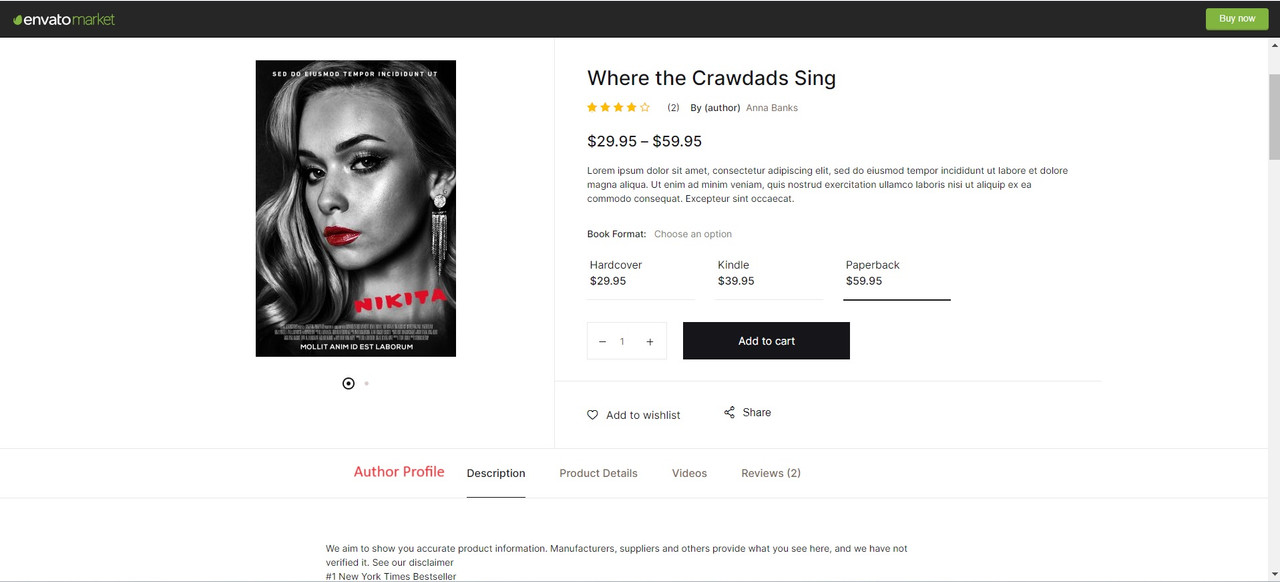
1. Can we display Author Profile on Product Page, screenshot added (highlighted in Red) for your quick Ref. https://i.postimg.cc/1zPHGXnY/Author-Profile.jpg
Hello there,
Thank you for your interest in our theme. The theme is a WooCommerce theme and supports all features of WooCommerce. Yes, it is possible. You can add additional custom tab using custom code.
Hope this helps. Let us know if you have any other questions or need further help.
Thanks, S
If we will buy this theme is it possible we can get custom code from your side or you can consider in next update ?
Hello there,
Thank you for your interest in our theme. You can easily add a custom tab to your product by using a third-party plugin: Custom Product Tabs for WooCommerce.
Hope this helps. Let us know if you have any other questions or need further help.
Thanks, S
Hi,
I am curious about something before purchasing your theme.
Can I set a product to be purchased, either digitally or physically? Also, can an example of the content of the book of a few pages be added to each product?
Thank you, Regards
Hello there,
Thank you for your interest in our theme. The theme is a WooCommerce theme and supports all features of WooCommerce. Here documentation about WooCommerce digital product : https://woo.com/document/digital-downloadable-product-handling/
Hope this answers your question. Let us know if you have any other questions.
Thanks, S
I see, so in the “Shop Single v1” where we have the options: Hardcover, Kindle and Paperback, those are Variations from woocommerce where I can set for example Kindle to be downloadable, right?
Also, you didn’t said anything regarding the sample of a book’s content if can be added.
Thanks.
Thank you for getting back. To answer your questions :
1. You can configure variation download option in variation settings. Here WooCommerce documentation : https://woo.com/document/variable-product/
2. WooCommerce allows you to add product descriptions, images, and other details for each book product. You can use it to add a sample.
Hope this answers your question. Let us know if you have any other questions.
Thanks, S
Good morning, i have bought this template. I have a problem the copyright field in customize said HTLM is enabled but i can’t add a link? there is a different code to add?
Hello there,
Good morning. Thank you for purchasing our theme and for reaching us. Apologies for not responding earlier, we were closed during weekends. Please note our response time is 1 business day and we are closed on Saturday and Sunday which are weekends.
The copyright text is escaped for security purposes. However, we’ve released v1.2.7 which now allows a tags and strong tags in the copyright text. Please update the theme to use this feature.
Hope this helps. Let us know if you have any other questions or need further help.
Thanks, S
After updating the BookWorm Theme (Latest) and WooCommerce 8.6.0 (Latest), we encountered an issue in the shopping cart. Upon clicking ” ,” crucial elements, , .
Despite extensive technical debugging efforts, the problem persists. Interestingly, disabling the Inline CSS Style in Chrome using an extension reveals the missing elements, allowing us to place orders. Please refer to the attached screenshot for clarification. Urgent assistance is needed to resolve this issue.
Website link: www.vanguardbooks.com.
Link to the screenshot: https://drive.google.com/file/d/1g74KtMUJjIfpJ3lbZEi9mfvJ5C4eOHUB/view?usp=sharing
Also bwgb-42c3314-Accordion code is not working
Hello there,
Thank you for reaching us. We are unable to access the screenshot that you’ve shared. Please email our support with your WP admin details and we’ll look into this issue that you’ve reported.
Regards
Hello, is it possible to change the “Shop by product” wording on top of the Offcanvas menu? I cannot locate it anywhere
Hello there,
Thank you for reaching us. Please navigate to Appearance > Customize > Header > General > Offcanvas Nav Title here you can change the title. Here is our documentation link: https://docs.madrasthemes.com/bookworm/topics/customizer/header/ https://drive.google.com/file/d/1xdRJ-BoCVn2Y2xFyildZ2taT1OBZ-8Sc/view?usp=sharingHope this helps. Let us know if you have any other questions or need further help.
Thanks, S
hi, I don’t see the Offcanvas Nav Title in the section you mentioned. I have the selections Wishlist, Compare etc but there are no fields down in the selection, unlike your screenshot in Google Drive.
Hello there,
Thank you for getting back. The option we highlighted in customiser only works for header v1, v3 and v7. If you want to change text for all headers please use this gist -https://gist.github.com/akther80/c1b77fdee6e42ce3d28f19f76cb372d3 – In this gist just change your title instead of ‘Enter your title here’ text
Hope this answers your question. Let us know if you have any other questions.
Thanks, S
We are running Woocommerce 8.5.2. Is your Theme compatible with this version and will you be keeping the latest releases of your theme compatible with the current latest version of woocommerce?
Hello there,
Thank you for your interest in our theme. Our theme is indeed compatible with the latest version of WooCommerce and WordPress. We’ve updated the theme attributes to reflect that.
Hope this answers your question. Let us know if you have any other questions.
Thanks, S
Dear all,
I hope you are GREAT!
Awesome theme and comes with a variety of lot of features to work. I noticed that the demo import doesn’t include media files (photos,videos,etc) on the upload folder. Is that normal or may I miss something? Thank you in advance
Hello there,
Thank you for purchasing our theme and for reaching us. Usually we do not include copyrighted images. However, we do include royalty free image. Did you get any error messages during import? Can you please share with us the error message if available?
Thanks, S
tell me how change these things please https://prnt.sc/FUP7UulDX6Dv
Hello there,
Thank you for purchasing our theme and for reaching us. Please refer this to change image and title https://docs.madrasthemes.com/bookwormgb/topics/hero-blocks/hero-carousel-blocks/#generalHope this answers your question. Let us know if you have any other questions.
Thanks, S
Can it be edited with Elementor?
Hello there,
Thank you for your interest in our theme and for reaching us. Bookworm is built using Gutenberg and is not Elementor compatible yet.
Hope this answers your question. Let us know if you have any other questions.
Thanks, Y
Hello, Ive bought your theme via envato elemtns and I have an issue updating Bookworm Gutenberg Blocks plugin to version 1.2.5 – throws error while updating: Warning: Invalid argument supplied for foreach() in /home/........./wp-content/plugins/woocommerce/packages/woocommerce-blocks/src/BlockPatterns.php on line 254 – can yo help me??
Hello there,
Thank you for purchasing our theme and for reaching us. Apologies for not responding earlier, we were closed during weekends. Please note our response time is 1 business day and we are closed on Saturday and Sunday which are weekends.
Please email your requirement to our support from here : https://themeforest.net/item/bookworm-bookstore-bookshop-woocommerce-theme/28407971/support with the screenshot of the error. We will check and get back to you as soon as possible
Thanks, N
Hey, I don’t neet a support, I need a working item, which I paid for! I know, that Envato Elements doesn’t provide support but still – sold items should work, and this one is not working!
Hello there,
Thank you for getting back. We didn’t face the issue you mentioned so please share your error with the screenshot we will check and get back to you as soon as possible.
Thanks, N
I did the import, but it didnt import the dummy content or images. The structure imported fine, please advise?
Hello there,
Thank you for purchasing our theme and for reaching us. Please make sure that you imported the theme dummy data like this instruction : https://docs.madrasthemes.com/bookworm/topics/getting-started/demo-content/ . If you still have issues please email our support from here : https://themeforest.net/item/bookworm-bookstore-bookshop-woocommerce-theme/28407971/support with site details, so that we can check and help with the issue.
Thanks, Y
Can you guide me how to update the theme if I buy a theme when updating the theme?
Hello there,
Thank you for your interest in our theme. You can update the theme can be updated in 3 ways:
1. Automatically: You can use the Envato Market plugin to update the Theme automatically. Instructions here: https://ibndawood.com/how-to-update-a-themeforest-wordpress-theme-or-a-codecanyon-wordpress-plugin/
2. Semi-Automatically: Sometimes, (1) does not work. You should download the latest installable WP theme zip file from your Themeforest downloads page and then upload it via Appearance > Themes > Add New > Upload Theme and upload the zip file. WP will backup the old Theme and install the new one.
3. Manually: You should download the latest installable WP theme from your ThemeForest downloads page, rename your current theme folder in wp-content/themes folder, unzip the downloaded WP theme from your Themeforest downloads page and upload it to wp-content/themes folder.
Please note that updating a theme will override any custom changes that you make to the parent theme. Hence we recommend using a child theme. A child theme is not meant to be updated and should contain only your custom changes. Also, we strongly advise that you backup your website and database before updating. It allows you to roll back the update if anything goes wrong after update.
Hope this clarifies. Let us know if you have any other questions or need further help.
Thanks, A
Since the last updated, I tried to create a new single author and the block says it has an error and can’t preview it. It’s not the first time I have this kind of error, I also have it with carousel on the main page for like 2 years, and it still continues.
What can I do?
Hello there,
Thank you for purchasing our theme and for reaching us. Please make sure bookwormgb and bookworm extension plugin are in the updated version (1.2.3 ) and check .
Hope this helps.
Thanks, N
They are updated, and I still have the problem. What can I do?
Hello there,
Thank you for getting back. Please email your requirement to our support from here : https://themeforest.net/item/bookworm-bookstore-bookshop-woocommerce-theme/28407971/support. We will check and get back to you as soon as possible
Thanks, N
I sent it! I hope to have the solution finally.
Hello
There has been an error after updating woocommerce to the latest version.
I have pasted the error details below. Please update the theme.
When seeking help with this issue, you may be asked for some of the following information: WordPress version 6.3.1 Active theme: Bookworm Child (version 1.1.3) Current plugin: (version ) PHP version 8.0.30
Error Details
An error of type E_ERROR was caused in line 415 of the file /var/www/wordpress/wp-content/themes/bookworm/inc/woocommerce/template-functions/product-archive.php. Error message: Uncaught Error: Call to a member function __isset() on null in /var/www/wordpress/wp-content/themes/bookworm/inc/woocommerce/template-functions/product-archive.php:415 Stack trace: #0 /var/www/wordpress/wp-includes/class-wp-hook.php(310): bookworm_wc_set_loop_shop_per_page() #1 /var/www/wordpress/wp-includes/plugin.php(205): WP_Hook->apply_filters() #2 /var/www/wordpress/wp-content/plugins/woocommerce/packages/woocommerce-blocks/src/BlockTypes/ProductQuery.php(135): apply_filters() #3 /var/www/wordpress/wp-content/plugins/woocommerce/packages/woocommerce-blocks/src/BlockTypes/AbstractBlock.php(100): Automattic\WooCommerce\Blocks\BlockTypes\ProductQuery->enqueue_data() #4 /var/www/wordpress/wp-includes/class-wp-hook.php(310): Automattic\WooCommerce\Blocks\BlockTypes\AbstractBlock->enqueue_editor_assets() #5 /var/www/wordpress/wp-includes/class-wp-hook.php(334): WP_Hook->apply_filters() #6 /var/www/wordpress/wp-includes/plugin.php(517): WP_Hook->do_action() #7 /var/www/wordpress/wp-admin/edit-form-blocks.php(272): do_action() #8 /var/www/wordpress/wp-admin/post-new.php(72): require(’...’) #9 {main} thrown
Hello there,
Thank you for purchasing our theme and for reaching us. I also thank you for noticing this issue. Please wait for sometime we will fix the issue and release an update as soon as possible.
Thanks, N
Hello, I am unable to update Bookworm Gutenberg Blocks from 1.1.9 to 1.2.2. It says it has done the update but not really. There ise a fatal error when trying to edit pages and I think it is because of this.
Fatal error: Uncaught Error: Call to a member function __isset() on null in /htdocs/wp-content/themes/bookworm/inc/woocommerce/template-functions/product-archive.php on line 415
Hello there,
Thank you for purchasing our theme and for reaching us and noticing this issue. We’ve resolved this issue. Please take a look and let us know if you have any questions.
Thanks, N
Thank you, it updated now!
Hello I would like to pay for your theme for a book sales site So I would like to know if you have the Laravel version I don’t really like using WordPress for my big projects But also is it possible to ensure that certain blog articles are paid for, that is to say the visitor will read the beginning of the article if he wants to read everything he must pay the subscription Like this example: https://www.jeuneafrique.com/1468501/politique/le-coup-detat-au-niger-ultime-test-pour-la-cedeao/
Hello there,
Thank you for your interest in our theme. Apologies for not responding earlier, we were closed during weekends. Please note our response time is 1 business day and we are closed on Saturday and Sunday which are weekends.
Sorry, We don’t have laravel version. The feature you are asking for paid blog article is not available in our theme.
Hope this answers your question. Let us know if you have any other questions.
Thanks, N
Hello,
I would like to know if it is possible to configure a button + link to buy the book on Amazon, Wallmart, etc. It’s not WooCommerce, it’s just an external link to the book published on the different print-on-demand platforms.
It is also important to know if you have multiple languages, as we need to manage a catalog of multilingual books that are sold on multiple online platforms from many different countries.
Thanks! Emiliano
Hello there,
Thank you for your interest in our theme. The theme is a WooCommerce theme and supports all features of WooCommerce. WooCommerce has an external product option that will allow you to add your affiliate products: https://woocommerce.com/document/managing-products/#adding-an-external-affiliate-product
As regards mult language support, by default WordPress does not support multi-lingual websites. However there are plugins like WPML, Polylang, Weglots, etc that allows you to extend WordPress to create multi-lingual websites. Please note that support for these plugins are outside of our support scope.
Hope this answers your question. Let us know if you have any other questions.
Thanks, S
Hello!
Thank you very much for the answer, all good. Surely buy your template in the next few hours.
I have one more question, does the template have a section to login and include digital goods? the user makes a payment subscription, creates his user and enters the private area, it is for a website of my own brand where I sell documents in pdf.
Thanks again, Emiliano
Hello again,
Thank you for getting back. WooCommerce does support digital products. More details here: https://woocommerce.com/document/digital-downloadable-product-handling/
If you’d like to trial the theme before purchase, please email our support and we’ll setup a trial for you.
Kindest Regards, MadrasThemes
Hello,
Yes, I would really appreciate it.
My business doesn’t really sell digital goods by the unit, we sell subscriptions, and each subscription has different digital products, but I understand that you can. If you have a woocommerce link about subscriptions with digital products, I would be grateful too.
I’m going to write to support right now.
emiliano
Thank you for purchasing our theme and for reaching us. Please let us know if you need any help using our theme.
How can I translate easily without using any fancy javascript in the functions.php all the theme english text to another language?
Hello there,
Thank you for purchasing our theme and for reaching us. The theme is translatable and we have included all the strings with the pot file. You can use a plugin like loco translate to translate the theme into your language. You can find instructions here : https://docs.woocommerce.com/document/woocommerce-localization/#section-5
Hope this answers your question. Let us know if you have any other questions.
Thanks, N
Hi, I have purchased the them but I’m struggling changing the Shop page grid design. I want books to appear with 1 image only but I can’t find any settings.
Can you support?
Hello there,
Thank you for purchasing our theme and for reaching us. Please email your requirement to our support from here : https://themeforest.net/item/bookworm-bookstore-bookshop-woocommerce-theme/28407971/support.
Thanks, N