2024 comments found.

Hello, My wordpress updated to Current version: 6.6.2 and none of the plugins work.
For example in Documents I have no options to add a document, same with events, shows the default wordpress page.
In the console I see “deprecated.min.js?ver=e1f84915c5e8ae38964c:2 wp.editPost.PluginSidebarMoreMenuItem is deprecated since version 6.6. Please use wp.editor.PluginSidebarMoreMenuItem instead.”
Hi,
what version of the theme are you using? Try to disable all 3rd party plugins except the LSVR ones if that helps.
Lubos
Hi I have an issue with the RTL ( Arabic ) in the people section as the icons of the Phone, Website, Email, etc do not go to the right side when changing the language from English to Arabic I am using a third-party translate press plugin, and in the mobile view, the whole content stays in the left half of the post.
kindly advise ASAP Thanks
Hi I have an issue with the RTL ( Arabic ) in the people section as the icons of the Phone, Website, Email, etc do not go to the right side when changing the language from English to Arabic I am using a third-party translate press plugin, and in the mobile view, the whole content stays in the left half of the post.
kindly advise ASAP Thanks
Hi,
have you changed the language in the WordPress admin settings as well? Please share your URL where I can see the issue.
Lubos
the site is with 2 languages English & Arabic and when changing between them the icons still in the same position
I see, there is a bug indeed, add this to your CSS for a quick fix:
body.rtl .lsvr_person-post-page .post__contact-item-icon::before {
  left: auto;
  right: 0;
}
Try this CSS:
@media ( max-width: 480px ) {
body.rtl .lsvr_person-post-archive .has-post-thumbnail .post__inner {
  padding-right: 0;
}
}
the same issue on the other posts
many thanks for considering my request.
Use this CSS fix:
@media ( max-width: 480px ) {
body.rtl .lsvr_person-post-single .post__contact {
  max-width: 100%;
}
}
Thanks Lubos!
Here you go:
body.rtl .lsvr_listing-post-single .post__contact-item-icon::before {
  left: auto;
  right: 0;
}
I don’t understand how nobody reported these issues yet, Weird. Anyway, I will include those fixes in the next update. Thanks for your patience.
Thanks, Lubos, The best thing is that your support is amazing!
My best regards, Amjad
The domain name I use for this theme is a subdomain I need to link the header logo to the main domain
Hi, is it possible to add the working hours to the Person category?
The logo automatically links to the URL of your site you set in the Settings.
Unfortunately it is not possible to add working hours to the Person in a way it is implemented on the Listing, but you can use a plugin like TablePress for example as it allows you to add hours into a table and insert it into as many person posts you want via shortcode and edit those hours from a single place.
Well Noted Thanks!
This is caused by your caching/minimizer plugin, I am guessing WP Rocket? It omits some of the CSS definitions, I guess you will have to look into its settings.
Yes its the WP Rocket, i will do that thanks
Hi Lubos, Hope all is well at your end, Regarding the RTL, is there a way for the left sidebar to become the right sidebar when changing the language to Arabic and back to the Right sidebar when English?
Thanks Amjad
It is possible with some custom CSS, but I can’t 100% guarantee it will works without issues, but I guess it is worth a try:
 @media ( min-width: 991px ) {
.rtl {
.columns__main, .columns__sidebar { float: right}
.columns__sidebar--left { left: auto; right: -49.998%; }
.columns__main { left: auto; right: 24.999%; }
}
}
Hello, Is there a way to change the “Person” text to another name like “Public”? thanks in advance
Great Theme thank you! There are 4 links in the footer I can not figure out how to remove.
home documentation purchase demo credits
Where can i find the section to remove these? Thanks!
Hi,
you can edit it in the same ways as other menus, under Appearance / Menus. Just switch the menu you want to edit at the top.
Lubos
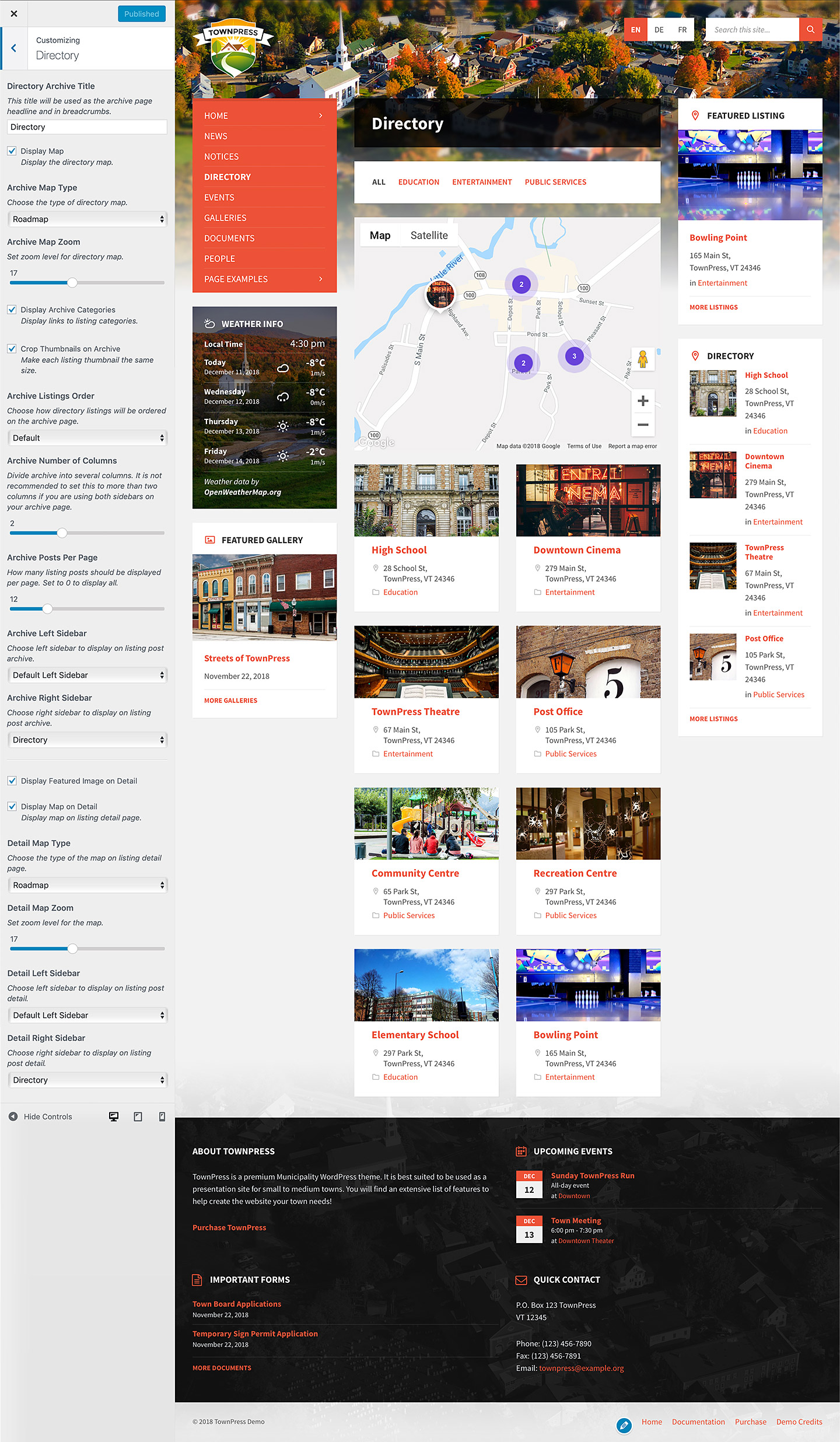
Hi there! Working to get the template up and running. I checked the documentation for the directory plugin and am unsure how to get the maps feature to work. I entered all the coordinates for each listing and no map appears. Thanks!
Hi,
have you set the map API under Appearance / Customize / Map Settings?
Lubos
Just want to say, I’ve been using this theme for years now and couldn’t be happier. Excellent work LSVR!
Hi,
thanks a lot!
Lubos
Hi, I have a WordPress site that uses your theme: TownPressVersion: 1.4.3. Is it possible to purchase the license and have the upgrades?
Hi,
yes, it is possible, however updating to the latest version won’t be so easy in your case as you are using very outdated version. Basically you would have to recreate your events, documents and other custom post types. I would highly recommend to actually install the new version on a clean installation and just import the posts and pages from your old site.
Lubos
Hey, is it possible to hide the Date on Notices with custom css?
Hi,
sure, please share your URL.
Lubos
Thanks but I need the exact URL where I can see the notices where you want to hide the date, https://goedenroth.de/notices does not work so I assume you’ve changed the URL for it.
Sorry, this is the URL: https://goedenroth.de/gewerbe
You can use this CSS:
article.lsvr_notice .post__footer { display: none; }
Please note that your support is expired. You will need to extend it (under your account / Downloads) for any further assistance. Thank you!
Thank you very much for your support!
Hi,
I have already purchased theme from you some months ago. Now I would like to update WPBakery plugin as we have a problem to switch to higher version of PHP (older version of WPBakery not compatible with PHP  . Could you please advise if there is any way how to update WPBakery plugin without purchasing standalone license for WPBakery?
Thank you.
. Could you please advise if there is any way how to update WPBakery plugin without purchasing standalone license for WPBakery?
Thank you.
Nazdar,
tu mam k tomu tutorial: https://themeforest.net/item/townpress-municipality-wordpress-theme/11490395/faqs/32829 momentalne tam mam verziu 7.7.2
Lubos
zdravim, dakujem pekne, uz je to updatnute 
Hi,
my guess is that you just need to do something in the Woo settings. Alternatively, you can try to take a look at this tutorial: https://developer.woocommerce.com/docs/classic-theme-development-handbook/#0-theme-integration
Lubos
Im afraid it did not work. hmm anything else i can do, to implement 1 product in the very nice theme!
Are you using the latest version of the theme? There should be some kind of Woocommerce shortcode/block you can out on your page, this is bit out of the scope of the theme support as it does not officially support WooCommerce, but I am sure it should be rather straightforward to do. Does it work for you when you switch to a default theme like TwentyTwentyfour or something like that?
It is working just fine with Twenty Twentyfour. I do use the newest version. – It is a bit of a shame that it’s not working with your theme.
When you go to the Woo products page, what does it show?
good afternoon, I have the problem of importing the demos
Hi,
can you please describe your issue in more detail?
Lubos
I use TownPress – Municipality & Town Government WordPress Theme by LSVRthemes. My site is Haddonfield.Today (or HaddonfieldToday.com).
How can I upload a PDF document from my desktop computer and where can I post it? It’s not posted anywhere else, so I am not able to post a link to a URL.
Thank you.
Hi,
the simplest way is to just go toy your admin / Media, upload it there, then upon clicking on it you should be able to see a direct link to it, which you can post anywhere you want.
Or you can use the build-in documents feature. Go to Documents, create a new post, scroll down to Document Settings and assign a PDF document to that post. You can then use one LSVR Documents, or LSVR Document Attachments widgets to put it into your sidebar. I see you already have bunch of documents on your site: https://haddonfield.today/documents/
Lubos
I have looked every where how to I edit the Magazine home page. It appears that they are categories but cant find where to change them
Thanks Kirk
Hi,
you mean how to change the category assigned to a specific front page posts block, or how to add new categories which can be used there?
Lubos
I would like to where to change categories assigned to the magazine page. Where are the categories set at? The slider on the magazine page is using notice categories, but the 4 blocks under the slider are pulling from categories I can not locate they are not post or notice categories.
Both slider and those four blocks use only the post categories. When you click on the block title you will open the category archive page of that particular category. You can find each of these categories under your admin Posts / Categories. Feel free to share your URL so I can take a look.
Hi there, presales question. Is there a way to take a look at the backend? Thank you
Hi,
here are some admin screens:
http://assets.lsvr.sk/townpress.wp/3.7.2/townpress_admin_01.jpg
http://assets.lsvr.sk/townpress.wp/3.7.2/townpress_admin_02.jpg
http://assets.lsvr.sk/townpress.wp/3.7.2/townpress_admin_03.jpg
There is unfortunately no live admin demo.
Lubos
what is your return policy? if i can’t test the theme beforehand, but realise after buying it that it doesn’t fit my needs, can i return it uncomplicated?
Hello. Is it possible to add a filter to the LSVR widget ‘Events’ in the display of recent events? For example: “all events except category X”
Thank you very much. Michael.
Hi,
I am sorry but that is not possible.
Lubos
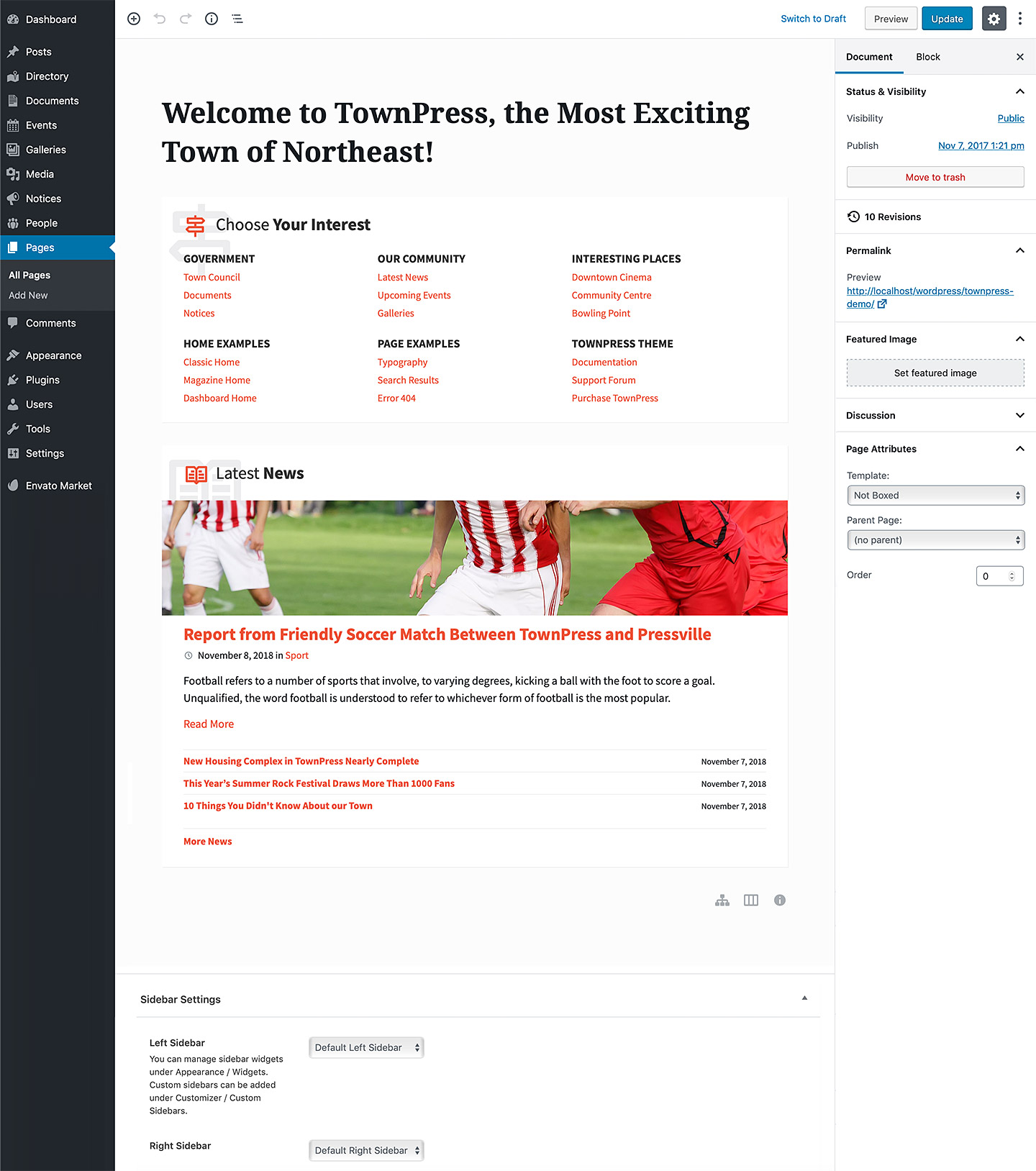
Hi, where is it possible to manage (appear / desappear), traduce and edit content the “Choose Your Interest” box on main homepage please ? I would like to desactivate or set a widget for example or to chose what pages links I want to appear Thanks
Hi,
it is a TownPress Sitemap block which uses a standard menu managed under Appearance / Menus. Please check out this Front page tutorial to learn more: http://docs.lsvr.sk/townpress.wp/#front-page
Lubos
Ok thanks
Hi,
We are using the Magazine Home template as our homepage because we like how it displays different categories. However, when we install the theme, we struggle to set up links to other categories. Currently, it only directs users to the News posts on the same page.
We are using the WPBakery Page Builder. Could you please guide us on how to create different links for each category? We also want to be able to name and edit these links.
Thank you!
Hi,
have you set the category for each of the TownPress Posts block on your home page? Feel free to share your URL.
Lubos
Hi, We have to add many different to post to magazine page, Can we do this? here is the link : http://schoenbach.lahsik.de/
Because We liked the magazine page to be our homepage, but our Categories wont only be Post Categories that is why we are asking if we can change the link and how? now everything in news even if that we have different categories we can’t see them
Or you can use multiple TownPress Sitemap blocks to add any links you want.
How to use multiple Townpress Sitemap, Because I tried to use Post type, and it didn’t work, Where I can use the same format that you have already in Townpress list post and Add the link to it. Please help
For Example I want to add ‘Notices’ to post s Lists the same that I have done to Kultur and Sport, But the Difference is Kultur and Sport Two Categories. and Notices is Post Type,
I think you are responding to other question. I wasn’t asking about Choose Your Interest. Please review My questions
I understand. I am just saying that take a look at Choose Your Interest block in the demo as an inspiration on how to use the Sitemap block with custom links on your front page.
Yes But how to use them the same format a Postlist that I have In Magasin page? Because I want Post type to look like What we already have for Categories
Unfortunately, that is not possible. It won’t look the same. But it is the closes you can get without custom coding. Alternative would be to alter the existing Townpress Posts component code, but that would require some decent WP coding knowledge to pull off. I have some very basic know how here: http://docs.lsvr.sk/townpress.wp/#code-customization
The Posts component file can be found here (relative to your WP installation): wp-content/plugins/lsvr-townpress-toolkit/templates/shortcodes/townpress-posts.php
Thank you for your help so far. Please I have created New custom post type to use it for Protocols, and I want to add it to Widgets left side bar. In our old website we did this as you can see : https://www.schoenbach-eifel.de/ ( PROTOKOLLE ). Now we need to do the same thing in our new website : http://schoenbach.lahsik.de/ But we didn’t find In widgets Protokolle ( our custom post type ) to drag it our left side bar! Please any advise
Is this a plugin? Yes I did install all plugins from our old website. Other small thing please How to change The Name “Menu” color on mobile when someone click on the menu, the background it turns blue and the typo color of “menu” black so it doesn’t look good on mobile! please advise.
It is definitely a plugin.
Try this CSS:
body .header-toolbar-toggle__menu-button--active { color: #FFF; }
Hi again,
Thank you for your assistance. I have two questions:
1- How can we hide all text and keep only some of it on the magazine homepage (TownPress Posts)? We have long posts and don’t want them to be fully displayed on the homepage, as it doesn’t look good. For example, we need to show just the first 200 words and not the entire text to keep it organized. You can see the current issue here: http://schoenbach.lahsik.de/.
1- How can we make the slider responsive for mobile so that the entire picture is visible on the homepage?
1.) You need to define your post excerpt. When editing a post, search for the Excerpt field in the right panel. Make sure it is enabled under screen options.
2.) You can use this CSS but it won’t look good. There is a reason why it is being cropped on mobile:
@media screen and (max-width: 800px) {
.lsvr-townpress-post-slider__post-bg {
  background-size: contain;
  background-position: center;
  background-repeat: no-repeat;
}
}
Thank you; If I don’t have excerpt when I edit post do you suggest any plugin? Bcs I didn’t have it
Find it, thanks
Hello,
I’m trying to separate a page into sections. For example i’ve added the “Latest Notice” widget to the top of the page, and i would like a gap (that is transparent) between that widget and the content below it. However I cant seem to do it.
Hi,
there should be a Spacer block in the block editor: https://wordpress.org/documentation/article/spacer-block/
Lubos
Is there a way/plugin/custom code I can update documents added with theme v1.6.4 to theme v3 documents? I have over 3000 and reuploading all is out of discussion.
Hi,
unfortunately no, documents in the 3.0 works very differently. You can now assign multiple attachments to a single document post. Theoretically you can assign all 3000 attachments to a single post at once, but I don’t know how it will work performance wise.
I would advice you to install the latest version locally or on some staging environment and just test it out before you update your live site.
Lubos
Hello,
I have a question about the events calendar. Everything is working great, except when the day of the event comes around, it disappears from the upcoming events list. How do I get it to display the current day’s event?
Thanks!
Hi,
make sure that you’ve set correct timezone in the Settings.
Please note that you need to contact me using an account with which you’ve purchased the theme to get my assistance. Thank you for your understanding.
Lubos