1297 comments found.

check my website https://mummakart.com . I have three lines in the upper left corner .In shop by collection I added menus .I want to make shop by collection link to show the menus not the 404 error page.only if I press plus icon it shows menu. if I touch the shop by collection it opens into 404 page. I want shop by collection to show sub menus instead of 404 error
Hi there, thank you for using our theme. We checked you are using # for the menu https://letshare.link/6f8159ee35 However, we need you describe this issue in detail with a few screenshots and send it to the support system: https://support.the4.co/ We will check and guide you soon. We hope to hear from you. Best regards.
Also on their product page https://asimjofa.com/products/ajkk-18. They also have a dedicated button ’’View Product Video’’. Is it’s included in theme or not ? Please guide me about this because i don’t have a technical background and i want my website to look like this website.https://asimjofa.com
Hi there,
Thank you for your interest in our theme. Regarding the sample store you sent, they use the Kalles theme, but they have customized a lot of code to personalize it according to their store. You can check the customized code https://letshare.link/d25d5b8f66. As you can see, they’ve made extensive adjustments to the theme’s code, which requires a dedicated developer responsible for implementing the changes and being ready to fix any issues that arise.
We do offer theme customization services if you’re interested. Please feel free to reach out to us via email at: the4.staff@gmail.com.
As for the product video you mentioned (https://letshare.link/585d0bb517), yes, this is available in our theme. You can add a video in the Products section of the Shopify Dashboard. For reference, here’s another helpful link: https://letshare.link/225d932d29.
If you require more detailed feedback or want us to review your customization requests, please contact us via email.
Looking forward to your response.
Best regards,
I know in your theme you can add product video but the dedicated button for view product video as shown in screenshot https://letshare.link/330847024f. Is this included in your theme.
Hi there, I commented and edited the link screenshots. Regarding the sample store you sent, they have customized a lot of code to personalize it according to their store. You can check the customized code https://letshare.link/d25d5b8f66 As you can see, they’ve made extensive adjustments to the theme’s code, which requires a dedicated developer responsible for implementing the changes and being ready to fix any issues that arise.
Yes, that button customized code. If you need a similar customization, you can compile your requirements and let us know. Please feel free to reach out to us via email at: the4.staff@gmail.com Regarding the screenshot issue, you can copy the link and remove any characters like periods, commas, or parentheses after the image link. We will carefully check to handle this issue. If you require more detailed feedback or want us to review your customization requests, please contact us via email.
Looking forward to your response.
Best regards,
Hi,
I’ve opened the ticket #13754, but I have no response from the support team.
Please, answer my ticket. I have serious issues in my store because of a problem with my new purchased license.
Hi there, we replied to you on your ticket. Please follow up that issue on the ticket. Thank you so much!
Hello, I’d like to know where can I find the messages posted in the “Ask a question” form in single product page?
Hi there,
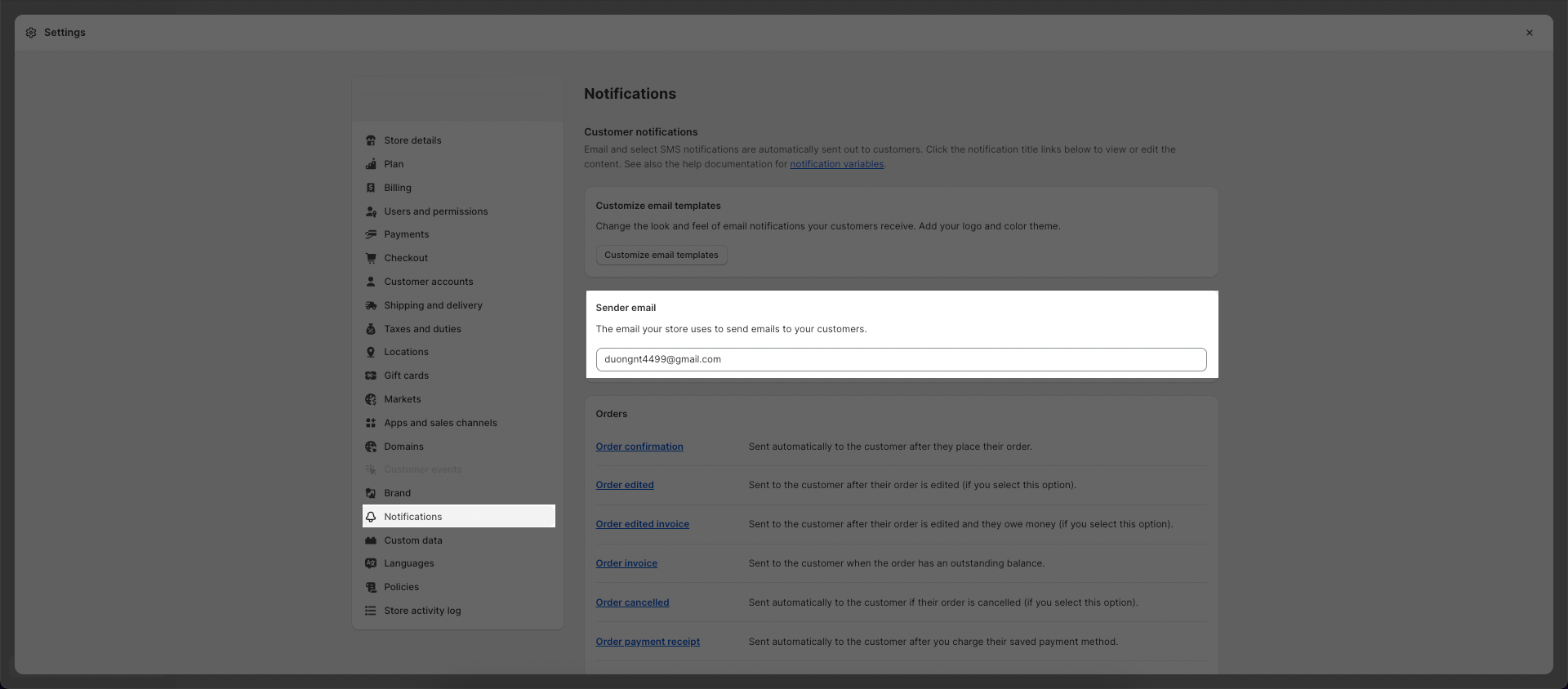
Customer messages will be sent to your email at https://helpdesk.the4.co/storage/6748/Uy0suYqHxEGToRffEN055N8G9GC4Mb5x3ZoPPf1l.png
For future assistance, you can open a ticket at https://support.the4.co/ our support team will help you.
Best regards!
Hi, I have recently purchased the theme and there’s an error on the time of the installation.
And, my Purchase Code is showing faulty or expired on your support site as well.
I request you to look into it and solve the concern matter.
Thank you
Hi dear friend, We will check it for you and update you on your ticket. Best regards,
Does Kalles support swatches uploaded in Shopify Admin on the Products? It is not showing our images we uploaded on the products during our test.
Hi there, Thank you for using our theme. It has support show swatch you added in the admin. You can check our video https://www.loom.com/share/ec96149262a042b48507290237020cfa You will select product image for variant. If you need to check more please help us open ticket on the support system https://support.the4.co/login Our colleagues will help you to check in detail. Best regards.
This is the varient image… There is a new shopify feature for actually setting the swatch image in admin. If you click on Color > Add Entry > then you can add a swatch and upload a image. This is where the swatch is being pulled from now. From my testing Kalles doesn’t support this yet?
I think an update needs to include a option to “Use native Shopify uploaded swatch image” does this make sense? I can also send a video showing where the new swatches are stored in shopify admin product page.
Hi again, Our theme has guideline for config swatch show color or image; you can check this guideline https://support.the4.co/articles/custom-color#1-enable-use-custom-color Please contact with us through support system and we will assist you check this request in detail. Hope to hear from you soon. Best regards.
How can I remove short description from product page after price?
Hi there, You can go to Product page >> Product main >> Remove Descriptions block or modify it to Full description: https://www.screencast.com/t/hVi7tt57n For the others questions, please open ticket on https://support.the4.co/login so we can help. Thank you!
Hi, We are a Shopify website development agency. We would like to connect with your business development team.
Hi there, please help us open ticket on https://support.the4.co/ so we can connect. Thank you!
Hi, I also have an issue with the documentation regarding the mega menu – there isn’t any. It’s not intuitive, unfortunately. Can you explain how we can build a mega menu, please?
Hi there, We will quickly supplement detailed videos in the document to help our customers better understand how to operate the mega menu.
Below is our guide on creating a mega menu. With a mega menu, you will need to create separate navigations. Note that you will need to connect the ID header with the ID Mega item. Here is a detailed video to configure a mega menu like our demo: https://www.screencast.com/t/DsMQoL8dXV7E
We hope this video will be helpful, and we will remake it in more detail in our upcoming guide. Thank you so much for using our theme.
Hola buenos días, la verdad que la parte de los megamenus está fatal explicada. Algo tan importante no puede estar sin explicación en video, sobre todo cuando no funciona como el resto de megamenus que he visto en otros temas. Entiendo, después de mucho investigar por otro lado, que hay que hacer un menu individual para cada apartado del menu principal, por lo tanto si tienes muchos submenus y muchos productos y categorías, la cantidad de menus que hay que hacer en la parte de NAVEGACION, puede ser interminable… entonces… ¿que ventaja tiene esto? saludos
Hello good morning, The truth is that the megamenus part is poorly explained. Something so important cannot be without a video explanation, especially when it doesn’t work like the rest of the megamenus that I have seen in other topics. I understand, after much research on the other hand, that you have to make an individual menu for each section of the main menu, therefore if you have many submenus and many products and categories, the number of menus that you have to make in the NAVIGATION part , it can be endless… so… what advantage does this have? greetings
Hi there, With the technical please open ticket on support system, our colleagues will check and guide you in detail. This is the link to the system https://support.the4.co/ Hope to see you soon on the support system. Thank you so much!
Creo que esto no es una respuesta válida. Por lo que puedo ver en otros comentarios, es algo que tienen que mejorar en este tema. No puede ser que se desentiendan de esta manera, cuándo uno hace un esfuerzo económico para comprar un buen tema, y precisamente ahorrarse problemas al hacer la web desde cero. No entiendo que la explicación de algo tan importante quepa en un apartado tan pequeño en el manual de ayuda.
I think this is not a valid answer. From what I can see in other comments, it is something they have to improve on this issue. It cannot be that they ignore this way, when one makes an economic effort to buy a good theme, and precisely save problems by making the website from scratch. I don’t understand that the explanation of something so important fits in such a small section in the help manual.
Hi there,
On behalf of the theme development team, we apologize for any inconvenience caused. We will quickly supplement detailed videos to help our customers better understand how to operate the mega menu.
Below is our guide on creating a mega menu. As you mentioned, with a mega menu, you will need to create separate navigations. This might require configuring multiple navigations, but this is how our theme operates, and each theme has different customization methods. Note that you will need to connect the ID header with the ID Mega item. Here is a detailed video to configure a mega menu like our demo: https://www.screencast.com/t/DsMQoL8dXV7E
We hope this video will be helpful, and we will remake it in more detail in our upcoming guide.
We will respond to any questions in detail in the ticket you created. Thank you for your patience.
Best regards, The4.co
Hi
I Saw one of your demo have a feature in the product page which is a ” custom text ” Box for personalisation purposes, I do not like that demo. So is adding the same feature “Custom Text” Box possible to all different theme designs. ??
Please let me know as I am considering purchasing.
Hi there, Custom text is the individual block; you can add it to any demo you want. You can check this guideline for it https://support.the4.co/articles/customizable-product#how-to-configure-the-customizable-product-block? If you have any questions please let us know. Thank you so much!
Hi thanks for the info and I have purchased the theme but i am facing other problems now 1- Can you provide a better guide on how the product should be nested 2- As i uploaded the demo theme I am getting a menu that is completely different to what is showing in navigation section how do I fix the menu 3- The theme shows a list of product in the ain page but they are not in the product page how is that possible? 3.1 how do i modify them 4- In the theme there is a section toward the bottom has an image with few dots when selected an item loads from the product available for sale. Those red dots are not loading after onboarding the theme how do i add them to the theme please. the section i am talking about its called “Lookbook Single” this is in the home sport accessories demo.
Please give me an update
Hi there, My colleague replied your ticket on support system. You can check and let us know if you have any questions. Thank you so much for using our theme. Best regards.
is there any way we can restrict customer to not add pre-order item and stock item in the same order?
Hi there, Our theme doesn’t support restrict customer function. You can consider the 3rd app for this. Let us know if you have any questions through Pre-sale questions on https://support.the4.co/ Thank you so much!
Hello. My theme is presenting a problem in the collections pages, whenever you open one, while is loading, it appears a ✓ on the screen, then after a couple of seconds the collection finishes loading normally.
Hi there, this issue fixed in the later versions. You can update theme to fix it. This is the guideline to update with one click automatically https://support.the4.co/articles/update-the-theme#1-update-theme-with-ecomrise Please check this guideline and open ticket on https://support.the4.co/ if you have any questions. Thank you so much!
Hello, through EcomRise the option of Update The4 theme does not appear. What can I do to update de version without editing the code?
Hi, Please select the theme to work on from EcomRise Settings: https://letshare.link/0fd486dc-481c-4360-926b-a01ef69b54d1 Then you can see The4 theme’s features from left sidebar to update theme. Thank you!
I’ve purchased a few Kalles themes, before renewing support I need to ensure it’s for the right site, how do I verify that?
Hi there, please create a ticket at https://support.the4.co/ the support team will assist you with this question and guide you on renew the support. Thanks!
Hi, We would like to change the icon colour of sidebar article in blog page. Is it possible? Do i have to renew the support for this one? Pls advise
Hi there, we need to know more about the icon you are talking about. So please create a ticket at https://support.the4.co/ the support team will assist you with this question and guide you on renew the support. Thanks!
I want to use Filter by Tags with the Filter area on a category page. Is it possible to display the filters directly without having to click on the little icon? I have already bought a license and I would need to extend the support. I would like to know in advance whether it is even possible. Best regards
Hi there, You need to add “Filter” to “Sidebar collection”, then the filter will be visible all the time https://www.screencast.com/t/LLiEWCdEX For future assistance, you can open a ticket at https://support.the4.co/ our support team will help you. Best regards!
Hi, could you please tell me, is this theme comes with sample data or it is empty, only template?
Hi there,
The theme package includes zip file to install theme on Shopify store, demo data for the sections and layouts that shown on our demo site. With EcomRise app, you can import the homepage demo with one click. Check here to know more https://support.the4.co/articles/import-demo#1-import-demo-one-click-with-ecomrise
It doesn’t included the images, products and collections data. You need to set up it from your Shopify Admin.
Best regards,
Hello.
I need urgent help, but can’t open a ticket since days on https://support.the4.co/ – always get error 500 internal server error. Tried from different systems, with Chrome, Brave, Firefox – always getting that error.
Wrote a mail already to your gmail address, but haven’t heard back since over 24 hours.
Hi there, This request already solved, we can see you created the ticket. If you have any questions please let us know via the ticket. Thank you so much!
I’m going to install the theme is not installing. The package could not be installed. The theme is missing the style.css stylesheet.
Hi, You should extract the theme package you downloaded from Themeforest, then you will see the upload file. Please refer this guide to install and activate theme: https://support.the4.co/articles/how-to-install-and-activate-the-theme If you need any further technical assistance, you can open a ticket on our support system. We will get back to you on Monday. Thank you!
Can i use this theme in WordPress?
Hi there, this theme is only for Shopify; if you want to use in the WordPress, please consider purchase Kalles WordPress. Thank you so much!
Hi there!
If I buy the theme can i edit its code?
Thanks.
Hi, Yes you can, Shopify allows to edit the code with “Edit code” option. Thank you!
Hi, what are the main differences between this theme and Ecomus theme?
Thank you for reaching out and considering our themes for your new store. I understand that selecting the right theme can be a bit overwhelming, given the many options available. Let me help clarify the differences between Kalles and Ecomus to assist you in making the best choice for your needs.
If your primary focus is on speed and performance, I highly recommend choosing Ecomus. This theme is optimized for fast loading times and smooth performance, ensuring that your customers have a seamless shopping experience. It’s an excellent choice for stores that prioritize efficiency and speed.
On the other hand, if you value high customizability and want a theme that offers extensive options for personalization, Kalles would be the ideal choice. Kalles provides a wide range of customization features, allowing you to tailor your store’s appearance and functionality to perfectly match your brand’s identity and meet your specific needs.
In summary:
For high speed and performance, choose Ecomus. For high customizability and personalization, choose Kalles. I hope this helps you in making an informed decision.
If you have any further questions or need additional assistance, please don’t hesitate to ask.