5510 comments found.

i am using the honolulu template single property page but the mobile version does not have that make price and make a reservation button on the phone screen can you please tell me how to activate that in this template.
Hello,
Thank you for the comment.
The Honolulu template uses WpRentals Studio templates created with Elementor. In this setup, the bottom Booking Form / Contact Form cannot load via Elementor as there is no widget that can be added for that.
The form can only appear using the default WpRentals settings for the property page, which requires disabling the WpRentals Studio template and then using WpRentals theme options to manage the default layout.
For more details about default property page settings, you can watch this help video as well https://youtu.be/ESzDPK_rxZM If you have any further questions or need assistance, please use our client support https://support.wpestate.org/ to assist. This is also a private support where you can send us your site details (url and temporary wp-admin access). Our standard office hours are Monday – Friday, 9AM-5PM Europe timezone.
If you wish my assistance to register in support please send a message from here with the buyer account – https://themeforest.net/user/wpestate
Thank you
Hello
Possible to set a different “Service Fees” which is deducted by admin from the total amount for each Owner since it could be different from an owner to another based on business deal?
Or could it be added as a feature in the next update to modify the Service Fee from owner profile separately if needed?
Thx
Hello,
Thank you for your message and for sharing your suggestion.
Currently, the Service Fee cannot be set individually per owner, and this feature is not planned for upcoming updates. However, we will save your idea for consideration. At this moment, we cannot confirm if it will be possible in the future.
For current functionality, the service fee is set in theme options. Help https://help.wprentals.org/article/1-20-how-to-work-with-deposit-fee-and-service-fee/
If you have further questions or need assistance with something specific, please use our client support: https://support.wpestate.org/
This is private support where you can share your site details (URL and temporary WP-admin access). Our standard office hours are Monday – Friday, 9 AM – 5 PM Europe timezone.
If you want my assistance to register in support, please send a message from here with your ThemeForest buyer account: https://themeforest.net/user/wpestateWe appreciate your input and understanding.
Hi Where can I download theme data manually?
Hello,
Thank you for your message. I assume by “theme data” you mean the demo content.
The theme allows you to import demo content via WP Admin → Import Demo. For guidance, see this help article:
https://help.wprentals.org/article/demo-import-video-tutorials/If you have further questions or need assistance with something specific, please use our client support:
https://support.wpestate.org/This is private support where you can share your site details (URL and temporary WP-admin access). Our standard office hours are Monday – Friday, 9 AM – 5 PM Europe timezone.
If you want my assistance to register in support, please send a message from here with your ThemeForest buyer account:
https://themeforest.net/user/wpestateThank you.
Hi I’m using your theme for a year now and it is great and probably the most complete theme for short term rentals Because the theme does not support rtl, I had to develop custom mu-plugin but it is not 100% optimized and working properly. So I would like when do you plan to make it completely rtl? Thank you for your response Nathan
Hello Nathan,
Thank you for your kind words and for your continued support of WpRentals. We really appreciate it!
Regarding RTL support, the plan is to release official RTL compatibility with the upgrade of Bootstrap, which is part of our roadmap. However, there is no specific timeline set yet to provide an exact release date.
We appreciate your patience and understanding.
Thank you.
i have used the honolulu template, but the Booking Form / Contact Form placement in Mobile has disappeard can you tell me how to bring that pack so there is a button
Hello,
Thank you for the comment.
The Honolulu template uses WpRentals Studio templates created with Elementor. In this setup, the bottom Booking Form / Contact Form cannot load via Elementor as there is no widget that can be added for that.
The form can only appear using the default WpRentals settings for the property page, which requires disabling the WpRentals Studio template and then using WpRentals theme options to manage the default layout.
For more details about default property page settings, you can watch this help video as well https://youtu.be/ESzDPK_rxZMIf you have any further questions or need assistance, please use our client support https://support.wpestate.org/ to assist. This is also a private support where you can send us your site details (url and temporary wp-admin access). Our standard office hours are Monday – Friday, 9AM-5PM Europe timezone.
If you wish my assistance to register in support please send a message from here with the buyer account – https://themeforest.net/user/wpestate
Thank you
Hello, I’m working with the yacht WP rental for elementor. I can’t find the types 6, 7, and 8, for the advanced search form to add tabs to my search form. It only shows search types 1,2,3,4 and 5. How can I add tabs on my search form? How to fix it? Thanks.
Hello,
Thank you for the comment.
WpRentals team search forms are 1, 2, 3, 4, and 5 for theme default hero media:
https://help.wprentals.org/article/advanced-search-types-custom-search-fields/ https://help.wprentals.org/article/advanced-search-type-3-and-4-custom-search-fields-setup/ https://help.wprentals.org/article/how-to-manage-search-type-4/Elementor search form builder exists for specific pages:
https://help.wprentals.org/article/wprentals-search-form-builder-for-elementor/Plus half map search setup for half map template pages
https://help.wprentals.org/article/theme-options-search-half-map-search-form/There are no search types 6, 7, 8, and there are no tabs for search form in WpRentals theme. It is possible you are referring to features from another theme, but those are exclusive to that theme and not WpRentals.
The themes we have are totally different, and the only booking rental theme is WpRentals.
Our demos show all the search forms explained above:
https://wprentals.org/#demosPlease check the demos and let us know which search form you wish to have, and we will guide you based on the help shared.
If you have any further questions or need assistance, please use our client support https://support.wpestate.org/ to assist. This is also a private support where you can send us your site details (url and temporary wp-admin access). Our standard office hours are Monday – Friday, 9AM-5PM Europe timezone.
If you wish my assistance to register in support please send a message from here with the buyer account – https://themeforest.net/user/wpestate
Thank you
Understood, Thanks.
Thank you for the follow up as well.
can i add this https://help.wprentals.org/article/technical-how-to-save-area-independent-from-city/ to child function.php if yes how?
Hello,
I appreciate you asking this on the comment board, but I cannot provide answers to technical questions that are not already documented in our help articles. This specific question is not covered in the documentation.
If you need guidance from the technical team, they can respond via support, but in many cases, they may only be able to refer you to standard WordPress documentation for applying changes and not exactly step by step code modification
The team does have a video about child theme modifications, which covers most child theme questions. You can use it to safely make code changes if you wish: https://help.wprentals.org/article/how-to-activate-child-theme/
Thank you.
I’m adding properties through the Add Property section in the admin panel. I can only select City and Area/Neighborhood, but there’s no option to select State or Country.
I want to display the full location on my custom property template as a heading — for example: Las Vegas, Nevada, United States.
Can you please confirm: 1. Is it possible to add State and Country fields to the property location? 2. Which widget or module should I use to display City, State, Country on a custom Elementor template? 3. If additional setup is required (taxonomy, custom fields, or theme settings), please guide me on the correct method.
Thanks!
Hello. Please see my reply below
I’m adding properties through the Add Property section in the admin panel. I can only select City and Area/Neighborhood, but there’s no option to select State or Country.
—> When you use auto-complete as you do since you have only these fields, The country details are saved with places API result return.
—> With manual input, country becomes a dropdown and you can choose it, but the search must use theme auto-complete and not Google or Open Street places as they save the details of the address differently (which theme saves when you use places api in submission)
—> State is set in the map location as it is independent from search location.
—> Help https://help.wprentals.org/article/location-options-in-submit-listing-form/ – help for County/State https://help.wprentals.org/wp-content/uploads/2018/10/Screenshot_14.png
I want to display the full location on my custom property template as a heading — for example: Las Vegas, Nevada, United States.
—> You can use the Property Single Dtail widget to display these detail using inline arrangement https://prnt.sc/lXCwdHtcmj-4
Can you please confirm: 1. Is it possible to add State and Country fields to the property location? —> Yes. But for country you need to decide search and then submit settings as in the help above
2. Which widget or module should I use to display City, State, Country on a custom Elementor template?
-> Property Single Detail widget with inline https://prnt.sc/rXBtGENgE4Q_ to be set inline as info to display
3. If additional setup is required (taxonomy, custom fields, or theme settings), please guide me on the correct method.
—> Please see the help above.
If you have any further questions or need assistance, please use our client support https://support.wpestate.org/ to assist. This is also a private support where you can send us your site details (url and temporary wp-admin access). Our standard office hours are Monday – Friday, 9AM-5PM Europe timezone.
If you wish my assistance to register in support please send a message from here with the buyer account – https://themeforest.net/user/wpestate
Thank you
Hi, is it possible to remove the “Guests” field from the contact form?
THX Markus
Hello. You can remove with css – there is help here https://help.wprentals.org/article/can-i-hide-the-guest-number/
Thank you
THX it works
Great
Hi is it possible to activate a double opt-in confirmation for the registration process?
sunny regards markus
Hello Markus,
Thank you for your message.
Currently, WordPress core does not support double opt-in for user registration, so this feature is not available in WP Rentals. However, registrations are already secured by the WordPress nonces system.
If you like, you can also add extra security by:
- Using reCAPTCHA to prevent spam sign-ups.
- Choosing the option to send the password via email to users upon registration.
Sunnier regards, WP Rentals team
THX
You’re welcome.
Hello. There is a problem with the latest update to the point that while I have the option to automatically publish ads without administrator approval, when the owner of the ad wants to edit a published ad, after editing it goes to waiting for approval from the administrator. Also another observation in the new publication of ads or in the editing of ads is that until the previous version if you did not fill in a required field it did not go to the next tab. Now either you fill it in or you do not fill it in it goes to the next tab and it is a big foul
I should add that in the second observation in the comment above, the fields in the fourth tab cancellation_policy and other_rules do not work as mandatory fields. My mistake, I meant all the mandatory fields.
Hello
There is a problem with the latest update to the point that while I have the option to automatically publish ads without administrator approval, when the owner of the ad wants to edit a published ad, after editing it goes to waiting for approval from the administrator.
—> This is not happening on my end. Please provide the exact submission setup. When I submit a listing with approval disabled – listing publishes. Editing same listing and saving – listing publishes.
—> Please open a ticket to see exactly the setup to advise further.
-> Please note that if you have mandatory fields, it does not matter if you have approval or not. Mandatory fields need to be filled in for the property to be published. Maybe that is your situation, you’re submitting without completing all mandatory fields. Please check and verify correctly the 2 scenarios.
Also another observation in the new publication of ads or in the editing of ads is that until the previous version if you did not fill in a required field it did not go to the next tab. Now either you fill it in or you do not fill it in it goes to the next tab and it is a big foul.I should add that in the second observation in the comment above, the fields in the fourth tab cancellation_policy and other_rules do not work as mandatory fields. My mistake, I meant all the mandatory fields.—> I do not replicate this either. Please confirm exact what fields you use in submission to test your setup.
-> Mandatory fields on 1st step – https://prnt.sc/DIYNPbFdMukj – I cannot go to step 2 withoout saving them,
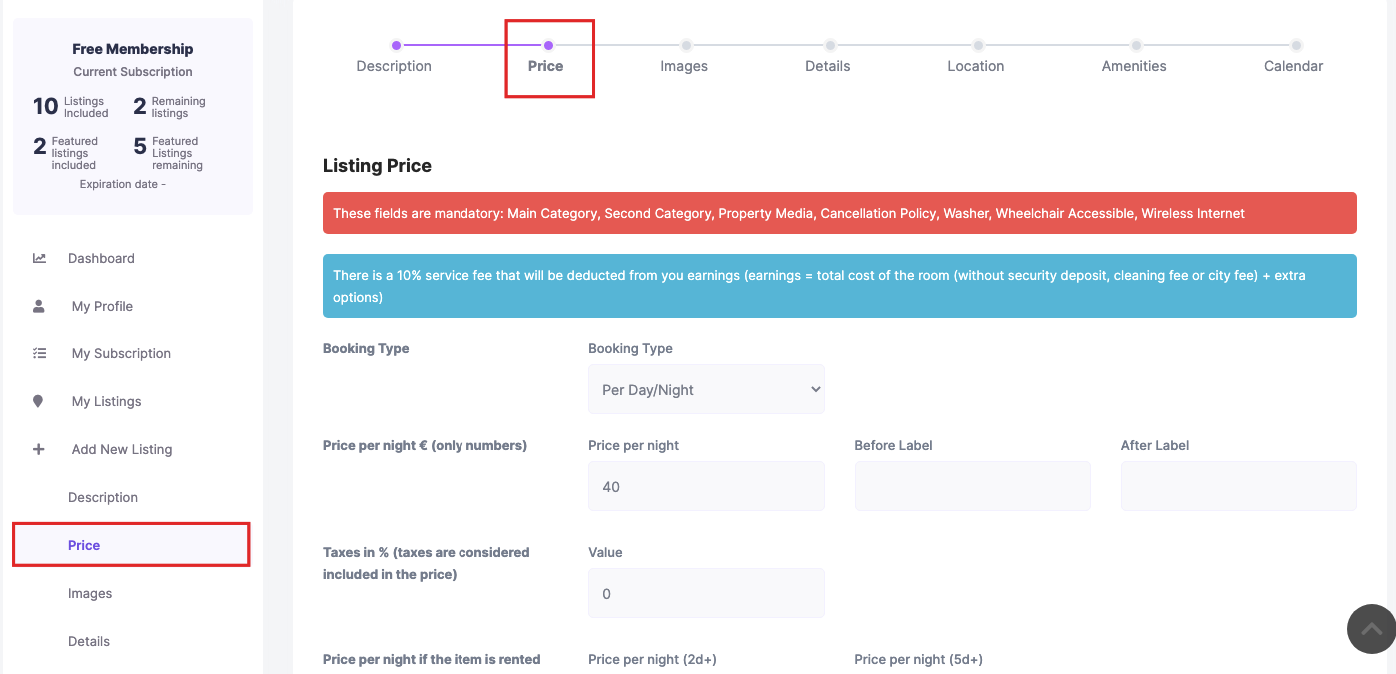
—> Mandatory steps in Price – I cannot go to next step https://prnt.sc/tEMS4FJ4DjxW
-> Regarding Cancellation and Other terms – they are not in the mandatory check. That I understood and replicated and will add to our list to be checked.
For the other items please create a support ticket and submit your site details. You can send the theme options directly to test them on our test domain.
Support system is here – https://support.wpestate.org/
Thank you
Thank you very much for your answer
You’re welcome. Thank you as well for the follow up.
hello,
The system using sorting villas from the highest price, any ideas how i can change it to lowest and on google map and sort the price start: From price. i think this is the right procedure of showing prices and better for selling/renting showing lowest price first..Hello.
I do not understand the comment very well. Please show me where you need to change the sort to guide.
If you ask about a “text” label too (not sure if it is the case), the prices can have a text before the value and you can add it manually to each property default price in the submission form.
https://help.wprentals.org/wp-content/uploads/2017/06/price-1.png – Use the “Before label” to add “from” as text if you wish.Thank you
yes you right, i remember why i have added the highest number in the price per night box. The reason if put the lower amount it adds that price all the years forward so customer could book for a lower prices year 2030 if i have not added the prices in calendar. or have missed something is possible to make the calendar only 2 years forwards to 2028 and after that not possible to book?
Hello. To limit the booking form calendar is possible with custom code. The team created this technical help with directions https://help.wprentals.org/article/how-to-limit-calendar-in-booking-form/
Thank you
Hi, how can i disable hover on main menu so user has to click to open main menu list?
Hello,
The theme uses hover by default for submenu display. Changing it to open on click would require a custom code.
We don’t have a built-in option or technical guidance for this customization, but the support team can confirm which file handles the menu script if you wish to modify it yourself. Please open a support ticket if you’d like to get that information.
I’m not sure if there are third-party plugins that can replace the theme menu, but there may be solutions available through Elementor or compatible add-ons. The theme’s header template builder uses the same menu system as the default design, though other add-ons might behave differently.
Thank you!
Hi, can you please tell me how to get the default WpRentals Studio Templates, i saw your video and see few templates to start with instead of creating it from scratch.
Hello, and thank you for your message.
We’re still in the process of adding the WpRentals Studio templates created with Elementor to the theme. This should be completed today or tomorrow. Once it’s ready, we’ll also include a video explaining how to use these templates and start from them instead of building from scratch.
Thank you
hi has the demo content added? how do i add it to the current install.
??
Hello,
Thank you for your message. I see you added a second comment on Monday at 6 AM (our timezone) and a follow-up on Friday evening. Please note that our support team is not available during the weekend, and our working hours follow the Europe timezone.
The demo templates (pages and sections) have been added (including both full pages and partial sections).
You can access the demos when editing a page with Elementor by clicking the WpRentals Icon to open the Studio Library. We show an example of the page templates added in the Honolulu demo in this video: https://www.youtube.com/watch?v=608vA7xRbQM&feature=youtu.be
You can follow the same steps for other templates and sections as well.
If you have any further questions or need assistance, please use our client support https://support.wpestate.org/ to assist. This is also a private support where you can send us your site details (url and temporary wp-admin access). Our standard office hours are Monday – Friday, 9AM-5PM Europe timezone.
Thank you
hi, seem to have problems loading in mobile version the image in listing when enable “Listing Card Image Settings” to 5 images. have you tried it with Lazy load enable with wp rocket?
Hello. Your question is a bit confusing.
I can confirm that WpRentals can already load up to 5 images in the card unit, and it includes its own built-in lazy loading system. It also works correctly with 5 images on mobile.
If your issue refers to using WP Rocket, we cannot advise on that, as WP Rocket has its own optimization methods. The settings in that plugin need to be reviewed separately, and there’s no code change we can make on the theme side for this.
Since you didn’t provide more details, it’s hard to pinpoint the cause. The best approach is to test by disabling WP Rocket’s lazy load options to confirm if that’s the source of the problem, then check their documentation for how to adjust those settings.
Please open a support ticket with the exact issue you’re seeing so we can review it directly and advise further. However, note that WpRentals already lazy loads the card unit images, so you can safely exclude this area from WP Rocket’s lazy loading if it’s causing conflicts.
Thank you.
thank you and sorry for confusing question: how can safely exclude this area from WP Rocket’s lazy loading if it’s causing conflicts.
Hello. I looked for the help to exclude – they share this info here https://docs.wp-rocket.me/article/1764-lazyload-for-css-background-images Thank you
Hi, Is there a way to add conditional logic to Listing Custom Fields? Thanks,
Hello. Thank you Hi Gerard,
Thank you for your question. The WP Rentals theme does not include conditional logic for Listing Custom Fields. All custom fields are displayed based on the listing template settings and cannot be dynamically hidden or shown based on other field values.
Thank you
Can you please tell me how to get Advanced Search Form Type 4 to work so i can search by property title keyword only? even on the example link, i tried searching with property title keyword and it said no results.
I asked about this 5 days ago and no reply received on it.
WpEstate
You can use the location field to search a property location – and you can use the theme auto-complete field which picks only values from the saved properties. Example https://paphos.wprentals.org/
We have a default search which includes the keyword field (which searches the property title only) – it can be set from theme options and works with the theme default hero media (managed from theme options)
Help https://help.wprentals.org/article/how-to-manage-search-type-4/
Thank you
Hello,
Thank you for your comment.
Regarding your question about Advanced Search Form Type 4 and searching by property title keyword only:
We checked our support system and there is no record of an unanswered ticket from you. All submitted questions are replied to on time. It’s unclear where you asked previously, but support questions are always managed through our support system. We never leave a question unanswered during office hours. Questions received outside office hours are answered the next business day, and questions received late Friday through Sunday are answered on Monday, always within a maximum of 24 business hours.
The setup you are asking for requires custom CSS. We have a guide showing how we created the office demo search here: https://help.wprentals.org/article/office-demo-search/ , which uses Search Type 4 customized.
Please note, the office demo also includes a dropdown for categories. To have keyword-only search as you requested, you will need extra CSS to hide the “All Listings” dropdown.
Please open a support ticket if you wish for guidance with the custom CSS: https://support.wpestate.org/ . Our team can help with this particular custom CSS setups through the support system.
Thank you, WpEstate Team
It’s a good template, but unfortunately, it doesn’t have any caching system implemented, and any caching plugin you use in WordPress will only cause problems. Therefore, using this template where you have a lot of content will be an unsolvable problem.
Hello,
Thank you for your feedback. The theme does include its own internal caching system that can be turned on or off for specific queries directly from Theme Options – https://help.wprentals.org/article/speed-tips/ . In addition, the codebase is fully optimized for performance.
WP Rentals also works perfectly with WP Rocket, which is the caching plugin most of our clients use successfully. You can see how caching works with our themes in this video: https://www.youtube.com/watch?v=Qg29SIa01cA
If you choose to use another caching plugin, that’s absolutely fine — just make sure to test JavaScript optimization settings carefully, as some caching plugins may apply aggressive minification or delay scripts in a way that affects dynamic functionality.
If you have any further questions or need assistance, please use our client support https://support.wpestate.org/ to assist. This is also a private support where you can send us your site details (url and temporary wp-admin access). Our standard office hours are Monday – Friday, 9AM-5PM Europe timezone.
If you wish my assistance to register in support please send a message from here with the buyer account – https://themeforest.net/user/wpestate
Thank you The WP Rentals Team
hi, with Mapbox is anywherei can add the Style URL.. api key i found but not the style url?
Hello, Thank you for the comment.
I wish to clarify that in WPRentals we do not use the full Mapbox styling system (style URL) with its custom tile styles. The theme uses OpenStreetMap as the free map provider, and you can optionally provide a Mapbox API key so that the Mapbox tile server is used (for faster/more reliable tile loading) rather than the default OpenStreetMap tile server which, because it is free, could show no image for specific location.
And for a paid Map, you can use Google Maps API which also have custom style.
I checked and Custom styles created in Mapbox Studio are part of Mapbox’s paid plans. Some basic default styles can be used for free, but custom styling usually requires a paid account once you exceed free tier limits. We have not received requests to integrate Mapbox, since it is paid now, but if you wish to recommend this, we will check this in the future.
If you want full styling control (custom map styles via Mapbox Studio, style URL, etc.), that’s outside what the theme currently supports natively.
In this case we recommend using the Google Maps provider (which supports style customization via JSON from services like SnazzyMaps -https://snazzymaps.com/ ) and which you can add in theme options as your custom map style.
If you have any further questions or need assistance, please use our client support https://support.wpestate.org/ to assist with Google Maps and Snazzy Maps code in your site.
Thank you
Hello. I wanted to ask When someone, for example, a host, downgrades their subscription package, all their listings go into an expired state and when they go to reactivate their listings, they find that all the images in their listing are lost except for the original one. How can this be changed so that their images are not lost from the listing? The images that are lost are kept in the wp-admin/upload.php library but do not appear in the listing.
Hello,
Thank you for the comment.
This is the first time we receive such a report, and we are not aware of this issue. Images uploaded remain attached to listings after a package downgrade (when they go to Expired status)
To check this properly, we would need to replicate the same setup you have. The same package settings and downgrade process, so we can see exactly what happens. Please share the exact steps, and we’ll test it on our end to confirm.
Even if your support has expired, we can still review this as a possible theme issue, but we first need to be able to reproduce it.
Please use our client support https://support.wpestate.org/ to assist. This is also a private support where you can send us your site details (url and temporary wp-admin access). Our standard office hours are Monday – Friday, 9AM-5PM Europe timezone.
If you wish my assistance to register in support please send a message from here with the buyer account – https://themeforest.net/user/wpestate
Best regards, The WpRentals Team
In the last 3 months I have reported a second problem to you as you will see in my comments. You ask me to give you data from wp-admin, which as you understand is difficult and the administrator is not in a happy position to do. You did not search either in the previous case that I mentioned to you, nor now you just answer that the corresponding problem has not been reported to you. I do not see ghosts either in the first problem that I wrote to you or in this last one. It means that I have tested all the data and I have deactivated all the plugins in the tests. Please do your own check when someone reports a problem to you. The answer was not reported to us by someone else, the problem is extremely sluggish. Thank you
I will write the problem to you again in detail. In payments with WooCommerce, if a host downgrades the subscription package, not in price but in the number of ads, for example, he first had a package with 10 ads and then chose a package with 5 ads, then his ads go to expired and the expired ones lose all the images but only keep the first one that is as recommended. In the library it shows that they exist and belong to the specific ad
To complete it is with Paphos Rentals Demo
Hello Alexandros,
Please note that the ThemeForest comments area is not our official support channel. Comments are intended for presale questions or quick clarifications, not for technical investigations or testing by the development team.
For any issue that requires verification, replication, or testing, please open a support ticket on our official platform and include a video showing the exact steps that reproduce the issue if you do not wish to share temporary admin access. The video helps us safely replicate the scenario on our side.
We always review and address all properly submitted tickets in our support system, but we cannot conduct in-depth checks based on public comments here.
In this case, I did test yesterday and could not replicate the issue using expiration from wp-admin – listings. . But we will re-test this with membership purchases again via support. We cannot follow up on comments here, so if you wish an update on this situation please open a ticket. Thank you
Hi. Thank you very much for the answer. I will try to send a video to the support team
Hello Alexandros08,
This is an exception, but the situation was reviewed by our team and resolved in version 3.16.0 after the tests were complete. Please update to 3.16.0, and the issue should be solved. For future requests, please use support so the team can check them properly.
Update details
https://help.wprentals.org/article/detailed-change-log/ https://help.wprentals.org/article/how-to-update-the-theme-and-plugins/Thank you
Hi… Correct… After the upgrade the problem was resolved