723 comments found.

Hi Vasterad, This theme rocks, and you’ve done a great job. Been working on major overhaul of our site, and nearly there.
One question for you.. when viewing any images in the fancybox from Portfolio page, how can we add caption / description to bottom of each image?
Thanks!
title=”caption” 
You are fast.. and correct, of course!
It was my fault for putting the title=”caption” on the thumbnail, instead of the full size image href.
Thank you, keep up the great work.

Thanks.
Quick question. We used the ico boxes to list states. How do I get the company name closer to the ico-picture. They keep drifting apart. Thanks in advance. (I tried changing the margin and that only effects the body text). http://azomite.com/states/Missouri.html Sunny is faaarrr away. Thanks!
Nevermind, so weird, it looks fine online. Maybe let me know just in case it ever happens again.
Yes, looks fine online.
Hey there, Disregard! (if you got my message already) I fixed it whoo-hoo!
The page was accidentally saved with unicode BOM – it’s the dreamweaver default and I unchecked the box! yay!
Great.
Hi
How I can remove resizer browser code for mobile android device
becuse android devices auto resize all web site regards
Hi! I’m back! Quick question. The scientists wanted to add a subscript to a chemical element K20 – should be a small lowered 2. I added the sub /sub tags to make the number 2 smaller but it isn’t visible on the page. Wah. How can I get it to work? It’s weird because I see it in the html editor, but not live. 
K 2< /sub > 0In the LABEL section of SOIL
Thanks!
Hm, that’s weird. Did you try on another page?
Right? It’s in the code, but not in real life. I tried it here with 2: http://azomiteminerals.com/resources/claims2.html in three places and the same thing. Shows in editor but not online. Also wrote from scratch on http://azomiteminerals.com/domestic.html (after the upper right ‘poultry’) and same things. Must be a conflict in the css somehow. If you get ideas, let me know. Or maybe help me figure out how to make the 2 smaller than the rest so we can fake it?
Science!
You can try to put 2 inside div with style=”font-size:8px”
That’s a great idea. will try thanks!
I did a span class and it’s fine now. Gracias.
Dear Vasterad,
I would like to know if it will be possible to use the template with an unresponsive option? Or how can I set this in the code?
It is an amazing template so many thanks!
Bob
In responsive.css remove all media queries (tablet, mobile portrait and landscape). It’s not built in theme options but it’ll be on to do list before next update. 
Thanks a lot for your quick response! I will purchase it.
Keep up the good work!
It’s a wrap! http://www.azomite.com THANK YOU FOR ALL YOUR AMAZING SUPPORT AND INCREDIBLE THEME!!! 
Congrats, nice usage of Centum by the way. 
Thank you! Nice template!
getting closer Will post link tomorrow – launch – whoo!
Launching today – whoo-hoo.
Last question (whoo-hoo). Do you know how to add an additional block of info to the contact.php? I added phone number to the html page, but it doesn’t come in through the message. I probably have to add something here. Wondering if I should try something like Number: . $number . on a line and see what happens. Help if you know how to finagle this Thanks!
Name:
' . $name . '


Email:
' . $email . '


Message:
' . nl2br($message) . '
< /table>
it’s because you need to add new field in cusotm.js (part with contact form scripts), contact.php and in HTML file. Follow existing examples.
Got it. Thanks. Forgot about the js file. Gracias-amudo!
I looked at every single line of code on contact.php and custom.js and it won’t validate the phone number to send. Did I overdo it all? Maybe I only needed to add one area but I put a line for “phone” – everywhere I saw name, message, email – in the correct order.
If you could look quickly at the js/contact.php and see if I have gone crazy, I would totally appreciate it.
Thanks so much!
If it’s not validating then must be related with java script.
In the js? There’s this: // Validate if(!validateName(name)) result=false; if(!validateEmail(email,emailReg)) result=false; if(!validatePhone(phone)) result=false; if(!validateMessage(message)) result=false;
I just called it “phone” since phone is the first word in the contact form. There was also this: function validatePhone(phone) { if (phone.val()==’‘) {phone.addClass(‘validation-error’,animateSpeed); return false;} else {phone.removeClass(‘validation-error’,animateSpeed); return true;} }
which had this stuff: == “” which is different than the email.
Agh – too hard. Am taking way the phone number and eating lunch.
SO it’s in the contact.php because the error is still there with a virgin custom.js. Maybe there’s hope
Keep trying. To be honest, script in Centum does not allow an easy way to add custom fields without basic knowledge. I’d help but I’m not JS/PHP expert. Maybe try to hire someone else.
I did and it works! There are just SO many exacting names to line up and I made a goof (actually two :P)
Thanks for being there. Just knowing you were there helped me through the darkest hour of form coding.
Launching tomorrow – will post the link!
Hi, How easy or hard would it be to make the Table columns sortable by alphabet?
For example; I have a five column table and I would like the first 3 columns to be sorted according to alphabet if a user clicks on that column: http://www.thebassment.info/dev/artists/a-z.html
Thanks for any help you can provide.
Unfortunately not really without an extra script.
I am looking in to purchasing the HTML version. This will be my first time purchasing anything from this site. I have a question about the blog, If I purchase the HTML version is there any way to incorporate cms for the blog portion? I don’t want to have my client update the dreamweaver files. I prefer to purchase the HTML because that is how I am used to building webpages. Thanks
Well, you won’t be able to manage blog via admin panel etc. on any HTML page on this site. I’d recommend to buy WordPress version http://themeforest.net/item/centum-responsive-wordpress-theme/3216603?ref=Vasterad
Hello, we purchased this theme as well as your login box. They both look great on their own, but there are a lot of styles that collide when put together. What’s the best technique to getting them to work together? iframe?
Thanks.
Change some classes name in login box, it’d be easier way to make it works properly.
Yeah, that’s probably the best idea. I ended up putting the two login box divs in a container div and prepending the container id to the class names in the CSS. Then I pop the container with fancybox(), a plugin which you already have built into the template. It works pretty well. Thanks!
Cool.
Hi there,
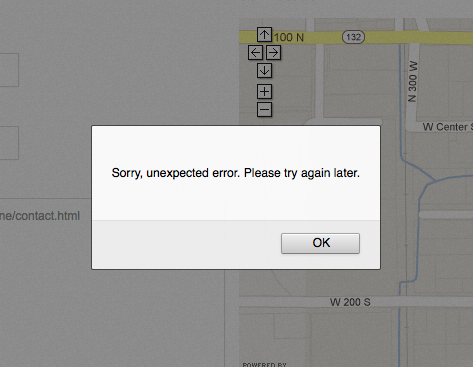
One last thing. The comment form is still giving an error message. I removed the riddler email code, as well as the API map and anything else that looked like it would cause conflict.
I am getting the messages fine but when I send them, I am getting an error message. The error comes up in both firefox and safari and looks like this: http://fashioniconinc.com/screen_shot.jpg
Page: http://azomiteminerals.com/demo/VersionOne/contact.html
I have a feeling it’s some simple tweak like you found on the portfolio filter code.
THANK YOU IN ADVANCE!!!
Sorry but I can’t reproduce that issue on any of my servers so I can’t help you. Did you try to run contact form on another hosting etc.?
Did you try to send me a message? I didn’t get any. How did you try to reproduce the issue? No, didn’t try another hosting account. That’s a good idea though – will try.
I can’t reproduce getting message with error on my hosting, that’s why I’ve no idea hot to help there.
But I didn’t get a message from you. Did you send me one? You have to hit “send” to get the error.
I tried on a different host and got the same thing http://azomite.com/contact/contact.html
Do you see any errors? I’m not.
Will look now – thank you
I’m pretty sure that your issue is related with your hosting and I cannot help in this case. What’s more I’m definitely not PHP expert.
Yours is fine. There’s an issue as soon as I change my email address in the contact.php. Wah. I’ll try a clean one one more time and then maybe upload a jot form 
I looked at the old notes http://themeforest.net/item/centum-responsive-html-template/discussion/2831437?page=10 and will try that code you suggested again, but seem to remember it didn’t work.
I took out everything weird. Will try from a virgin page again and see.
Of course this is happening right before finishing! But will figure something out, unless you get an idea first. Thanks!
Virgin works. But to your email address. Now trying after uploading my address in the contact.php.
I have no idea what happened but I very (very ) very carefully changed the email address in a plain text editor (not dreamweaver) and it works now. Shhhhhhh. Trying to be very quiet so the program keeps working.
Thanks for being there! Oh – by the way I recommended Centum to two more friends today – and if they need support, I can help lighten the load. You have the patience of a saint and have developed an excellent theme here – so thanks again!
Yeah, I’m sure it was related with charset (utf-8).
Hi, when the email is sent from the contact form it arrives in my inbox (both phone and outlook) in html format (pointy brackets and all). is there not a better way to format this?
Thanks
Could you provide an example how it looks like?
<!DOCTYPE html PUBLIC ”-//W3C//DTD XHTML 1.0 Transitional//EN” “http://www.w3.org/TR/xhtml1/DTD/xhtml1-transitional.dtd”> <html xmlns=”http://www.w3.org/1999/xhtml”> <head></head>
| Name: | shane |
| Email: | xxx@xxx.com |
| Message: | test2 |
Sorry, need to put this in double-quotes or it renders in the comment box. Essentially it is showing up with the tags in the email body when i open it.
”<!DOCTYPE html PUBLIC ”-//W3C//DTD XHTML 1.0 Transitional//EN” “http://www.w3.org/TR/xhtml1/DTD/xhtml1-transitional.dtd”> <html xmlns=”http://www.w3.org/1999/xhtml”> <head></head>
| Name: | shane |
| Email: | shaneritchie@utvinternet.com |
| Message: | test2 |
"Well, I’ve no idea why it happens. No-one before has similar issue.
Can the slider images be scaled down? At present they are 400 pixels in height – can I change this to 250 and upload images that are 250 pixels in height?
Yes of course, they can have any height you want.
Thank you for this great Theme! However I have one problem. My images in a post were uploaded with the media manager and I added the image with the url then into the regular post. But they do not open in a lightbox. They have bigger size and only are scaled down. How can I get them displayed in the lightbox? Do I need a shortcode?
Hi, questions regarding WordPress version please post here http://purethemes.ticksy.com/
Hi there. Is there chance to include YouTube videos in portfolio using fancybox? So the thumb is an image but when opened is an embeded YouTube video. How can one do this ? Thanks!
Hi, please follow examples here http://fancyapps.com/fancybox/#examples
Thank you for your reply, but it’s a bit confusing on which code I shall be using. I would like to embed a YouTube to the fancybox gallery so the thumb is an image but when opened is an embeded video. Any help would be much appreciated ! Best, CA.
Thanks you have to make an image manually.
Thank you for you reply. The pictures are not a problem. I am looking for the code. What would it be so the fancybox opens an embeded YouTube video? Thank you once again. CA.
I posted examples how to use embeds in fancybox http://fancyapps.com/fancybox/#examples could you clarify what’s issue now?
Hi. I can’t really figure what is the code… Can you email me privately please or can you post an example here? Many thanks. CA.
<a class="various fancybox.iframe" rel="fancybox" href="http://www.youtube.com/embed/L9szn1QQfas?autoplay=1">Youtube (iframe)</a>
Hm. Not really. I am using the portfolio_3.html which has images so basically I would like one of those images when click to launch fancybox and YouTube video in it. Is that possible ? Best, CA.
Eh, everything was described on page I gave you…
$(document).ready(function() {
    $(".various").fancybox({
        maxWidth    : 800,
        maxHeight    : 600,
        fitToView    : false,
        width        : '70%',
        height        : '70%',
        autoSize    : false,
        closeClick    : false,
        openEffect    : 'none',
        closeEffect    : 'none'
    });
}); <!-- 1/3 Column -->
<div class="one-third column portfolio-item interior-design architecture real-estate">
<div class="picture"><a class="various fancybox.iframe" rel="various" href="http://www.youtube.com/embed/L9szn1QQfas?autoplay=1"><img src="images/portfolio/portoflio-01.jpg" alt="" /><div class="image-overlay-zoom" /></a></div>
<div class="item-description alt">
<h5><a href="single_project.html">Maritime Details</a></h5>
<p>Aenean aliquet pulvinar dui, neceas quis posuerea tempus lectus. Proin dignissim ligula ornare tempus.</p>
</div>
</div>
Everything works great. Thank you!
Where can I find release notes for your latest version on March 6, 2013? I want to see what has changed since purchased the the theme about 6 months ago.
I’ve updated only Twitter to 1.1 API.
Hello Vasterad, first of all congrats to the theme you made, it’s great!
I have a question concerning the mobile view of the “Sidebar left” page: the sidebar is cut off and not displayed when I view the page on a mobile phone, I only see the main page. Since I use the sidebar as second navigation I need this sidebar to be displayed (in any kind of form, either complete or dropdown). I would appreciate any ideas/solutions you can throw at me. Thanks for your help and again, great work!
Add this to CSS:
@media only screen and (max-width: 767px){
    .widget,
    .widget-alt {display: block !important;}
}Worked like a charm, thanks a lot!
You’re welcome.
I love this theme. I’ve purchased the HTML version for a web app and the WP version for a matching blog.
I’m running into some issues when using it in IE where a lot of the CSS seems to break. Looks great in Chrome and Firefox.
I haven’t had a chance to troubleshoot, but please tell me if you see something obvious.
Live URL is http://www.tennismecca.com
Thanks in advance
What exactly doesn’t look as should? I can’t see any issues.
The design is based on a right-hand sidebar and a four-column footer. These appear correctly (for me) in Chrome and Firefox, but in Internet Explorer 9 everything appears in one column (header then content then sidebar then each of the 4 footer columns).
It almost looks like the overall container isn’t wide enough, so the sidebar falls below the content.
It could easily be an unclosed div, so I’ll have to start doing some testing.
Just added, issue is seen in IE9.
I didn’t notice any issues on IE9 as I said. Please check if it happens on demo live preview, if not it must be related with customizations you did.
It has to be something I did because the original files render fine in IE9. I’ve done something to make my page collapse to the left. It’s not even centered in the window.
So please check it out, because I cannot reproduce this issue in IE9 (I use developer mode in IE10).
I’ll check some previous versions to see if I can see when I created the issue.
Okay, can’t promise that I’ll solve your issues because it’s a little impossible without seeing online issues in IE.
W3C Validator solves an interesting issue.
I’m new to programming/PHP. When I changed the templates to PHP, I put in an HTML comment to show explicitly where HTML output begins. This comment was just before including my header file.
Evidently, IE9 really doesn’t like that.
W3C: Comments seen before doctype. Internet Explorer will go into the quirks mode.
I now know what the “quirks mode” is!
Simply removed comment and now layout is correct in IE.
Alright, so everything is fine now?
Yep. Everything is great now. What a weird mistake, huh?
Yeah.