773 comments found.

Is it possible to have the color scheme randomized with each page load?
Hello,
I think it’s possible. You can load random theme each time.
When I add social links, I am getting this instead
www.domain.com/forums/www.facebook.com www.domain.com/forums/www.twitter
How do I easily fix this? Sure it must be simple…
Hello,
Can you contact us via our profile page and send us a link to your forum to look at the code?
I have another question :
How do you change the icons in the navigation of blogs, forums, what’s new etc ? Thanks -)
Hello,
The icons are stored in the following file -
images/metro/COLOR_THEME/misc/nav-icons-bg.png.
It’s a sprite (http://www.w3schools.com/css/css_image_sprites.asp). The PSD-file containing the icons is called “nav-icons.psd”. You can add own icons to the sprite and assign them to the tabs you want using css-rules. All the css-rules for the tabs can be found in the ‘additional.css’ template of your theme.
Thank you !
Hi,
I installed the theme as described step by step in the PDF file. I don’t understand something. theme has been perfectly applied everywhere on the website, excepted on the content.php page (articles).
Can you please help ? Here is the link of my website : http://technibourse.tv/
Thank you.
Hello,
Thank you for the purchase!
It’s a vBulletin bug. To fix it, follow these steps – http://www.vbulletin.com/forum/forum/vbulletin-4/vbulletin-4-questions-problems-and-troubleshooting/352464-cms-style-problem-still?amp;viewfull=1
That’s perfect ! Thank you !
That’s perfect ! Thank you !
That’s perfect ! Thank you !
That’s perfect ! Thank you very much 
Hi,
I just purchased Metro for vb 4.2 and Metro Mobile. Nice Theme ! Thanks.
When will be ready for vb5.0.5?
Hello,
Working at it now, hope it will be ready in two weeks.
Hello,
Working at it now, hope it will be ready in two weeks.
Ability to create a new color theme? How hard is this to do, is there a single location to change the color easily?
Hello,
It’s not so difficult, though it’ll take some time. First of all colors are stored inside Style Variables – you’ll have to go through all of theme and change manually, second – some of the color codes are stored inside css-templates, so you’ll be able to replace theme via “Find and Replace” options – and this part is quite fast.
Thanks, did most of them. Can’t find the style reference used for Foot Block 3 & 4? Where can the variable to change these?
Hello,
You can find the styling inside ‘metro_theme_prefooter_blocks.css’ template.
Thanks, but can not find a reference in the violetred theme to the VioletRed color in that file you referenced? (ie. #C71585). Is the color in the block 3/4 done via a graphic file? Thanks for the advice on what to change…
Here it is. It’s the ‘background-color’ and it uses the common link color.
.column-right {
    background-color: {vb:stylevar link_color};
    padding: 24px 12px;
    border-left: solid 12px #F6F6F6;
    vertical-align: top;
}
If you want you can replace it with a hex-code, it could look like -
background-color: #C71585;
Thanks, that fixed that one. One last one, where is the color that effects the forum table on this page? You’ll see it works just fine on forum home, not sure why it doesn’t work inside of a forum…
http://www.christianmom.com/forums/forumdisplay.php?33-Welcome-IntroductionIt’s ‘threadlisthead_background’ style variable.
Hello,
First of all thank you for this beautiful theme.
I wanted to know, can I remove “vBulletin Metro Theme by PixelGoose Studio” from the footer of my forums.
Thanks,
Hello,
Thank you for the purchase and for the good words!
Yes, you can remove it.
Hello,
Thanks, how do I go about it.
Regards,
It’s inside ‘footer’ template: AdminCP – Styles & Templates – Style Manager – YOUR_STYLE – Edit Templates – footer.
Thanks, that did the trick.
Regards,
Hello,
You should use css for that. You can try something like this -
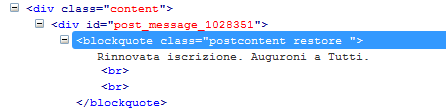
blockquote.postcontent {
    font-size: 14px;
}
Hello PixelGoose,
I Like your themes.
is it possible to customize it, like this one > kmplayer.com or can you please create another good one.
Hello,
It’s possible to customize, but it will take too much time to work. As for such kind of style, I think I’ve seen somewhere a ready to install Mac-style theme. You should ask about it on vbulletin.com forum.
Trying to moderate threads. I check box each individual thread, but under the “Moderation Tools” button at the bottom it remains at 0. So when you click it, it takes you to a page that says “You did not select any valid threads”
Hello,
Thank you for the purchase!
Do you have JS enabled in your browser? And what browser are you using?
Yes js enabled. When activated,a different style working fine. But when activated the metro style does not work
I made some changes in the theme. I can not find where I made a mistake
If you remember which templates you edited, you should revert them – AdminCP – Styles & Templates – Style Manager – YOUR_STYLE – Edit Templates – YOUR_TEMPLATE – Revert button (to the right). Or you need to reinstall the theme.
One notice – edited templates are highlighted red, so it would not be difficult for you to find them.
I found the problem. I’ve disrupt Footer style. I got back. Improved. thanks
No problem! Feel free to contact us if you still have any questions!
How to fix Google font rendering problem in Google Chrome?
Hello,
Here’s a quick solution – http://stackoverflow.com/questions/10953037/google-webfonts-render-choppy-in-chrome-on-windows?answertab=active#tab-top
But until Google implements better rendering we can hardly do anything.
I bought this template last year, installed it then decided to stop the website and now i want to download it again but it doesnt work. I have emails that comfirm my purchase. What should i do?
Hello,
You should contact Envato support. I’m sure they can help you! Here it is – http://support.envato.com/index.php?/Tickets/Submit
Hi pixelgoose. I did a search for “resize” but didn’t throw up anything with my problem.
I purchased and installed metro on my forum (bordersdown.net) – style is called BDv4(beta).
In the normal style I can resize the text entry window e.g. quick reply box, using the little arrow shaped thing in the bottom right of the window.
However in the metro style, it doesn’t work. Please advise? Much appreciated.
Hello,
Could you please create a test account for me and send login and pass via our profile page? I need to have a look at the text box.
Done!
This must have been a problem at my end – today it’s working. Sorry to bother you.
OK, but feel free to contact us if you still have any issues!
How do you make forum block like “Buy «Metro Theme» on themeforest”?
Hello,
It’s just a piece of raw html-code pasted into the sidebar. But there’s a good ad manager inside vBulletin, you can use it for your banners!
I know, it’s on Admin CP -> Forums & Moderators -> Forum Blocks Manager. But how can you make it borderless? Also without the title… Custom template for that particular block?
It’s pasted directly inside ‘forumhome’ template. You can find “sidebar_container” there and add there your image. But sure it’s not very convenient.
this bad not work http://aou.net only work style and this left side bottom click for change color not avilable my v 4.2.2
what i can do
this file can`t import plugin.xml this tell me old version ?
Hello,
How did you try to install? The plugin system doesn’t depend on vBulletin subversion.
Do you install in here? – AdminCP – Plugins & Products – Manage Products – [Add/Import Product]
Hi, Can I change the colour of red (red theme) to another red colour? is it set in the css once or numerous times? thanks.
Hello,
Thank you for your interest to our theme.
The colour codes are stored inside Style Variables (AdminCP – Styles & Templates – Style Manager – YOUR_STYLE – Style Variable Editor), and in one css-template (additional.css).
Hi, great theme! Any update on when you expect the vb5 version to be released?
Thanks!
Hello,
I hope it will be released by the end of December.
Thanks, good luck!
Hi,
I have 2 questions:
1. All PNG images don’t display at all in Internet explorer after install (they work on your demo server). How to fix this?
2. How do I install my language?
Thanks
Hello,
1. Which IE version has the issue?
2. You can try to find your language pack here – http://www.vbulletin.com/forum/forum/customizing-vbulletin/vbulletin-downloads/vbulletin-language-packs
And you’ll find the installation documentation inside the pack.
Hi,
1. IE 10 on Windows 7 64bit
2. Thanks, I had forgotten this…
Actually it’s not only IE, no browser shows the theme images. Please see the screenshot here: http://grab.by/sr3u
Forget my request, apologies….my image upload didn’t work, as simple as that….. so there was no problem other than that.
OK! But feel free to contact us if you still have any questions
Hello,
I have a problem with this theme using the CMS functionality. I noted that this problem is known to Vbulletin, and I followed the recommendations in this post. http://www.vbulletin.com/forum/forum/vbulletin-4/vbulletin-4-questions-problems-and-troubleshooting/352464-cms-style-problem-stillHowever, the mobile theme that is set up, and not requested. Impossible to go back. I can not change the theme of the party CMS
Hello,
At the bottom of the mobile theme you can find a ‘Full Site’ link. Just press it and you’ll get the default desktop theme.
I Have this Idea of making the theme a different color for each navbar section, any idéa how I can acomplish that ?
for example, one for forum, one for blogs, home for gallery …
It would be great if I could change the theme colors in one place, like , tab “home ” theme color # 232323; tab “blogs” theme color #393939;
Hello,
You can achieve it by editing css. The point is that each tab has an unique ID, so you can easily set original color to each tab.
I know , but I have no Idea how, do you think you can point me in the right direction, where to start ?
Hello,
Each tab has a unique ID. For example CMS tab default id is ‘vbtab_cms’. So you have to add a css-rule like this -
#vbtab_cms {
   background-color: YOUR_COLOR;
}
Add the rule to the end of the ‘additional.css’ template. And sure you have to add this rule for each tab ID, you want to change background color.