

2762 comments found.

Hi,
I’m about ready to pull the trigger on purchasing your beautiful theme. Could you please tell me what lightbox javascript plugin are you using with this theme?
Thanks
Hi, thanks for taking an interest in the theme!
The scripts are fancyBox and Magnific Popup.
Thank You!
Hello I am trying to change the portfolio title size and portfolio description text size with the custom CSS text box in the admin. I have tried both of these:
.singular .entry-title {
font-size: 20px;
}

.single-portfolio.singular .entry-title {
font-size: 20px;
}
Neither one has any effect on the titles. I have erased the cache on my browser. Can you tell me how to change these?
Hi, unfortunately, due server limitations you will need to change permissions for dynamic.css using chmod so the server can write to the file. I have had the most success setting this single file to 0777 but feel free to play around with permissions until everything is working. A good starting point is 0666. When the server can save to the file CSS will automatically be updated each time you save your theme options.
Can you tell me how I can just hard code the changes in the style sheet?
You will need to create a child theme and paste your code at the child style.css. If you want to modify an existing theme, it is better to do it by creating a child theme than by modifying the parent theme directly. Read more http://codex.wordpress.org/Child_Themes
Great. That worked perfectly. Thank you. What is the code for the portfolio description text?
I’m nit quite sure which description you mean exactly, can you email a screenshot?
Hi,
how can i add infinite-scroll or pagination in the portfolio list?
Thank you, Michael
Hi, we would suggest to hire a developer to help you with this modification.
Hi there,
thanks for answering all my questions. I have another last one: I would like to change the size of the message box in the contact form. It’s active and installed. But I don’t know where to change it. I tried the editor contact-form-7/admin/css/styles.css where I could porbbaly change it. But it says it’s inactice. That’s why nothing is changing when I edit it. Can you help me with that?
Thanks!!
Hi, sure, please create a support ticket by following this link http://megatheme.ticksy.com/ and we will take a look.
Hi, thanks for taking an interest in the theme!
What you have described is possible out of the box yes. You will need to use portfolio and gallery post types available within the theme.
Thanks for your replay. I’m completely new to it and trying to get my head around how it works. So lets say I will create page China and choose portfolio lay out for it. Then I will have to create new portfolio with images and portfolio category to attached it to the page. That will appear on top as portfolios on the demo. How shall I create categories with photography types? The same way? Is it different navigation panel than pages? Can I mix portfolio and galleries on one page?
Sorry, what you have described isn’t available with the theme.
Sorry I asked few questions. I’m not sure which is not possible. You said that I can have two ways of browsing. Can you please explain?
I would really appreciate some answers as I would like to get this theme as soon as possible if its right for my blog.
Hi, portfolio and gallery post types are not for bloggers! I’am afraid you will need to search another theme.
Hi, I’ve got a small situation. I want to use the full width slider for my main intro page and some of my galleries. However, I can’t seem to get the sizing right. It looks great on portrait mobile but insanely terrible on my computer screen or landscape mobile. Any advice on how I can fix this, what I’ve done wrong? Thanks! Nice theme!
Hi, try to align the image of your slider center via Slider Settings meta box which is available when Full Width Slider page template is selected.
la columna final [one_third_last]Insert your content here.[/one_third_last] no funciona como puedo arreglar esto?
the final column [one_third_last] Insert your content here. [/ one_third_last] does not work as I fix this?
Hi, I’m sorry but I don’t quite understand your question. Can you try restating it or adding some additional information?
hey, how do i change the order of the categories displayed after portfolio filtering is enabled, by default its in alphabetical order and I wanna change that.
Hi, see in header.php on line 181. You can read about order & orderby parameters by following this link http://codex.wordpress.org/Class_Reference/WP_Query#Order_.26_Orderby_Parameters
Hi there,
The video doesn’t seem to work in firefox?
please see theexperienceibiza.com
Thanks
Hi, I see you use not our theme here theexperienceibiza.com
Hi, is there any way to add a .PNG image as a menu item? This would not be a link, but just for esthetic purposes.
Hi, we would suggest to hire a developer to help you with this small modification.
Wow, nice theme!
thanks for your help so far. Maybe you could help me with one more thing. I’d love to maintain autoplay on the fwow-slider after mousclick/advance image. Autoplay stops after clicking/advancing an image.
It’s right here on my landing page: http://www.tibordufner.de
Hope this is possible…
Hi, in functions.php find
pauseOnHover: <?php echo $pause_on_hover; ?>,
on line 1692 and add
stopAtAction: false,
after it.
Hello,
Is it possible to link the images on the home page to a url?
Hello, yes you can do that from the admin area.
Thank you! Is it also possible for the titles and captions to show-up via the mobile responsive view, over the top of the images on the home page.
It may well be possible with some modification but it’s not something which is available out of the box I’m afraid.
In your demo, how can we add text (caption) or images, with the option of using them as a link, in the Fullscreen Slider gallery?
Example: http://demo.megathe.me/skylab/full-width-of-window-slider/Notice the caption that appears in the bottom right corner associated for each image.
Hi, thank you for the purchasing!
Please see the screencast how to add captions http://www.screenr.com/TEHH
You will need to use this HTML code:
Photo by © <a href="http://www.yourlink.fr/" target="_blank">Your Text</a>.
Cheers!
Hi, great design. Will add it for sure but can you fix your social links first. They are unclickable currently.
ok, now it’s working on FF 
What is the difference between Fixed Width & Visible Titles Portfolio as i can’t see any option for Visible Titles under the Template Drop Down
Hi, you will need to select Portfolio (Fixed Width) page template first and then Navigate to Appearance > Theme Options > Portfolio Settings and enable Portfolio Title and Meta Position option.
Hi!
I need to disable mobile view but I don’t fine any option into admin panel for do it  How can I do to view same web into navigator PC/MAC or using a mobile? I want that my web will be the same, the web that I have into PC/MAC computer now.
Thanks in advance
Hi, sorry, what you have described isn’t available with the theme.
Hi, thanks for this nice theme. After reading the documentation and crawling thru ALOT of comments I figure there’s something wrong… I cant find the “visible tiles” portfolio anywhere, and I don’t understand your answer (to krismcdougall’s question)
Navigate to Appearance > Theme Options > Portfolio Settings where you can find “Portfolio Title and Meta Position” option.
Am I missing something.? Here’s a screenshot of my templates: http://tinypic.com/r/4t1ox1/8
thnx!
Hi, you will need to select Portfolio (Fixed Width) page template first and then Navigate to Appearance > Theme Options > Portfolio Settings and enable Portfolio Title and Meta Position option.
wow thanks! it worked.
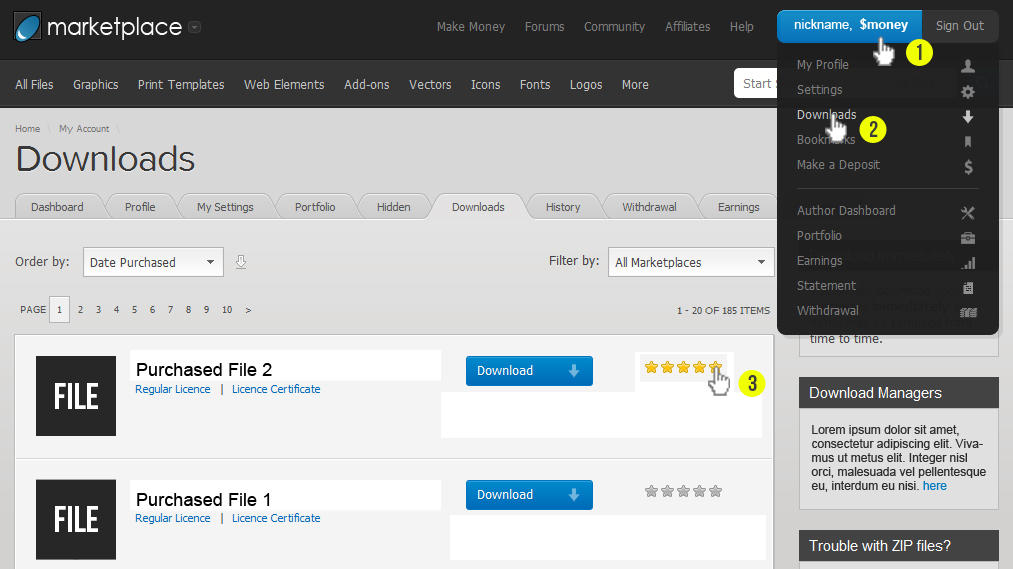
If you haven’t already, please take a moment and rate the theme for us.
Hello
I’ve got a question regarding fullscreen slider. Is there a way for the pictures to slide automatically in some intervals, or do i have to press the arrows? All the sites using skylab theme i have seen up until now don’t work like this.
Hello, thanks for taking an interest in the theme!
Yes there is an option for the pictures to slide automatically.
HI, I’m unable to upload the images to a gallery. Let me know how I can do it. Thanks
Hi, please email us your URL, username and password for your site via our profile page and we will take a look.
Helloo 
Can i change the color of the menu bar. Can i change it from the settings to black or transparent?
Thanks a lot
Hello, sorry, what you have described isn’t available with the theme.
but i saw that on the theme preview photos..
Hi, you can change color for the left navigation sidebar and use our skins from the package.


