1115 comments found.

Hello, How I change the navigation style to half width, like in your example?
Hi,
- Go to Styling Options -> Global Style (sub page) -> select a design from the “Navigation Design” list
If you have any further questions regarding this theme, please let us know by opening a support request on our support forum at http://support-rt.com
Thank you for purchasing my themes.
Best Regards
This looks good, just a quick before sale question, can the top logo be centered instead of aligned to left? thank you
Hi,
Yes, it can be centered, left of right aligned. You can test it by clicking the wheel icon where the left side on demo website.
Please feel free to ask if you have any further questions. Thank you for interesting in my themes.
Best Regards
WHen I Try to upload the theme through Wordpress it give me an error message asking if I am sure I want to do this? and then it’s gone.
Can you please let me know why?
Hello,
Sure! Please follow this tutorial from our support site http://support-rt.com/discussion/9140/getting-are-you-sure-you-want-to-do-this-please-try-again-message-on-installation#Item_1
If you have any further questions regarding this theme, please let us know by opening a support request on our support forum at http://support-rt.com
Thank you for purchasing my themes.
Best Regards
Congrats for your theme!
Do you have an option to include the site logo in the top sticky header? I would like to use the theme but it is important for me that the logo will be still be visible in the header during scrolling down the page.
Thanks!
And one more question please, is it include a one click import of the demo data? Tx 
Hi,
1) It is not available with the current version but i’ll add it with the next update as it becoming a popular request.
2) You can import the starter pages by using the WordPress import tool, it is also pretty easy http://www.youtube.com/watch?v=K-PCAXVFzdU
Please feel free to ask if you have any further questions. Thank you for interesting in my themes.
Best Regards
Thanks! I’m on board :)When do you think the logo update in the header will take place?
Hi, Thank you for the purchase! There will be an update in a week and we will add the option with some other new cool features.
If you have any further questions regarding this theme, please let us know by opening a support request on our support forum at http://support-rt.com
Best Regards
Thanks! I would like to edit the appearance of the staff box (see the following example)
The default appearance: Picture + Name + Job description + Mail icon I would like to have: Picture + Name + Mail icon And also: Picture + Name only.
I’ve tried to use the role display: none !important; in the CSS to remove the undesired info but I didn’t succeeded. Can you please help me with it?
Thanks in advance!
Hi, You can try this to remove the text and the lines
section.team .profile {
  display: none;
}
.person .style-one {
  display: none;
}
and this for all
.person .social_media {
  display: none;
}
put the css codes into the box inside Styling Options / Custom CSS
If you have any further questions regarding this theme, please let us know by opening a support request on our support forum at http://support-rt.com
Kind Regards
hello!
Which page builder and option panel do you use in theme? thanks!
Hello,
It is custom made framework and template builder. Please feel free to ask if you have any further questions. Thank you for interesting in my themes.
Best Regards
Hi, would like to ask how you can include a product page, product category page into the menu navigation?
And can you also make a normal page a parent to a product page?
Thanks!
Best
Hello,
Create your menu ( appearance > menus ) then place it in any sidebar you want by using the WordPress default custom menu widget ( appearance > widgets )
If you have any further questions regarding this theme, please let us know by opening a support request on our support forum at http://support-rt.com
Thank you for purchasing my themes.
Best Regards
The best template I purchased. Congratulations to the creator is a very professional job. I am happy with this purchase
Hi,
Thanks for you kind feedback. I’m glad to hear that you’re happy with your purchase. Thanks for purchasing my themes!
Best Regards
How to remove the Page title in the content area of a page when template is set to “full width with no sidebar” ?? There are no “template builder for that page.
Hi,
That is not possible, you need to use a template that created with the template builder to remove the page title and control header contents.
If you have any further questions regarding this theme, please let us know by opening a support request on our support forum at http://support-rt.com
Thank you for purchasing my themes.
Best Regards
Very nice Theme I like it so much !! Great features and exelent design, simple and clean, with a really powerfull cms tools. Wonderful work.
And with it a great tutorial and documentation !
Just Perfect, nothing to say !!
Hi,
Thanks for you kind feedback. I’m glad to hear that you’re enjoying the theme and the support service.
Thanks for purchasing my themes!
Best Regards
Hi
I notice on this page:
http://rttheme18.demo-rt.com/responsive-video-embed/The nav menu is hidden by the video. Can that be fixed?
Thanks
Pete
Hi Pete,
I don’t see any issue on that page, which browser you testing with? Of course there will be a quick fix if there is a problem.
Please feel free to ask if you have any further questions. Thank you for interesting in my themes.
Best Regards
I am viewing with IE11. When I hover over the Blog menu, the ‘Blog Categories’ section at the bottom of the dropdown is hidden behind the video. You can see the arrow to the RHS of the ‘Blog Categories’ text but not the ‘Blog Categories’ text itself.
I am very interested in your themes. I used RT-Theme 17 and I have been patiently waiting for RT-Theme 18
Hi,
It seems i don’t have this issue with ie11 http://cl.ly/image/2O343e3u0R0R/rt18-menu-onvideo-1.png You may browsing with compatibility mode? Anyway, Thank you for ongoing interest in my themes and we’ll be glad to provide assistance for RT-Theme 18 whenever you need. Best Regards.
I can´t see the idea of creating the pages in the template builder instead of creating them as usual pages. This is confusing for my customers. The “Visual Composer” is much easier to understand. In some cases I don´t want my customers to have access to Theme Options, now I have to give them administrators priviligues, otherwise they can´t change anything at all. It seems odd to first create an empty page, then go to “Theme Options”, find the “Template Builder” build the page and after that assign the template to the empty page. In the end you get a whole lot of empty pages and loads of templates. Why not build everything right in the page like the Visual Composer? Maybe I´m missing something? Can you please explain the idea of this?
Thanks!
Hi,
It is a template builder not page builder. There is also a shortocode alternative of almost every template builder modules. I’ll try to explain its difference and power with a scenario. Let’s say you want to add a static content (a banner for example or a slider or both ) for a group of your regular pages, you all need to create a template and assign with those pages. Additionally this is an option for all kind posts, like portfolio posts, product posts, even woocommerce product pages. For example, you can add a hand-picked product list as a carousel in single pages of a group of products ( by using the default content module ) Now, I’m working for a new feature for assigning templates with categories which is going to be the only one in the market.
Basically they are different softwares and have different abilities, advantages. I carefully listen my clients and constantly improve the framework. Your feedback is very important for me and will be considered very carefully for the future updates especially the one about editing pages inside pages without having to open the theme options.
Thank you for purchasing my themes.
Best Regards
Hi, I purchased this theme due to the apparent ease in alterations. So far I haven’t been able to find where to change the preset colors, or to change the site from full screen to having it boxed. Could you please tell me where I can locate those options?
Hi,
Sure! Please go to RT-Theme 18 -> Styling Options and customize theme parts by selecting “custom” color sets for them. To change the menu and page layouts please click the “Global Style” sub page. http://rttheme18.demo-rt.com/wp-content/uploads/2014/03/Styling_Options.jpg
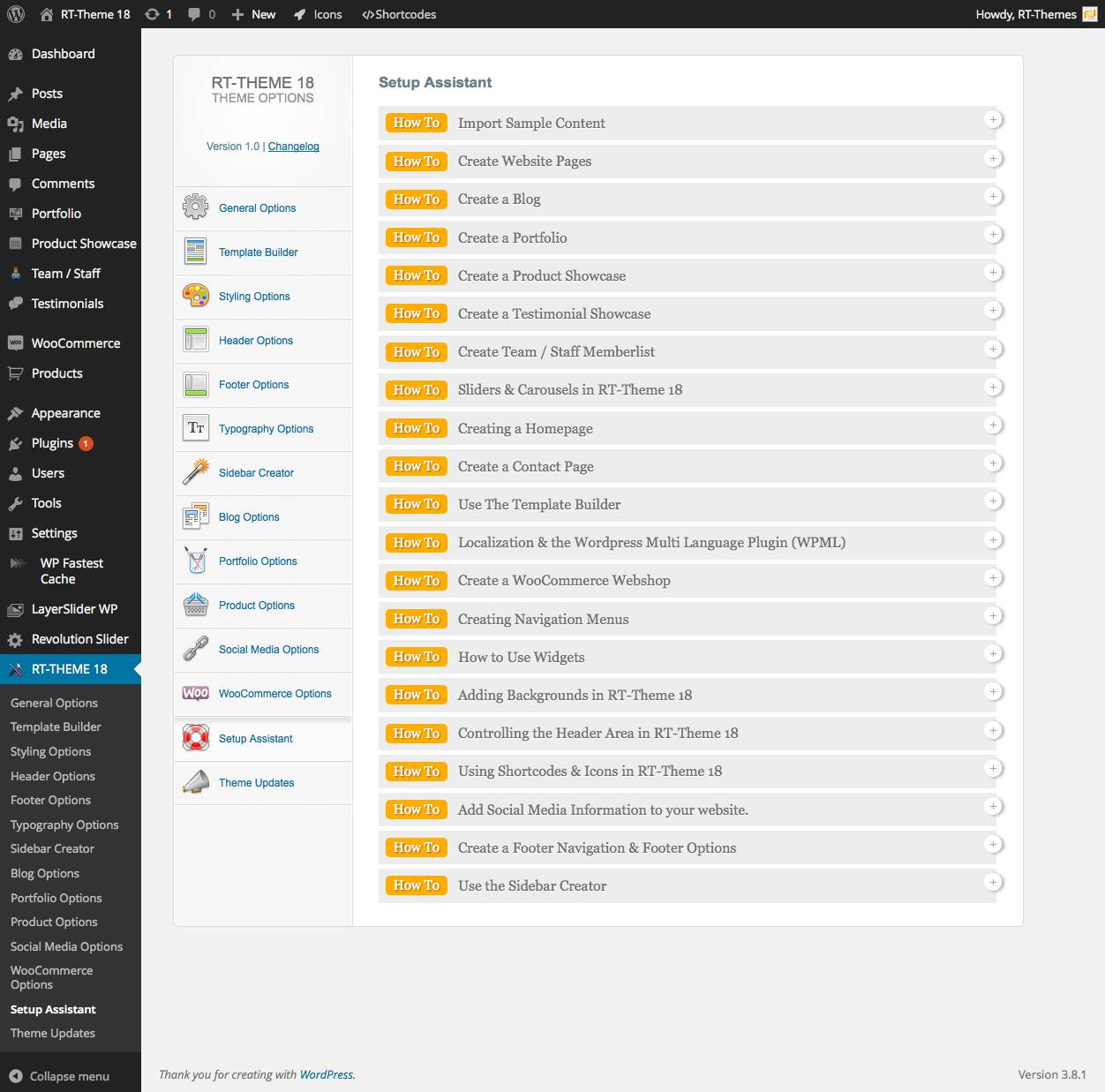
Also you can find detailed instructions inside the Setup Assistant http://rttheme18.demo-rt.com/wp-content/uploads/2014/03/Setup_Assistant.jpg
If you have any further questions regarding this theme, please let us know by opening a support request on our support forum at http://support-rt.com
Thank you for purchasing my themes.
Best Regards
Hi, I have a problem. I can’t insert the product categories in my sidebar. I want insert like this example: http://rttheme18.demo-rt.com/product-showcase/product-category-1/ Can you help me?
Hi,
1) Go to Appearance -> Menus and create a new menu for product categories. (click screen options button where top-right corner of the page to activate product categories list)
2) Go to Appearance -> Widgets, add a “Custom Menu” widget into the “Sidebar for Products” and select your menu for the widget.
If you have any further questions regarding this theme, please let us know by opening a support request on our support forum at http://support-rt.com
Thank you for purchasing my themes.
Best Regards
Thanks! But I have a last question: How change the position of the breadcrumb and the product title? I like them closer to my image, like this example: http://rttheme18.demo-rt.com/product-detail/product-name-8/
This page uses a special layout that build for single product pages. You have two options for other pages, inside content area or inside the header bar ( RT-Theme 18 -> Header Options or “Show Header Options” inside a template. )
Hello! I cannot fully edit anymore the sliders with revolution. Maybe is the new version of wordpress the problem? I just can’t apply the style to the texts in the sliders :\
Hi,
Can you please provide more details about which feature of the plugin is not working so I can test with my copy or contact with the plugin’s author. Please start a new thread about the issue with more details on our support forum at http://support-rt.com
Thank you for purchasing my themes.
Best Regards
Done!  I’ve tried to explain better!
Hello,
We plan to do a B2B website,does this theme is suitable?
Can i put document in PDF format in the website,then ours potential buyer can download the file?
Best regards John
Hi,
I don’t know much thing about your project but you can add companies as categories and assign their products/services to the category. In that case http://rttheme18.demo-rt.com/our-products/ will be suits. You can upload any file via WP uploader then use the link inside the documents tab of a product http://rttheme18.demo-rt.com/product-detail/product-name-9/ or anywhere else with a custom link.
Please feel free to ask if you have any further questions. Thank you for interesting in my themes.
Best Regards
Thanks your prompt reply.
there are 3 questions: 1.Ca i do the file download similar to the following website,refer http://www.cotek.com.tw/product/74.html,which have Downlad pad button. 2.Could you list some website which uset this theme for ours reference 3.Pay via Paypal is a little higher—USDF57,any discount?
Thanks again john
Hi John,
1- You can either use the documents tab or add your pdf icon and link to the file by using the editor for general details tab or you can by-pass the documents tabs and create your own. 2- I don’t have such a list and need to get permission from our users to share even i know. Demo website almost showing every possibilities of the product showcase 3- As an author I have no control over the sale process, themeforest.net does.
Please feel free to ask if you have any further questions.
Hello, When i upload the theme, ther is a notice: An unexpected error occurred. Something may be wrong with WordPress.org or this server’s configuration. If you continue to have problems, please try the support forums.
How should it deal with it,Thanks!
Hello, This is a WordPress related error and means at that moment your server couldn’t communicated with wordpress.org to check latest security updates of WordPress. It is not related with the theme.
If you have any further questions regarding this theme, please let us know by opening a support request on our support forum at http://support-rt.com
Thank you for purchasing my themes.
Best Regards
Hallo, I have a Question. Which is the Template which is used for the “search results” Page? I have created 3 Custom Templates with the Template Builder and would like to use them for ALL Pages of the Website. How could I manage that? Thanks a lot in advance.
I think it’s the “Content + Right Sidebar” Template which is selectable at the “Templates” DropDown of the WP Edit Page Mask. But where is this Template? It’s not within the “Template Bilder” Files…
Hello,
Please use the account which you purchased the theme to get support. Thank you.
I started a new Discussion at the support forum. “Use custom Template for “search results” Page”.
Hi,
Can we use “flag” of selected language instead of icon-globe in the language selector? If so, can you please let us know how to set the flag?
We have WPML plugin installed.
Thanks!
Hello,
I’ve just posted a tutorial for you http://support-rt.com/discussion/9432/tutorial-display-country-flag-instead-of-globe-icon-wpml-
If you have any further questions regarding this theme, please let us know by opening a support request on our support forum at http://support-rt.com
Thank you for purchasing my themes.
Best Regards
Thanks a lot.. it worked!
Is there any feedback on using Godaddy’s hosting for WordPress with this theme at http://www.godaddy.com/hosting/wordpress-hosting.aspx?isc=gofd2002ah&ci=88548
I have used their CPanel with no problem, but would prefer this option instead. A key drawback is that you can not use editor for style, but am thinking if I used your theme as fesigned I would not have to.
Thanks
Hi,
This is a premium theme and it must work on any server that WordPress does. I haven’t heard anything bad with the theme on GoDaddy hosting. You’ll have all functions of the theme, i can say that! Please feel free to ask if you have any further questions. Thank you for interesting in my themes.
Best Regards
I like Godaddy Hosting, but I was refering to their special hosting of Wordpress in the link provided which is different from their standard hosting, since it limits editing themes, style.css or adding child themes and did not know if this would have an impact for the installation.
Hi, I’m not sure how the limits would effect the theme but I can say it would also effect almost almost all other premium themes.
Failed to import shop_order_status cancelled Failed to import shop_order_status completed Failed to import product_type external Failed to import shop_order_status failed Failed to import product_type grouped Failed to import shop_order_status on-hold Failed to import shop_order_status pending Failed to import shop_order_status processing Failed to import shop_order_status refunded Failed to import product_type simple Failed to import product_type variable Failed to import product_cat Accessories Failed to import product_cat Outerwear Failed to import product_cat Shoes Failed to import product_cat Sweatshirts Failed to import product_cat T-Shirts Failed to import Media “logo” Failed to import Media “logo@2x”
Hello,
Since you haven’t installed WooCommerce plugin before the import attempt, those “failed” messages are pretty normal. Regarding images, some servers may have connection issue between my server to retrieve the images in time, this is why there is a clean dummy file inside the /Dummy Contents/rttheme18/ folder which included the package. That is a big package to load and that’s why i didn’t included the package but uploaded the forum site. If you have any further questions regarding this theme, please let us know by opening a support request on our support forum at http://support-rt.com
Thank you for purchasing my themes.
Best Regards
I am trying to add images to the portfolio “Image Gallery”. When I select “Add New Images” and then select the images i want to add and press “Select” nothing happens…
Hi,
It might be a plugin issue, there are many plugins generates javascript errors after WordPress 3.9 Try disable your plugins and test again. If this not solves the issue please contact us by opening a support request on our support forum at http://support-rt.com
Thank you for purchasing my themes.
Best Regards
OK, I’ve just replied!