90 comments found.

Hello I am new here … How does the theme take payments ? Thanks
Hi, thanks for your interest. This is html template so it doesn’t dynamically function.
NEED HELP FAST! Okay sooo am i allowed to use everything on the theme, on my website. Like the photos, etc… And am i allowed to say “All rights reserved Cerox-Hosting”? =)
Hi, i think it allowed, we have no problem with it.
Hi
Although I’m not much of a tech-expert, however, the template looks beautiful to eyes and thats why I bought it.
However, there is one thing more I needed with the template. I need the contact form with two extra text-fields and two drop-downs. And the big requirement is a captcha, without which there is no way to stop abuse.
As stated earlier, I’m not a tech-expert, can you please guide me to get these additional fields to work?
Just to brief you, I need to add two text-boxes (one for Company Name & second for Phone Number), two drop downs and finally want the user to fill out all of the fields, failing which the form should give error.
Awaiting response!
Sorry, It’s required custom works. I currently not available for files customization. You can find someone to help you modification this template. Files which need to modified are: contact.html, send.php and js/contact.js
First of all this is amazing! Seriously AWESOME! Good job dude! =) I love it, but i found a bug, please help: It keeps doing this: http://gyazo.com/6f26ae8c991a3ecf99c3b230c5cc264c More info: http://gyazo.com/b821985f21a71e50f9d47f5b1cb3f3a2 And: http://gyazo.com/f4041ec10f65f513146df8e1a42c65f9 Please help fast =) =) =) <3 <3 <3
Hi, thanks for your comments! Can you send your website url instead of screenshots so i can inspect your issue. Thanks.
really good job!;
Thank you! 
Hi,
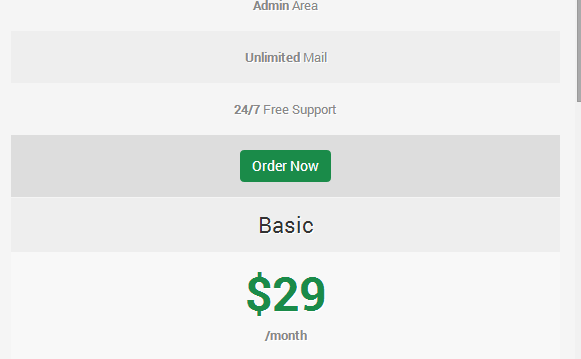
I have bought this theme but i find a design bug in it. It’s on small screens as mobile phones there a bug in the hosting plan table, there is no space between them
it’s easy to fix. Insert code below in style.css file.
.pricing-box{
margin-bottom:30px;
}
I can’t get the PHP Contact form to work. It says it sends but nothing ever comes through. I made the correct changes in the file and my host Godaddy does support PHP Mail. Any suggestions?
Neil
Hi, sorry it seems a bugs. I will look for this issue then release an update once it done.
Hi,
I purchased this template on the grounds of it been valid WC3 HTML 5 after uploading it and scanning the website via http://validator.w3.org/ i see there is 7 Errors, 3 warnings on the index page and many other pages.
The errors seem to be with-in the menu
Please fix this as i only want a valid template.
Thanks Shaun.
Found a bug in the code also.. When on the page portfolio-3-columns.html if you click the icon that takes you to single-project.html the top menu jumps to the left, instead of staying where it should (on the right)
Update: I have managed to vaildate the code by placing the “ol” tag just after the “div id=”mainmenu” class=”mainmenu” and just before the closing ”/div” tag.
This seems to work but unsure if this is the correct way of doing this.
Hi, thanks for your notice with ‘portfolio-3-columns.html’. I will fix it on next update.
I want a refund, this whole template is awful,after going through all the code over the past few days iv noticed so many problems its unreal… You clearly state many things on your “FEATURES” list and your template don’t have them such as valid W3C, a working contact from and SEO optimized. Really not happy.
This template is valid, please check http://www.themenesia.com/themeforest/truehost-html/ using http://validator.w3.org/
I never got any reports about issue above before. For contact page, make sure your hosting is support php mail, you can try to ask your hosting provider.
Hi, some page is not valid because sometimes there’s some technically requirements to make it works.
Stray tags are the common reasons why your code is not valid, this does not affect “technically requirements” as you stated. Stray tags are just down to bad coding. Under the long distance selling act, i am entitled to the cooling-off period, that means i can request a refund at any time within the first 7 days of purchasing if im not completely happy with the item, in this case there is false advertisement and many other problems such as a contact form not working. This is a legal notice and you must oblige by it. My next step will be contacting Theme Forest complaints department if this matter is not resolved within your support comments.
Hello designesia team,
me and my team are currently using your Truehost template, but we’ve encountered a problem using it for our companies website. Apparently your template is not compatible with the latest jQuery version (v2.1.1) and we are forced to use the jQuery you included in your template (v1.7.1). Is there some way to fix that?
Hi,
Thanks for your purchasing. Can you tell your issue exactly. I will consider to update this template with latest jQuery on next version.
Hello,
first of all thanks for your quick reply. The first problem with the latest jQuery version is that the elements in the navbar aren’t displayed properly. The second problem is that the collapse button, even though the screen size is 1920×1080, is shown, but doesn’t work. We’d like to use the latest version of jQuery for our project and hope you update your template soon.
Any header or footer file for whmcs?
Hi, Thanks for your interest! This is html template so this doesn’t dynamic function.
Hello Im having issues with the menu on Android Chrome. It only shows the first menu link. Have a look at the screenshot. Thanks Tyson http://i.imgur.com/Ki51Ydr.png
Hi, can you send screenshot with another link, it’s blocked here.
Hi, i have open your website using Chrome on my mobile device, i have no issue like what you said. Have you tried on another device?
Yes I have tried a few mobile browsers using browserstack and the result is the same http://bit.ly/1npCjzF
Hi, not sure but seems it has difference with real device.
Javascript sends this error.
TypeError: jQuery(...).responsiveSlides is not a function custom.js:245
Would like to have this solved as I can’t add in production this way.
Hi, thanks for your notice. I will look for this issue. But don’t worry this wouldn’t affect any function on this template.
Hi! I need the WP version, Any time frame on that? Thank you.
Hi, WP version is in our plan. Maybe on next few months.
Can this code be used on weebly or wix for editing
Hi, this is html template you can use editor like Dreamweaver for editing.
i ve puchased the template help me install it please
Hi, thanks for your purchasing. This is HTML Template not a WordPress so this is not installable, you can modify it directly using editor like Dreamweaver.
Is there a way we can hide the slider on mobile? I don’t like the way it functions for mobile users but want to keep the slider on the homepage for users browsing via a desktop / larger screen.
Thanks!
You can use custom css. Insert code below in last line of file ‘css/style.css’
@media only screen and (max-width: 767px) {
    .fullwidthbanner-container{
        display:none;
    }
Hey i want the boxed site But it does not work. I removed the lines /**/ from boxed and addedt i to wide screen but i only see wide screen.
What is the issue and how can i fix it?
Hi, what template version did you use? Please use latest version. You just need remove /**/ from boxed.
/* --------------------------------------------------
to use boxed layout please enable code below
/* -------------------------------------------------- */
 @import url("boxed.css")
Hi there, There’s a Major problem on the slider in index.html, on iPad landscape mode, the text on the left get’s on the winidow’s left edge, this happens if you resize window too (even on the demo in theme forest). Obviously any css trick is useless. Is there a fix for this? Thanks.
Hi, you can change it from file index.html. Look at container < fullwidthbanner-container >. Then change value ‘data-x’. Look at below:
data-x="100"
data-y="100"
data-speed="300"
data-start="800"
data-easing="easeOutExpo"
Thank you!
Thanks all fixed.
Is there a way to buy smooth scrolling to anchors to be installed? Thanks
Sorry, not clear with it. So do you want to use smooth scroll for this template?
Yes but it won’t work for me. It works the first time but whenever I’m not at the very top of the page smooth scroll doesn’t work. I know this isn’t something you support so wondered if this can be bought as an extra.
Hi There, Great theme however small issue. The top header menu changes when I scroll. Please see the two pictures.
Thanks http://i.imgur.com/nfRZhOk.jpg http://i.imgur.com/f44jWyH.pngYou can fix it by open file ‘css/style.css’ look at line 290. You can increase width value.
width:120px;