38442 comments found.

Hi! I have two little issues: 1) my secondary navigation on the header shows the icons but they aren’t linked to my social media. I can’t understand why because the same icons on the footer area are working perfectly.
2) Even if I set-up all the logos in the Salient > Header section I can’t show my logo on the transparent header where there is a fullscreen nectar slider.
Thanks a lot for the help!
Carla
Hey Carla!
Anyway you can share your URL so I can take a look?
Cheers
Hi! Of course, http://www.carlasartori.com/about . Thank you!
Hey 
1. Could you open a ticket in regards to this so I can inspect your setup? http://themenectar.ticksy.com/
2. Add this into the custom css box located in your Salient Options panel:
body #header-outer.transparent[data-transparent-header="true"] #logo .starting-logo {
    opacity: 1 !important;
}
Great! Your custom css is working perfectly and I opened a ticket for the first issue. Thank you very much!
You’re welcome
Hi Guys,
I asked about parallax image dimensions. It is for mouse enabled parallax backgrounds. What are the image dimensions that you use for best results as I am testing but always my images are too big. Also, if it is not much trouble could you list the image dimensions you use for sliders/parallax sliders etc?
Thank you ever so much – great theme. Really glad I purchased it!!!!!
Jonny
also, what would you say are the best image dimensions to use for logo? Mine looks good on desktop but when viewed on mobile it shrinks so small you can hardly see it – i assume my dimensions are off
Hey Jonny!
1a. For a mouse based parallax it depends on what you’ve set the top/bottom padding on the row to be – for example on the ascend demo I set them high enough to make the row almost fullscreen I needed to provide larger images around 2000px by 1000px.
1b. For the slider, as long as you’ve selected the flexible height option you can provide images near the the height you’ve set to the slider itself (for full width sliders I’d recommend keeping the image width around 1800px+)
2. Please see this in regards to the logo size on mobile: http://themenectar.ticksy.com/ticket/46745/search/
Cheers
Hi all, I’m new to Salient and I’m not sure if I’m in over my head. I uploaded the theme, then uploaded the dummy data, but have decided I’m probably better off starting from scratch. So how do I get rid of the dummy data? I’m a total novice so if I have to go to ftp – please tell me in baby terms what I need to do. Cheers Fiona
Hey Fiona!
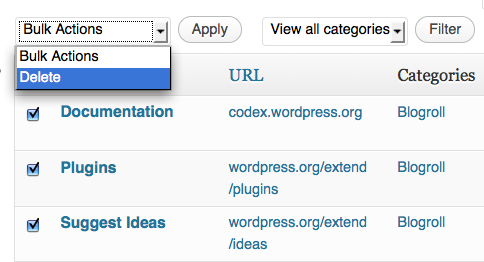
You can simply delete the pages that were imported with the dummy data with a bulk action or use a plugin like this: https://wordpress.org/plugins/wordpress-reset/ (just make sure if you use that plugin that you don’t have any prior data you want to salvage)
Cheers
Great, thanks. So, would bulk actions get rid of all the menus and stuff? I thought it would just get rid of posts, the dummy data seems to contain more than just posts. Or, if I’m brave enough, if I go to ftp where do I find the dummy data file? Cheers F
Also, would the reset plugin mean I have to reinstall the theme? Cheers F
Hey again,
1. The dummy data wouldn’t be something found through FTP since it’s all information stored in your database itself rather than theme files.
2. No, it would simply delete all of the WP content though and you’d end up with a setup that seemed like a fresh install
Cheers
Issue: Custom links in menu that open in new tab do not work with AJAX Page Transitions “on”. It tries to load the page and generates this error:
SyntaxError: Multiline comment was not closed properly
This happens when I click a custom menu item that opens a page thats not a part of the Salient theme WP install. (I.e., linking to my /blog/ directory that is its own WP install does not work with AJAX on…)
Any fixes?
Thanks!
With Ascend skin activated.
Hey mittenunited! If you ned to stop certain links from triggering the ajax load – add a css class of “no-ajaxy” without quotes onto the menu item(s)
Cheers
unable to login to salient support: http://themenectar.ticksy.com/
unable for the last several days?
Hey wesleysoccer, sorry to hear that! There’s actually been no known downtime and support tickets have been flowing in/getting answered as usual. What occurs when you try to log in?
Hi – I’m currently using a custom template for my homepage. How would I specifically replace the default home slider with the nectar slider? In other words what PHP do I need to delete and what do I replace it with? Within the nectar admin there are many more options that I’d like to use that aren’t available in the home interface. Thanks!
Hey Tony!
The home slider would usually exist around lines 7-96 in the “featured” div – delete all that and you can call a nectar slider through the shortcode in your file like this
<?php echo do_shortcode('[nectar_slider_shortcode_goes_here]'); ?>
I really like Salient, but every time I update the theme, I lose all my layout and have to spend hours to get it back to how it was. I am using a child theme, this doesn’t stop the layout falling to bits every time I update the parent theme.
It appears to be a fault with Visual Composer. In my dashboard while editing pages I get this message; “Your page layout was either created with a previous Visual Composer version or you have elements/text located outside of VC rows (which could have occured if you switched into the classic editor view to make changes). Visual Composer requires all content be contained within rows to render correctly” It gives me the option to update the layout, but it gets stuck in a loop, it does not update and loops back to that message.
So I rolled back my website to a week ago before I updated and it looks good again. I am trying to work out if I even need to update but I cannot see anywhere what the latest version of Salient is? There is no version number for Salient anywhere? Not on Themeforest website, not on your website not in the downloadable files. The only place I can see a version number is in my Wordpress dashboard that says I have Salient v4.5.1 installed, so is this the latest?
Hey Design-Kink,
1a. What files have you edited in your child theme? If you’re adding files in other than a style.css & functions.php file, you’d need to update them to match the structure of the parent theme. Otherwise you’ll essentially be using old versions of the files which could cause conflicts.
1b. Do all of your pages have that message after updating? While that’s not a known issue, I’d be glad to look at your setup in the admin side if you open a ticket themenectar.ticksy.com
2. The current version is indeed 4.5.1 & is listed in a few areas on the main theme description page (near the top and the bottom) and in the changelog http://themenectar.com/changelogs/salient.html .
Cheers
OK, thanks for the offer to open a ticket as I have a few more questions now after working on my site today.
Alright, sounds good
Hey there,
I’m getting this error that I can’t figure out how to fix.
Warning: require(/home/content/34/11942934/html/kws2/wp-content/themes/KWS/../../wp-blog-header.php) [function.require]: failed to open stream: No such file or directory in /home/content/34/11942934/html/kws2/wp-content/themes/KWS/index.php on line 17
Fatal error: require() [function.require]: Failed opening required ’/home/content/34/11942934/html/kws2/wp-content/themes/KWS/../../wp-blog-header.php’ (include_path=’.:/usr/local/php5_3/lib/php’) in /home/content/34/11942934/html/kws2/wp-content/themes/KWS/index.php on line 17
Can you help me out? Cheers.
Hey visualgalore,
“wp-blog-header.php” isn’t a file in Salient or referenced by Salient anywhere – have you verified this isn’t coming from a plugin?
Cheers
Hey Nectar, thanks for getting back.
I turned off all plugins and it didn’t fix it. Then tested it with twentyfourteen with all the plugins on and it seems to be working ok.
Wordpress is installed in a subfolder and the homepage url is set to different subfolder. I don’t know if this is not causing some trouble. Let me know if you have any ideas.
Cheers.
Hey again – can you please check line 17 of the index.php file in your theme to verify it’s trying to call that file?
Hi there, Salient is a gorgeous theme and we’re exploring the possibility of using it for the launch of some of our new services. Is it possible to embed an external page using this theme? We use back-office technology for some services we offer, and we would need to somehow embed that in.
Thank you!
Hey cvuong!
I’m not sure how specific this is to Salient – but you could either create a custom page template where your code could live or embed the page through an iframe
Cheers
perfect! yes i meant to ask about iframing but realized I never mentioned it. will the iframe take up the entire width of the page?
Yes it can be made to occupy the full width of the page through the full width content row type within the Salient page builder
the new ascent style its not compatible with quform plugin and other plugins, keep loading forever the page.
Are you referring to the ajax page transitions? The ascend skin itself is only CSS and shouldn’t be capable of causing the behavior you’re describing. If it is indeed the AJAX transitions you mean, just supply the URL so I can check the error
We can’t have the site down or not working for long time so we downgraded the theme. Is there any other option to fix this ?
I just need to know if your site broke without the AJAX page loading option active – from what you’ve described it sounds like that was the option responsible for the issue rather than the updated theme as a whole (therefor you should be able to update and just keep that option off for the time being so I can check)
please install quform and test it, when you will release a new version with all this bug fixed?
I have purchased quform for testing and can’t see any issues with the AJAX loading option + ascend skin active – can you please update your theme without activating any of the new options so your site should remain the same and I can have a chance to look at what’s wrong?
$(window).scroll(transparentSecondary);

transparentSecondary();

function transparentSecondary(){

  if($(window).scrollTop() <= 0) {

    $('#header-secondary-outer').css({

        'background-color' : 'rgba(0,0,0,0.1)',

        'border-color' : 'rgba(255,255,255,0.4)'

    });

    $('#header-secondary-outer nav > ul > li > a').css({

        'border-color' : 'rgba(255,255,255,0.2)',

        'color' : '#fff'

    });

    $('#header-secondary-outer nav > ul > li:last-child').css({

        'border-color' : 'rgba(255,255,255,0.2)',

        'color' : '#fff'

    });

    $('#header-secondary-outer nav > ul > li > a:hover').css({

        'color' : 'rgb(255,255,255)',

        'color' : '#fff'

    });

    $('#header-secondary-outer nav a:hover').css({

    'color' : '#fff'

    });

    $('#header-secondary-outer nav > ul > li:last-child').css({

        'border-color' : 'rgba(255,255,255,0.2)',

        'color' : '#fff'

    });

  }

  else {

    $('#header-secondary-outer').css({

        'background-color':'#f5f5f5',

        'border-color' : 'rgba(0,0,0,0.1)'

    });

    $('#header-secondary-outer nav > ul > li > a').css({

        'border-color' : 'rgba(0,0,0,0.1)',

        'color' : '#777'

    });

    $('#header-secondary-outer nav > ul > li:last-child').css({

        'border-color' : 'rgba(0,0,0,0.15)',

        'color' : '#fff'

    });

    $('header#top nav .sf-menu li.current_page_item > a').css({

        'background-image' : 'none',

        'color' : '#fff'

    });

    $('#header-secondary-outer nav > ul > li > a:hover').css({

        'color' : 'rgb(255,255,255)',

        'color' : '#fff',

        'text-decoration' : 'none'

    });

    $('#header-secondary-outer nav a:hover').css({

    'color' : '#589de1'

    });

  }

}
This is the image of the site: https://dl.dropboxusercontent.com/u/12558375/BM/make%20it%20transparent.png
Hey mzuker, can you share the URL so I can check it out?
We downgraded the theme to avoid conflicts. How we can solve this?
Argh, encountered another frustrating error. My slider won’t play! I followed the tutorials down pat and my slides are in place, but no arrows, no animation going on.
Hey neilgalang, please share the page URL so I can assist
I am LOVING this theme!! Wow! Just blown away!
1 questions/concern: How do I get my header font to be as big as yours on the multi-layer parallax page? Even Header1 is small compared to what you have.
Hope to hear from you soon! Thanks, Nick
Hey Nick!
The Latest release allows you to define a separate font size for page header bg’s in the typography options tab in the Salient options panel
Cheers
Some portfolio thumnails have wrong height.
I changed size of thumnail to 600×403, but same result.
Check this page please : http://nolook87.cafe24.com/?page_id=79
Hey finalfire,
That’s because most of your images are not meeting the 600px minimum width require for that portfolio style such as: http://nolook87.cafe24.com/wp-content/uploads/2014/07/conceptA03-560x403.jpg
Cheers
I finally got the hang of it after watching all the video tutorials. This theme is so phenomenal, I purchased it 3x. High Five ThemeNectar!
Hey neilgalang, glad to found the answers you needed
Cheers!
HI! First of all, congratulations for this theme, its really a pro theme and i’m very happy with it!
Look, i’m implementing a fixed non-stop mmusic player across the web and this works really well when the Ajax Page loader is active, i can play the music, navigate and music still play. Happy with it!
The problem begin when i try to add a track to the player.
When i click in: Play
The ajax function, take me out of the page, and the track not to be added to the player playlist, this only happen when the ajax function is active.
And the cuestion is: It is possible to exclude some #href type like mp3 files of ajax page loading??
I know that the Advanced Ajax Page Lading wordpress plugin, has this option to exclude type of files. is there a way to do it by editing some files or something?
Thanks Carolina_Pe!
You can stop any link from triggering the ajax load by adding like class “no-ajaxy” to it – so for example:
<a href="#" class="no-ajaxy">link</a>
Cheers
Aloha! Can you please tell me the CSS to add drop shadow to the title and subtitle in a centered heading? I’m trying to create the look of a header in the middle of a page. Also, is there a way to justify these left? ( I know it’s a centered heading). Y’all rock!
Hey powerhound! Try adding this into the custom css box located in your Salient Options panel:
.row .col.section-title {
    text-align: left!important;
}

.row .col.section-title h2 {
padding: 4px 0px;
    display: inline;
    position: relative;
    left: 10px;
    background: none repeat scroll 0 0 rgba(0, 0, 0, 0.5);
    box-shadow: 10px 0 0 rgba(0, 0, 0, 0.5), -10px 0 0 rgba(0, 0, 0, 0.5);
    -moz-box-shadow: 10px 0 0 rgba(0, 0, 0, 0.5), -10px 0 0 rgba(0, 0, 0, 0.5);
    -webkit-box-shadow: 10px 0 0 rgba(0, 0, 0, 0.5), -10px 0 0 rgba(0, 0, 0, 0.5);
    -o-box-shadow: 10px 0 0 rgba(0, 0, 0, 0.5), -10px 0 0 rgba(0, 0, 0, 0.5);
    line-height: 45px;
}
Hello ThemeNectar,
could you please advise what should be done if after updating from version 4.1.1 to 4.5.1 all the elements on page that have animation became invisible?
This refers to home slider, columns with animation, images with animation, testimonials slider, animated fancy header etc. There’s no jQuery errors appearing in browser console. All theses elements just stay invisible while were animated when scrolled to with 4.1.1 version.
Once theme was rolled back to 4.1.1 version the elements started appearing like they were supposed to. However still need to be updated to the latest version.
Thanks in advance for any help on this 
Hey manhattan_art,
It sounds like there’s somehow a javascript conflict from what you’ve described – can you please apply the update again so I can see what it is? (please supply your URL of course)
Cheers
Hi ! Very great product… I have purchased your theme for my company in order to make the new website…but I have a little problem with the blog.
When I try to set the article page as the page named “Blog”, in the apparence menu, the articles doesn’t appeared with the standard style blog. I give a link if you can help me on this problem.
http://vinoreco-portail.fr/blog/Sorry, for my “french” english, I have tried to be the more comprehensible.
Thanks in advance.
Nicolas
Hey Nicolas,
I’m seeing an internal server error come from that page – can you confirm you’re on the latest Salient version (4.5.1) and that no plugins are causing the issue?
Cheers
Hi ! Thanks for answering so quickly ! I have tried to desactivate all the plugins on the website, but it’s seems the problem doesn’t come from here. I think you’re right about the salient version, I’ll update the theme…but I have modified some css files…in order to make the website more personal. Can I juste change the others files ?
Thanks…
You’re welcome
If you’ve only modified css files, just copy them over the latest version’s files (no serious errors should occur) and going forward you should probably keep your css edits in a child theme to avoid any hassles when updating
Awesome ! It’s working…just perfectly ! You were right, I change the includes folder…aaand magic ! Just one more thing, if I may, in the contact page, my marker doesn’t appeared too, I think the all website is playing hide and seek with me. Do you any idea where it comes from ?
http://vinoreco-portail.fr/contact/Thanks again for your help.
Great to hear!
In regards to your latest query – it seems you have the lat/lng entered incorrectly because if you zoom out all the way you’ll see the marker in the Atlantic ocean
Cheers
I can’t figure out why but all the links on the site have line-throughs on them. Can you tell me why this might be? Can’t find anything in the CSS attached, anything on-page, or in the custom CSS.
Thanks in advance!
http://bristolspaceplanes.com/library/your-spaceflight-manual/
Hey MidasCreative_!
It currently looks like you have a maintenance plugin active so unfortunately I can’t see the site – anyway you can let me through?
Cheers
Not to worry guys – found out that the client was using a broken link checker which as part of it’s services liked to put a line through every single link! Not great. Deleted now though and all fine.
Thanks for the response anyway!!
Awesome to hear!
Cheers