1115 comments found.

Hi, How do i remove comments in the Product page?
Hi,
You need to disable comments for each product http://cl.ly/image/2k182c2F3b1f/Image%202014-10-10%20at%2012.11.07%20AM.png
If you have any further questions regarding this theme, please let us know by opening a support request on our support forum at http://support-rt.com
Thank you for purchasing my themes.
Best Regards
Hi, can somebody tell me why there is an extra white block in my menu navigationbar? On the right, next to FAQ http://daktenthuren.nl/
Hi
That is the end of the menu bar. It is by design this way.
Please can you use the forum to post your (new) questions / issue’s. We are glad to help you there.
thank you !
http://support-rt.comBest regards, Theme support
Hi Does it come with sample content?
Hi Does it come with sample content?
Please..I’m still needing an answer.
Hi
Sorry for the delay. We were rather busy.
The theme comes with a simple demo content and a full demo content package which you get access to and can download from the support forum after you have bought the theme.
The forum account you can create by usage of your theme purchase code.
http://support-rt.comBest regards, Theme support
Is Your theme even responsive`?!
Try add a product and go to cart/checkout page from a mobile…
Or try see image: http://ville-kulla.dk.dit-website.dk/wp-content/uploads/2014/10/rttheme.jpg
Responsive Design Activate the Responsive Design feature. Turning on this option will make the website adjust it’s design to smaller screens (mobile and pad devices) automatically.
not really….!
Hi Chris,
The the is responsive and you found a tiny issue that effects only WooCommerce carts. It is not fair to say “not responsive” is it?
Thanks for reporting this, it seems a new issue that comes with WooCommerce updates. Anyway, I have a fix for that; please add the following css code into your Custom CSS Codes box inside the Styling Options
/* Mobile (portrait)     320px */
@media only screen and (max-width: 767px) {
    .responsive  table.cart .actions .coupon input, .responsive  table.cart .actions input{
        display: block;
        width: 100% !important;
        margin-bottom: 10px !important;
        float: none !important;
    }

    .responsive.woocommerce .cart-collaterals .cart_totals table th, .responsive.woocommerce-page .cart-collaterals .cart_totals table th{
        width: auto;
    }

}
Please note that the fix will be included to the next version which will be available in the next 2-3 days.
And again, please use our support forum to get help. Thanks.
6 days now… still no update? why all these issues?
Theme will be updated soon, we added a couple of more things to the new version.
Hello,
Is there any way to change the length of the buttons using the shortcodes? When you create a button, it sizes the button based on the amount of text. I am wanting the buttons to be the same length, as they are all displayed on the same page and it needs to look uniform. Thank you!
Hi,
If you need this for a specific page please provide us your page url by opening a support request on our support forum at http://support-rt.com so we can assist better. Otherwise a custom css code for entire site would break buttons and other modules.
Thank you for purchasing my themes.
Best Regards
Hi,
is there anyway to change the colors of the tabs in the short codes?
Hi,
There are more than one tab style, can you please provide us your page url by opening a support request on our support forum at http://support-rt.com so we can assist better
Thank you for purchasing my themes.
Best Regards
This is not a solution but a work around!
Why did you remove this function?!
All other woocommerce themes, you just upload images to productgallery and they will be inserted just below the main image for the product and not in a carasousel…. for the sake of “¤”
Stupid!
I only find errors and bugs with this theme!!
Now i find out that you can only show max 12 products per page with eg this shortcode:
[product_category category=”appliances”]
I tried increase values in your theme settings:
“Woocommerce settints” Amount of products to show per page: 200
“Product options” Amount of products to show per page: 200
“Readings” post to show: 200
No difference – no effect!
Ive tried out 2 pluings: WooCommerce Product Archive Customiser WooCommerce Products Per Page
NO DIFFERENCE – NO EFFECT!
Ive tried though functions.php // Display 200 Woocommerce products per page. add_filter( ‘loop_shop_per_page’, create_function( ’$cols’, ‘return 200;’ ), 20 );
NO DIFFERENCE – NO EFFECT!
Can i get refund back! im not gonna use this theme
Why cant I add woocommerce shortcode in your template builder on in post editor??!!! WHY CAN I VIEW VISUAL TAB in post editor?! only freaking text(html)
Hi,
First of all,
THERE IS NO ISSUE WITH THE THEME! capital is better, right 
1) Those thumbnails are not available for WooCommerce single pages, only carousel. I thought it is looks and works better for mobile when i coding. Here is the demo website http://rttheme18.demo-rt.com/shop/full-width-product-page/ Your website just works as the demo website.
2) You should change the “Amount of products to show per page” from WooCommerce options not “Product Options” http://f.cl.ly/items/2N1c0l3l3r3d1X1Y0P1M/Image%202014-10-02%20at%201.22.10%20PM.png
Also, there is another shorcode for woocommerce that comes with the theme and it can be found inside the “Shortcodes” screen. (Click the shortcodes button inside the top menu bar of WordPress admin screen ) You can use that shortcode for more advanced options if you need to use a shortcode to list your WooCommerce products.
3) I replied your “editor” question already. There must be a plugin issue.
By the way, please open a support request on our support forum at http://support-rt.com when you need help, it is faster and better way to get help for our products. Additionally, we have a respectful tutorial archive in the forum.
Best Regards
your theme isnt responsive! only lots of bugs
Try this link:
http://www.responsinator.com/?url=http%3A%2F%2Frttheme18.demo-rt.com%2Fcart%2Ftry add a product and go to cart via a mobile plz!! or via the link
Hi Chris,
Thanks for reporting this, it seems a new issue that comes with WooCommerce updates. Anyway, I have a fix for that; please add the following css code into your Custom CSS Codes box inside the Styling Options
/* Mobile (portrait)     320px */
@media only screen and (max-width: 767px) {
    .responsive  table.cart .actions .coupon input, .responsive  table.cart .actions input{
        display: block;
        width: 100% !important;
        margin-bottom: 10px !important;
        float: none !important;
    }

    .responsive.woocommerce .cart-collaterals .cart_totals table th, .responsive.woocommerce-page .cart-collaterals .cart_totals table th{
        width: auto;
    }

}
Please note that the fix will be included to the next version which will be available in the next 2-3 days.
And again, please use our support forum to get help. Thanks.
I pasted that in the custom CSS box – still no fix….
Hi,
Sorry, there was a missing line;
    .responsive.woocommerce-page  .cart .product-quantity {
        display: none;
    }

    .responsive.woocommerce-page   table.cart .actions .coupon input, .responsive  table.cart .actions input{
        display: block;
        width: 100% !important;
        margin-bottom: 10px !important;
        float: none !important;
    }

    .responsive.woocommerce-page  .cart-collaterals .cart_totals table th, .responsive.woocommerce-page .cart-collaterals .cart_totals table th{
        width: auto;
    }
This is what i see with after the fix. http://cl.ly/image/0U2z370X3A45/Image%202014-10-03%20at%206.25.47%20PM.png
Merhaba,
Temay? ald?k, fakat menünün alt?na aç?klama eklemek istiyorum nas?l yapabiliriz ? örn: HOME || go to home
ve slayt ekleyemiyorum acilll
iyi çal??malar
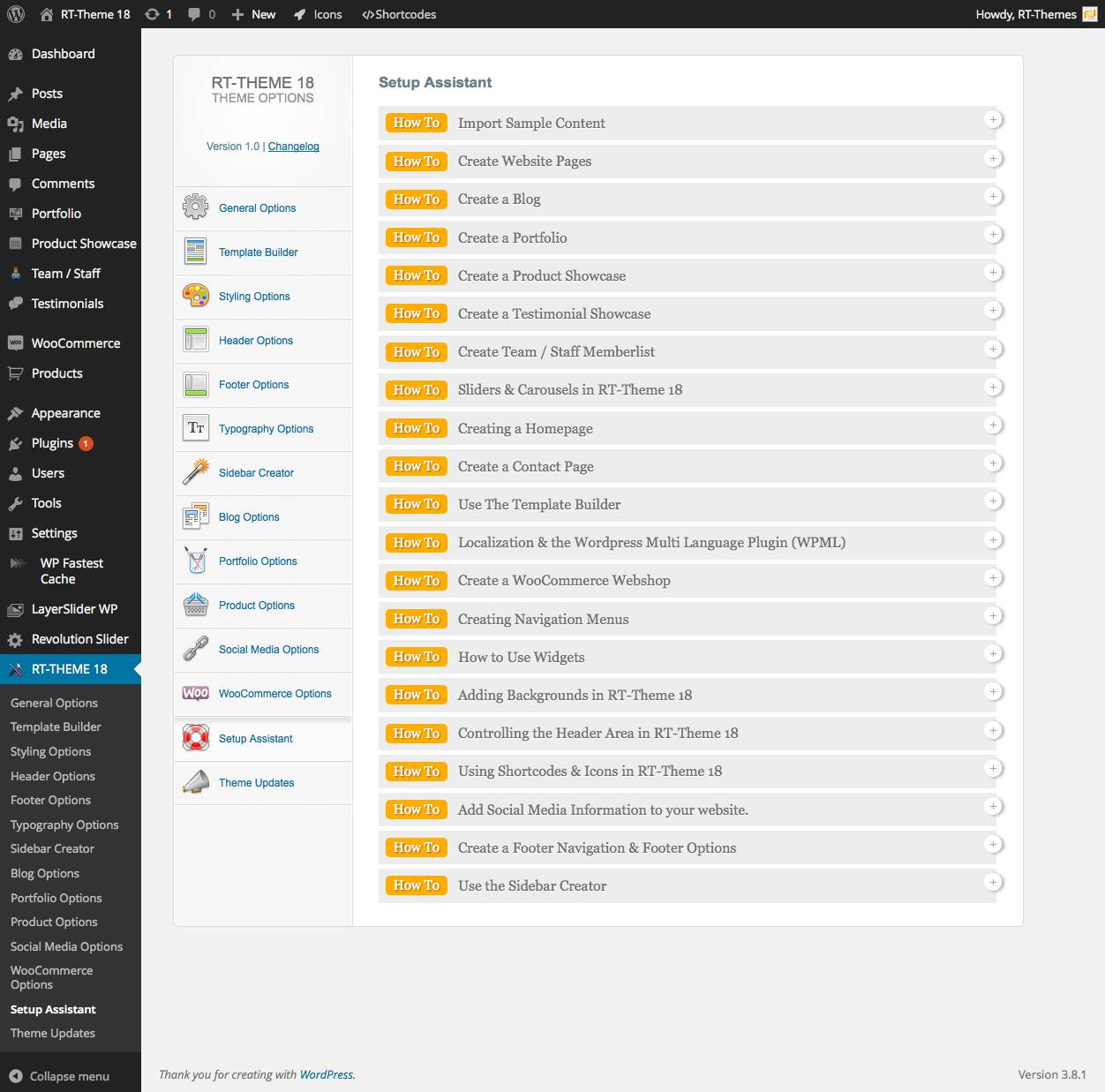
RT-Theme 18 -> Setup Assistant ->
How To: Create Navigation Menus
How To: Create Mega Menus & Select Icons
ya da
http://support-rt.com/forums/topic/rttheme-18-menu-tutorial/rica etsem acaba örnek alabilece?im bir admin paneli varm? veya size yönetim panelini mail atsam eklermisiniz bir türlü açamad?m 
Merhaba bu adreste resimli olarak anlatimi var http://support-rt.com/forums/topic/rttheme-18-menu-tutorial/ Maalesef ornek panelimiz yok.
Hi,
first of all, very nice Theme.
I have a short question about the contact-form. Where can I change the language/text of:
“Your Name; Your eMail; Your Question?”
Thank you in advance!
Paul
Hi Paul,
Are you trying to translate them? If so, there is a known bug in contact form translations and it will be fixed with the next update. The update will be available in the next 3 days.
If you have any further questions regarding this theme, please let us know by opening a support request on our support forum at http://support-rt.com
Thank you for purchasing my themes.
Best Regards
Hi guys, thank you very much for the best wp template i have ever bin working with
I would like to ask you for a bit of help; namely,
on this page http://lsg.happytesting.co.uk/?page_id=2125 i have this great testimonials slider.
I am trying to create the same testimonials carusel on my homepage:
but it doesn’t work. I have checked the templates 100 times; both are the same, yet the case study carousel works where the homepage carousel does not…. Would you be able to push me in the right direction here
Thank you Regards
i got it now… it was the content layout 
Hi, I’m glad to hear that you have managed to resolve it. Please do not hesitate to ask if you have any further questions by opening a support request on our support forum at http://support-rt.com
Thank you for purchasing my themes.
Best Regards
Merhaba,
temay? indirdim kurdum fakat bir türlü slayt ekleyemedim nas?l ekleyebilirim ?
te?ekküler
Merhaba, Lutfen bu videolari takip ediniz http://rttheme18.demo-rt.com/customizing-with-template-builder/
Daha detayli bilgi, Setup Assistant icinde bulunabilir, http://rttheme18.demo-rt.com/wp-content/uploads/2014/03/Setup_Assistant.jpg
Hello,
I need to add an image to the author page like this… http://rttheme18.demo-rt.com/author/tolgacan/
there are going to be 5 different writers.. how can i set a different image for each user?
Thanks
Hello,
It is using WordPress’s native functions and displays author’s gravatar logo https://en.gravatar.com/
If you have any further questions regarding this theme, please let us know by opening a support request on our support forum at http://support-rt.com
Thank you for purchasing my themes.
Best Regards
Why I have this problem!???
When using your template builder, I cant see what what Im typing – the font color is set to #fff;
LOOK:
http://ville-kulla.dk.dit-website.dk/wp-content/uploads/2014/09/Untitled-2.jpg
Hi,
It looks like a plugin conflict generates a javascript error. Please try to disable your plugins and test again.
If you have any further questions regarding this theme, please let us know by opening a support request on our support forum at http://support-rt.com
Thank you for purchasing my themes.
Best Regards
hello, please, how to create header with logo on left side and navigation menu on the right side, not below?? thank you!
Hello,
Yes it is possible with the theme. If you need support, please ask your questions with the account that you purchased the theme. Thank you.
hi is this theme compatible with wordpress 4.0??
Hi, Yes it is compatible with WordPress 4.0
If you have any further questions regarding this theme, please let us know by opening a support request on our support forum at http://support-rt.com
Thank you for purchasing my themes.
Best Regards
Does the document is zip format size is become smaller—34.5M? and i download it always stop for unknown reasons.
Hi,
There are two premium plugins included to the package and there is no chance to be smaller. You can contact with envato support for to solve your download issue.
If you have any further questions regarding this theme, please let us know by opening a support request on our support forum at http://support-rt.com
Thank you for purchasing my themes.
Best Regards
Hi! I have bought your RT Theme 18 and really loved it.
Is RT-18 compatible with RT-13, 15 and 17? Particularly I would be interested to know if the custom post type for products will remain intact if I migrate a site made with any of those themes.
Thanks!
Hello,
Yes, the product and portfolio posts will be remains when you switch between those themes. But, some custom fields such as image gallery has been slightly improved for the newer themes and you may need to re-assign the images for the product/portfolio image galleries.
If you have any further questions regarding this theme, please let us know by opening a support request on our support forum at http://support-rt.com
Thank you for purchasing my themes.
Best Regards
Hello …
How can I use RTL in your theme ?! And can I use my own fonts on the Theme ?!
Thanks …
Hello,
You can either install WordPress in your language and set as an RTL website. Then the theme will be automatically display your website as RTL. You can select a font from Google web fonts or you need to add your own css codes in order to use your own, self-hosted web fonts.
Please feel free to ask if you have any further questions. Thank you for interesting in my themes.
Best Regards
Is there a way to add a “sort by price” or “price range” filter without installing woocommerce?
Hi,
No, unfortunately product showcase has not that sorting feature. If you have any further questions regarding this theme, please let us know by opening a support request on our support forum at http://support-rt.com
Thank you for purchasing my themes.
Best Regards