352 comments found.

Hello
I am in the process of creating this site lucreative.com.au/fyne
In the portfolio section I have included a picture of a model with each bag. When I click on the dot the image is revealed. Could the image be revealed below the original image instead of above? If so what code would I need to change.
Thanks very much.
Best regards
Kerry
Hi Kerry,
Im afraid its gonna need custom works. If you’re good with editing the wordpress theme, you can see the snippet here http://ridianur.com/data/change-thumb-image-into-ajax.txt
cheers 
Hello
I am in the process of creating this site lucreative.com.au/fyne
In the portfolio section I have included a picture of a model with each bag. When I click on the dot the image is revealed. Could the image be revealed below the original image instead of above? If so what code would I need to change.
Thanks very much.
Best regards
Kerry
see below
Hi Ridianur, is there a way to manage order of items in portfolio? At the moment they appear in order as they were created but surely there must be a way to move them around?
thanks, kate
Hi kate,
Yes, you can used some plugins for reorder the items in portfolios.
cheers
which ones? Could you please be more specific in your answers? it is a pain to do it manually. Also, two more questions could you please take a look at my site and tell me why gallery / portfolio link sometime works and some time doesnt? And why blog link doesnt work at all? Thank you your help appreciated. http://50.87.248.57/~mistywoo/
Hello ridianur. As I can see how many people visit my site, that plugin works well with the theme ?.
thank you very much.
(google translate sorry) 
You’re welcome rafahell
Awesome theme but I am having trouble finding a way to create a a full page width page. There doesn’t seem to be a template for a page, just a blog. Can you help me with this. Thanks so much!
Hi there,
Yes, as you can see, you can only use the full width template on blog archive, not on page. Its not possible without custom works.
So if I want to create a page of info like an events page that is the full page width without widgets on the side I can’t do that?
Yes, it’s not possible without custom works
It seems like you have helped others with this in the past by advising them on how to edit the .php files. How do I private message you? I am really trying to figure out something. Even if I can put the sidebar on the left instead of right side?
Yes, i used to help about this, but its causing problems after that later. If you have good knowlegde about css, you can move the sidebar to the left with some custom css code. But if you’re not keen about that, try to hire someone who capable to do that like in studio envato
OK. Thanks very much. I appreciate your fast response to my questions. For now I guess I will have to just use the sidebar option. I love your theme but I honestly think a full page width page template would be a great addition to a future release. Several other people seem to have the same requests and all other themes I have purchased seem to have one included.
thank you for your input. i will considered this feature for next update.
cheers
Hello Ridianur, I have 7 portfolio on my website, but when I open any of these the gallery inside does not work with Lighbox effect. the effect light box only works if I insert the images are not in a wordpress gallery … for me is a problem, because I have to create galleries with wordpress inside the single portfolio … how can I do?
thanks so much
Hi there,
Im afraid its need a custom works.
The portfolio post in homepage is called by ajax function, so you need to call the plugin script/jquery when the ajax is triggered.
cheers
thanks! how can i do?
Its depend on your what plugin you used. If you’re not comfortable with customization, you might want to hire someone who capable to do that in here
i use “Simple Lightbox” plugin…i can try to customize…wich files of the theme?
Hi, im really sorry but im unable to help you further. Item support doesn’t included support for third party software and plug-ins. You might want to hire someone from the link above
Hi this was the best template i used so far. Very clean code and it’s easy to figure out settings, thanks!
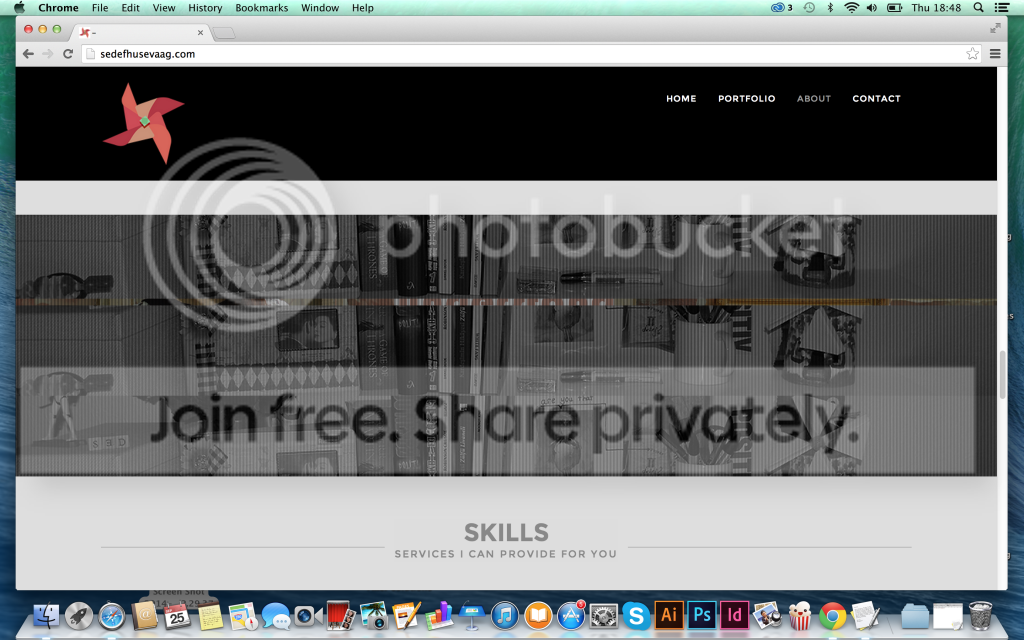
However while it is working perfectly on Safari and Firefox, on Chrome it shows same slide photo on all the parallax sections. Is there a way to fix it? Here you can see my page at : www.sedefhusevaag.com
Other thing is: How do we make categories appear on top of portfolio section? I can see them when i click on the portfolio pages but they don’t appear on top. I probably missed something.
Hi there,
1. Can you tell me which chrome version it is? Im looking on chrome (for windows) and its works fine here.
2. you need to used homepage custom layout for that. The filtered category only appear homepage custom layout.
cheers
Thanks for the fast reply! I am using the latest version ( version 37.0.2062.124) on Mac
Hi there,
Im not sure whats the problem there. Maybe its the bug from the mac chrome. Try to play with z-index value and see its gonna work
Try to input this css in theme options custom css box
.bg-dark{z-index:-1;}
Try to play the -1 value, the default value is 0
Hi !
I have some questions before buying theme 1. Is there an option to use parallax photo under contact form like here: http://kopiujwklej.net/#kontakt ? 2. Is there an option to change background color from grey to white in whole page?
Thanks
Hi there,
Its not possible without custom works
Hi,
first of all, well done for this template ! I adore it !!! Really
I’ve got few questions about it : With the portolio – is it possible to remove the category ? I don’t want to have the button “all”... And one more with services – can I remove the text before the colums ? I just want to see the title and after my 4 pricing table ?
Thank you so much
Hi there,
Im afraid its gonna need custom works. It wont be hard if you keen about css & wordpress. Maybe you can try to hire someone to help you about that in here
Ah ah ah that’s an idea !! But I will try to custom the CSS myself Thank you for your answer.
You’re welcome
Hi again, excuse me but I have another question. Do you know in wich CSS file, I can remove the Icon and the button of princing table ? I don’t find it :s Thank you so much
Finally I found it by myself ! Sorry for the inconvenient Many thanks again for the great theme !
You’re welcome
Hi,
i use the slider background and it works well on me desktop but the slider doenst`t work on an ipad1.
Do you have an idea? http://www.planea.blauequelle.de thanks RüdigerHi Rüdiger,
Im not really sure whats the problem on ipad1, because i dont have it. But try to add this in custom css box
#supersized{overflow:auto !important;}
cheers
where do you place your Google Analytics in the theme?
Try to use plugin for that. eg this plugin https://wordpress.org/plugins/wp-google-analytics/
Hello there! I can’t wait to use your theme. However, I am getting an error message that reads:
...The package could not be installed. The theme is missing the style.css stylesheet.
Theme install failed.
Please help me.
Hi there,
Try to upload only the theme files (alamak.zip) not the whole package.
cheers
Hi Ridianur, I really love this theme, and I love to work with it.
One thing I cannot find out, although you talk about it here, is how to change te font of the normal text, on the homepage and the blog.
I understood I have to do something in the Theme Options, Style Settings, Custom CSS box. But what exactly? If I want all the fonts (not titels or headers, just the ‘normal’ text, on Home and the Blog), in for example Helvetica Neue, or the same font as the headers and tiles, and 1 size bigger then the size you use right now, how do I do this? I hope you can help!
Thank you in advance, Robien
Hi Robien
Try this plugin for the easier way http://wordpress.org/plugins/easy-google-fonts/
cheers
Thanks so much, that was easy! One thing I can’t figure out: if you go to this page on my website: http://duluoz.nl/home/blog/ – there’s a sidebar. The ‘normal’ text in the sidebar (like ‘search and hit enter’, or the links under ‘MEEST RECENTE BERICHTEN’ (most recent messages), are still in the default font. They are not part of any of the headings. How to I change the font there?
There is something else I struggle with and I think you can help me. You talked about this before, but the answer wasn’t there. I would like to have this page: http://duluoz.nl/home/updates/ without a sidebar.
If I use the alamak full-width template, it shows is the list of blog post, not what I intent there (what I typed in the visual editor). I don’t want it to be my homepage or anything.
Somebody asked you and you replied: ‘it possible but you need to edit the php files for it. You can messages me if you want to know the detail.’
I would love to know! I just don’t know what the ‘php files’ are….
Thank you so much, have a great day!
Hi there,
1. To change those font, you need to create your custom css rule for that. You can see the class by using firebug/chrome dev tool and create the css rule for the font there.
2. Im sorry, im not giving any help again regarding this customization. It only causing problem later. I suggest you to hire some freelancer who capable to doing this customization like in studio envato.
cheers
Ok, well thanks for your answers, again.
you’re welcome
Hello Ridianur,
On our site we have 4 portfolio items. We’re having problems with the one Gallery type. Our gallery images can not fit the aspect ratio of your theme. So we need a popup fancybox effect. We have installed the NextGEN Gallery by Photocrati plugin which works perfectly on the portfolio page but not on the home page (The image opens with no target set- not the fancybox). Here is the site (gallery is top left- Custom Framing)- http://184.154.228.10/~artoffra/
The page link where the NextGEN gallery works is here: http://184.154.228.10/~artoffra/portfolio/custom-framing-2/
Thank you for any help you can provide!
Hi there,
The portfolio detail in homepage is using ajax function. So you need to add the plugin trigger to the portfolio.js
If you’re not comfortable with jquery try to hire someone in here http://studio.envato.com/
cheers
Where do I find the instruction on how to set up this theme?
Hi there,
try to download the fullpackage not only the theme files. The documentation is on documentation folder
cheers
what is the file called?
I am pretty new to Word Press and need a step by step guide on how to make changes to this theme. Does something like that exist?
Hi there,
The documentation file name is index.html inside documentation folder.
And if you really new to WP you might want to learn it from codex/ google like in here http://codex.wordpress.org/WordPress_Lessons
Hi Ridianur, When I activate the plugins contactform 7 and Rotating tweet, my admin screen is complete white What went wrong??
Hi there,
Try to disabled any plugins that doesnt required for this theme. Im afraid there is plugin conflict in your wp site.
cheers
Though a great looking Theme, the documentation is patchy, as I discovered when I wanted to use the YouTube based homepage. No where does it explain that you have to create the content for this page using the menu bar on the left hand side which has hard wired in sections for each sub-section part of the whole home page.
I did try emailing the author but his command of English was very poor and he just could not understand what I was asking for. I also asked him to create a video of how to build a You Tube page but he did not do it and wanted $320 to help fix my site.
Hi there,
There is explanation about creating homepage content in documentation, You need to create the new content for each section in each custom post type. And every theme has different ways to implement the homepage. And its impossible to connect your current post (in your old theme) to this theme.
And what you ask me to connect those content and creating the new post for each section. This is not covered in support, its customization, and i already told you, you can find someone who able to help you on http://studio.envato.com/ if you dont want to hire me
regards
Hi ridianur. Thanks for your quick responses to everyone’s questions! You supply great support.
Which template do I edit to change the blog page with side bar from the excerpt to the content?
http://184.154.228.10/~artoffra/events/Its blog-sidebar.php if you use the template to be blog with sidebar, and index.php if you’re using the default.
cheers
I have my Alamak Google map saturation set to 0 but it still has color. http://184.154.228.10/~artoffra/
Hi there,
Just leave the field blank or -100 for value. 0 only make the map into normal color.
cheers
Thanks.
Apologies for double posting. Answering once will be enough