607 comments found.

Hi,
Can you please confirm if there is a configurable option to have a white area behind the logo and menu?
Thanks
Michael
Hi and thanks for the interest!
Yes, indeed! There is such an option and your menu header will look like this.
Cheers,
Alin
Hi!
A quick question…I was able to get a hero kind of header image for the About page but not for the Journal page. Is that correct?
Thnx!
Yes, you’re right! The theme does not suuport hero image on the blog archive page, as you can see on our demo site too: http://pixelgrade.com/demos/pile/journal/
Cheers,
Alin
Hi Alin,
Have 2 short questions – i’m sure u can help me  How do you set the shopingcart btn in your demo so it only show up when you’re in the shop..
Mine just show up all the time and i have no idea where to fix it..
And second is – how can i put a video in the project-slider (hero area)?
Your theme works great for me.. Its very easy & pretty way to make different looking portfolio-cases – GREAT JOB!
Hope to hear from you.. Best from Berlin, YG
Hi YG!
- There is an option to do that, if you go to Appearance > Customize > Other Options.
- I recommend taking a look over this article, it should be helpful.
Hoping I’ve been helpful, greetings from Romania!
Alin
I translated the .po file in the languages folder, the languages of “theme options” has changed ,but the “Project” has no any change.why?
Hi!
Can you please open a ticket on our HelpDesk in order to provide some more details about this problem?
Thanks,
Alin
Quick question…I have changed the lighbox background color but now I also need to change the text color underneath the lightbox. On a dark background it is currently hard to read. Any snippet for that? Thanks!
Hi!
I pretty sure this snippet will help you:
.mfp-bottom-bar { color: #fff;}
Cheers,Alin
Yeah it did…..changed the .mfp-counter { color: #fff;} myself (im learning here ) so now it looks great! Thanks a lot for that!
I’m glad to hear that! Don’t forget to give us a 5 stars rating if you’re enjoying our theme!
Alin
where do I rate the theme? cant find it…
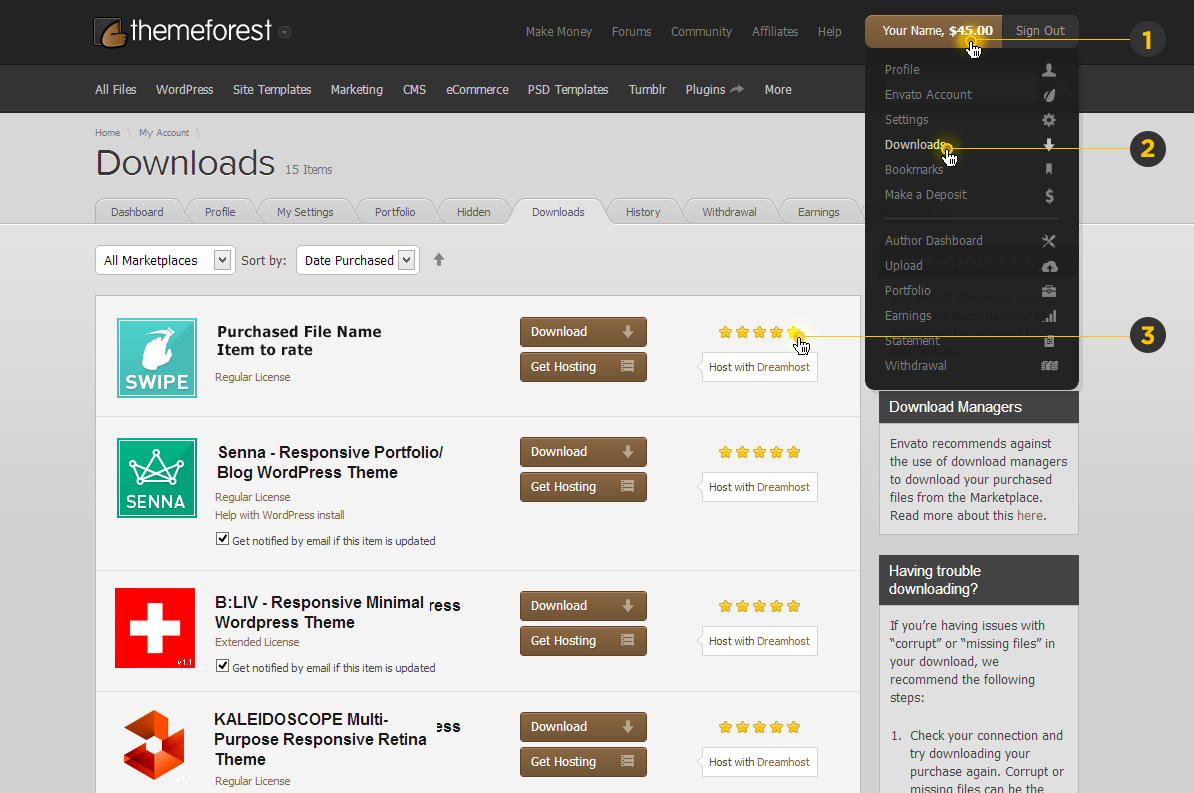
This print screen should help you understand where it is
Hi there! I was wondering if there was an elegant way to go about password protecting particular pages with this theme? Whenever I try and use Wordpress’s built-in password protection, some of the page’s JavaScript elements ignore the “enter password” prompt, effectively rendering it useless.
Any plugins you’d recommend to effectively password protect individual pages? Thanks!
Here is an example of the theme just totally ignoring Wordpress’s password functionality:
http://infocusadv.com/portfolio/Hi!
It seems to be working just fine for me the wordpress built-in option for create a password-protected page. Unfortunately I don’t have experience with a plugin for that, but this should work properly for you too. Am I missing something?
Thanks,
Alin
How does it display on your screen? For me, the 8 images representing the categories pop into view despite the enter password information, and this is the main content that I aim to hide with the password functionality. Here is a screenshot:
http://i.imgur.com/NRJpyTy.jpgSorry for the delayed response. Please use our HelpDesk if you still need assistance, by opening a private ticket.
Hi! Ive installed the theme but nothing happens when I click the button to import the demo data. Any Idea as to what the problem may be?
Thanks!
Hi!
Have you managed to sort this out? If you still need assistance please use our HelpDesk and open a ticket, there you might want to provide some private data like admin access to the wordpress dashboard, in order to investigate the situation.
Thanks,
Alin
Hi Guys, I am running your template for a couple of month now and I am so happy with it. A lot of positive reactions, so thanks for that.
I am trying to update the theme by automatic update and allmost all goes well except at the end it says: “Error while trying to Install theme!
The system has encountered some error while trying to install the theme:
Process succeeded, but failed to cleanup. (your theme should still have been updated; please inform support)”
Any suggestions what to do? You think it’s a server/hosting issue?
Another thing that struck me today (before updating) is that where I use your buttons or the hart symbol in the footer, it suddenly shows the real shortcodes.. [icon name=”heart” size=”small”]
I am using google chrome and on a fresh new PC.
Thanks for your support and regards, Xander
About the shortcoding, never mind, for some reason I saw that the plugin PixCodes was deactivated. I think after an update of the plugin last week, you have to manually activate it again. But the update issue on the theme still stands
Hey Xander!
I’m glad to hear you fixed the shortcode issue by yourself.
As for the upgrade, did you tried to manually update the theme? I recommend the 2nd method from this documentation.
If this don’t work too, please use the HelpDesk and open a ticket, there I can better handle the problem.
Thanks,
Alin
Hi, real quick question. ”/pile_portfolio” issue. Where do I set the name of the category of works? Artworks, Portfolio etc?
Thanks!
Hi! If changing the “pile_porfolio” slug is what you want, then you need to go in the Admin Panel at Settings > PixTypes. Cheers!
Hi!
I have just purchased the theme and I am really happy with it! So thanks for that! I have started out with the dummy data to explore the theme and I have a few questions. 1) I have used the lightbox function in the portfolio section and this works just fine. Just wondering if there is a way to change the background color of the lighbox itself? From white to dark grey or black? 2) Is it possible (now or in the future) to create some more text on the home page sliders? That would be great for announcements like exhibitions etc. 3) Some sorting option would be great. Like in a horizontal bar. For me this would work better then the sorting option through the portfolio categories. Especially handy when you have a long list of portfolio items. Thanks for the feedback!
Hi and thanks for enjoying our theme!
- You can change the lightbbox pop-up background color using this css snippet:
.mfp-bg { background: #000;} - For now there’s no option do add more text on the homepage sliders.
- Thanks for your suggestion, I recommend making a feature request here.
Thanks,
Alin
thanks for your reply and even more thanks for the snippet! I hope you can find the solution for my open ticket so I can go ahead with my site!
Hi Guys,
Wonder if you can help – after installing your theme the Hero Area Settings of the projects is UNEDITABLE.
It only gives the option to adjust the height, making it impossible to feature projects on homepage slider etc. – please advise.
Thanks you.
Hi! In order to investigate this problem, I need Admin access to your WordPress dashboard. So please use our HelpDesk and open a ticket, it’s private and you can provide this information. Thanks!
your background image ‘fixed’ doesn’t even work, it scrolls anyway, and i can’t over ride the background colour with custom css…. so i can’t make the background colour transparent so i can put my OWN background code in… you know if you are going to have custom coding it should over ride your template stuff…. may i please have my money back? i don’t like themes i have to fight with
Hey Elaine and sorry about this! You may be right – the fixed image background cannot work due to the parallax implementation that should move the content on scroll – thanks for noticing about this. Regarding the refund, as we don’t handle any of the financial aspects, do you mind to ask Envato about this? (we’re giving our approval in case you want your money back). You can read more about this subject here: http://bit.ly/Kp3gSj Regards
Hello, i have a big problem since I updated the new versions of the template and wordpress :
I have a error text on the top of my admin interface :
Warning: fopen(//public_html/new/wp-content/plugins/pixlikes/pixlikes.php) [function.fopen]: failed to open stream: No such file or directory in //public_html/new/wp-includes/functions.php on line 4183
Warning: fread(): supplied argument is not a valid stream resource in /**/public_html/new/wp-includes/functions.php on line 4186
Warning: fclose(): supplied argument is not a valid stream resource in /home/colin/domains/colinsfreelance.com/public_html/new/wp-includes/functions.php on line 4189
This message disappears when i turn off the plugin pixlikes, but Pile template need it to works properly.
I don’t know how to fix it….
Thanks a lot.
Hi!
Make sure you have the correct name of Pix plugins, especially the PixTypes plugin in wp-content\plugins: pixtypes, pixlikes, pixcodes.
Thanks,
Alin
Hi, I’m having an issue where I click on my category links but receiving an error message saying the post has been deleted or never existed. There may have deleted some sample pages while customizing my site but I am unsure what I might have changed, the category links were working before.
Is there a way to fix this?
Thanks
Hi!
I’d be happy to help you, but I’d need Admin access to your Wordpress Dashboard in order to take a closer look. So please use our HelpDesk and open ticket, there you can provide that information for me.
Thanks,
Alin
Portfolio thumbnails.
I have an issue, the smaller ones are too small and the titles don’t sit over the image.
Please provide CSS to correct this. I’ve tried reporting this twice on your proper support pages, but each time the ticket disappears without a trace.
http://www.julianholtom.com/projects/Hi! That’s kinda wired, can you give me the ID ticket please?
Well, no, because it’s not showing on your system. In the meantime, could you provide some help for the above please?
The smaller ones shouldn’t be so small That’s why I’d need to investigate this further by accessing your WordPress dashboard. You can try a snippet like this one .pile-item-content {padding; 0 !important;}. If this don’t suit your needs, then please open a new ticketon our HelpDesk and provide admin access to your WordPress Dashboard.
Thanks,
Alin
Ticket opened #14022, haven’t included login details as it’s not clear if the ticket is private or not.
It’s a private system ticketing, so you can send the credentials there.
Hello,
Congrats for this amazing theme, I really love it and everything is going well so far. I would like to turn off the dark gradient that lays over my big images in the hero area and I already saw your previous answer :
“The background is applied on a pseudo element – so try this snippet if you want to remove the gradient shadow from the bottom part of the hero area:
.hero:after {
background: none;
}
I’m sorry I didn’t understand how to use this code in the theme.  Can you please explain to me where I should put this “snippet” so it works ?
Thank you so much for you good work !
Hi and thanks for your kind words!
You just need to add that code into the Custom Css Code field from Theme Options > Custom Codes.
Cheers,
Alin
Hello, I tried but it doesn’t seems to work so I send you a screenshot via email on https://help.pixelgrade.com/support/home. Thank for your help, I just need this modification then I can finish my portfolio !
Thank you for your answer via your website ! Its works perfectly ! I put it here if somebody want to know it : just add this snippet too :
.hero-slider.slider—loaded .rsContent:after { background-image: none; }
cheers
I’m glad to hear that works for you, thanks for sharing! Cheers!
Hello !
Pre-sale question:
Is it possible to show videos in the work portfolio section instead of pictures ? If yes how ? Using embed code only from vimeo or youtube ? or the theme can display video by its own when the video is loaded in the media library ? Which format, .mov ? Thanks!
Hey and thanks for your interest!
Yes, you can do that. This article should help you better understand this: http://bit.ly/16vdcEB
Thanks,
Alin
Hey, I wanted to know if it were possible with css to make the images in a specific project or page span 100% of the browser instead of the current options available similar to how the images and content are on this page.
Hi!
Achieving that would involve some custom work, more than just a single css code.
Cheers,
Alin
Very Beautiful!! I want to ask a simple question.. there’s a method to have this without white sides.. I have a mac book pro retina and this white sides are very big .. I don’t know if it’s clear but AVA theme haven’t them. Is there a solution? Thank you very much!
Hey and thanks for your interest!
You can adjust the horizontal and vertical space on the archive page, there are some options for that, but I’m afraid you can’t completely remove the spacings between items unless you perform some custom work.
Thanks,
Alin
ok, I hope I can do it with some code ..tnx
Hello,
How to hide the cover hero when I dont put any cover image?
Thanks.
Just leaving the hero area without a cover should be enough.