823 comments found.

Trying to find the area to customize the header? Menu height, set a background image in header. Can’t locate where to do this? Any help is appreciated!
Hello,
We will think about header image background, about menu height, you can adjust in menu section in customizer
with Update 1.2…..
I can choose the homepage via Customize -> General -> Frontpage! BUT All hompages have the SAME HEADER (the same menu style, the same banner ?! not the same with your demo on themeforest!
Please check!
Hello, To use custom header for a page, please open it and choose header preset and color scheme for it, you can view this image for guide http://www.awesomescreenshot.com/image/39416/0bb3fceee12ff76eba01cfb8f8cea8f9
In page settings you also config more settings to unique the page.
Regards,
Thank you so much for your support! So 5 stars for you __
im having an issue with visual composer installing. I keep getting an error.
Destination folder already exists. /home/content/33/8849533/html/wp/wp-content/plugins/js_composer/ Plugin install failed.
Can you help with this?
Hello, It’s mean you had a old version of visual composer, please delete it and install our visual composer version.
I just purchased the theme a couple days ago. How do I get the updated version?
can someone respond? i also sent an email. i cannot move forward until the visual composer is resolved or I will have to purchase another theme.
Please send us your admin info of your site and hosting info via this link http://support.thememove.com/support/tickets/new then we will fix this problem for you
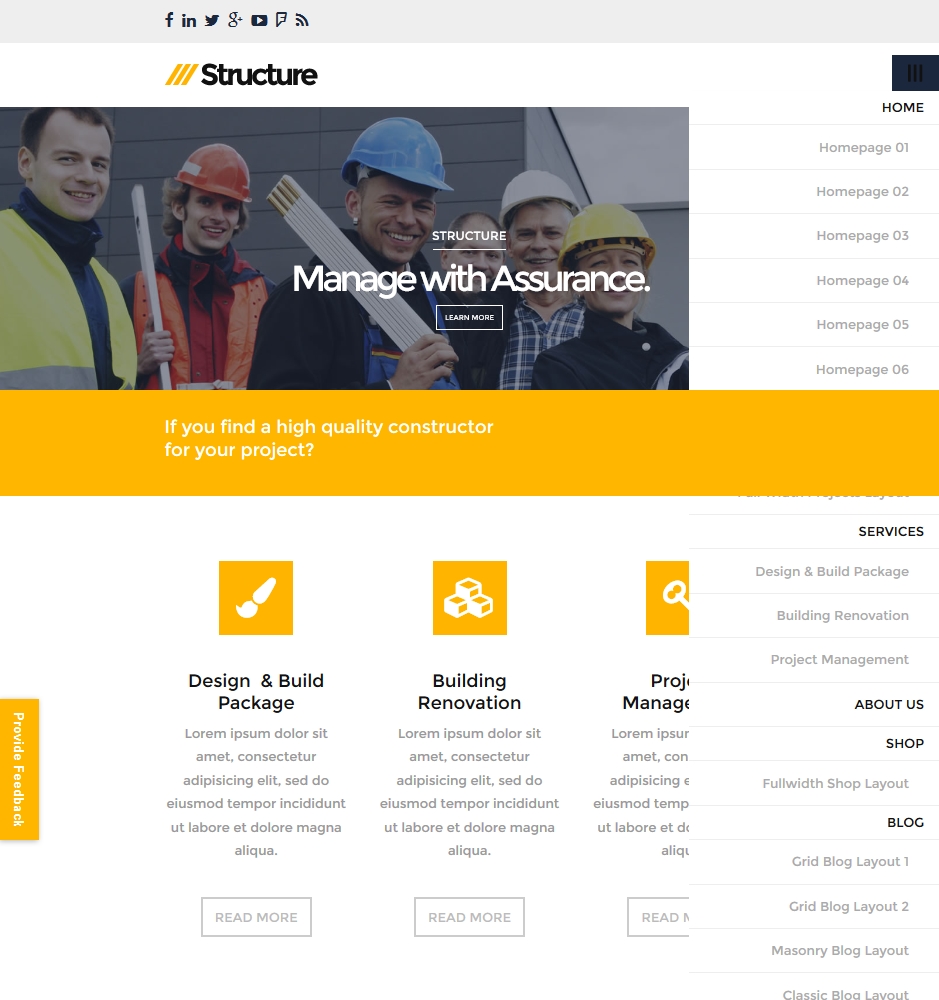
Can you take a look at preset 5 on mobile. The menu and call to action are not working.
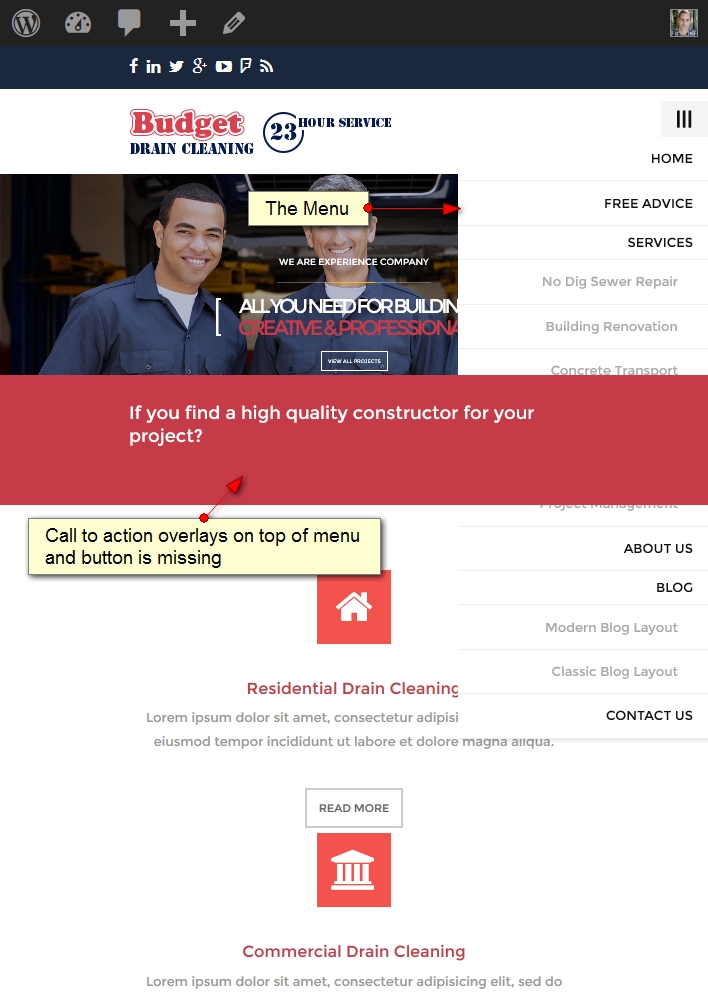
Here’s a screenshot showing preset 5 of your demo on an ipad. The menu has no right side margin and is covered by the call to action. Also the call to action button does not show up at all. screenshot: http://easycaptures.com/fs/uploaded/796/0409800867.jpg
Thank you for report this bug, we will fix this bug on next update, I also send you a css code to fix this bug today
I bought the theme but the blog page always shows up as the old format, how do I get grid blog?
Please send me your admin info via this link http://support.thememove.com/support/tickets/new then I will setup it for you
I’ve purchased this lovely theme but I couldnt have the same look of demo. would you please advise me how to install the theme with exactly same layout and look of the Demo in my website, later i’ll replace demo photos with my own website pictures. thanks.
Please send me your admin info via this link http://support.thememove.com/support/tickets/new then I will setup it for you
I purchased structure wordpress theme several days ago. At the time of purchase the theme was version 1.1 however I just received an email from envato stating there is an update for the theme. After checking the version log I see it still says: Version 1.1 • 2015.04.02. I then redownloaded the theme and checked the stylesheet version and it also says version 1.1. From my dashboard it does not say there is any updates available so I’m wondering if Structure has actually been updates or not.
If it has been updated can you please update the version so I can do an automatic update without having to reset the entire theme and lose all of my current settings and customizations.
Hello, sorry Paul, this is a bug when us upload new version, we just reupload and now you can redownload, we recommend you use envato toolkit plugin so you can update our theme automatic.
Here’s a screenshot showing the menu with the call to action: http://easycaptures.com/fs/uploaded/796/4789576465.jpg
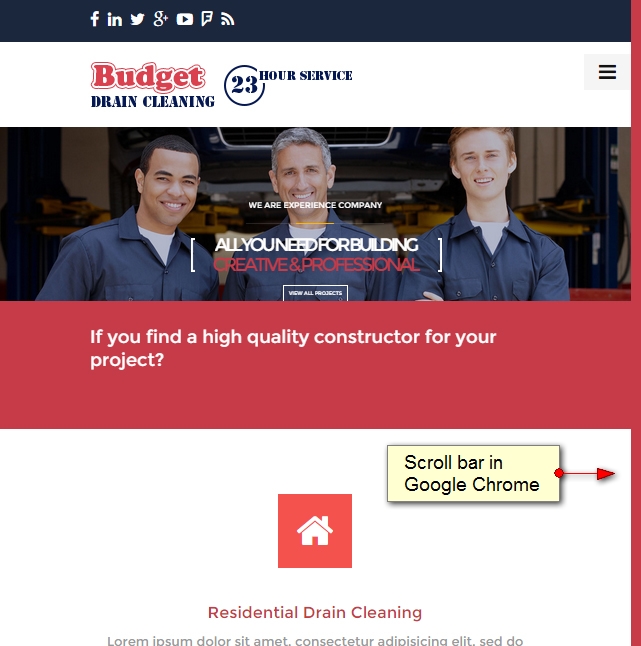
In Google Chrome the scroll bar for the browser is colored causing an unwanted look to the design: http://easycaptures.com/fs/uploaded/796/7464092902.jpg
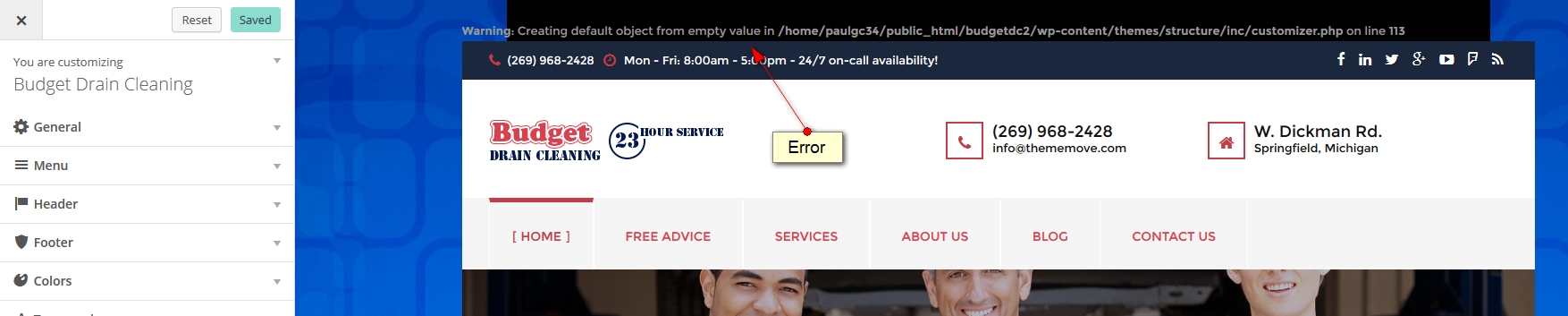
The error from the customizer screen: http://easycaptures.com/fs/uploaded/796/6449009890.jpg
Thank you for report this bug, we will fix this bug on next update, I also send you a css code to fix this bug today
Hello, love the theme but we are getting a fatal error when accessing our page. This error does not happen every time – but it’s frequent. Can you help?
Fatal error: Allowed memory size of 41943040 bytes exhausted (tried to allocate 1572864 bytes) inD:\Hosting\5879132\html\wp\wp-content\plugins\js_composer\config\map.php on line 2332
The correct way is to edit your php.ini file. Edit memory_limit to your desire value.
hey, follow your instruction in PDF… fail
You says: << You are able to choose another home page: 1. Go to Tools >> Reset >> Type ‘reset’ in the confirmation >> Hit the Reset button. 2. Go to Pages >> Choose Homepage >> Hit Edit >> Hit Backend Editor. >>
But after step 1, all data are cleared! Step 2: Go to pages => ok but Where “Homepage” to choooooose ?
Hello, please open new ticket here http://support.thememove.com/support/tickets/new with site url and admin info then I will check this problem for you
In the customizer the “Menu hover link text color” under the Main Menu section does not seem to be working. It’s using the “Primary Color” under the Site Color section. So no matter what color I set the main menu link hover color to, it will not use that color. Instead it uses the color that I set for the site color “Primary Color”.
Also I am not able to set my main menu link hover color. No matter what color I specify for some reason it’s stuck with using the same color as my menu background color so when hovering the menu link it appears as if it’s disappearing. Screenshot: http://easycaptures.com/fs/uploaded/793/0381983267.jpg
The Main Menu does not show up on mobile devices. I checked on the site including your demo on both devices 1) ipad, 2) Cell Phone and the main menu for the site does not show up. This looks like a pretty important update needed for this theme.
This is a screenshot of your demo: http://structure.thememove.com/01/homepage-05/ on an ipad: http://easycaptures.com/fs/uploaded/793/2304993304.jpg
thank you for report, it will be fix on next update
Good day. good theme, only one question, i need to know how to change the map in the contact page. i try to change it to my location,
kindly let me know from where can i modify it
regards,
Hello, it’s very simple, all you need is open contact page and put your address in contact address field. Please see this image for detail http://www.awesomescreenshot.com/image/27704/f6da54841aeb9f65a297f6787df74f11
Hi,
What is the best method to point the different assets that are being pulled for the structure sdn…for example:
http://structurecdn.thememove.com/01/data/images/parallax-portfolio.jpgI would like to serve these assets from our own repository somewhere. Also, do you have an offline support email?
Thanks
Hello, these images is for demo purpose, you can upload direct image to your website and change the link, it’s the best way.
Regards,
Hi, I purchased the other day and am really pleased. I did notice an issue on the contact page with the form and also experience this same behavior on your demo version. The messages that prompt when the user does not fill in the required fields is not appearing correctly. Here is a screenshot. http://cl.ly/image/0G302D2m012G
Thank karben303 for report the problem, we will fix it in next update. It’s planed to release in Saturday of this week.
Nice Work! Thanks
Questions for theme developer 1. How quickly do you guys usually get back on theme customization/ technical questions?
2. Can I easily white label the theme? ex: change Theme Name under Appearance, theme folder name, theme options name
3. Can I remove components from back-end that are not needed (ex: testimonials, wootheme options specifically removed from theme options and page builder)
Hello, our theme very flexibility, you can easy to white label, testimonial and project is plugin so if you don’t want it you can remove and our theme customizer, page builder don’t have option for these. We also make a custom version with your requirement after you purchased it.
Regards,
Another question: I don’t see the WPML plugin available with the install. How do I activate it?
Hello, our theme only compatible with WPML, not include it into the theme.
I’m having trouble getting the selected header preset to work. No matter what header preset I select it’s always the same. I’m clicking on Customizer from the main menu and selecting “Preset 3”. There’s nothing in the documentation about configuring the header. Am I missing something here. I have a fresh install of the latest updated theme (version 1.1) and currently have demo content setup.
Paul
Also, do I need to purchase the Visual Composer Editor to get the license key for this theme? Under the Product Lincense tab I have entered my envato username but when I enter my envato license key I get the error: “Invalid License Key”?
Hello, When select header preset 03 you should also select color scheme for header preset 03 and choose homepage 03 for front page. About Visual Composer, we purchased extended license so you can use it and don’t need enter a license
I have just updated to version 1.2. There is now an error showing up at the top of the page when in customizer mode. The error is:
“Warning: Creating default object from empty value in /home/paulgc34/public_html/budgetdc2/wp-content/themes/structure/inc/customizer.php on line 113”
I am using preset 5 boxed mode and the menu is not properly formatted when in mobile viewing. It’s aligning to the right side of the page with a text align: right. It also looks like it may need a z-index set as the call to action is overlaying on top of the menu. Also the call to action button disappears on mobile view.
Hello, About bug: warning: creating default … we will update in next version, to fix menu problem on mobile with header 5, please add this code to custom css section in customizer
@media (max-width: 1199px){ .header-preset-05 .nav { z-index: 99999; background: none !important; } }
To display call to action button, please remove custom class in button setting, you can view this image for guide http://www.awesomescreenshot.com/image/39730/481ac7a7ae9dfb26ad7bd72d469381e5
All bug will clear fix in next version, release in this week.
Thank you
Hi, I download yesterday update and install theme but my site doesnt load images from your server structrucdn.thememove.com. Whats wrong ?
Please send me your website url then i will check this problem for you
dev.zgora.pl
Hello, I just test your site and it work normal, you can see this link http://www.awesomescreenshot.com/image/21275/ec6f089dec872cd2bff3be91a6a7e293 but in this case you should to upload image to your site and use them to replace our images link.
Regards,
Great Template..,
I’ve having issues with the menu using homepage 05 / preset 05 for the layout. It also happens with the demo. When using a smaller size screen / mobile the menu button disappears and / or the menu is half way down the page, rather than where it should be. 03 appears to have the same issue.
Thank Legin76 for report the problem, we will fix it in next update. It’s planed to release in Saturday of this week.
Great thanks. I’m sure you’re aware.. There is an update to visual composer, which you may want to include.
Of course we will include it in next update
Hi.. The update worked perfectly.. Thanks… I’ve got a few more questions.
1: Can you stop the “Hola! Please activate your copy of Visual Composer to receive automatic updates”. message on the top of all the admin pages. I’ll add the fix myself but it may get overwritten if I update the template. http://snippets.khromov.se/stop-visual-composer-activation-nag/
2: Using header 5. How do I stop the menu going over the top part of the content. Specifically on the homepage.
3: How do I edit / remove the title background for the shop pages?
Thanks
where can i find the demo content to install. i just bought the theme
never mind, i figured it out. is there any way i can remove latest projects from displaying on the homepage?
It’s easy, please open homepage 01 page and remove row you want, you can see this image for more detail http://www.awesomescreenshot.com/image/17277/58da35a3a4089dd7f50dc0ab4ba4f2fb
I have just purchased like maniish. and I choice the homepage-02 or … But could not change homepage for theme-02~04, Only theme 01 !!! Could you please answer the problem ?.
Thanks
Hello, please choose header preset 02 and change menu color background and your site will look like demo 02
Regards,
Hello, our theme update to new version, please re-download and you can setup homepage 2 very simple. All you need is open customizer, choose header preset 02, choose homepage 02 for front page and choose color scheme for header preset 02. So you done.
Regards,
Thanks, install is easy better. but thememove have some errors..