823 comments found.

Hello,
I’ve seen many people ask how to increase the size of the logo, can you please tell me how to do this?
Also.. another user a while back had the same issue with the menu hover fonts as I do. I’ve created a custom color theme, as it was supposed to be do-able. However, the menu is not showing up properly, like this one: http://easycaptures.com/fs/uploaded/793/0381983267.jpg
Can you help?
Please kindly signup submit your question as a ticket on our secure Help Desk so that our dedicated support team can further assist you.
Thanks so much!
http://support.thememove.com/support/signupHi there,
I have submitted a query on your support site. Ticket #148.
We are having severe issues with the CDN.
Thanks
Hello,
Our developer is working with your ticket, don’t so worry Lisalouisegc
Thank you for this wonderful theme, I installed the theme and import the data, all works fine, but the revolution slider is not working, I checked many sites using this theme got the same problem. is there anything wrong? and also the theme is taking too much time to load its footer on home page. I clear the cache but still the Demo page has a broken css http://structure.thememove.com/01/. Thanks
Hello,
Please sign up to our support system and open a ticket then I will check this problem for you.
http://support.thememove.com/support/signupPlease clear browser cache and reload it and our demo will work normal
how to hide search in nav ?
Hello,
Please add this code to custom css in customizer to hidden it
@media only screen and (min-width: 1200px){ .search-box { display: none; }}
WPML bug fix for editing menus : https://wpml.org/errata/saving-menus-in-non-default-language-leads-to-404-error/
I need some customization in home page & products page can you please help me to do the same – Thank you !
hi i read the theme was WPML compatible, but what about the Langue switcher widget was there any place consider to put this? it does not seem to display correctly in the header
Hi i also have the same problem as the below user from 5 days ago
boostithub Hi, i have last last update of wordpress 4.2 and i have some bugs, when i try to change the links of buttons read more from home page not works
please can you provide me fix too.. shortcode for buttons 2 is not working url does not save some bug.
thanks great theme
<a class="vc_btn vc_btn_md vc_btn-md vc_btn_square" style="color: #cecece; border: 2px solid #eeeeee;" href="/about-us/">READ MORE</a>
yes, this a bug of vc, we will update to latest version on next update of theme
thanks no problem  theme loads so fast love it
Hi medi8tor
If you’re satisfied with our theme and support service, please give us a full five-star rating! It is important to us since it gives us great confidence and enthusiasm to serve you even better.
To rate for us, please login to themeforest.net and follow this image http://www.awesomescreenshot.com/image/110934/c450eb8a46aaddb437bc234468168c74
Thank you in advanced.
Hi Guys, ive just completed my website but now the revolution slider has all of a sudden stopped working. Please assist. www.mologadianape.co.za
at the bottom it saws waiting for structurecdn.themove.com
You already have my logins from previous ticket if necessary.
Thanks
Hello,
Please open a ticket in our support system so we can help you better http://support.thememove.com/support/signupim not sure but by the looks of it seems like the error is wit a server on your side where the slider is trying to access files from etc the [ ] backets in your slider because it seems like your live previews from themeforest are offline aswell. Maybe im wrong?
Submitted ticket
I have purchased this theme and having a problem with the Projects lists. I have created 3 project types, but only one shows up in the list of Latest Projects on the homepage as well as other pages where the tabs show. I have 3 types: Current Projects, Completed Projects and New Projects. But in the Latest Projects section on the homepage, for example, it lists only All Projects and Completed Projects. The other two project types don’t show. Can you advise?
Please kindly signup submit your question as a ticket on our secure Help Desk so that our dedicated support team can further assist you.
Thanks so much!
http://support.thememove.com/support/signupI have submitted a ticket, but haven’t heard from you. Also, I did another install of the Structure theme and uploaded the demo content, however only two Project categories show up. On your demo site it lists all the categories. Why is this happening?
I fixed problem for you, please recheck your site
Hi Guys,
i probably found an issue with contact-form in connection with sticky-mode. when i activate sticky mode the map in the contact-form hops to the top of the page. when i deactivate sticky mode the problem is gone.
Please kindly signup submit your question as a ticket on our secure Help Desk so that our dedicated support team can further assist you.
Thanks so much!
http://support.thememove.com/support/signupHi,
How can we add the HOT text on the HOME text menu like your demo ?
Thanks in advance
Please kindly signup submit your question as a ticket on our secure Help Desk so that our dedicated support team can further assist you.
Thanks so much!
http://support.thememove.com/support/signupGood morning, we have some issue with the template: many translations are not in the .po file, but are written directly in the page code (examples: “The Challenges”, “Project Description” in the Project Detail page, and many more); menu issue the same of the previous comment; problems with the icons and background of megamenu style ( can it be a theme option?); missing child theme. Thank you.
Hello
Please sign up to our support system and open a ticket then I will check this problem for you.
http://support.thememove.com/support/signupWe had written two emails to you, because in the support page of this theme is reported: “The author of this item, ThemeMove, does not currently provide support”. Anyway we going to opening a ticket.
There is a bug in the demo homepage 2, when I scroll through the pages, the logo is cut in half.
Hi albedondi
Thank you for your report, we will fix it now
How can I change the url of project? It is supposed to be in different language than english and when I create a project the url /projects comes default and I cant edit it.
Plus due to this. Breadcrumb shows the path as Projects. I need to at least change that.
Thanks
I need to edit permalink of project. it should be like mywebsite/projeler/abc-projesi. instead it looks like this now mywebsite(projects/abc-projesi and when I try to edit the url from project post. only “abc-projesi” area is editable.
Thanks
Hello Please sign up to our support system and open a ticket then I will check this problem for you.
http://support.thememove.com/support/signupHello,
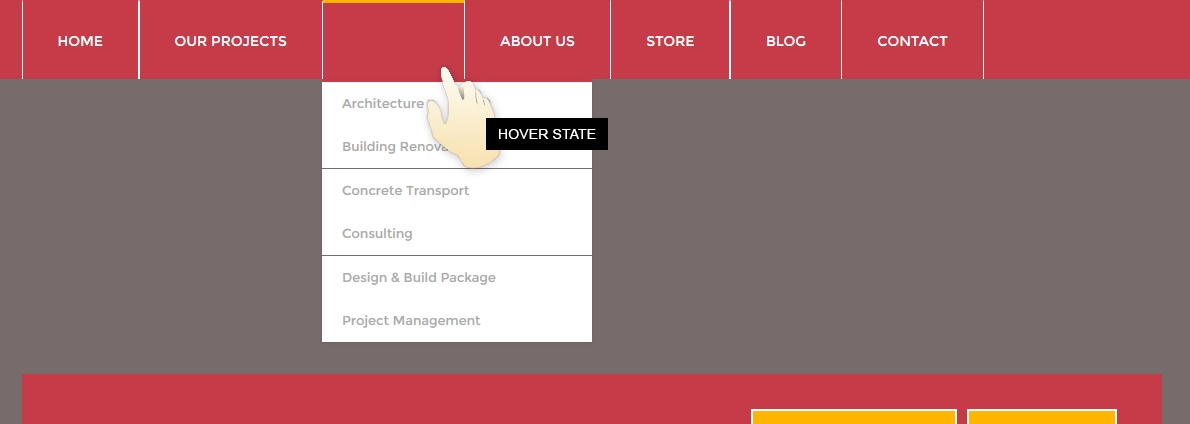
Great theme, though I am not able to get sub menu to appear. Only one level shows from the main navigation. How can I get the rest to show – they do show up in responsive, but not at full size. Help please!
Hello Please sign up to our support system and open a ticket then I will check this problem for you.
http://support.thememove.com/support/signup95 Sub menu in main navigation
This is done. Thank you
Great cdetore21, I’m glad when your problem solved
no, my problem is not solved – i opened the ticket – sorry for the confusion, please help.
Update Error???
Parse error: syntax error, unexpected T_PAAMAYIM_NEKUDOTAYIM in /home/storage/d/bc/09/infomev/public_html/wp-content/themes/structure/inc/tmg-plugin-activation.php on line 1140
help me
Hello Please sign up to our support system and open a ticket then I will check this problem for you.
http://support.thememove.com/support/signupI also noticed that visual composer needs a license key, and is there a area where i need to enter my license key for this theme?
thanks
update, found a older thread that says we dont need to input a keycode, but it is out of date…
thanks
for visual composer
Hi Anthony
Please sign up to our support system and open a ticket then I will check this problem for you.
http://support.thememove.com/support/signuphello, How do i disable the mega menu under services? i also noticed that my theme pages are different from your online demo, reason i bought this theme was because of a few features i seen in the demo. anyways how do i remove the mega menu under services?
thanks -Anthony
Update, I figured out how to remove the mega-menu in the main menu.. but i would like my service pages to look like your demo….. -Anthony
Hi Anthony
Please sign up to our support system and open a ticket then I will check this problem for you.
http://support.thememove.com/support/signup