1881 comments found.

Hi, I’ve sent in emails to you but not sure if you’ve received them? Your replies are always prompt (thank you), but just afraid you did not receive it as I did not receive any replies till now. Thanks.
it seems there’s a problem with our email server, there’s no email from you. until we fix this please post your questions in http://www.dahztheme.com/forum/
sorry for the inconvenience.
tried to register after seeing your reply but no email sent after registration completed. checked junk but none too.
please send to dahzinfo[at]gmail.com instead, the problem affects our forum email too.
Hi,
Is it possible to add sidebar filtering options in the woo-shop? In the demo-theme it`s only 3 or 4 columns shop without sidebar, but I need to be able to filter by brand, size etc.
yes, you can add the sidebar to 3-4 columns shop page, but at the moment we don’t have by brand filter.
can’t get the map to work – followed directions the code is there just nothing showing
is it the one in contact form? you can input the coordinate from theme options -> contact page -> map. also when you set the height of the map please dont use px.
hope that helps.
Hello Dahz,
I need to disable the search bar from searching blog, just products, any hint?
at the moment, you cant. the styling will always be there even if the function is turned off.
Nah it’s cool I disabled it.
great!
Hi! I have a website using opencart template, however i would like to change to woocommerce because i love your theme!
Do i need to pay anything else to get all the features that comes along with your theme?
all the features that you see in LABOMBA demo preview and item details page are included as a package 
Thanks for the quick reply! I also sent you an email regarding more enquiries of this.
Can you help me install the theme after I purchase it?
Oh yah, because in Opencart I purchased extensions like one page checkout and pop up newsletter, does your theme allow me to modify the fields required during checkout or this is a default feature of WooCommerce?
Is it possible to add a newsletter box in the header that allows people to fill in their email address directly and click on a button to signup instead of going into the newsletter page at the footer? Sometimes people miss it and I could also miss a lead.
please re-send your email to dahz@daffyhazan.com . we use woocomerce checkout system, when you activate the plugin you will get an option to install woocommerce pages like shop, check out, track your order etc.
for newsletter, we have feedburner shortcode in visual composer, so you can put it in your page/post, for example please follow this link http://dahz.daffyhazan.com/labomba/home-v12/
please re-send your email to dahz@daffyhazan.com . we use woocomerce checkout system, when you activate the plugin you will get an option to install woocommerce pages like shop, check out, track your order etc.
for newsletter, we have feedburner shortcode in visual composer, so you can put it in your page/post, for example please follow this link http://dahz.daffyhazan.com/labomba/home-v12/
This one really blowed my mind with it’s simplicity and fashion type of look. Awesome and inspiring work. Cheers!
thank you! it means a lot
Hello, I would like to buy but there are large display bug under ie9 you corrected the burg
hi, thanks for reporting. will look into it soon.
WOW this Looks AMAZING!! (and great job with so many demo samples) Incredibly smooth style and so many options! Your parallax even has 3 Layers?? (in the notes said something about Visual Composer can edit the parallax, never heard of that!)
thank you, go get it! 
I noticed in a test site I have setup that the “SHOP” sidebar is displaying on the left in Chrome while viewing an entire product category when it is set for the right and is displaying fine in Firefox and Safari. Any ideas as to why? There are no plugins accept those required by the theme.
Otherwise, great design!
yes it’s a bug, thanks for reporting. we will fix it soon.
Thanks
for example http://www.victoriassecret.com/swimwear/forever-sexy/unforgettable-demi-top-forever-sexy?ProductID=148139&CatalogueType=OLS see button *Add More at a Time
and another question, woocomerce can ajax adding product to the cart, without reload single product page?
unfortunately its not possible at the moment
Look great, good job. What about adding multiple products at a time, is it possible?
thank you !
sorry, i’m not sure where you want to add the multiple products, can you explain it?
last question, i need Single Shop page with Sidebar, Your labomba can it? and if not, possible to do this yourself by editing the template?
again its not possible, we have elements in single shop that designed without sidebar.
Hey there! Love the theme so far but I’m having some issues. I’m trying to recreate the grid blog that you guys have on your demo. I uploaded the demo content and I have the page but I can’t seem to get the slider to appear on the blog grid like you guys have on your theme demo. I’ve created a slider in revolution slider and I’ve even used the one in the visual editor but nothing seems to work. I’ve made sure that the settings allow the slider on blog pages and posts etc.. can you help please!?
hi petebagi, thanks for purchasing labomba. the slider in blog grid page template is not revolution slider. from your admin panel please navigate to theme options -> components -> blog there you can turn on the ‘enable slider’ option.
hope that helps
hey there. I tried that. Where do I configure that specific slider?
i think I figured it out. The visual composer settings need to be set for the admin before you can use them even though they are available to use.
i found the php file that controls the slider on the grid page…where do I change the amount of posts that appear in that slider..can it be done in flex-slider.php? thanks so much
go to main folder -> includes -> sliders -> flex-slider.php
find ‘posts_per_page’ query then change -1 to the desired number. we’ll add this amount control in the future update, sorry for the inconvenience.
One last question, can you give me a css code that will reduce all the font size on the template? The typography google font thing goes wrong with the footer and so few other things.
Please, thanks a lot!
can i see your website? I want to see what’s wrong with google font.
for footer you can add this code in your custom css:
footer{font-size:20px !important;}
you can change the size there,
I will email my site to you now from your contact here on themeforest. Thanks!
I just sent you site, thank you!
thank you, I’ll check it out.
I sent you another message, thanks
Hello, do you plan to have support for multi-language?
yes, but at the moment its still vague because we haven’t tested it yet.
Never mind…
hi, really sorry for the inconvenience. I still cant find the solution for your issue but I’ve asked my developer guy about this.
How do I make the product images zoom automatically on mouse over? Like it appears on the demo?
from your admin panel, navigate to woocommerce -> woothumb -> then choose zoom from the dropdown.
Ah, I wish this came out before the retailer… I mean this is *n Awesome!!! I’m good to go already After spending over $5000 switching carts and buying themes that are worthless, I finally got something to cheer about. GOD bless you Dahz. Thank you!
thanks for your kind words. oh right, if you dont mind please rate LABOMBA in theme forest.
good luck with your site!
Hi there
Really beautiful looking theme. But one question, is there any possibility on the page for advertising banners (besides the sidebar) for example a code box in the page builder? And the side bar is 250 px wide. Can i adjust it to 300 px in the theme options?
Thanks, Michel
Okay, that’s two questions… 
hi thanks,
but the answer for your questions are no and no, sorry
Thanks Dahz.
Some more questions,
Does this mean that the tekst box in the visual page composer also doesn’t support html?
Do you have plans to implement in-page ad banner space in a future update. I would like to use your Labomba theme for a magazine website with shopping possibilities.
I love the home-v5 homepage version (http://dahz.daffyhazan.com/labomba/home-v5/) but I would like to have the page components (blog articles, shop items, portfolio slider) in a different order than the demo page. Does the page composer allow me to choose my own prefered order of these components? For example the blog articles above the shop items?
Thanks and best, Michel
it supports html but the javascript is stripped by WordPress. are you going to use adsense code?
yes, you can create a new one or use our home-v5 page structure and re-order it via drag & drop visual composer.
For proper ad tracking stats we’ll need adsense or similar script from other ad companies.
frankly there’s no plan to implement ad space in a post/page. I found this in the comment section of the visual composer, maybe it can help you.
Thanks Dahz. Gonna try that trick.
hey Dahz,
How do i change the images used for the parallax effect? i'm a bit confused on how to change them for other images?thank you! Winners!
hi,
when you choose parallax from visual composer you will see a green + button under ‘background image’ text. you can choose/upload your image there.
hope that helps
Dahz,
Thanks for the reply...however...i don't see an option to choose "parallax" from the visual composer.....? Can you be a bit more specific as to where I can find this option? I clicked on Settings > Visual Composer...and there's not a option to click on a green + button?Thank you for your help! Also, is there a place to rate your awesome customer service?
Winners!
its not from setting, when you create a page/post you will see a visual composer button above the text box, click that and choose parallax.
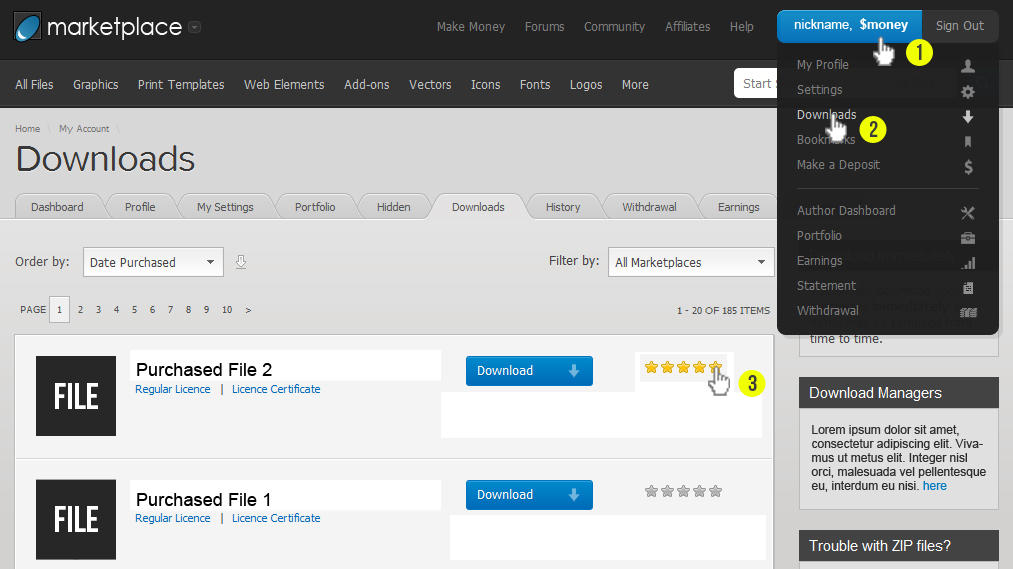
to rate our theme, please see this picture
http://fc07.deviantart.net/fs71/i/2012/038/8/5/how_to_rate_a_file_template_by_cooledition-d4oxno5.jpg
Rating 5 stars… Customer service is awesome! Don’t hesitate…purchase now! I did!
I want to create the parallax image for the homepage…how do i do that? I shouldn’t have to create a new page or post.
Thank you, Winners!
parallax image that replaces what comes with the zipped file? Thats what I want to replace…
i can give you login info if you want…?
i see “how” to create a parallax effect with your instructions…i just don’t see how to replace what you have with the images that I want to use…is there a video on this?
winners
...Dahz,
I finally have the .xml Rev Slider..thank you...can you tell me which folder or file to upload or choose? There's alot of theme..Winners!
do you offer a custom service? Where you set this up for me?
Winners!
I need screenshot of what you want to change and/or the link to your website,
and to make things easier in giving screenshots or codes, please register to our forum and ask again there.
p.s thanks for rating us highly
Any chance to get a second upload for retina logo? The logo get blurred on all retina devices, there is for all fav icons a second upload for retina onyly for logo not.. would be great if there would be also one for the logo..
Thx!
for retina logo we use a plugin. you can try the trick from our documentation.
lets say you’ve uploaded your logo on the theme option. (e.g Your-logo.jpg size 80×80px) now go to media, then upload the bigger size of your logo (twice the size) with the same name but add @2x string, so it will look like this Your-logo@2x.jpg (size 160×160px).
hope that helps
Hi Dahz,
Never got the Rev Slider .xml? Can you resend it to Adrien@EpicWebGraphics.comThank you, Adrien
just sent another one
thank you!
then a failed notice come, i’ll try to use another email.
ok.. not sure why that is… i always use Adrien1@gmail.com or the others that i sent to you…? Not sure what’s going on
before I purchase this I wondered if I could use it just for the blog functionality and have that be the homepage? I don’t need any of the e-commerce and therefore don’t want the my account etc on it … is that possible?
yes you can. you dont need to install the woocommerce plugin, but you will also lose the size guide & lookbook features.
thats fine - but I’ll still have the ability to create galleries etc?
yes gallery page and portfolio will still work.