1066 comments found.

how to make the website full screen?
Also how to remove gallery permalinks?
Hello,
To make the site full-width, you can try to add the following CSS code snippet into the “Appearance > Customize > Additional CSS” field:
.fy-centerer { width: 100%; padding-inline: 40px; }
I hope it helps.
Best regards
Pavel
Hello,
I would like to ask you about future updates to the theme in relation to the European Accessibility Act (EAA), which comes into effect in June 2025.
Since this regulation will require websites and digital applications to be accessible to all people, including users with disabilities, I was wondering if you plan to release updates to ensure that your theme complies with the accessibility requirements outlined in the legislation.
Thank you in advance for your attention, and I look forward to hearing from you.
Regards
Hello,
The theme already meets all EAA web accessibility requirements, which is level AA of the WCAG 2.1 standard.
Best regards
Pavel
Hi, I need in mobile view the same layout of tablet or desktop, with menu items (Apetizers, Starters etc) aligned on left and price in the same line of the title. Also description on left. Can you help me?
Hello, I added .po linguini-nl_NL.po and changed the language via user interface. However, it is not changing still I see some English parts. What do I do wrong? In config file, it is also define(‘WPLANG’, ‘nl_NL’); I need a bit help here.
Hello,
Probably, you will also need to change translations of the “FORQY Restaurant” plugin. https://linguini.forqy.website/docs/#translations-plugin
Best regards
Pavel
I want to change the opening times in dutch. I mean – opening times monday – tuesday – wednesday and view button on the events. I translated them with PoEdit uploaded it under linguini/languages/ folder. I can’t see anything related to that under the plugin..
Hello,
You’re right, opening hours aren’t related to the plugin. I just tested the translations, and work without issues. Where the problem exactly is? Translations don’t work at all or are just the strings related to opening hours aren’t translated?
Also, the better location of translation files is in “wp-content/languages/themes/linguini-nl_NL.po”. If you add the file to the theme folder, you’ll lose it on the theme update.
Best regards
Pavel
Hello. Is there a way to make the food menu have a submenu? For example, Happy Hour, Appetizers, Beverages, Entree, and then when you hover over Beverages the submenu Non-Alcholic, Beers, Wine, etc appears below it just like the navigation menu can do. Thanks.
Hello,
Unfortunately, the sub-navigation items aren’t supported in the navigation of the menu page.
Best regards
Pavel
Please let us know if that ever is something you’d add in the future. Thanks for the theme. Take care.
FORQY reCAPTCHA issue- I get the following error despite trying it on multiple browsers.
Debug Information:
reCAPTCHA Verification Failed! array ( ‘success’ => false, ‘error-codes’ => array ( 0 => ‘browser-error’, ), )
Disregard. I went with another solution on this one.
I like this theme a lot. One thing that I’m struggling with is the headings on each page and post. I’d be interested in suppressing them all together or minimally reducing their size. They take up a massive amount of space. I appreciate any help I can get with this.
Hello,
Thanks, I’m glad you like the theme. Unfortunately, there are no extra settings for the heading spacings, but you can customize it using CSS. You can try to add the following to the “Appearance > Customize > Additional CSS” field:
.fy-heading .fy-heading__container {
    padding-top: 10px;
    padding-bottom: 10px;
}
I hope it helps.
Best regards
Pavel
I tried the code. It had no effect on the theme. Bummer.
What is the version of the theme?
4.0.6
The version is good, so the mentioned CSS should work. You can try the CSS with the ”!important” rule yet:
.fy-heading .fy-heading__container {
    padding-top: 10px !important;
    padding-bottom: 10px !important;
}
Hi, it was a mistake for me buy your theme because it is not flexible to add all that i want in the homepage, and change button URL of about-us, and other things that i need, because i don’t want this theme for a restaurant.
Is it possible any refund, or are there any solution to do your theme flexible?
Regards.
Hello,
I’m sorry the theme doesn’t suit you. You can set up the buttons in the “About” section to “Appearance > Customize > Linguini > Homepage > About”. Also, you can completely disable this section and create a custom one in the page editor using the “Media & Text” block.
Yes, you can request a refund through ThemeForest.
Best regards
Pavel
Thanks for your quick answer, but if it is possible to be flexible, i want to try with your theme before request a refund.
Can i change in the homepage about the name and URL of the buttons?
Can i add any custom block in the homepage? you say about “media & text” block, where is that?
Regards.
In the customizer on “Appearance > Customize > Linguini > Homepage > About” you can assign the pages that the buttons will link to, and you can change the text on the button.
Yes, you can add the blocks to the homepage. Just edit the page (usually “Page > Homepage”) where is assigned the page template “Homepage”.
I hope it helps.
Ok the about buttons.
About the other question, can i change the homepage template? or if i add anything in page>home it adds under the homepage template?
Regards.
Finally i’m working with your theme because i see how can i change that i need to change, but… Can i quit from the copyright the text that show automatic?, because i set my text, but before it, show the name of the website, and the word copyright… and i don’t want to show that.
Regards.
That’s great. You can hide the copyright section completely by adding the following CSS to the “Appearance > Customize > Additional CSS” field:
.fy-footer-copyright { display: none; }
There isn’t a way to hide the “Copyright” word only.
If i set that, i quit all the copyright, and i want to show only the text that i write.
Are there any other option modify the php file? if you say me what is the file, i can find that and delete…
Regards.
The copyright you can modify in the “footer.php” file through the child theme, or you can change the “Copyright” word using the translations.
Hi. A little issue I’m having since latest update. I’m getting a heap is spam contact emails with the contact form. The site has been checked and is free from any malicious activity. Also legit reservation are not coming through…any idea what the issue could be…thanks
Hello,
You can try to install our plugin “FORQY reCAPTCHA” which will help you secure forms against spam using reCAPTCHA. You can install the plugin on the “Appearance > Install Plugins”, then you’ll need to set it up on the “Settings > FORQY reCAPTCHA”.
I hope it helps.
Pavel
Thank you…just downloaded the update and will set it up.
earlier i tried recapture before downloading the update, But it cant be used on pages. how do i enable FORQY reCAPTCHA on the reservation page and contact page. thanks
Our plugin will automatically activate reCAPTCHA on the “Reservation” and “Contact” forms.
Thanks for the update…Unfortunatly still getting a heap of spam. all from yanderx.ru at over 2000 a day. can i disable the contact page as thats where they’re coming from.
Good day. I am having two issues. One is on both mobile and tablet with the food menu navigation. The other is on the tablet in landscape view with the main navigation.
1. Mobile & Tablet Food Menu Navigation: It works fine if menu item is a single word, but if it is two words, like Happy Hour or Kid’s Menu, it’s all over the place. The second word drops below the first word, isn’t visible until you scroll around, and kind of breaks the scroll in the food menu navigation. This is for the food menu navigation on mobile and tablet in the Menu page title header and the sticky menu. It’s odd, because the food menu navigation moves sideways, up down, kind of diagonally, it is not fixed at all. Any recommendation or code snippet to fix this issue? You can see it in action here: https://royalgrocer.com/menu/ either on your phone/tablet or responsively on your desktop browser.
2. Tablet Landscape View Main Navigation: When you open the website on a tablet, in Portrait view, the main navigation hamburger menu icon appears as it should. If you hold the tablet in landscape view, the main navigation reverts to desktop view, no hamburger menu icon, and it is fixed. I have 8 tabs in the main navigation so in landscape view not all tabs are visible and the navigation is fixed so you can’t get to them. Is there a way to make the main navigation hamburger menu icon appear on the tablet in both portrait and landscape views? You can see it in action here: https://royalgrocer.com on your tablet or responsively on your desktop browser.
Side note: Really like that the food menu navigation is sticky on computer and mobile and that it’s still visible on mobile and not a hamburger menu. It’s a huge feature that most restaurant themes don’t offer, so, thanks for that.
Any help on this?
Anyone?
Hello,
I apologize for my delay. I just updated the theme to the new version that includes navigation fixes, so I hope that it helps you resolve the navigation issues. Please update.
Best regards
Pavel
Thank you. Although my Envato Market plugin didn’t show the update because the theme is still listed as version 4.05 (even after you download), the updates did take effect. Much appreciated.
I am getting multiple warnings at the top of my gallery page when I add an instagram feed.
Warning: getimagesize(https://scontent-ort2-1.cdninstagram.com/v/t51.29350-15/279785040_672147710510986_7150198460459124118_n.jpg?_nc_cat=100&ccb=1-6&_nc_sid=8ae9d6&_nc_ohc=L6yhLx2FrYAAX88b9fk&_nc_ht=scontent-ort2-1.cdninstagram.com&edm=ANo9K5cEAAAA&oh=00_AT8dtPgSpZCpsCBwlRW4bqb0KxCCtXHieDwCpV8mfpFtwQ&oe=627E4D19): failed to open stream: HTTP request failed! HTTP/1.1 403 Forbidden in /home/customer/www/xxxxxxxx.com/public_html/wp-content/themes/linguini/vendor/forqy/core/lib/functions/image.php on line 243
I am also getting multiple warnings at the top of my home page when I add a smart slider.
Warning: getimagesize(//xxxxxxxx.com/wp-content/uploads/slider/cache/c3bd7aa0e15fe1828953ea7193dd5399/IMG_0990.jpg): failed to open stream: No such file or directory in /home/customer/www/xxxxxxxxxx.com/public_html/wp-content/themes/linguini/vendor/forqy/core/lib/functions/image.php on line 243
I am using the current WordPress version, the current Linguini version, and the current Elementor plugin. Please advise.
Hello?
Hello,
I’m very sorry for my lapse in providing technical support, I’ve been sick for a while, but I’m back at work now.
Thanks for reporting this issue. I immediately fixed this issue and released the updated version of the theme. Please update to version 4.0.4, and the mentioned warning should be gone.
If you need something else, please let me know.
Best regards
Pavel
Thank you for your reply, I hope you are feeling better. Thanks for the update, I applied and it fixed the issue. Also, when I enable the Menu section on the home page, (appears under the About section on home page), where can I edit what pages the menu boxes open to? For reference, the boxes in the section on home page for Bistro demo that says “Our Menu”. https://linguini.forqy.website/bistro/
Hello,
This section displays menu sections that you can manage on the “Admin > Menu > Sections”.
Best regards
Pavel
Yes, but there is nowhere to edit the link that those sections go to. My menu is set up as one page. When you create the section, it appears as the food menu navigation on the menu page. As seen here: https://michaelh370.sg-host.com/menu/?customize_changeset_uuid=fb103593-e02e-4ba8-849f-5c80a2f9994c#happy-hour. That is /menu/#happy-hour. But the homepage menu boxes send it to the individual menu page (slug) and not where the rest of the menu is displayed. https://michaelh370.sg-host.com/menu/happy-hour/. That is menu/happy-hour. There is no way to edit that link to go to /menu/#happy-hour and not /menu/happy-hour? Because the slug in the menu section won’t let me add #.
Any way to change that link destination?
Hello,
Because this is an excellent idea, I tweaked the links of the “Section” terms that now link to the appropriate section anchor when the “Menu” page template is assigned. Those that want to disable this can add the following to the “functions.php” file:
add_filter( 'linguini_term_link_to_section', '__return_true' );
And of course, I’m sorry it took so long.
Best regards
Pavel
Great. Thank you.
I think this is my last question, thank you very much for your time. The menu page (food). I know the color is directly controlled by Appearance > Customize > Linguini > Content. So no matter what, the menu will be the same color as the content color chosen, with the item title and descriptions being slightly different weights (depending on opacity). And the blocks that describe the ingredients and badges are also that same color. Since I don’t see any other way to change the color, is there a snippet of code you suggest that could help me maybe change the item title color, or description, or the badge/ingredient boxes? I think the menu looks great but outside of the Section titles (which are assigned by the accent color setting), the rest of the menu is just one color. Completely understood if there is no way to change this but I had to ask.
Thanks again for your time.
Hello,
You can modify menu item colors by adding the following CSS into the “Appearance > Customize > Additional CSS” field:
.fy-post-menu .fy-post-header h2,
.fy-post-menu .fy-post-header h3 {
    color: yellowgreen;
}

.fy-post-menu .fy-post-prices {
    color: lightblue;
}

.fy-post-menu .fy-post-excerpt,
.fy-post-menu .fy-post-content {
    color: indianred;
}

.fy-post-menu .fy-post-taxonomies .fy-terms li a {
    color: blueviolet;
    border-color: blueviolet;
}

.fy-post-menu .fy-post-badges li {
    color: black;
    background-color: yellow;
}
Adjust the color values to your requirements.
Best regards
Pavel
Thank you very much for all of your help, Pavel. Take care.
I can’t import a demo, I always get an error asking for the FORQY plugin even if it’s installed.
Hello,
I tested the import functionality, and unfortunately, I found a bug here. I’m going to release a new version of a theme with a fix. I’m sorry for the inconvenience.
Best regards
Pavel
okay thanks. Is there a way to sort the menu sections manually? It seems to put them in alphabetical order, but doing so I have the desserts on top of the pasta.
Hello,
You can try some plugins to re-order the menu sections:- https://wordpress.org/plugins/simple-taxonomy-ordering/
- https://wordpress.org/plugins/taxonomy-terms-order/
Best regards
Pavel
How can i break large words for mobile menu? Because some of my large menu points are not responsible
Hello,
you can try to add the following CSS into the “Appearance > Customize > Additional CSS”:
nav li a { overflow-wrap: break-word; }
I hope it helps
Pavel
Hi, May I know how to sort the menu order? https://kevine16.sg-host.com/menu/ Here it comes as Lunch Menu, Hot Sandwich and Breakfast But I want it as Breakfast, Lunch Menu and Hot Sandwich
Hello,
You can use the “Category Order and Taxonomy Terms Order” [https://wordpress.org/plugins/taxonomy-terms-order/] plugin.
I hope it helps
Best regards
Pavel
OK thanks. I am interested in adding few extra things on the home page. eg: gallery, google map. Is there any easy way I can do it? I tried Elementor, but it is not giving proper control over theme. Any recommendations?
You can use the in-built block editor on the “Admin > Pages > Homepage > Edit”. “Gallery” block for gallery and “Custom HTML” block for Google map embed code.
What is your version of the theme and WordPress?
WordPress 5.8.2 LinguiniVersion: 4.0.0
Great. Just disable the “Classic Editor” plugin to use the block editor.
Add blocks as I described before.
I was able to add the gallery images. Buy my question is, How can I re order the position of newly added items? The items are displaying right under the slideshow. I want it is somewhere else. When I tried elementor, it also gave me control to add items just below the slideshow. Nowhere else. Any recommendation?
You can move the homepage “Content” section using the “Order of Sections” options in a customizer on “Appearance > Customize > Linguini > Homepage > Order of Sections”.
Great Thank you..
Hello,
Try to add the following CSS into the “Appearance > Customize > Additional CSS” field:
.fy-section--term .fy-section__container {
    padding-top: 40px;
    padding-bottom: 40px;
}
Is there any option to add the default contact form to a new page? Something like shortcode? I created a new page using elementor and was unable to add the inbuilt contact form. Thanks
Hello,
Yes, you can use the “[forqy-form-contact]” shortcode.
Best regards
Pavel
OK thanks.. Works great
Hi, I am just wondering whether, the items on the homepage have a shortcode? eg: events, blogpost, menu ?
- [forqy-section type=”about”]
- [forqy-section type=”events”]
- [forqy-section type=”menu”]
- [forqy-section type=”posts”]
Thanks for the quick response..
Hi I tried adding [forqy-form-contact] and [forqy-form-reservation] both worked fine for the homepage. However, forqy-section type=”about” forqy-section type=”menu” didn’t worked. Any idea? I tried using elementor
Hello,
Maybe you are missing square brackets in the shortcode?- [forqy-section type=”about”]
- [forqy-section type=”menu”]
- [forqy-section type=’about’]
- [forqy-section type=’menu’]
- [forqy-section type=about]
- [forqy-section type=menu]
Hi, One Click Demo Import is installed and activated. Still I can’t see Appearance › Import Demo option in the backend.
https://prnt.sc/228om1wHello,
That’s weird. I have no idea why import isn’t visible. Maybe try to deactivate all other plugins except “FORQY Restaurant” and “One Click Demo Import”. If this doesn’t help, please send me login credentials to your WordPress through the secured support request, and I will check it out.
Best regards
Pavel
deactivated other plugins and import option works. Its fine. But I installed only the recommended plugins.. weird. Thanks for the help..
Thank you for getting back to me with this information. I’ll investigate this error further.
Thanks
Pavel
Hey  Thanks for the update
Where can I set the datepicker to only allow only Tue-Saturday and only 2 days in advance. Which file would I need to edit?
Any advice on how to update to 4.0?
Hello,
You can add the following function on https://gist.github.com/pavelrich/3ca1340f14d9d0946af262c178855030 to the “functions.php” file of your child theme to disable Sundays and Mondays, and limit the selection to two days in advance.
You can update, but if you have made changes to the theme through a child theme, check the correct paths to the template parts, and also check the template parts themselves, there are many changes in a new version. Also, check the settings in a customizer, there are a few new options.
Best regards
Pavel
Great, thanks very much. If no changes to child then I can just copy in both the new theme versions/folders via FTP server?
Yes, you can, but don’t forget to create a backup.
Thanks Pavel. All worked out.
Hey, the yelp social button seams to be broken. No mater what yelp link I add it does not work. It shows an old favicon when opening the new tab.
Hello,
I haven’t experienced any problem with the Yelp icon. Please, can you send me a link to your website?
Best regards
Pavel
Hi Pavel, sorry for the delay: https://theshamrockinn.dk/
Hello,
I’ve checked out your site and the problem is with the character ‘ø’ in the URL, but I found a workaround how to add the correct link to the site.
- Go to “Appearance > Customize > Socials” and add the URL
https://www.yelp.com/biz/the-shamrock-inn-københavn-v?utm_campaign=www_business_share_popup&utm_medium=copy_link&utm_source=(direct)
to the “Yelp” field. - The character “ø” is probably converted to URL friendly format
%C3%B8
so find this part and replace with the correct characterø
- Publish changes and the URL should be right.
I hope it helps.
Best regards
Pavel
Hi, I’m having trouble getting reCaptcha to work on the forms. Public and private keys have been set. I get an error when I submit the form that states “Please fill the valid captcha” but nothing is visible. I tried using several version of captcha and all give the same result.
Hello,
The FORQY reCAPTCHA plugin from version 1.2 has an available debug mode that you can enable on the settings page on “Settings > FORQY reCAPTCHA > Enable debug mode”. Then you will be able to debug issues with loading reCaptcha on the page.
Hope it helps
Pavel
Hey, I noticed a reservation came in with the following date NaN/NaN/NaN
I tried to reproduce it but I cannot. I don`t know what happened and hot to fix it.
Has anyone else encountered this issue?
Thanks.
Hello,
Weird, I’ve not experienced an issue like this. Please, can you let me know what is your setting of the date format on “Appearance > Customize > Settings > Date Format/Date Delimiter”? If you want me to check the site, please let me know through the support request and send me login credentials to your WordPress.
Best regards
Pavel
I’m sorry, I wrote the wrong path to the settings of the date format. The following is correct: “Appearance > Customize > Forms > Reservation form > Date field > Date format”.
Hey, thanks for your reply. The date format is DD/MM/YY
Hello,
I tested it, and also I can’t reproduce this issue. Everything works well with that date format.
Pavel
Hey Pavel, I a still seeing this issue for the date format.
Hello,
Please, can you send me login credentials to your WordPress through the support contact form [https://themeforest.net/item/linguini-restaurant-wordpress-theme/1945015/support/contact]? I would like to do some tests of this feature. Unfortunately, I’m not able to reproduce this issue.
Thanks
Pavel
Hi,
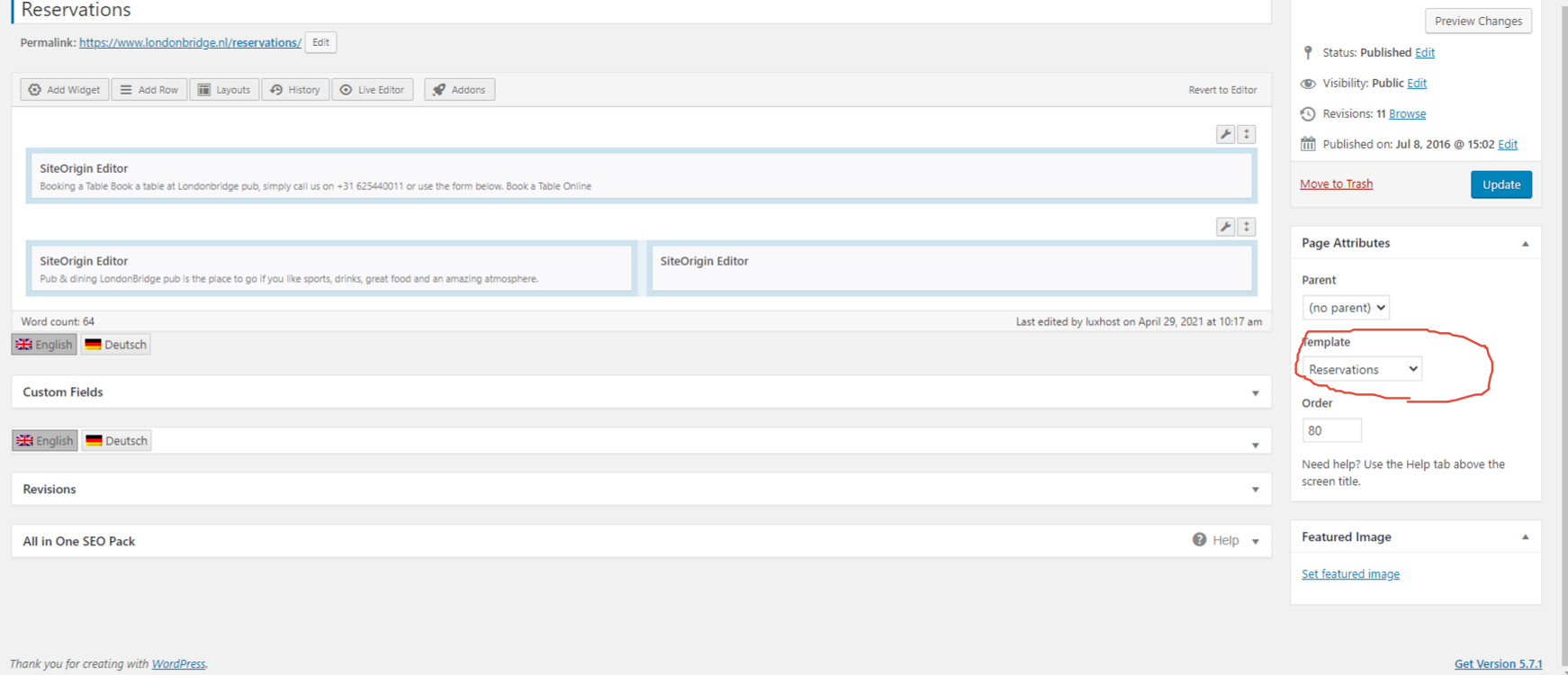
I have add the reservation form, but the form won’t be displayed on frontend.
I made the page like the documentation: https://snipboard.io/CDcKbh.jpg
Hello. You are running an old version of the theme and the “FORQY Restaurant” plugin. Please update. This should probably resolve issues with the form.



:)