8688 comments found.
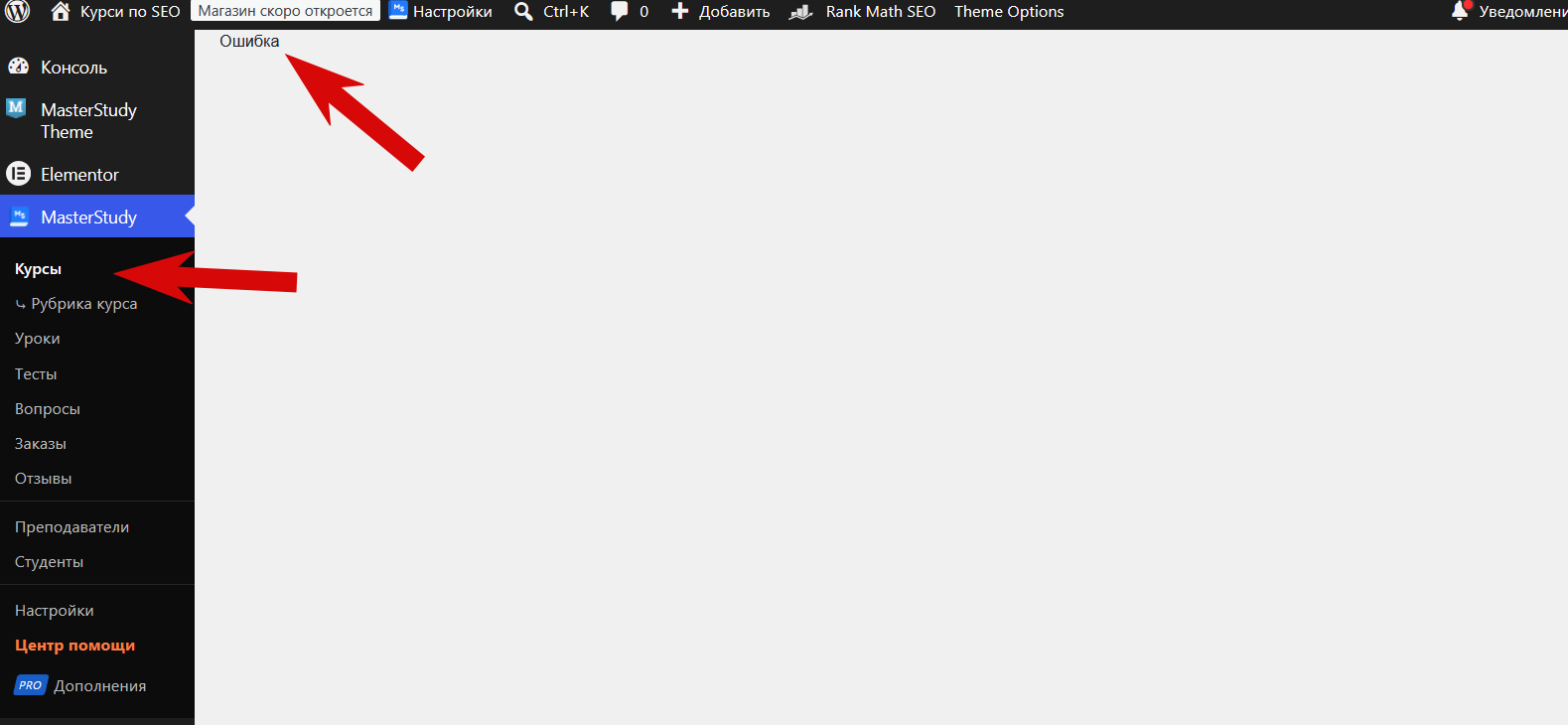
Good afternoon. When I install the theme on my website, I can’t add courses—I get an error message, even though I’m importing the courses. How can I fix this? https://s01.pic4net.com/di-EFN6B9.png
Hello there!
Thank you for reaching us out!
Please try to deactivate all extra plugins and ensure that all required plugins in the theme package were install. If the issue still persists, please send us your error logs.
Best regards,
Hello,
I enabled WP_DEBUG https://school.eugenepakharenko.com/ The debug output shows only Notice and Deprecated warnings related to stm-post-type, stm_gdpr_compliance, and get_page_by_title(). There are no fatal PHP errors.
However, the main issue still remains: after installing the theme and importing the courses, I cannot add a new course. When I click the “Add Course” button, nothing happens.
Could you please advise what I should check next? Maybe this is a JavaScript/AJAX issue or a compatibility problem with my WordPress/PHP version.
I can provide admin access or additional logs if needed.
Thank you.
The Notice and Deprecated messages shown in the debug log do not affect your website’s functionality, so you can safely ignore them for now.
Regarding the issue with adding a new course, have you already tried disabling all third-party plugins and any customizations? In most similar cases we’ve seen, this behavior is caused by a caching plugin, so we recommend starting by disabling any cache-related plugins and then checking whether the Add Course button works.
If the issue still persists after that, please submit a request through our contact form: https://themeforest.net/user/stylemixthemes
When submitting the request, please make sure to include your WordPress admin credentials as well as FTP access so our team can perform a full investigation.
Best regards,
I’ve written to support.
Thank you for letting us know.
Our support team will get back to you as soon as possible. All requests are handled in the order they are received, so we kindly ask for your patience while your request reaches the front of the queue.
Best regards,
Thank you so much for your help. Everything is working perfectly.
Glad to hear everything is working perfectly now.
If our support was helpful, we’d greatly appreciate it if you could take a minute to leave us a 5-star review. Your feedback means a lot to our team and helps other users discover MasterStudy LMS. https://wordpress.org/plugins/masterstudy-lms-learning-management-system/#reviewsThank you for your support!
Best regards,

Hi, When you buy this theme, which plugin do you get ? Masterstudy LMS pro ?
Hello there!
Thank you for reaching us out!
Yes, the theme comes with Masterstudy Pro plugin. The Masterstudy Pro Plus is purchased seperately.
Please let us know if you have additional questions.
Best regards,
Hi, I have a pre-purchase question. Can I upload our own custom-designed certificate to each student’s profile so they can download it?
I also want any visitor to be able to verify a student’s certificate on our website by checking its authenticity. Does your theme/plugin support this functionality?
Hello there,
Thank you for interest in
Yes, you can upload your own custom certificate design. However, the certificate template is assigned per course, not per individual student.
The certificate supports dynamic fields such as the student’s name, course name, completion date, and many other variables. These values are automatically populated for each student.
You can find more details here:
https://docs.stylemixthemes.com/masterstudy-theme-documentation/masterstudy-lms-pro-addons/certificate-builder
Best regards,
Hello I am using the Masterstudy lms and masterstudy lms pro. Now when I activate the Mlms pro the courses are not loading. For sometime I had used masterstudy lms pro plus and later decativated it.
The issue of not loading is because of this But now according to the debug log. The debug log clearly shows:
include(.../addons-plus/Grades/Services/GradeCalculator.php): No such file or directory Fatal error: Class “MasterStudy\Lms\Pro\AddonsPlus\Grades\Services\GradeCalculator” not found
Hello there!
Thank you for reaching out.
Could you please try disabling all third-party plugins and any customizations on your website, then check if the issue still occurs?
If the error persists, please disable the Grades addon and test again.
If the problem remains, please contact our support team by opening a ticket using the Support button below. We’ll need to investigate the issue directly on your website, as we are currently unable to reproduce this problem on our side.
Best regards,
I’m facing a problem and have a feature request regarding theme license management.
Issue Description: After activating the theme, the “My Purchase Codes” panel displays a list of domain names where the purchase code has been used. The problem is that there is absolutely no way to delete any domain name from this list, even in these scenarios:
When I’ve migrated a WordPress site to a new server and domain, the old domain is no longer in use.
Some of our clients use non-WordPress platforms. We changed their domain, so the theme is no longer installed there.
This results in old, unused domains permanently occupying activation slots, which might prevent me from activating the theme on the new, legitimate domain because the limit is reached.
Request / Suggestion: Please add a mechanism (like a delete button or a revoke option) that allows us to easily remove or unlink any inactive domain from the “My Purchase Codes” panel. This will allow for proper license management.
Thank you,
Hello there!
Thank you very much for taking the time to share your suggestion. We really appreciate your feedback.
The license management process is actually a bit simpler than it may seem. If you need to move your website to a new domain, it’s important to deactivate the license on the current website before changing the domain or removing the installation. You can find the instructions here: https://docs.stylemixthemes.com/masterstudy-theme-documentation/installation-and-activation/license-key-deactivationIf the old website is removed without first deactivating the license, it will no longer be possible to deactivate it afterward without contacting out team.
This approach is intentional and helps prevent license misuse, since according to the Envato licensing policy, a single license can only be used on one live project at a time.
If you need to deactivate the license, please clarify the domain or contact our support team by openening a ticket. They will assist you.
That said, thank you again for your suggestion. We’ll make sure to pass it along to our development team for consideration in future improvements.
Best regards,
Hi, my support has expired, and I didn’t find any way to contact support to remove unused domains
Clarify the domain name, I will check it. Or you can extend your support sevice following the instructions https://docs.stylemixthemes.com/masterstudy-theme-documentation/general/how-to-get-support#how-do-i-renew-or-extend-my-support
Best regards,
entesarhusain.com , lilacdev.com , nadineezzeddine.com , karimalsalim.com , abeeralmatooq.com ,
We have checked the domains you mentioned.
The domains entesarhusain.com and karimalsalim.com have been removed from their licenses.
The domain lilacdev.com had previously been activated under four different licenses. We have removed it from two of those licenses, while leaving it active on the other two to prevent license misuse.
The domains nadineezzeddine.com and abeeralmatooq.com are associated with licenses that already have active MasterStudy websites. To prevent license misuse, we are unable to remove these domains from their respective licenses.
If you need to activate MasterStudy on additional live projects, new licenses will be required in accordance with the Envato licensing policy.
Please let us know if you have any further questions.
Best regards,
Hello,
I am interested in purchasing this theme but I am not sure if it has the features I need.
I need the following flow.
A user should be able to create a personal account.
After creating their account, the user should be able to take a timed exam only after paying a participation fee.
Users who pass the test (get a minimum score) should be scheduled for an online interview with someone from the staff.
Can this be easily done with your theme?
Hello there!
Thank you for reaching us out!
Yes, this can be achieved with MasterStudy LMS.
You can create a paid course that contains only a quiz. The quiz can be configured with a time limit and a required Passing Grade, so users must achieve the minimum score to successfully complete it.
After completing the course, students usually receive an automated email. Using the Email Manager, you can customize this email template and include a link for interview booking, such as a Calendly link or a link to any other scheduling page.
Please note that MasterStudy LMS does not include a built-in interview booking system, as it is primarily a learning management system. Therefore, the interview scheduling step would need to be handled through a third-party booking service or a separate scheduling solution.
Best regards,
Thanks for the answer.
A few more questions.
Is it possible to put the Enroll quiz functionality on a button on a landing page. After the user clicks on the button, the user should be automatically redirected to the payment page.
After the payment has been made, the user should be automatically redirected to the quiz page, where we should have a “Start the test” button.
Also, as an admin, can we have a page where we can see all the users who have passed the test and their data?
As an option, you can use the Single Course Carousel widget on your landing page, just like in our demo: https://masterstudy.stylemixthemes.com/course-hub-elementor/
With this setup, when a user clicks the course button, they will be redirected to the checkout page. Once the payment is completed, the course will become available, and the student will be able to start the quiz.
You can try this flow yourself on our website: https://stylemixthemes.com/masterstudy/
We provide both a live demo and a backend demo, so you can test the complete user journey before making a decision.
As for the admin side, you can view all students enrolled in a course along with their learning progress in the Manage Students section.
Best regards,
Thank you for quick response. 2 more question please.
How can I make all the answers mandatory when using Questions Bank?
At the moment I found that I can only make the required answers on the page where the course is edited and the questions are added manually. https://ibb.co/ycLScyL3I also want to disable the Retake function for quizzes. A user can only take the test once.
The user can only take the test again after paying again..
Can you tell me if your theme has these functionalities? Because I haven’t found it.
Thank you in advance.
At the moment, I’m afraid these functionalities are not available by default.
When using the Question Bank, there is currently no option to make all questions required. The only alternative we can offer is to create the questions directly in the Course Builder, where the “Required” option is available.
Regarding the ability for a student to purchase the course again in order to receive a new quiz attempt, I’m afraid this workflow is not supported out of the box.
As an alternative, you can first clear the student’s progress, then remove the student from the course in the Manage Students section, and enroll them again. This will allow the student to take the course and quiz from the beginning.
Best regards,
Pre Buy Query:-
1. Suppose i have 3 course A, B and C. Now what i want is when user visit the website they will have purchase option of course A only and once they Purchase course A then after purchase the course B purchase option should be enable and only after purchase of course B the Course C should be available purchase option…..is this possible with this theme?
Thanks
Hello there!
Thank you for interest in our theme!
Yes, this is possible with MasterStudy LMS using the Prerequisites add-on.
You can set Course A as a prerequisite for Course B, and Course B as a prerequisite for Course C. This way, students must first purchase and successfully complete Course A before they can enroll in Course B, and then complete Course B before Course C becomes available.
You can also define the required passing percentage for the prerequisite course before the next course is unlocked.
For detailed setup instructions, please refer to: https://docs.stylemixthemes.com/masterstudy-theme-documentation/masterstudy-lms-pro-addons/masterstudy-theme-manual-prerequisitesBest regards,
I need to have team members and executives review the course without having to log in and take it themselves, how can I do this?
(our course is audio-heavy and users must listen to a voice dictate each question, which the execs don’t want to take the time to do. But they do want to review all the questions to make sure they are correct)
I am wondering if there is a way to programmatically screenshot each question or to download all questions as a PDF?
Hello there!
Thank you for reaching us out!
Unfortunately, MasterStudy LMS does not include a built-in option to export all quiz questions to PDF or automatically generate screenshots of each question.
You may want to explore third-party solutions such as browser extensions like Awesome Screenshot & Screen Recorder or similar tools. Depending on your workflow, these may help capture course content for review purposes without requiring executives to complete the course themselves.
Best regards,
Hello My website shows a blank page https://yaga-academy.com/ but when i go in the admin panel, i see everything there. How can i fix it?
Hello there!
Thank you for reaching us out!
Please try re-saving your permalinks first. You can do this by going to WordPress Dashboard → Settings → Permalinks and clicking Save Changes without modifying anything.
If that doesn’t help, please try temporarily disabling any third-party plugins and clearing both your server cache and browser cache.
If the issue still persists after these steps, please contact our support team using the Support button below. In your request, please include wp-admin and FTP access credentials so the team can investigate the issue directly.
They will be happy to assist you further.
Best regards,
After import “Offline Courses”, my site breaks a lot. something is missing. It seems the importer didn’t do everything correctly, despite showing that there were no errors in the import.
Hello there!
Thank you for reaching us out!
Please make sure that your server settings meet our system requirements: https://docs.stylemixthemes.com/masterstudy-theme-documentation/general/system-requirements
After that, please disable all third-party plugins and try importing the demo content again. Sometimes conflicts with external plugins can cause the import to complete incorrectly even when no errors are shown.
If the issue still persists, please contact our support team using the Support button below, and we’ll be happy to investigate it further.
Best regards,
Hello,
Is it possible to use Vimeo pro, and every time the instructor upload video directly from the dashboard, it will uploaded to the Vimeo account we own. Because sometimes not every instructor familiar or comfortable to upload on Vimeo.
Thanks.
Also, I think multi currency pricing support is crucial since I am not using $ in my country. Or this can be done via Woocommerce?
Hello there!
Thank you for reaching us out!
Unfortunately, there is no built-in option that allows instructors to upload videos directly from the dashboard to your Vimeo Pro account.
At the moment, the integration works the other way around: instructors need to upload their videos to Vimeo first and then add the Vimeo video URL to their course content.
Regarding multi-currency support, course prices in MasterStudy LMS are not WooCommerce products, so this functionality cannot be achieved through WooCommerce multi-currency plugins.
If multi-currency support is important for your project, you can vote for this feature request here: https://stylemixthemes.cnflx.io/boards/masterstudy-lms/16206
The more votes a feature receives, the higher the priority it gets, and the sooner our product managers are likely to review and consider implementing it.
Best regards,
Please i need a reset for – Item Purchase Code
Hello there!
Thank you for reaching us out!
If I understood correctly, you would like to remove the domain from the license linked to your Item Purchase Code. You can do this by following the instructions here: https://docs.stylemixthemes.com/masterstudy-theme-documentation/installation-and-activation/license-key-deactivation
Please let us know if this is what you meant or if you need help with anything else.
Best regards,
We cancelled the host.. the site is AI designed now. so, we cant login to deactivate the plugin.
We have disconnected the domain from the license on our side. Please try connecting the license to your new domain now.
Let us know if you run into any issues.
Best regards,
working Thank You
We’d be very grateful if you could share your experience and leave us a 5-star review here: https://www.reviews.io/company-reviews/store/stylemixthemes
Let us know if you have additional questions.
Best regards,
Hello, how can import default pages, like HP, contact page, etc?
Hello there!
Thank you for reaching us out!
They will come with demo content. The instruction on how to import the demo content is available here https://docs.stylemixthemes.com/masterstudy-theme-documentation/getting-started/import-the-demo-content
Best regards,
Hi Admin,
I want to setup a online courses website for my student
Each course wil have few lesson.
Each lesson will have study material like content, PDFs Videos and quiz.
Student has to pass the Lesson 1 to go to the 2nd lesson and same for other lessons?
Admin should be able to setup the Course duration
What will the payment gateway work for courses payment?
Do i need to get any membership of plugin to achieve this or is it avaiable within the theme?
Thanks
Hello there,
Thank you for reaching us out!
Yes, you can create multiple lessons within one course.
Inside each lesson, you can add study materials such as text content, PDFs, and videos. However, quizzes are created as a separate lesson type, so they need to be added separately from regular content lessons.
To ensure sequential learning flow (for example, students must complete Lesson 1 before accessing Lesson 2), you will need to configure the built-in Drip Content addon.
Course duration functionality is available only for examination-type lessons such as quizzes and assignments.
MasterStudy includes integrations with payment gateways such as Stripe and PayPal. If these payment systems are not sufficient for your region, we also provide WooCommerce integration, which allows you to connect additional payment gateways.
Additionally, the theme supports integration with Paid Memberships Pro.
Best regards,
Bug: Google Social Login fails to set auth cookie (missing exit after redirect)
Plugin: MasterStudy LMS Pro File: addons-plus/SocialLogin/Provider.php Method: register_user()
Issue: wp_safe_redirect() on line 71 is not followed by exit;. This means PHP continues executing after the redirect header is sent. In the Google OAuth flow, this causes set_token_exchange_code() in Google.php to attempt a second token exchange after the redirect, triggering an invalid_grant error and preventing the wp_set_auth_cookie() call from taking effect. The user is redirected but never logged in.
Fix: Add exit; immediately after wp_safe_redirect( $redirect_url ); in register_user().
wp_safe_redirect( $redirect_url ); exit; This is a required WordPress pattern — wp_safe_redirect() only sends a header, it does not stop execution. Without exit, the rest of the calling code continues running.
Impact: Google OAuth login is completely broken without this fix. Users are redirected back to the site but remain logged out.
Hello there!
Thank you for reaching us out!
We checked the issue on our side and did not detect the reported problem with Google Social Login on your website.
Please also verify your browser cookie settings, since blocked or restricted cookies may prevent the authentication session from being saved correctly after redirect.
For example, in Firefox you can review and adjust the settings following the recommendations here: https://support.mozilla.org/mk/questions/1264586
Best regards,
Hi, When will you release an update for the WooCommerce compatible theme? WooCommerce version 10.5.2 has a serious security issue. And later versions have incompatibility with the latest update of the theme. Thanks
Hello there!
Thank you for reaching out.
MasterStudy is compatible with the latest WooCommerce versions. If you are experiencing any issues after updating WooCommerce or the theme, please contact our support team so they can review your specific case in detail.
Our support team will be happy to investigate further.
Best regards,
Hello,
About a year ago, I contacted support regarding an issue that occurred after a theme update. The problem was the disappearance of the login button that allowed users to log in without leaving the current page — it used to open a pop-up form (modal) instead of redirecting to a separate login page.
At that time, support replied that the issue was not important and suggested that I could simply add a login button linked to the login page from the menu — as if I didn’t already know that workaround.
Now, I need to raise this again: Are we supposed to lose an existing feature after every update ? If I don’t have a dedicated technical team constantly monitoring the site, this login button could suddenly disappear , and I would lose many customers — simply because your support team believes such an issue is not worth to resolve.
I request that the original functionality (inline pop‑up login form without page redirection) be restored or officially confirmed as deprecated so I can plan accordingly.
Thank you.
Hello there!
Thank you for sharing your concerns.
Regarding the pop-up login functionality, over time the theme has shifted toward more standardized WordPress login flows to ensure better compatibility with plugins, security updates, and overall stability. Because of this, some earlier behaviors (like inline modal login) were adjusted.
At the moment, this specific functionality is not included in our current development priorities, mainly because most recent updates are focused on stability and adding new features. That said, we’ve noted your feedback, it’s definitely valuable and helps us better understand real use cases.
As an alternative, you might find the side profile menu helpful in improving the login experience: https://docs.stylemixthemes.com/masterstudy-theme-documentation/lms-settings/masterstudy-theme-manual-profiles#side-profile-menuIf this option doesn’t fully match your expectations, restoring the exact previous behavior would require some customization. In that case, development involvement would likely be needed.
If you’d prefer not to handle that yourself, our Digital Agency team can assist with implementing a tailored solution via the Hire Us option.
We appreciate your understanding.
Best regards,
I was not able to activate my license – I get “Activation alert: cURL error 7:” when i try to activate it. Could you please help? I have no way to see if i activated it in the past, could you please deactivate if there is one.
Hello there!
Thank you for reaching out.
We found that there were several inactive domains previously connected to your license. We have now removed one domain, so you should be able to activate the license on your new website.
Regarding the error “cURL error 7,” this is usually related to server configuration issues. We recommend contacting your hosting provider and asking them to check if outgoing connections (cURL requests) are properly enabled on your server.
If you need any further assistance, feel free to let us know.
Best regards,
when sudent complete the course then certificate button doesnot work what is the issue
certificates are not downloading not viewing https://learn.digilancer.com/wp-content/uploads/2026/04/certificates-are-not-downloading-or-viewing.png
Hello there!
Thank you for reaching us out!
Please check whether the “Issue a certificate upon completion of the course” option is enabled in the course settings.
If this setting is disabled, the certificate button may appear but will not work after the student completes the course.
Please refer to the screenshot below:
If the option is already enabled and the issue still remains, please let us know.
Best regards,
hi! , my license includes a domain that no longer exists. I need to deactivate the domain merywolfdesign.com because it’s no longer registered and has been cancelled. The domain maternidadyfitness is the one with the active license.
Hello there!
Thank you for reaching out.
According to Envato’s licensing policy, each license is valid for one live project only. This means a single license can be used for only one live domain at a time.
To prevent any potential misuse of the license, we’re unfortunately unable to deactivate the domain merywolfdesign.com while another active domain is already using the same license. Each separate project or domain requires its own license.
We appreciate your understanding. If you plan to use the theme on a different domain, you would need to purchase an additional license.
Please let us know if you have any questions — we’ll be happy to help.
Best regards,