81 comments found.

I am also getting the same error.
1.0.0:9 n gsap.min.js?ver=1.0.0:9 (anonymous) gsap.min.js?ver=1.0.0:9 onRepeat
I have just recently purchased this theme from themeforest. Kindly guide
please mail us at themeholy@gmail.com
Hi, Very bad support and disappointing. Kindly refund my money. I already raised query on the day I purchased that I am getting error in installing demo content. Shared you website username and password and still no reply. Rreally disppointing and hence I have decided not to move forward. Kindly issue a refund
all are done
Having issue getting blocked by my host provider after using the this theme. While design is completed, after few test getting into the site, I get an access denied to my ip due to the multiple request. I have run the site with a simple/light theme and not problem.Once I switch to Webteck – IT Solution and AI Technology, it does block access. https://stage.egedonbosco.org/
coudl you please mail us at themeholy@gmail.com then we will fix the isse asap
I just made a new purchase, but importing is incredibly problematic. When I try to edit a new page, it won’t open; I get an Error 500. Another site works in the same location, but yours is not.
could you please mail us themeholy@gmail.com then we will fix all asap
please email us at themeholy@gmail.com
I sent an email
we answered you sir
You requested my login information in your email. I sent it to you, but nothing has been done yet. When will my problem be resolved?
please response on email not here sir and i want to solve all now
I just sent you an email to themeholy@gmail.com.
please answer the email
Thank you so much, you did a great job!
all fixed
Hello, I have purchased theme few months back, all worked fine. but recently all the images on the website which are coming from ‘https://wordpress.themeholy.com/webteck/wp-content/uploads' are not found with 404 error
ex: https://wordpress.themeholy.com/webteck/wp-content/uploads/2024/06/about_2_1.svg https://wordpress.themeholy.com/webteck/wp-content/uploads/2024/10/about_23_1.jpgI have updated the theme with envato plugin, but issue is still same. My website is in production, i have my website lots of content added so i can’t just redo everything from scratch, please guide on how to fix as soon as possible.
Hello, Could you please mail here themeholy@gmail.com with your temporary dashboard access
we responded your email
hi sir i have tried reaching you through the email ? i haven’t got any update from you. 1. While importing demo data i was unable to import images tried importing in 2 hostings same problem
2. I was unable to change theme primary color. it company demo i tried changing primary color but its not working
3. tried changing back to top icon color not working
4. you need to give an option to change preload color as well
The preloader color is controlled by the theme’s main color settings. If you change the theme color, the preloader color will automatically update. Regarding the demo data issue, I’ll need to check what’s causing the problem. However, please note that you are not a Pro customer — and according to our policy, Envato Elements customers are not eligible for paid support.
Thanks
It was all working find and then after 4 months all images of the website are gone, the images i uploaded are still there but image used in demp import are gone. i can see images in media files also images url are working but on website all images are gone. I tried to contact support, wrote them email and via support chat and after 1 week no reply yet. website: https://txdynamics.cloud/
please follow thios video: https://www.youtube.com/watch?v=UjOmat-Jau4&t=2s
so i have to repeeat this process for whole website? i have more than 200 images and i will do this for all? there should be a quick way to resolve the issue
please come on email and respond us
I have downloaded the theme from envato for 4 months Now the website is broken due to Webteck Core Plugin I have download the theme again but I do not find the updated plugin What should I do now ?
fixed
Hi, I’ve bought the theme how can I edit the homepage content in the files I can’t find it
Could you please email us themeholy@gmail.com with your purchase code
Hi Support Team
I’m reaching out regarding a critical issue with the import function, which consistently fails during the process. I have tried multiple times with different approaches and ensured that all recommended settings are enabled, but the import still does not work.
Please sir response out email
Seriously, you guys need to fix the import issue. I tried with three different hosting providers, including a VPS with 4GB RAM and a 2-core CPU, with all recommended settings enabled, but it still fails during import. No doubt the website design is beautiful, but the import function is absolutely pathetic.
We are sorry for the late response and could you please email us themeholy@gmail.com then we will fix all asap and you need to mention us your purchase code
Has importing demo been successful for anyone? It doesn’t go through at all. After 2 minutes of showing the gear icon on progress, it just says import failed (Error: error (524)). I tried everything. Changing the PHP versions, changing the WP version, resetting the website from scratch, etc.
It satisfies all the requirements needed for the demo: WP Memory Limit Currently: 256M Upload Max. Filesize Currently: 256M Max. Post Size Currently: 256M Max. Execution Time Currently: 300 PHP Max. Input Vars Currently: 5000 PHP Max. Input Time Currently: 1000
I have been able to fix it. I think its the problem with your server where you have hosted the demo. I had to keep trying till it was successful. I made almost 75+ attempts to import, JFYI. You might want to look into this issue, since I see that many customers in this comment section has mentioned the same.
sometime customer server also created the problem
I have 3 servers and tried on all 3. Hostgator, hostinger and blue host. Are you saying all 3 servers are having problem?
I don’t know really, we sold out it 850 time, but the first time created this issues by the way, at least fixed the issues
fixed
Hello,
May I inform you that I just discovered I have 6 months of support from the Author as part of my purchase, kindly see the screenshots below and offer support as requested.
I sent an email to your Gmail and you keep refusing to offer support after complaining that your Theme Demo import template is uneditable and not inheriting the edits I have done including the Header, Footer, Logos, Nav Menu.
I honestly don’t know how Envato vets these Authors and allows them to sell bad themes to customers while refusing support for their own products.
If you are still refusing to offer support, I will have to report and escalate this issue to Envato for intervention
Thanks, sir, for your comment and we are obliged to support you. Could you please respond to our email, which we sent to you. You brought our product 38 minutes ago, sir, and we responded 10 minutes ago, sir. Please check your email.
All theme depend on Elementor and third-party addons; if you don’t buy them, you are wasting your time and money. If you try to edit the theme without addons, then it just ruins all the theme, and theme can’t be fixed. you have to reinstall WordPress; just reinstalling the theme doesn’t work here. There are no clear documents and the YouTube videos they provide are 1 year old. They just told you how to install the theme, that’s it, and also they don’t even have a proper company email. I have wasted my time and money…...... I want my money back
First of all, we are sorry for your misconception about our theme, it is one of the best themes under our profile. Before giving us a negative rating, you should contact us: themeholy@gmail.com, and we will be ready to support our honourable customers. If you want to refund, you can directly apply here, then you will get your money back ow: https://themeforest.net/refund_requests/new
The templates are not working, and your team isn’t responding to my emails. I can’t continue with my project since the templates are overriding every new page. Kindly refund my money so that I can look for another working theme.
please mail here again with your issue themeholy@gmail.com
Excellent support by the themeholy team …
Thankjs
Your theme (Webteck) contains outdated copies of some WooCommerce template files. These files may need updating to ensure they are compatible with the current version of WooCommerce
please udpate theme
Could you please mail us themeholy@gmail.com we will fix all asap
You are not Updating the theme on envato elements i have downloaded it from elements and its clearly mention in elements terms ..
“From time to time, authors will release updates to their items to ensure that they are working as described, protected against major security concerns, as well as provide discretionary version updates. To access these updates, simply download your item again to get the most up-to-date version.”
please update the theme on envato elements. thanks
please download latest version we updated woo-commerce file
We are very disappointed about this support, the template we purchased is not working at all, approached the support team many times but unfortunately they are not professional in giving support to clients, would be happy to go for a refund please let us know the procedure. for it.
er refund your money sir, most are your server issues
we are using godaddy server where we don’t have issues with other templates, at least you should have advised us what to do. if you templates wont support you should have mentioned it earlier in our conversation.
please dont comment here
Hi,
I have 2 problems with the theme:
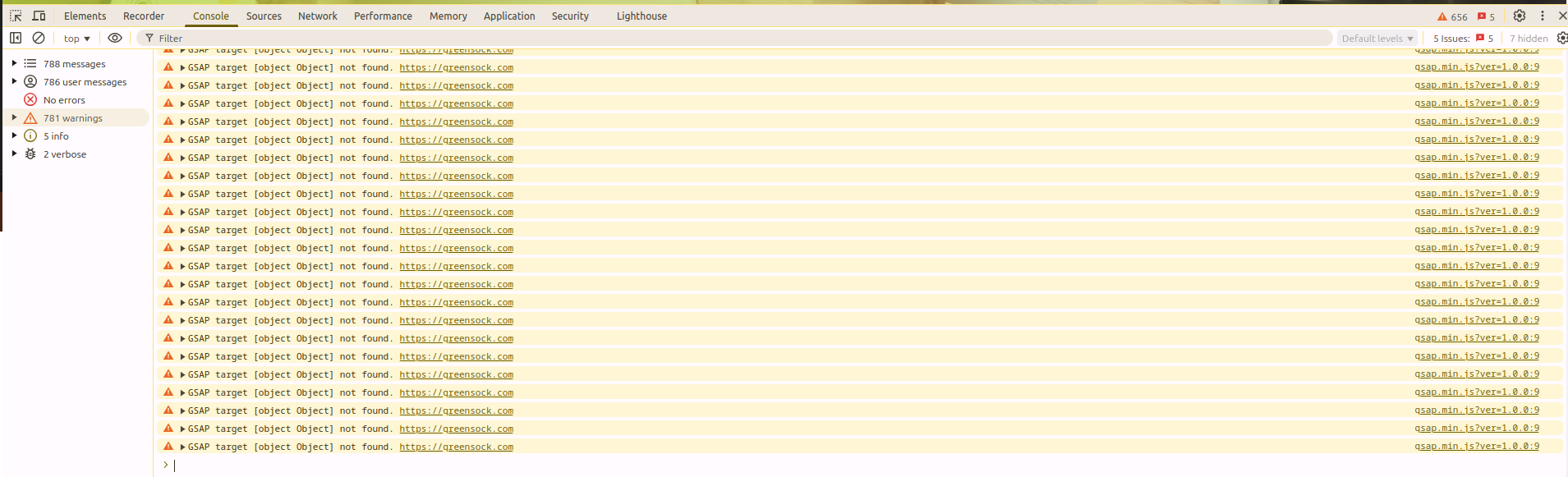
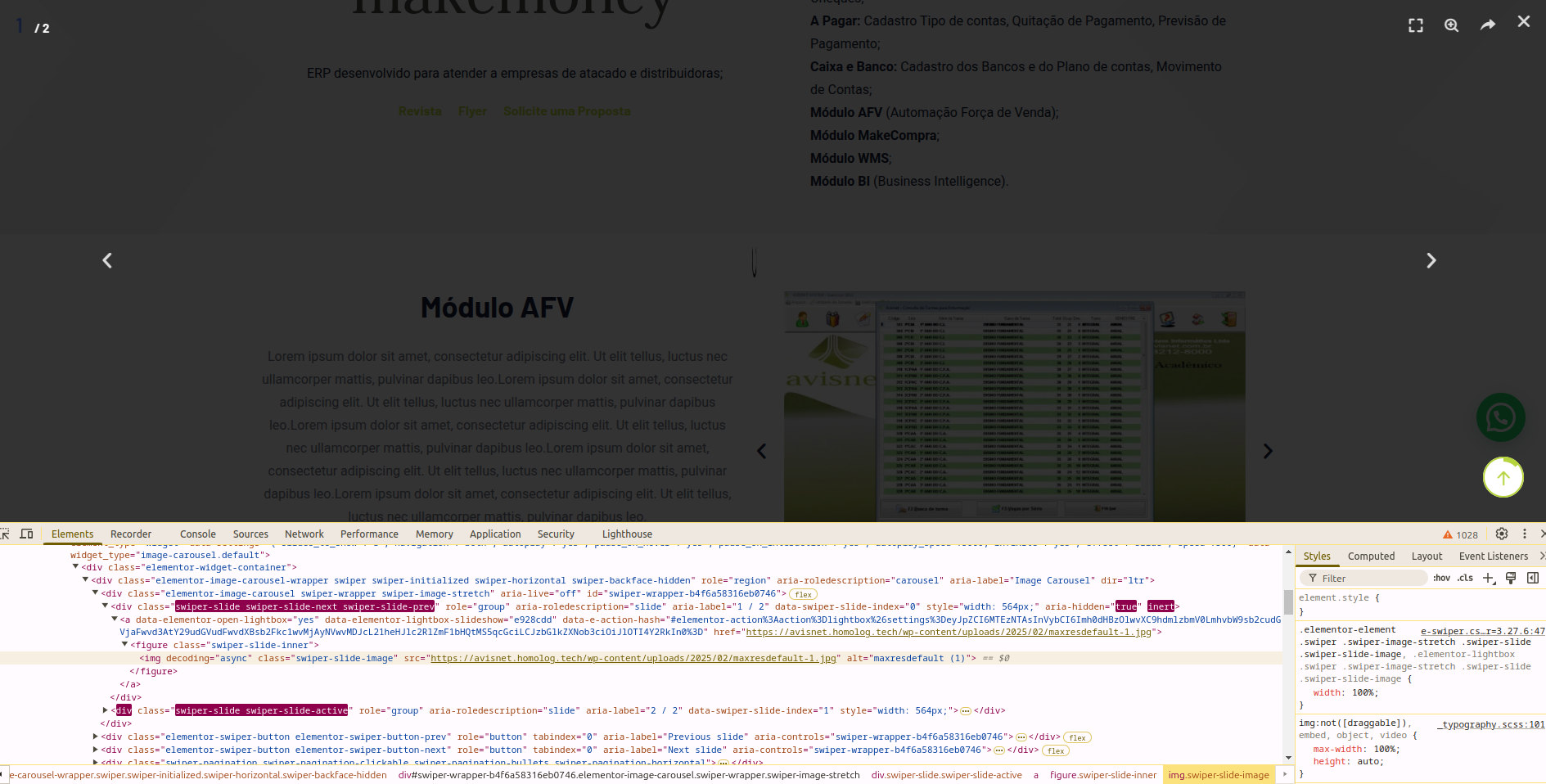
1 – Disabling the option Webteck Options > General > Preloader > Mouse Courser Effect An infinite warning occurs in the browser console. print url below: https://playground.homolog.tech/wp-content/uploads/2025/02/image-warnings.png 2 – Elementor’s slide lightbox doesn’t work with the theme. print url below: https://playground.homolog.tech/wp-content/uploads/2025/02/image-error-slide.pngplease give me your dashboard access here themeholy@gmail.com
email sent!
i response you
hi, I’m waiting for the problem to be resolved.
come on google meet now
Were you able to solve the problem I mentioned?
Did you understand the problem I mentioned below?
1 – Disabling the option Webteck Options > General > Preloader > Mouse Courser Effect An infinite warning occurs in the browser console. print url below: https://playground.homolog.tech/wp-content/uploads/2025/02/image-warnings.png
2 – Elementor’s slide lightbox doesn’t work with the theme. print url below: https://playground.homolog.tech/wp-content/uploads/2025/02/image-error-slide.png we solved it
Thanks! the problems have been resolved!
thanks
I activated the child theme and the problem below returned, I activated the parent theme again and the problem continues, which was what you did to resolve it previously, because I noticed that you deactivated my child theme.
2 – Elementor’s slide lightbox doesn’t work with the theme. print url below: https://playground.homolog.tech/wp-content/uploads/2025/02/image-error-slide.png
don’t comment here and please mail us themeholy@gmail.com
see your site again issues are solved why you re-upload your main theme again ? don’t message here if need support direct mail us
Thanks