1203 comments found.

First at all! Congratulations! Writing theme is absolutely awesome. I hope you can updating and supporting it so many time 
In other hand, I’m having some problems with post formats: Vídeo an audio post are listed in blog page but without video or audio as featured thumbnail. I was looking in theme forum and I have seen a a monosnap screenshot (https://monosnap.com/file/bUtWlIcS9pWB83GbsJVXcGrL7jgxAc). For me not appear Gutenberg menu option “Writing Featured Thumbnail”
Could you give any help? Thanks in advance
Hi friend  hope you are fine,
Thank you for purchasing Writing, I’m really honored that you like it!
Can you please attach a screenshot of the post editor page?
Thanks!
Hi friend hope you are fine,
Can you please send me login info so that I can check the issue better?
Thank you for your patience
Do you mean user and password for login??? Which privileges do you need? Author? PS: I would need your email for send you login details 
Yes, please send user and password at support[at]ahmad.works so that I can check the post edit page to identify why the featured image format doesn’t appear correctly
Thank you for your patience.
You’ve email Thanks!!
Sorry for the delay can you please include this themeforest comment in your email so that I can make sure which email is from you?
Thank you for your patience.
Done! you have email
Got it Thank you!
Please wait till I check the issue for you
Hi!
Did you have a chance to check what happen with audio and video post featured thumbnail in blog page?
Thanks in advance
Hi friend hope you are fine,
Sorry for the delay, the update with the fix will be up in about 24 hours, please stay tuned and we will notify you when it’s up
Thank you for your patience and understanding.
Thanks so much
Sorry for the delay, we are working on the update to be released ASAP Please stay tuned and thank you for your patience.
Do you know when will the update be released aprox. ?
Thanks in advance
Hi friend hope you are fine,
The update would be up on 28 Dec. Please stay tuned and thank you for your patience and understanding.
Happy Holidays!
Hi friend we are working on the update and it will be up in the next 6 hours, thank you for your patience
Finally, Did you publish the update?
I don’t see any notification in my envaro plugin.
Thanks in advance
Waiting new update 1 year ago but writing featured thumbnail for video & audio post appear, but still not working 
Hello Ahmad!
I just recently bought the theme and I’m loving it. It’s beautiful, and I’ve found it easy to customize. Rated it five stars.
I have two feature questions:
1) I’m currently using the list mode with a featured post. I’ve noticed that when you sticky a post, it takes the “featured” spot on the blog, and then all other posts made after it are in the smaller, list mode. Is it possible that I could make it so that both the sticky post and the most recently created non-sticky post are feature-sized? In addition to that, is it possible to make all sticky posts feature-sized?
2) I’ve activated the reading progress bar feature, and I think it’s really neat. But is it possible to have the bar reach 100% of the screen size once the user has scrolled through all of the article text instead of the entire webpage? The “related posts,” comments, and footer take up quite a bit of space at the bottom, so it’s misleading for the user I feel.
I’m only a novice coder, but I think this could be achieved by having the bar reach 100% width once it’s reached the end of the div with the class name “entry-content.”
Thank you very much for your help! Really wonderful stuff.
Hi friend hope your weekend was great!
Thank you for your rating, I really appreciate it and honored that you love the theme!
1) That’s a great suggestion, we will add it to the next update, which should be up within this week
2) Thank you for reporting, we will fix this issue in the next update
Please feel free to ask anything, we are here to help!
Hi ! Is the theme PHP 8 compliant ? Thanks
Hi friend hope your weekend is going fine,
Thank you for purchasing Writing, I’m sure you will like it!
Yes, it’s compliant with php 8
Please feel free to ask anything, we are here to help!
Hello, How can i disable footer in the theme?
Hi friend hope you are fine,
Thank you for purchasing Writing, I’m sure you will like it! You can hide the footer easily adding this code to (Appearance > Customize > Additional CSS)
.site-footer { display: none; }
Please feel free to ask anything, we are here to help! Thank you for your patience.
Hello, could you please share a document to show how I can set the theme on RTL?
Hi friend hope you are fine,
Thank you for purchasing Writing, I’m sure you will like it!
You can get the RTL layout by setting your Wordpress website to any RTL language, Please go to (Settings > General > Site Language) and pick your language
Thank you for your patience.
URGENT – Hi Team, I have emailed you about two issues with this theme;
1. The latest theme has a bug with youtube embed! It breaks the whole website with a critical error. Please see my email for more details.
2. The search icon doesn’t work on the homepage on the navbar. Please see my email for more details.
Hello, I would appreciate you fixing the bugs/broken things in the new theme please.
Hi friend hope your weekend was great,
Please stay tuned while I check the issues and get back to you in the morning
Thank you for your patience and understanding.
Hi, I’m having issues with the Contact Form when using the theme. Can you assist me with this issue?
Hi friend hope you are fine,
Thank you for your patience, can you please explain the issue further?
Sorry for the delay. I’ve tried to set up a Contact Form using your theme, but it doesn’t work. I have a staged site where the Contact Form is originally set up and then I deploy the site to the live production site. But when I attempted to submit a message using the form, it doesn’t work.
Hi friend hope you are fine,
Can you please send me the login info to support[at]ahmad.works so that I can investigate the issue and fix it for you?
Thanks!
Hi, I sent the admin information to you, but you never replied nor showed any signs of trying to use the access info to update the issue. I’ve already removed the access, but need to know if you plan on helping me fix the problem.
Hi friend hope your weekend is going fine,
Sorry for the delay, please resend the access and I will fix it for you today
Thank you for your patience.
I’ve sent you the credentials to your support addy and an email response to resolve both issues. Thank you.
Hi friend thank you for your patience, Please stay tuned while I check the issue for you right now.
You promised to do this 2 days ago right away. I have removed your access to my Wordpress account again. It’s really sad that such a simple theme has caused me so many problems. I will be removing your theme from my site in the near future as well and trying either another vendor on this site or going with the Wordpress themes provided by GoDaddy. Therefore, there is no need for your assistance, as you will discover you no longer have access to my account. Please in the future do a better job for your customers, because the issues in your theme and your poor customer service needs to repair.
I’m really sorry for your experience, our support is usually fast but we are overwhelmed these days with tasks and support requests. We are re-organizing our support schedule to fix these issues. Can you please re-send access and the issues will be solved within 2 hours. If not, we will refund you immediately.
Thank you for your patience.
Refund me immediately. I’ve been waiting for days, if you scroll through the comments that I’ve left. Then 2 days ago you promised to fix that day and didn’t. Now you’re promising to do it today and within 2 hours. These are empty promises. So kindly refund me for the service, and have a good day.
Sorry again for your experience. Please request the refund from here and we will process it right away.
Refund request submitted.
I want to buy this theme but I have a question. Can this theme only be used by one writer or more than one? Currently, we are three writers that about to start a blog and I really love this theme. I am waiting for your quick response.
Hi friend hope you are fine,
Thank you for your interest in Writing, I’m honored that you love it!
Yes, there can be multiple writers/authors for the theme also the theme has a page template to show all the website authors list
Please feel free to ask anything, we are here to help!
Hi there! I wanted to activate the new updated on Envato Marked plugin in WordPress, but in the customize it looks very different from my tweaked version and I am a bit afraid I will make a mess of it. Just for the records, the main frame of my design has stayd put for a month no matter which page I have chosen as landingpage, so not sure if this has something to do with it. is there a way I can just update and keep everthing as it looks at the page? The page is helligetvor.de Thanks for any help!
Hi friend hope you are fine,
I see that you are using a child theme, that’s why it appears different in the customizer as the tweaks and settings you made are in the child theme, while you are previewing the parent theme itself. Don’t worry about the changes as long as you made the changes in the child theme itself not the parent
However, it’s always recommended to backup your website before any updates, whether they are the theme’s, plugins’ or Wordpress itself
Thank you for the fast reply! Does that mean, if I activate the update, it will not (normally) make any visual changes to my page? I still am not clear about the difference between the parent and child theme when it comes to updates. Will updated features be part of the child theme, even if tweaks stay (normally) the same?
Yes, that’s right That’s why we always recommend making tweaks in a child theme, so that you can update without losing any changes.
Please make sure to backup the translation file if it’s in the parent theme (writing folder not writing-child folder)
Thanks, all fine, looks like Just a note on the slide menu icon for mobile phones, it is still double – is this my version or all versions? If mine, I should be able to solve it locally. Please see image here: https://drive.google.com/file/d/16xiHzOOgF2FFHrleJyww5nZNZFatiWEg/view?usp=sharing
Hi friend hope you are fine,
unfortunately I couldn’t reproduce this issue. Can you please send me login info so that I can investigate this issue and get to the reason of the issue.
Sure, but I would rather not place the info here … I belive you gave me a mail adress once but I can’t seem to find the mail or the adress …
Hi friend hope your weekend was great,
Please send the info to support[at]ahmad.works
Thank you for your patience.
Thank you!
Hello, Please tell me how I can enable comment editing. There are some bad links in some comments, but the edit icon isn’t working for me to click on to make the changes. Why aren’t my comments showing up for the post (articles) in my back office so I can reply back there and make changes? This is getting very frustrating. I’m thinking of reverting back to my old theme and request a refund.
Hi friend hope you are fine,
Can you please send me login info at support[at]ahmad.works so that I can check the issue and fix it for you?
Thank you for your patience
I really like this template, but I wonder is this compatible with bootstrap 4.x? Thanks in advance!
Hi friend hope you are fine,
Sorry for the delay, the theme is compatible with Bootstrap 3
Please feel free to ask anything, we are here to help!
Hi, I purchased your writer theme and so far so good. However, I don’t see the images for the background. I was under the impression that the images were provided and I get to select the one I want to use. Please let me know what I need to do to get the image. Thank you!
Hi friend hope you are fine,
All the images appearing at the demo are for demo purpose only as they are protected by copyrights, you will need to select your images
If you wanted, you can set which images did you want to use and I will write you links to purchase the image
Thank you for your patience!
hi,
I just added a tweet using your embedded tweet icon( inside the post) then I added the tweet, it shows while I am editing but after publishing it, it just show the link
URL-> https://www.temporary-url.com/1BC385
How to fix it please ?
Hi friend hope you are fine,
This issue will be fixed in the next update on 15 Sept. please stay tuned and thank you for your patience
the update is not deployed yet ! I am still waiting to fix the issue !
Hi friend
Sorry for the delay, we are working on releasing the update ASAP, it should be up within 24 hours, please stay tuned and thank you for your patience and understanding
The update will be up at 1 pm GMT on Monday Please stay tuned and thank you for your patience and understanding.
hi, i just upgraded the theme to the new version that you just released, the problem is still on ! the new update did not fix that !
Hi friend
Can you please send me login info at support[at]ahmad.works so that I can investigate the issue further and fix it for you?
Thank you for your patience and understanding!
you should get it by now . “ahmadworks”
Sorry, I didn’t get the email yet. you can instead send it in a private message via my profile
done .. Your message has been sent.
Thank you Please stay tuned while I check the issue for you!
still waiting
Thank you for your patience, I’m checking the issue and will be back to you within 2 hours
nothing changed until now !
Sorry for the delay, I’m still working on the issue, it’s working fine on our server but I don’t know yet why it doesn’t work on the website, please stay tuned and I will let you know the feedback before Thursday night.
Thank you for your patience and understanding.
anything yet ! the issue is still on
still waiting !!
Hi,
I would like to customize the posts list page so it should show the latest 4 posts with its featured image as its background, and then the rest of the older posts as a vertical list, along with the post number and post date (as shown in the attachment)
how can I do that please ?
p.s: I made a post in your forum: https://ahmad.works/envatosupport/forums/topic/customize-posts-list-view/Hi friend hope your weekend is going fine,
Thank you for purchasing Writing, I’m sure you will like it!
Unfortunately this option isn’t available, and is out of support span. But We can customize it for you as a custom service for a fee. If you are interested, please contact us at support[at]ahmad.works
Thanks!
Hi there! Is it possible to make the page title to look exactly like the post titles? Right now there is something grey with rounded corner in the background etc. At least I just want the font to be the same and have the same size and only white background. I can hide the original title thanks to css you gave me, but doing that and using a regular block for title, makes a big white space between blog title and title of the page. Thanks for help!
Hi friend hope your weekend is going fine,
I’m preparing a new update to be released on 15 Sept. it will include option to set page title like post titles
Please stay tuned and thank you for your patience and suggestions.
I love the theme but I have a problem. I want an image to appear in the blog listing page and on the article page. However using a featured image results in an image at the top of the article and in the article where placed. In other words, two of the same image. Turning off the featured image removes the images from the list page. What am I missing?
Thank you.
Hi friend hope you are fine,
Thank you for purchasing Writing, I’m glad you love it!
Can you please send me a screenshot of one of the posts editor view so that I can check something?
Also, can you please write me your website url?
You can send to support[at]ahmad.works , please refer to this comment in the message
Thanks!
Hey there,
I have recently updated my wordpress to 5.8 and my drop down menu is not working. Can you please help me with this one? My theme is already updated but still drop down menu is not working.
Hi friend hope your weekend was great!
Can you please write me your website so that I can check the issue and fix it for you?
Thanks!
Sure. www.tahirazam.com
I’d highly appreciate if you could fix it for me as I have zero knowledge when it comes to websites and I am losing my clients because the dropdown menus have a lot of categories in them that are very important for my business.
And yes my website menu is not working on Phones and tablets etc as well.
It seems that your js files aren’t loaded, that’s affecting the dropdown function. Please send me login info to support[at]ahmad.works so that I can fix this issue for you
Thanks!
Email sent. Please take a look?
Hi friend
I’ve seen that you don’t have the latest Writing update, please update using Envato Market plugin and let me know the feedback
Thank you for your patience.
It’s working now. Thank you so much!!
Hi. Is it possible to disable the header menu in case of mobile platform? Thanks for your work and for your answer.
Br, Adam
Hi friend hope you are fine,
Thank you for your interest in Writing, I’m sure you will like it!
Sure, this can be easily done using CSS Our support will send you the code to add easily.
Please feel free to ask anything, we are here to help!
Hello !
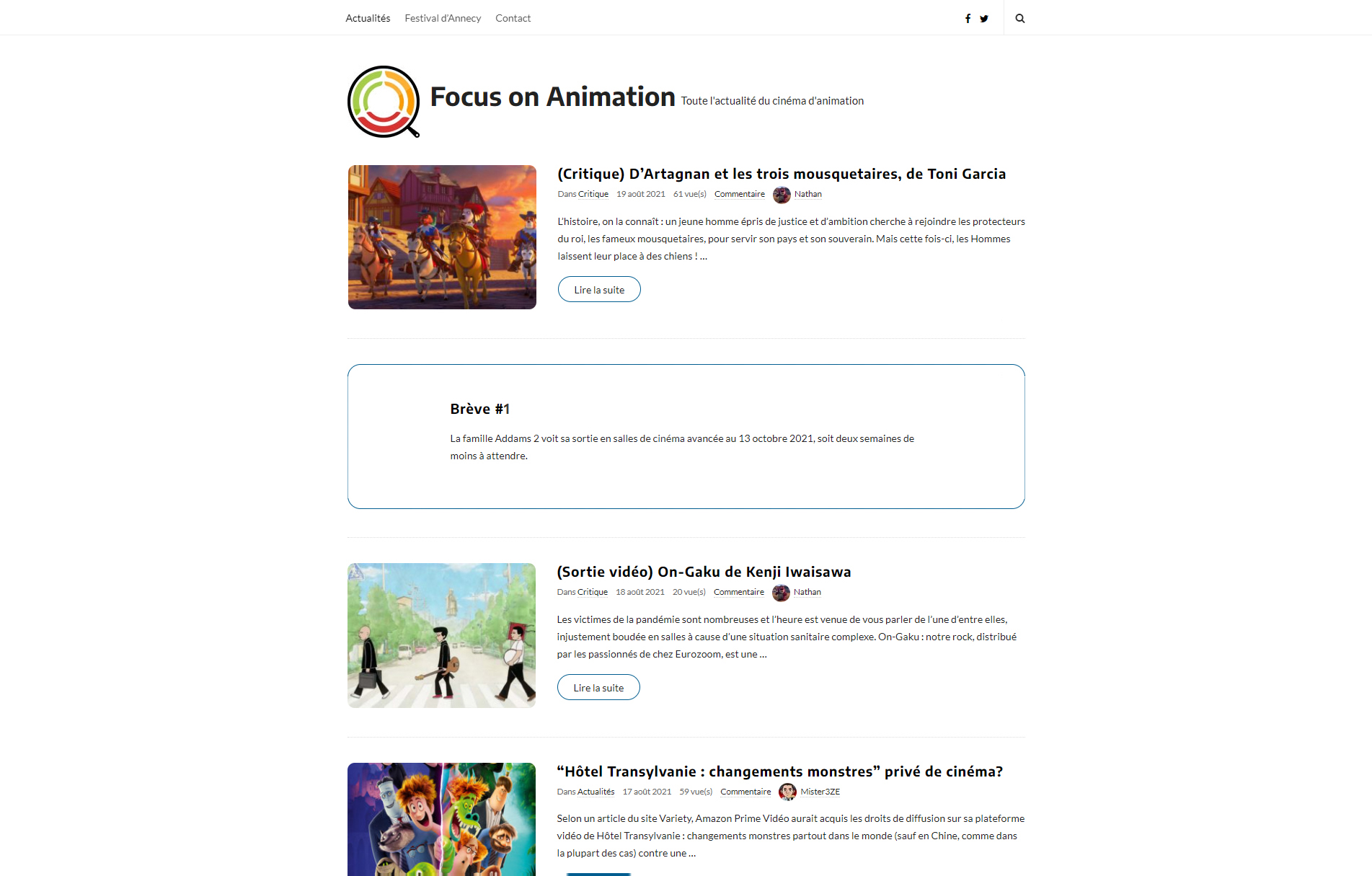
It’s me, again I have a suggestion about a new type of post : brief. Do you plan to add this feature? I have draw a very fast example on Photoshop here : https://www.focusonanimation.fr/wp-content/uploads/2021/08/suggestion-breve.jpg
It would be a great feature !
Let me your feeling about that
Hi friend hope you are fine,
That’s an awesome suggestion! We will add it to the updates plan Thank you and I will let you know when the update is up within a few day
Thanks!
Hello! I still love your theme and use it for my site www.werkrust.nl
I wonder how I can use the featured post + list layout on a static page. Do you have any suggestions?
Hi friend hope you are fine,
https://tinyurl.com/yzh5txuv
Please try and let me know your feedback!
Have a great weekend
Hello, thanks for your quick answer (as always). I really appreciate your service. I got one further question: I want to combine the blog layout with custom blocks made in Gutenberg. With your solution I can show the blogposts but my custom blok (image with link) doesnt appear. Do you have a suggestion? I can send you the url or screen shots if that’s necassary.
Hi friend hope you are fine,
I see, this option isn’t available currently but it’s a great suggestion, I’ll add it to the next update to be released within a few days Please stay tuned!